Key takeaways:
- After testing five top AI paraphrasers, JustDone ranks #1 for combining paraphrasing, AI humanization, and built-in plagiarism/AI detection in one workspace.
- Different paraphrasers excel at different tasks, so the best choice depends on your writing workflow and goals.
- To stay safe from plagiarism and AI detection, always pair paraphrasing with originality checks and choose tools that give you control over tone, strength, and style.
The best AI paraphrasing tool depends on what you need it for. If you're a student who needs to paraphrase, check for plagiarism, detect AI, and humanize text in one place, JustDone is the strongest option. If you just need fast everyday rewrites, QuillBot or another tool is the most reliable free-tier alternative.
What Paraphrasing Tools Mean Today
Rewriting text in your own words has always been part of academic and professional writing. But now, the stakes are different. Universities are running AI detection on submissions. Search algorithms are getting better at identifying low-quality AI output. Content teams are under pressure to produce more while maintaining a human voice.
Paraphrasing tools have evolved alongside this. The best AI Paraphrasers no longer just swap synonyms — they restructure arguments, adjust tone, preserve keyword intent, and increasingly, they include AI detection and humanization as part of the same workflow.
This guide tests and ranks the best options available today based on output quality, AI detection bypass capability, multilingual support, and how well each tool fits different real-world use cases.
How I Tested 5 AI Paraphrasers
Each tool was tested on three text types that reflect how students and writers actually use paraphrasers:
- Academic rewording — dense, citation-heavy research text that needs to be clearer without changing the meaning.
- AI-generated text humanization — output from ChatGPT that reads too uniformly and needs to sound more naturally written.
- Blog and SEO rewriting — content that needs structural variation while preserving keyword intent.
Tools were evaluated on output quality, how human the result reads, whether the paraphrased text still triggers AI detectors, ease of use, multilingual support, and the availability and practical limits of free tiers.
Top Ranking of the Best Paraphrasing Tools
After testing the best paraphrasing tools, I came up with my own ranking. Here is what it looks like.
| Rank | Tool | Best for | Free Plan | Stand-out strengths | Main drawback |
|---|---|---|---|---|---|
| 1 | JustDone | Students & creators who need paraphrasing + AI/humanization + plagiarism & AI check in one place | No, 2$ for 7 days trial | Writing tools, strong paraphraser, AI humanizer, plagiarism and AI detector in the same workspace | Interface can feel “full” at first (lots of tools) |
| 2 | QuillBot | Classic, reliable paraphrasing for essays & academic work | Strong free tier with 2 modes; more in Premium | Free version has word limits; best stuff locked behind Premium | |
| 3 | Wordtune | Polishing emails & professional writing tone | Yes, but with daily rewrite caps | Limits on rewrites; less control over plagiarism-safe output | |
| 4 | Grammarly / Superhuman paraphraser | Quick rephrasing + grammar in one | Free web paraphraser | Designed more as a full writing assistant than a focused paraphraser | |
| 5 | Paraphraser.io | Budget-friendly, generous free word limit | Large free quota, multiple modes & 20+ languages | Ads & UI feel less polished; quality varies by mode |
JustDone
JustDone stands out from every other tool on this list because it doesn't treat paraphrasing as an isolated task. The AI paraphraser sits alongside a built-in AI detector, an AI humanizer, a plagiarism checker, and a citation generator — all in the same workspace.
What makes it distinctive
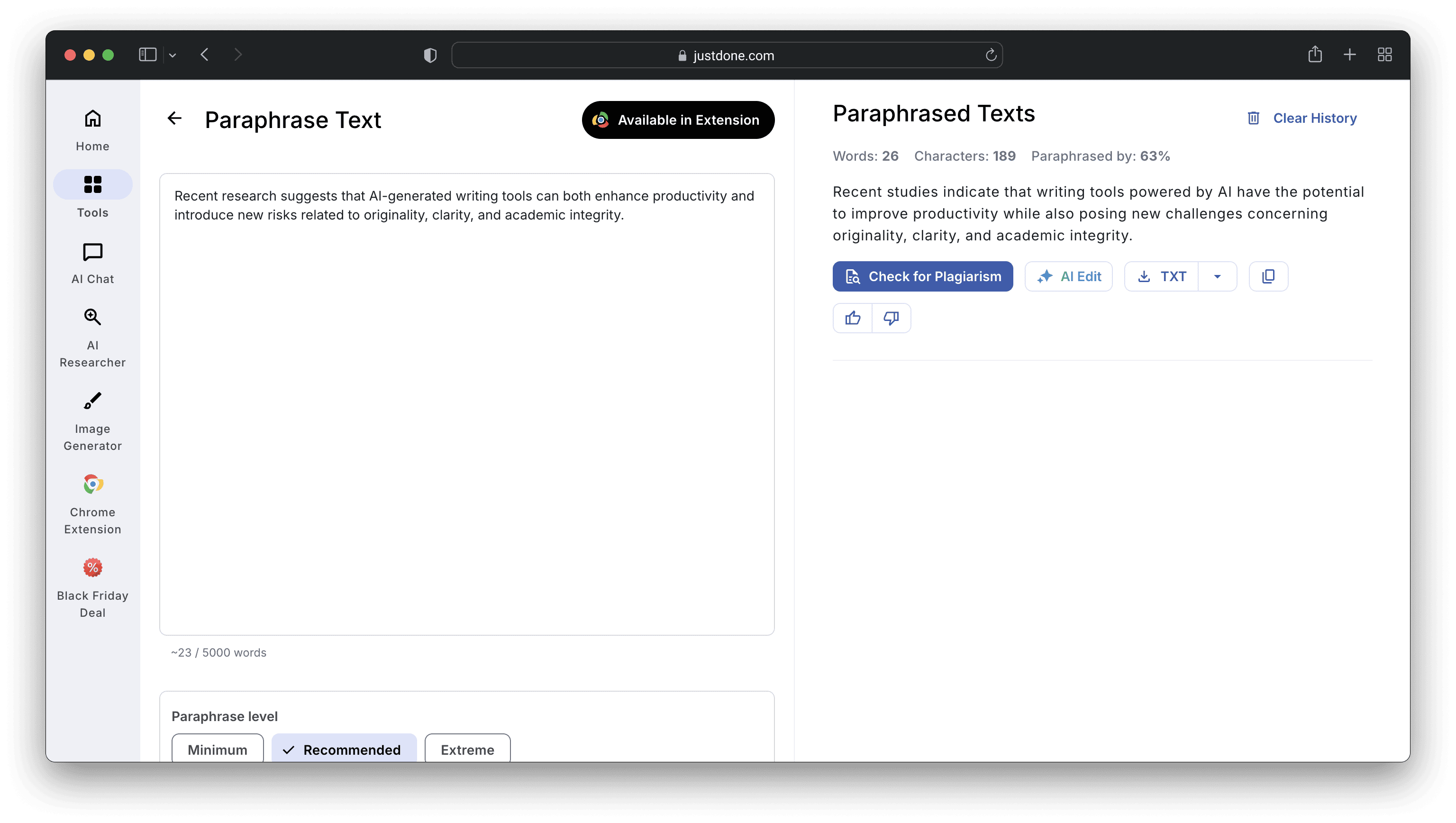
The paraphraser lets you adjust both strength and tone, giving you control over how aggressively the text is rewritten and whether the output should sound formal, conversational, or academic. The AI Humanizer rewrites flagged sentences at a structural level — not just surface word replacement — with sentence-level navigation showing exactly what triggered the detection and why. Multilingual support covers Spanish, Portuguese, Italian, Korean, Vietnamese, and other languages where English-only tools fall short.
Limitations
The platform includes many tools, which can feel like a lot on first use. The full value comes from using the paraphraser alongside the detection and humanization tools rather than in isolation.
Free plan:
Paid trial period available.
Best for:
Students who need paraphrasing, plagiarism checking, AI detection, and humanization in a single workflow. Bloggers and content marketers repurposing AI-assisted content. Anyone working in multiple languages.
QuillBot
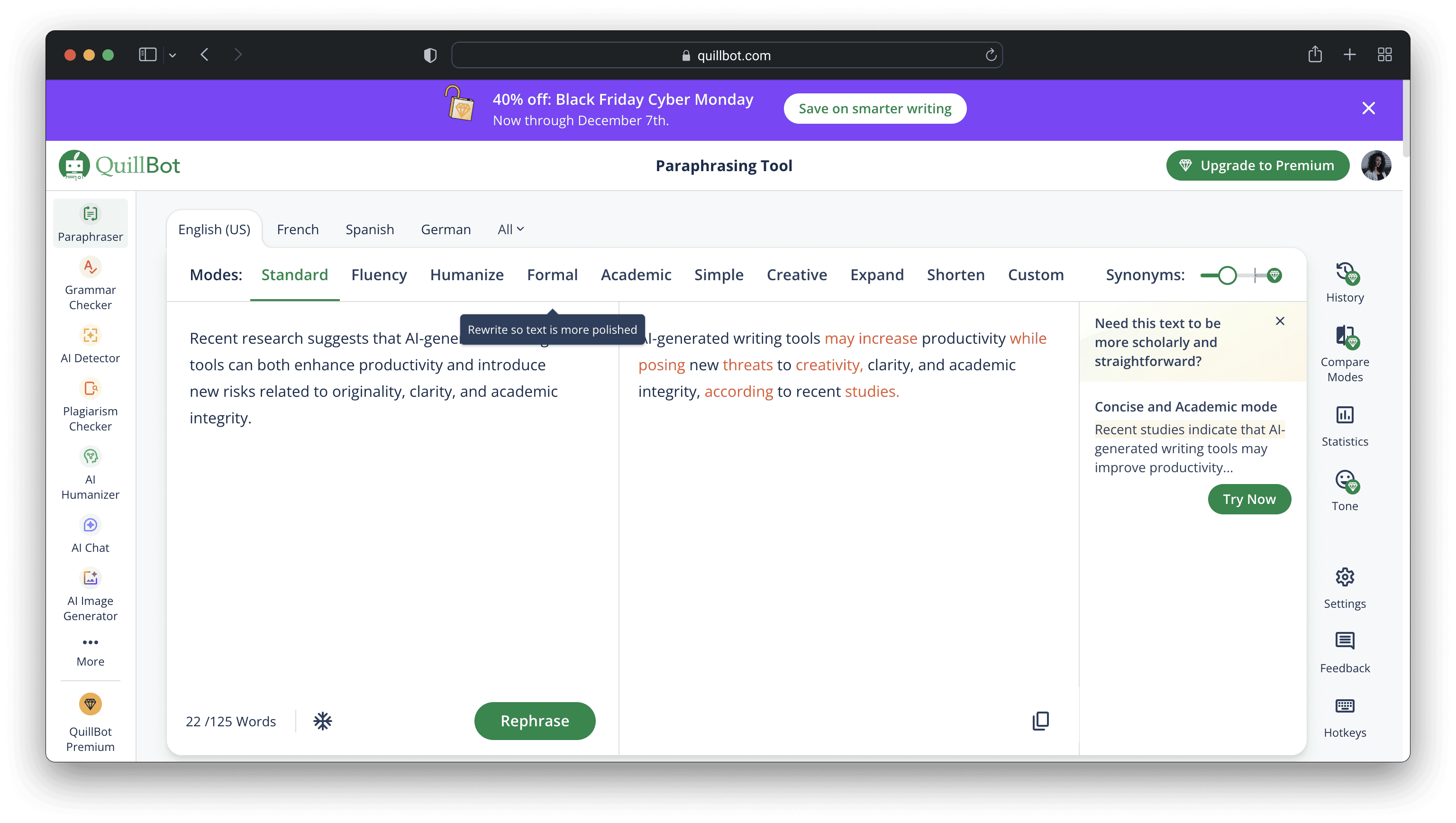
QuillBot is the most widely used paraphrasing tool in student communities, and it earns that reputation with speed, reliability, and direct integration into Google Docs, Microsoft Word, and Chrome. Multiple rewriting modes — Standard, Fluency, Formal, Creative, Shorten, Expand — give genuine control over how the rewrite lands. Grammar and citation tools are bundled in the QuillBot ecosystem, making it a practical all-in-one for students who need multiple writing tools without switching platforms.
What makes it distinctive
Fluency mode is the most consistent for academic use. Creative mode works better for social content and marketing copy. The direct integration into Google Docs and Word means you can paraphrase without leaving the document you're working in — a workflow advantage no other tool on this list matches at this price point.
Limitations
The free tier covers two modes at approximately 125 words per paraphrase — workable for short passages, insufficient for longer documents or daily use. QuillBot does not reliably bypass AI detection: it changes wording without addressing the structural patterns that detectors analyze.
Free plan:
Yes — two modes, 125 words per paraphrase.
Best for:
Students and academics rewriting their own work. Users who already work in Google Docs or Word and want seamless integration.
Wordtune
Wordtune offers multiple alternative phrasings for individual sentences rather than rewriting text wholesale. If you're editing an existing draft rather than overhauling it, Wordtune's sentence-by-sentence suggestion model matches that workflow better than most tools on this list. Formal and casual tone settings let you shift the register without changing meaning — useful for client emails, LinkedIn posts, and professional documents where tone matters as much as content.
What makes it distinctive
Integration with Google Docs, Gmail, and Slack means the tool sits inside the environments where most professional writing actually happens. The ability to see multiple phrasing alternatives per sentence and choose the one that fits gives you more editorial control than tools that produce a single rewrite.
Limitations
The free plan limits you to approximately 10 rewrites per day, which runs out quickly on a longer document. Wordtune is not designed to bypass AI detection and is built for refining human-written content rather than transforming AI-generated text.
Free plan:
Yes — approximately 10 rewrites per day.
Best for:
Professionals polishing emails and reports. Marketing and communications teams who write primarily in Gmail or Google Docs.
Grammarly
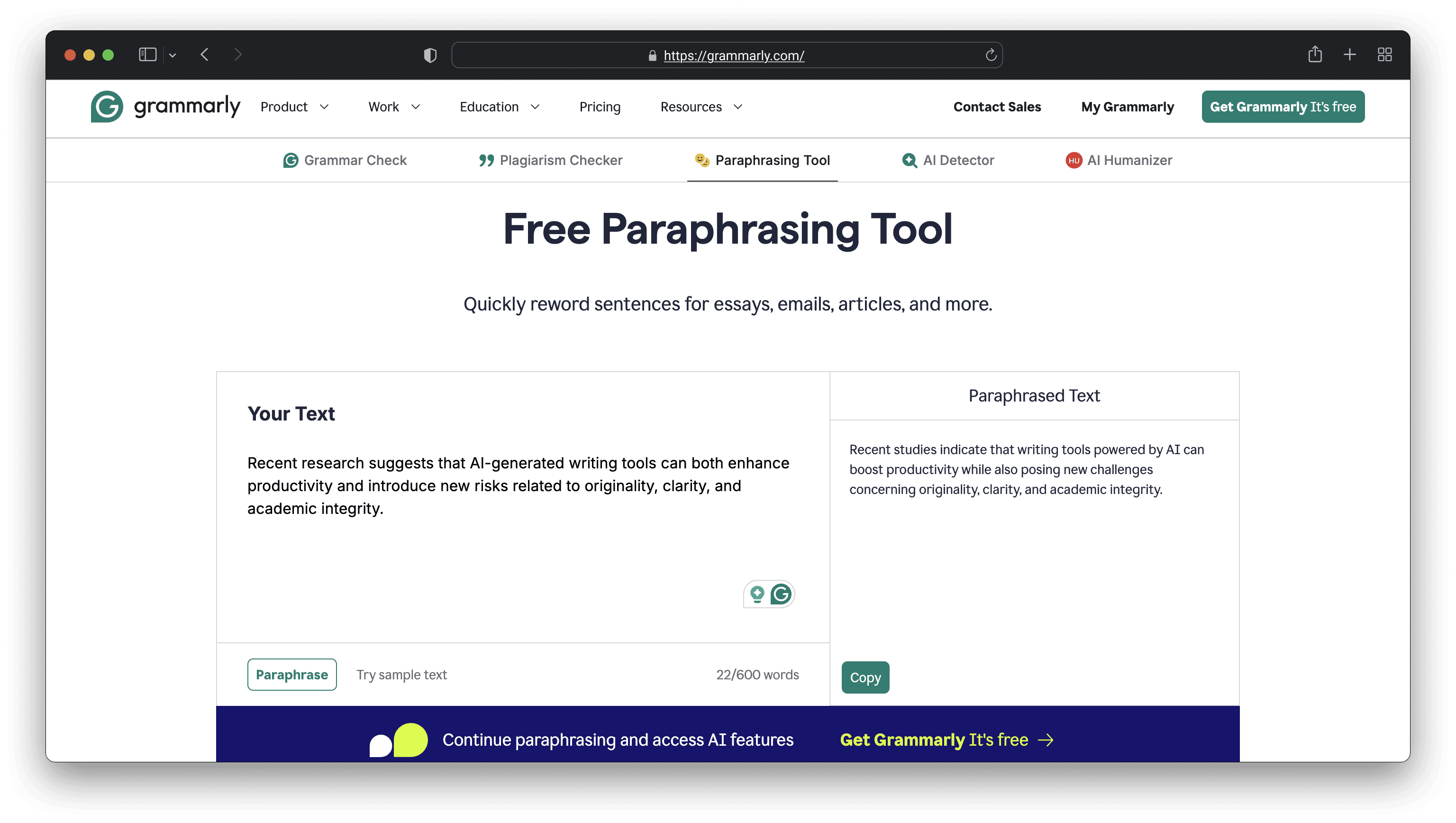
Grammarly is primarily a grammar and style checker, but its rephrase feature handles sentence-level rewrites effectively within the same editor. Select a sentence or paragraph and Grammarly suggests alternative phrasings with tone tags — Formal, Casual, Confident, Friendly — prioritizing grammatical correctness and clarity. Grammar and punctuation correction happens alongside the rephrasing, which makes it useful for anyone who wants both in a single pass.
What makes it distinctive
If you already use Grammarly for proofreading, the rephrasing capability adds value without requiring a separate tool or workflow change. The tone tag system is more intuitive than mode-based paraphrasers for users who think in terms of how they want to sound rather than which preset to select.
Limitations
The rephrase feature refines and polishes rather than restructures at depth. It is not designed to humanize AI-generated text or bypass AI detection. There's limited control over paraphrasing strength or mode variety compared to dedicated paraphrasers.
Free plan:
Yes — basic rephrasing included.
Best for:
Writers and professionals who already use Grammarly and want quick sentence rephrasing alongside grammar correction. Anyone who needs tone adjustment integrated into a broader editing workflow.
Paraphraser.io
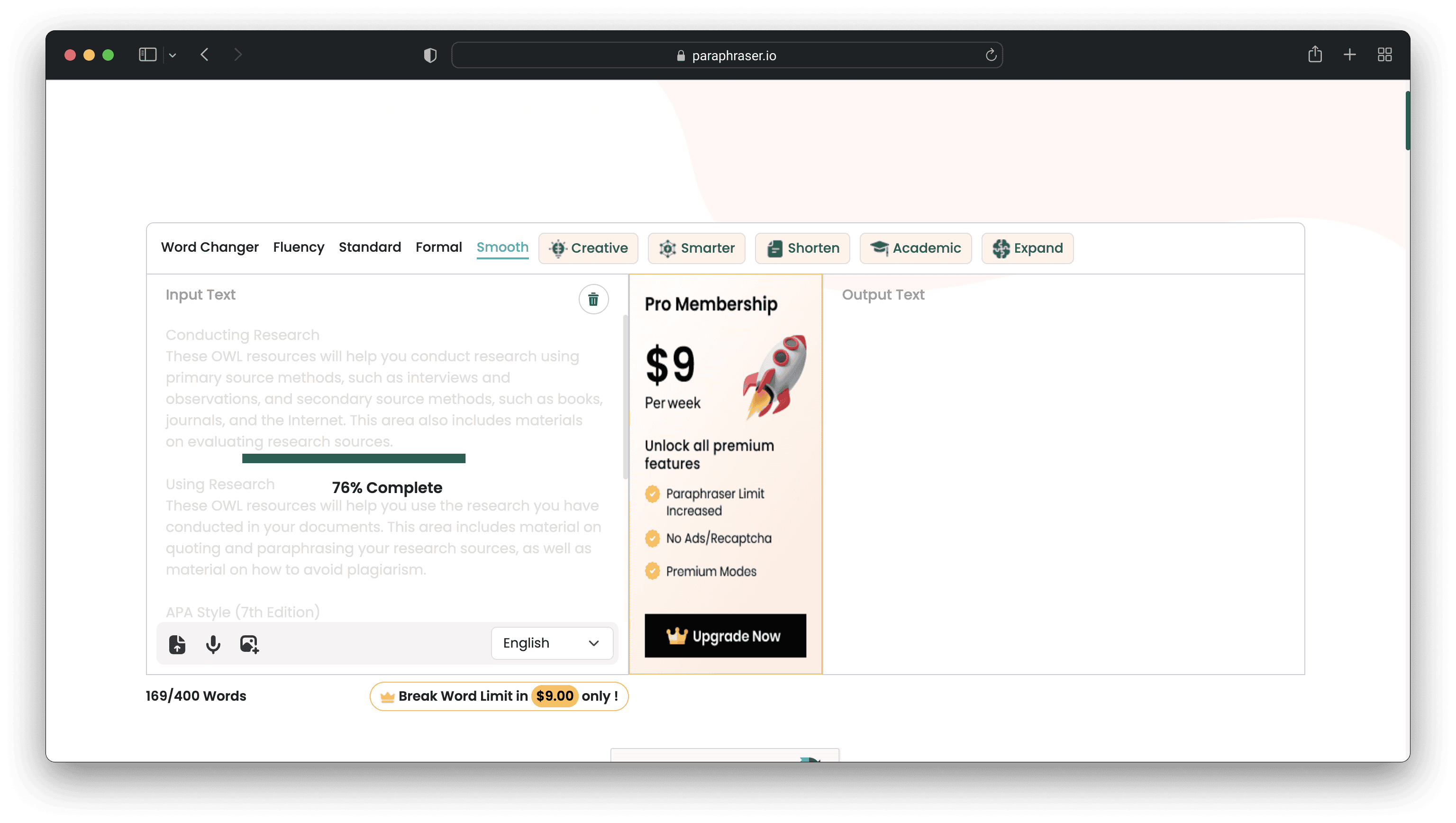
Paraphraser.io offers a free word limit of 500–600 words per paraphrase — significantly more generous than most tools on this list — which makes it practical for students and writers who need to process longer passages without a paid plan. Standard and Fluency modes are available free, with Creative, Smarter, and Shorten on paid tiers. Multilingual support across 20+ languages gives it broader utility than English-only tools for international users.
 What makes it distinctive
Integrated plagiarism checking means you can verify originality within the same platform after rewriting. The free word limit is the most practical on this list for anyone who regularly needs to paraphrase full paragraphs or longer passages without upgrading.
Limitations
Output quality and interface are less polished than premium options, and quality varies between modes. AI detection and humanization are not built in — Paraphraser.io handles the rewriting but doesn't offer a path to checking whether the result still reads as AI-generated or fixing what's flagged.
Free plan:
Yes — 500–600 words per paraphrase, multiple modes.
Best for:
Students and freelancers who need to rewrite long passages frequently without a paid plan. Users who need multilingual support at low cost. Overall, it is a good choice for budget-conscious students and freelancers who just need long chunks of text rewritten, fast.
AI Paraphrasers Quick Comparison: Features & Use Cases
You can turn this into a styled table in the blog CMS and/or add icons.
| Tool | Paraphrasing modes | Plagiarism check | AI detection / humanizer | Languages | Best for |
|---|---|---|---|---|---|
| JustDone | Multiple strength + tone options | Built-in | AI humanizer + AI detector | Many (multi-language) | Students, bloggers, creators |
| QuillBot | 2 modes free, many more paid | Paid | Limited | Many | Academic writing |
| Wordtune | Rewrite suggestions by tone | No | No | Mainly English | Professional writing & emails |
| Grammarly / Superhuman | Sentence & paragraph rewrites | Indirect (quality checks, not dedicated plagiarism in free web tool) | No specific humanizer | Multiple languages | Everyday writing & grammar |
| Paraphraser.io | 6+ modes, incl. Creative & Shorten | Integrated | No | 20+ | Long-form rewriting on a budget |
Paraphrasing vs. Humanizing: The Difference That Matters
These terms are used interchangeably but they describe different things. Today, to understand this distinction is important.
Paraphrasing means restating text in different words while preserving the original meaning. A good paraphraser restructures sentences, avoids direct copying, and reduces plagiarism risk.
Humanizing goes deeper. It addresses the statistical patterns that AI detectors analyze — sentence rhythm, word predictability, structural consistency — rather than just surface vocabulary. Standard paraphrasing tools change the words. Humanizing tools change the patterns that reveal the words were chosen by a model.
If your goal is to avoid a plagiarism flag on your own writing, a standard paraphraser is sufficient. If your goal is to produce text that passes an AI detection scan — whether you're cleaning up AI-assisted drafts or ensuring your own formal writing doesn't trigger false positives — you need a tool that combines paraphrasing with true humanization.
JustDone is the only tool on this list that handles both within the same workflow, alongside AI detection to verify the result.
How to Choose the Right Paraphrasing Tool
If you're a student writing research papers:
- Start with JustDone. Use the paraphraser to rewrite your sources, run the AI detector to check the output, humanize anything that's flagged, and verify with the plagiarism checker before submitting. QuillBot works as a backup for quick sentence-level edits within Google Docs.
If you're a content marketer or blogger:
- JustDone handles the full workflow from AI-assisted draft to publishable content. If you need more control over brand voice in long-form content, Jasper AI is worth considering for volume work.
If you mostly write emails and professional documents:
- Wordtune or Grammarly fit better here. Both integrate directly into your writing environment and handle the tone-and-grammar use case well.
If you're on a tight budget and need free options:
- Paraphraser.io offers the most generous free word limit for long passages. Scribbr is the cleanest option for short academic passages with no account required.
If you write in a language other than English:
- JustDone and Paraphraser.io offer the strongest multilingual support. English-focused tools like Scribbr and Wordtune are less reliable outside English.
Frequently Asked Questions
What is the best AI paraphrasing tool?
For students and content creators who need paraphrasing alongside AI detection and humanization in one workflow, JustDone is the strongest option. For fast everyday academic rewrites with strong integrations, QuillBot is the most reliable alternative. The best tool depends on your specific use case.
Does paraphrasing bypass AI detection?
Standard paraphrasing alone does not reliably bypass AI detection. Most AI detectors analyze sentence rhythm, predictability, and structural patterns — not just word choice. Synonym swapping and light rewording will not consistently fool tools like Turnitin or JustDone. You need a tool that rewrites at a structural level, which is what AI humanizers do.
Is paraphrasing considered plagiarism?
Paraphrasing is not plagiarism when the original source is cited. Restating someone else's ideas in your own words without attribution is still plagiarism. Always credit the source regardless of how thoroughly you've rewritten the text.
What is the difference between a paraphraser and an AI humanizer?
A paraphraser rewrites text in different words while preserving meaning — primarily to avoid plagiarism. An AI humanizer restructures text to remove the statistical patterns that AI detectors flag — primarily to produce output that reads as human-written. Tools like JustDone combine both, which is why they're more useful for AI-assisted writing workflows than traditional paraphrasers.
What is the best free paraphrasing tool?
JustDone offers a trial period for $2/week that includes the paraphraser, AI detector, AI humanizer, and more tools for your writing routine.
Which paraphrasing tool works best for non-English languages?
JustDone and Paraphraser.io offer the broadest multilingual support. Most tools on this list are optimized for English and perform less reliably in Spanish, Portuguese, Korean, Vietnamese, and other languages. If you're writing in a non-English language and need AI detection alongside paraphrasing, JustDone is the strongest option.
Is using a paraphrasing tool cheating?
Using a paraphrasing tool is not inherently cheating. It's a writing aid, similar to a thesaurus or grammar checker. The key question is whether the ideas, argument, and understanding in your work are genuinely yours. A paraphrasing tool used to express your own thinking more clearly is legitimate. A paraphrasing tool used to disguise content you didn't actually engage with is a different matter.
The Bottom Line
The best paraphrasing tool is the one that matches how you actually work. If you're writing academic papers or content that goes through AI detection — and you need to paraphrase, check, humanize, and verify all in one place — JustDone gives you that complete workflow without switching between tools.
If you need quick rewrites with strong document integrations, QuillBot remains the most reliable general-purpose option. If you're polishing professional writing, Wordtune and Grammarly handle the tone-and-grammar use case well. If budget is the constraint, Paraphraser.io offers the most usable free tier for longer texts.
The common thread across all use cases: paraphrasing is the first step, not the last. Whatever tool you use, always verify the result with a plagiarism check and an AI detection scan before anything goes out the door.
