Key Takeaways:
- I tested the best plagiarism checkers on original, paraphrased, and AI-assisted text to see which ones actually catch reworded content, not just copy-paste matches.
- JustDone stood out for AI-aware detection accuracy, while Turnitin remains the standard for schools that already subscribe to it.
- A high similarity score isn't automatically a problem. What matters is where the match comes from, and this guide walks through how to read a report and fix real issues.
Students don't just copy and paste anymore. They paraphrase, rewrite, and blend AI drafts with human edits. That's why modern plagiarism detection software must do more than catch exact matches: it needs to detect semantic plagiarism, paraphrasing, and AI-generated patterns.
I tested 7 of the best plagiarism checkers to compare their accuracy, academic and web databases, AI-detection abilities, report clarity, and pricing. This guide explains what to use, when, and why, and helps you match the right tool to your own writing habits. Plus, you will discover how learners can avoid false positives and interpret similarity scores correctly. You can try the approach yourself with the JustDone plagiarism checker while you read.
Quick takeaway: Not all plagiarism checkers are equally strong, especially when AI-generated or heavily paraphrased text is involved.
How I Tested 7 Plagiarism Checkers
To make results useful for learners, I tested each tool using three types of text, because plagiarism tools behave differently depending on how content was produced. If you want the technical background first, our guide on how do plagiarism checkers work explains the matching methods behind these reports. For this test, I used:
- Original essay text (human-written)
- Paraphrased content (rewritten from a source without citation)
- AI-generated draft (ChatGPT-style) with partial edits
I compared: exact match detection, paraphrase / semantic plagiarism detection, and AI detection quality. Also, I paid attention to report clarity (does it explain the match, link sources, and highlight segments clearly?) and usability (if the tool is fast, has a clean UI, and is easy for learners).
Last, but not least, I compared value for money (pricing vs features). Before ranking the tools, it helps to know what separates strong plagiarism checker software from a basic duplicate-content scanner: the ability to flag rewritten sentences and AI phrasing, not just word-for-word matches.
I ran the same three passages through every tool on the same day, using default settings and no manual exclusions, so the comparison reflects what a first-time user would actually see. Where a tool offered several plan tiers, I tested with the mid-range plan rather than the cheapest one, since that's usually what a serious student or writer ends up choosing once they compare feature lists. None of the tools were given any special access or preview builds; this is what's publicly available to anyone who signs up today.
Feature Overview: 7 Plagiarism Checkers Compared
| Tool | Academic DB | Web DB | AI Detection | Grammar Tools |
|---|---|---|---|---|
| JustDone | Yes | Yes | Yes | Yes |
| Turnitin | Yes | Yes | Yes | No |
| Grammarly | Limited via ProQuest | Yes | No | Yes |
| Copyscape | No | Yes | No | No |
| Copyleaks | Yes | Yes | Yes | No |
| Compilatio | Yes | Yes | Yes | No |
| PlagiarismCheck.org | Yes | Yes | Yes | No |
After this brief overview, let's look at each of these plagiarism checkers in detail.
The Best Plagiarism Checkers Ranked and Reviewed
Here's the result of my own test based on analysis of the best plagiarism checkers that I used.
1. JustDone AI Plagiarism Checker – Student-Friendly Powerhouse
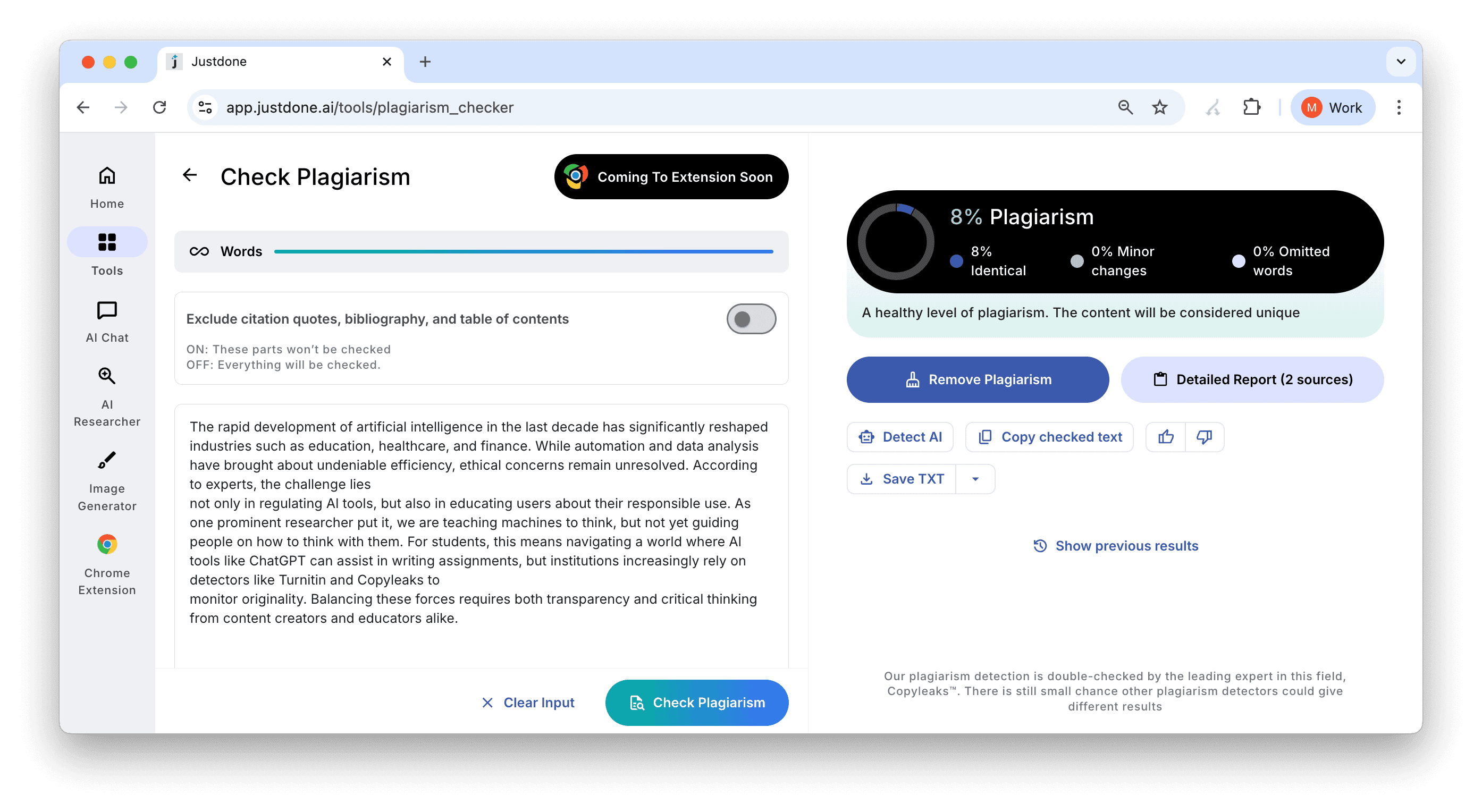
Plagiarism Checker by JustDone AI has become one of my favorite tools. It helps with typical student writing, drafting with AI first and then revising. It detects exact matches and also catches semantic plagiarism (reworded / paraphrased content), which is crucial today.
Key Strengths
- Detects exact and paraphrased plagiarism using semantic analysis
- Built-in AI detector (helpful when you mix AI drafts with your own writing)
- Fast reports with clear highlights and explanations
- Includes extra writing tools (grammar, rewriting, humanizer, AI detection)
The tool is best for students, essay writers, academic writers, and anyone who uses AI drafts and wants to avoid accidental plagiarism. If you also want a second opinion on how much of a draft reads as machine-written, pairing a scan with a dedicated AI detector gives a fuller picture before you submit anything.
Pros
- Strong performance on paraphrased plagiarism (not just copy-paste)
- One dashboard for checking + fixing + rewriting
- Useful for learners who need workflow support (not only detection)
Cons
- May feel like “too much tool” if you only want a single quick scan
- Not institution-standard like Turnitin (some universities only accept Turnitin reports)
- Subscription cost may feel high for occasional use
Pricing
JustDone offers a paid trial, then monthly/annual plans starting around $19.99 per month.
So, if you regularly write essays, revise AI drafts, or want a plagiarism checker that also helps you fix the problem, JustDone is one of the most practical choices.
2. Turnitin – The Institutional Standard
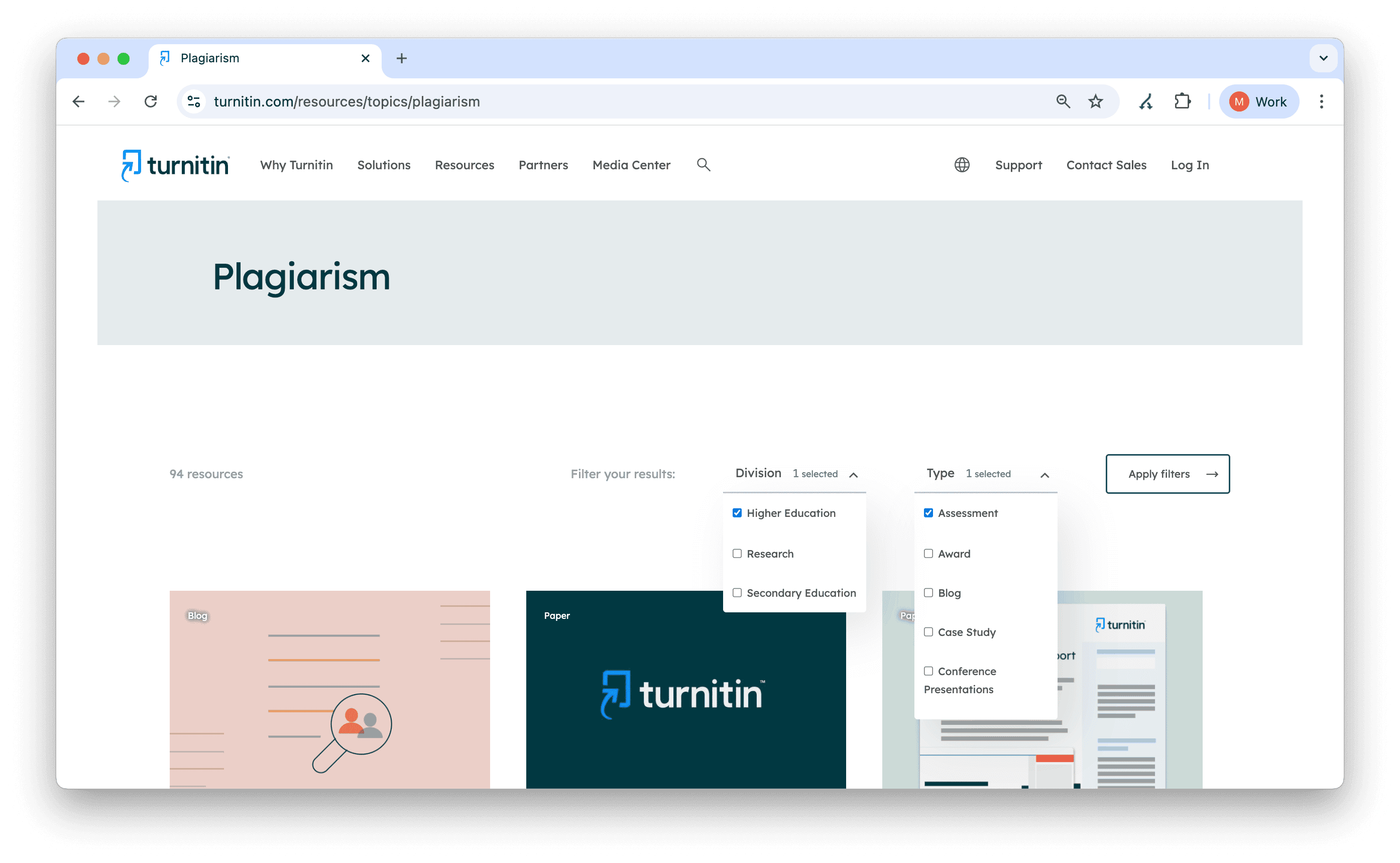
Turnitin remains the most trusted tool in schools and universities, mainly because of its huge academic repository and institutional integration. The Markup claims that Turnitin has partnerships with more than 20,000 institutions globally and a repository of over 1.8 billion student paper submissions.
Pros
- Deep academic database unmatched by others
- Accurate similarity reports
- High trust level among educators, professors and universities
Cons
- Not available for individual sign-ups
- Access depends on your institution
- Limited writing tools (no built-in grammar or editing suite)
It's not something you can just sign up for as a student. Your school needs to be subscribed to the platform.
Turnitin is best when your school requires it, but students without institutional access need alternatives. If you're weighing Turnitin against a specific alternative, our side-by-side breakdowns of Turnitin vs Grammarly and Turnitin vs Quillbot cover the practical differences in more depth.
3. Grammarly – Grammar and Plagiarism Combo
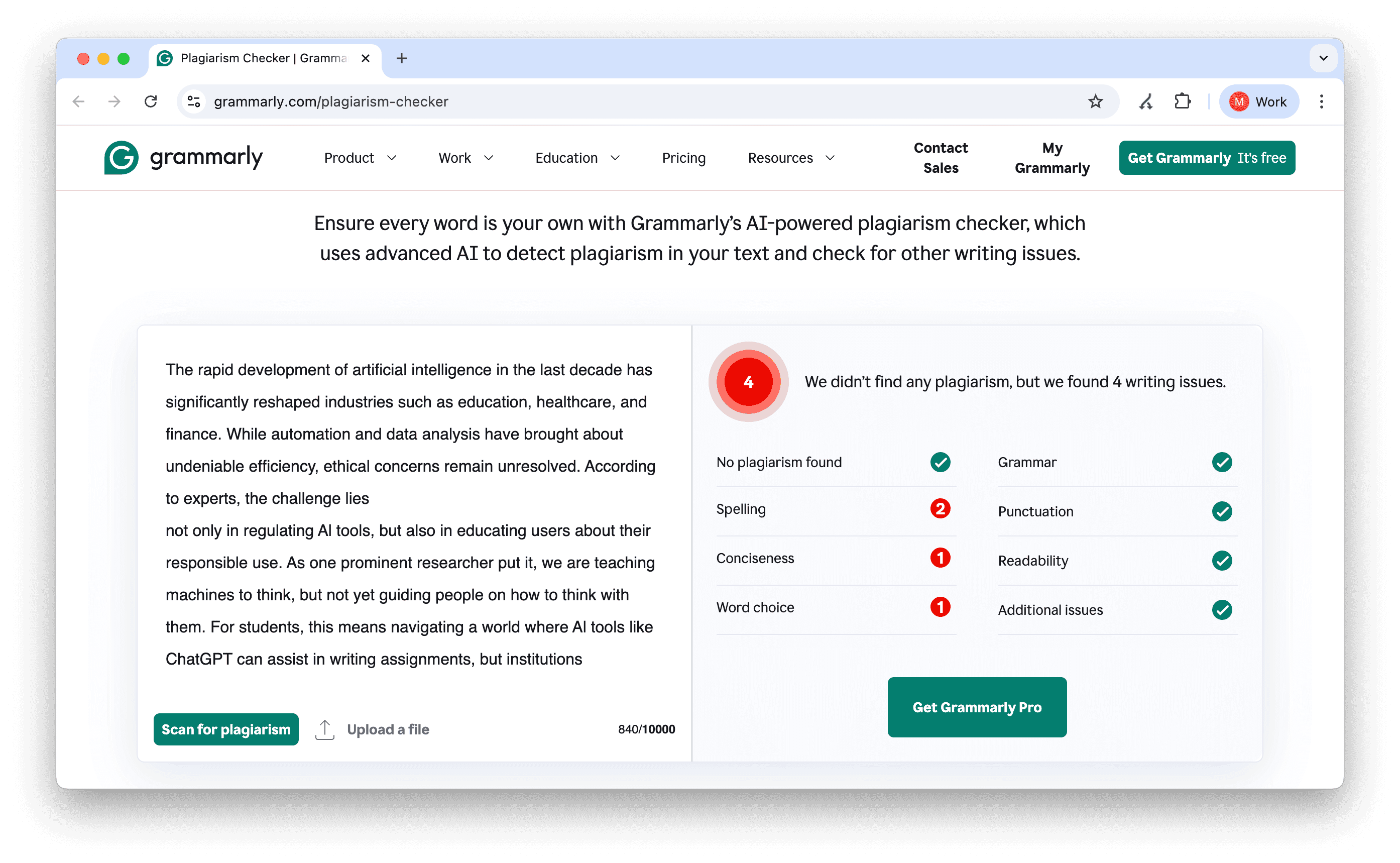
Grammarly is a writing assistant first. But if you upgrade to the Pro version, it includes a plagiarism checker too. It scans your text against a massive online database and some academic sources through ProQuest. What's nice is that everything works in real time: grammar fixes, tone suggestions, and plagiarism scans all in one place.
Pros:
- Integrated with grammar and style tools
- Works in real time
- Easy to use everywhere (browser, apps)
Cons
- Not strong enough for academic-level plagiarism
- Limited academic coverage compared to Turnitin or JustDone
- Plagiarism checking requires Pro
Pricing
Pro plan costs around $30 per month
So, Grammarly's plagiarism checker is well-suited for general writing, blog posts, and email, but if you're working on serious research or academic essays, it may not be enough.
4. Copyscape – Duplicate Content Detection tool for Web
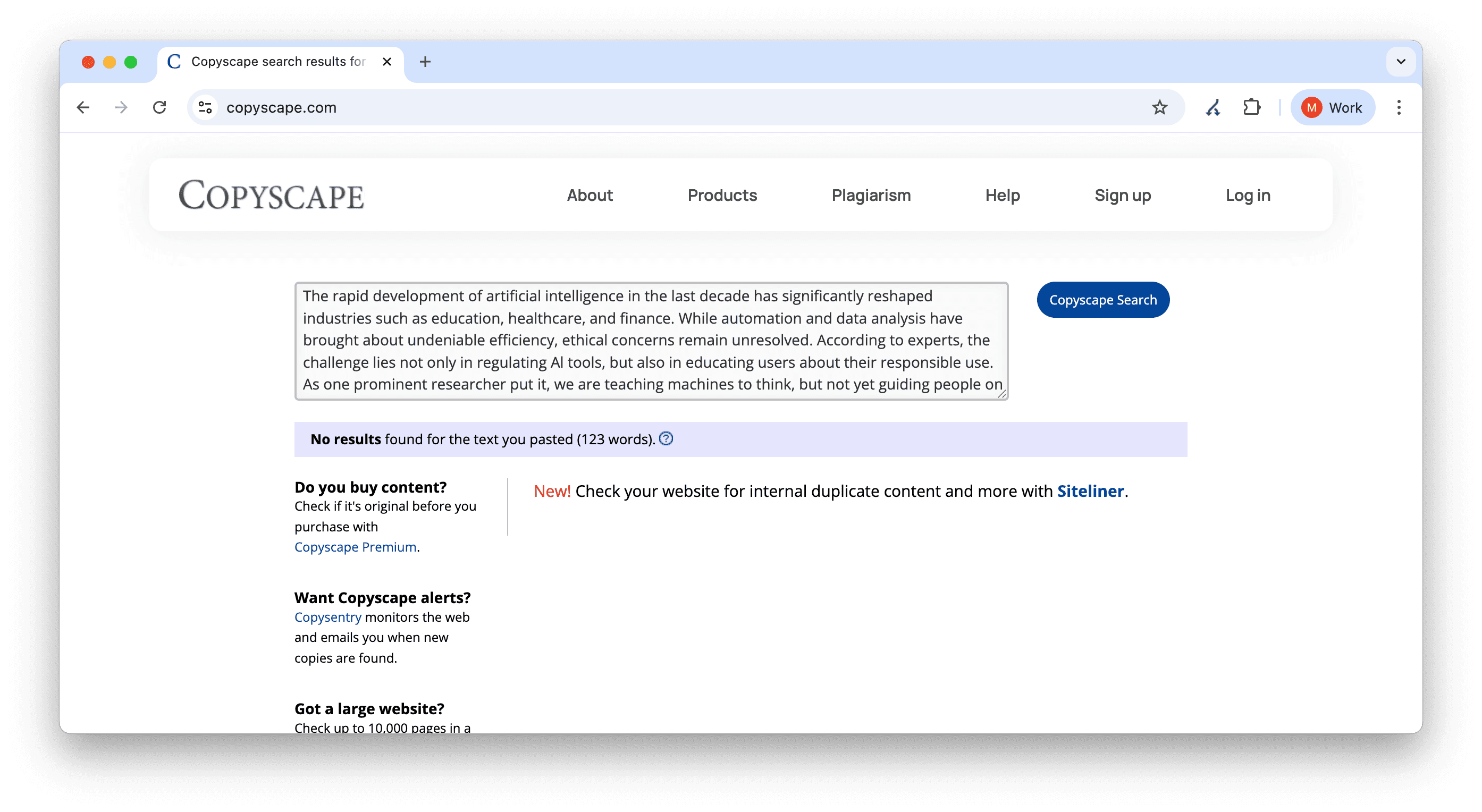
Copyscape is a classic tool for detecting web duplicates. It’s fast and accurate, if you're managing a blog or publishing web content. I've used it a lot for SEO writing and quick duplicate checks. The pricing is flexible, pay-as-you-go. However, it is not the best choice for academic space.
Pros
- Extremely accurate for web duplicate detection
- Perfect for blog posts, landing pages, SEO content
- Offers Copysentry for ongoing monitoring
Cons
- No academic database
- No grammar or AI detection
- Pay-per-scan model can add up
Pricing
$4.95 per month for up to 10 pages, and $0.25/month for each additional page up to 500 pages.
So, if your main concern is making sure your blog post isn't a copy of something else online, Copyscape works well. But if you're in school, it's probably not the right fit, especially since it doesn't offer grammar or AI support.
5. Copyleaks – AI-Aware Plagiarism Detection for Academic and Business Use
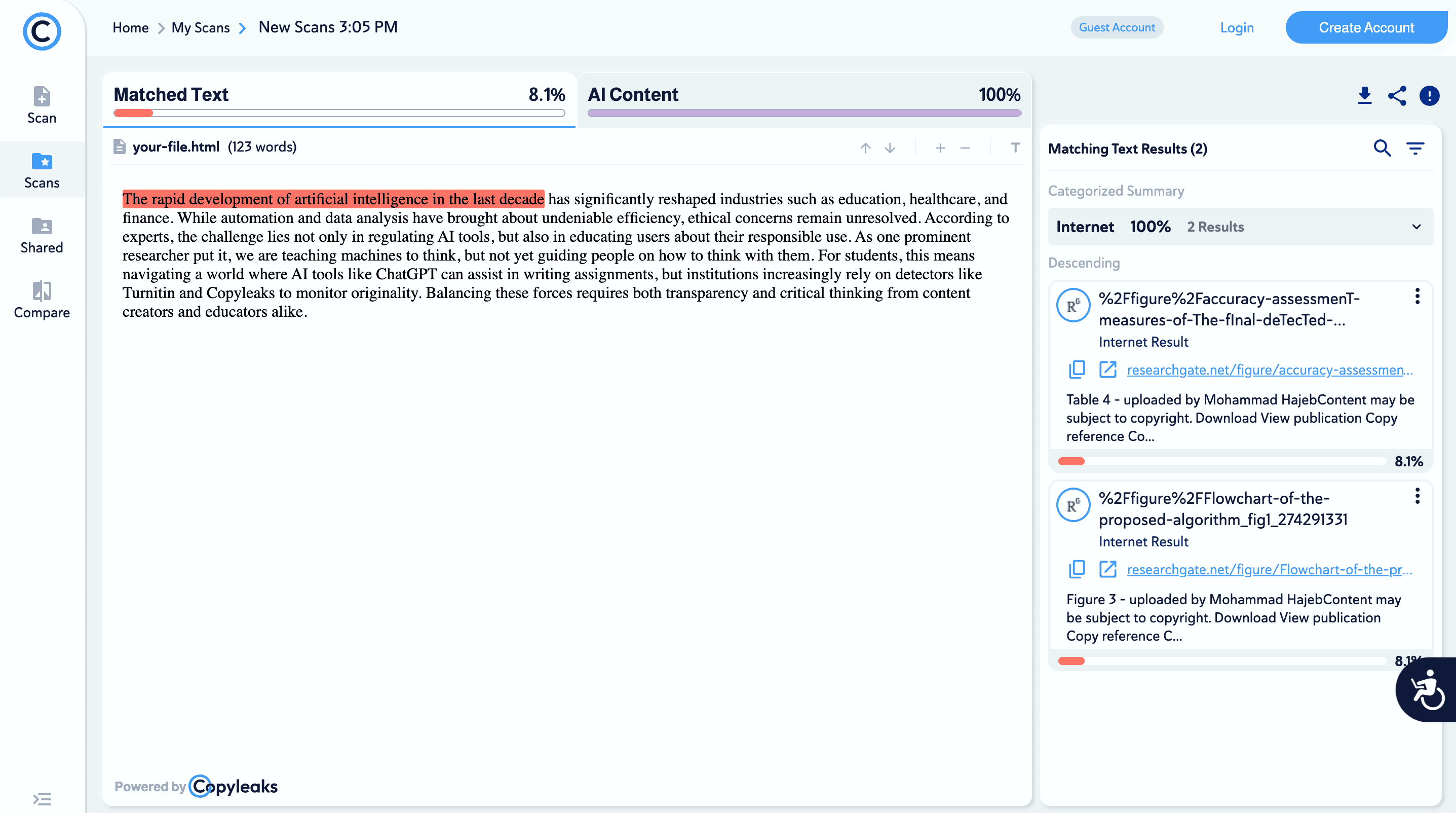
Copyleaks is a plagiarism checker designed for both academic and professional settings, with a strong focus on detecting AI-generated content. Copyleaks is strong in both plagiarism detection and AI detection. It also scans across multiple content types like technical writing and code.
Pros
- Excellent AI detection
- Scans code, journals, and technical writing
- Detailed, visual reports
Cons
- Higher cost than other tools
- Feature-rich UI can be complex for casual users
Pricing
Starts from $13.99 per month for personal use
In my experience, Copyleaks offers one of the most advanced detection engines available today, especially useful if you're working with longer or technical content that might slip past basic tools.
6. Compilatio – Plagiarism Checker and AI Detector
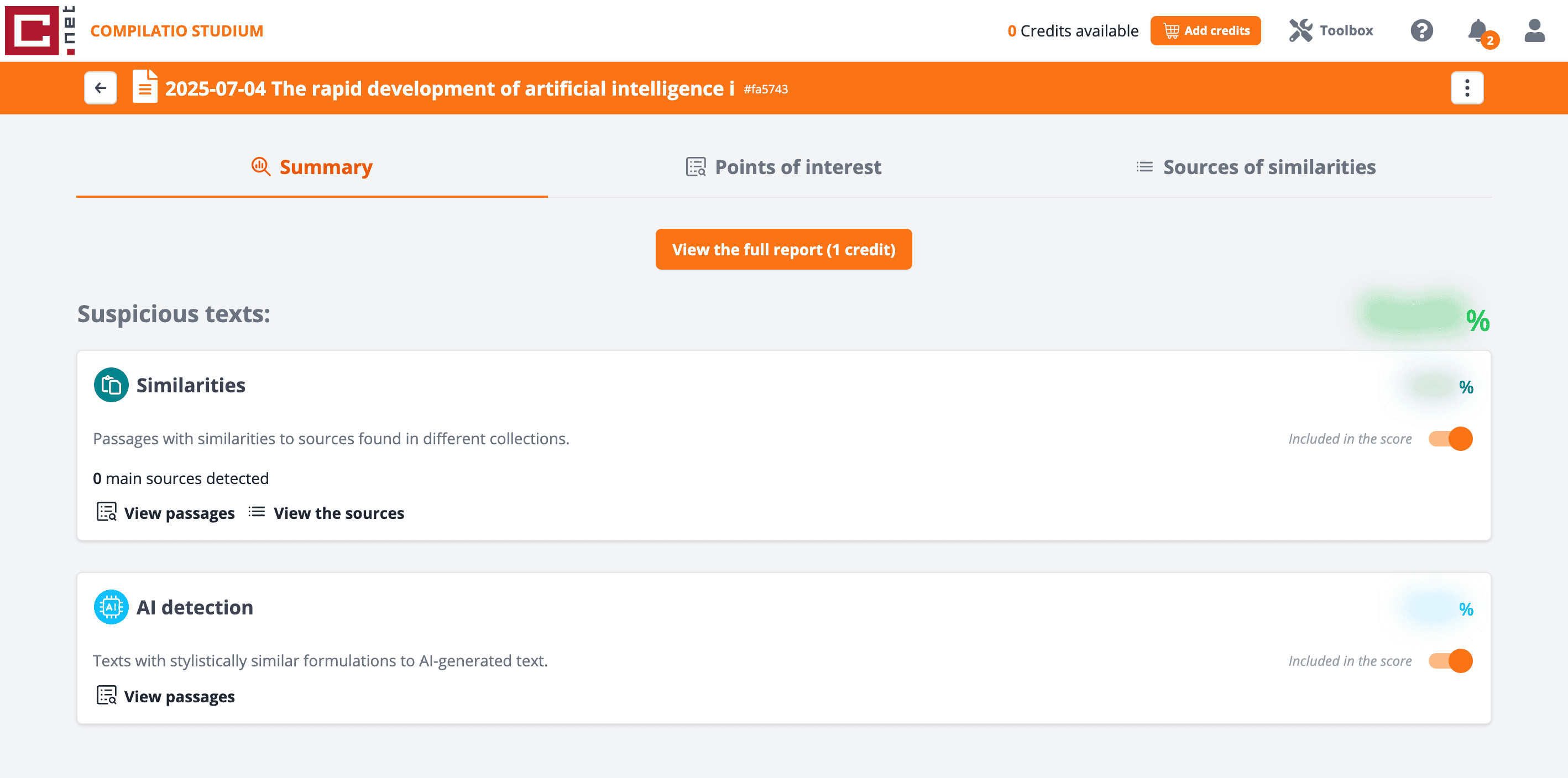
Compilatio's plagiarism detection tool is mainly used in academic institutions across Europe, especially in France and other French-speaking regions. Its unique strength is that it supports academic integrity education, not only detection.
Pros
- Academic-friendly interface
- Student training modules
- Clear reports
Cons
- Less powerful against AI-paraphrased content
- Not widely known outside Europe
Pricing
Not fixed. Depends on usage, often based on credits for word counts.
Overall, Compilatio is a solid, trusted plagiarism checker if you're in a European academic environment.
7. PlagiarismCheck.org – LMS-Ready Detector with AI Option
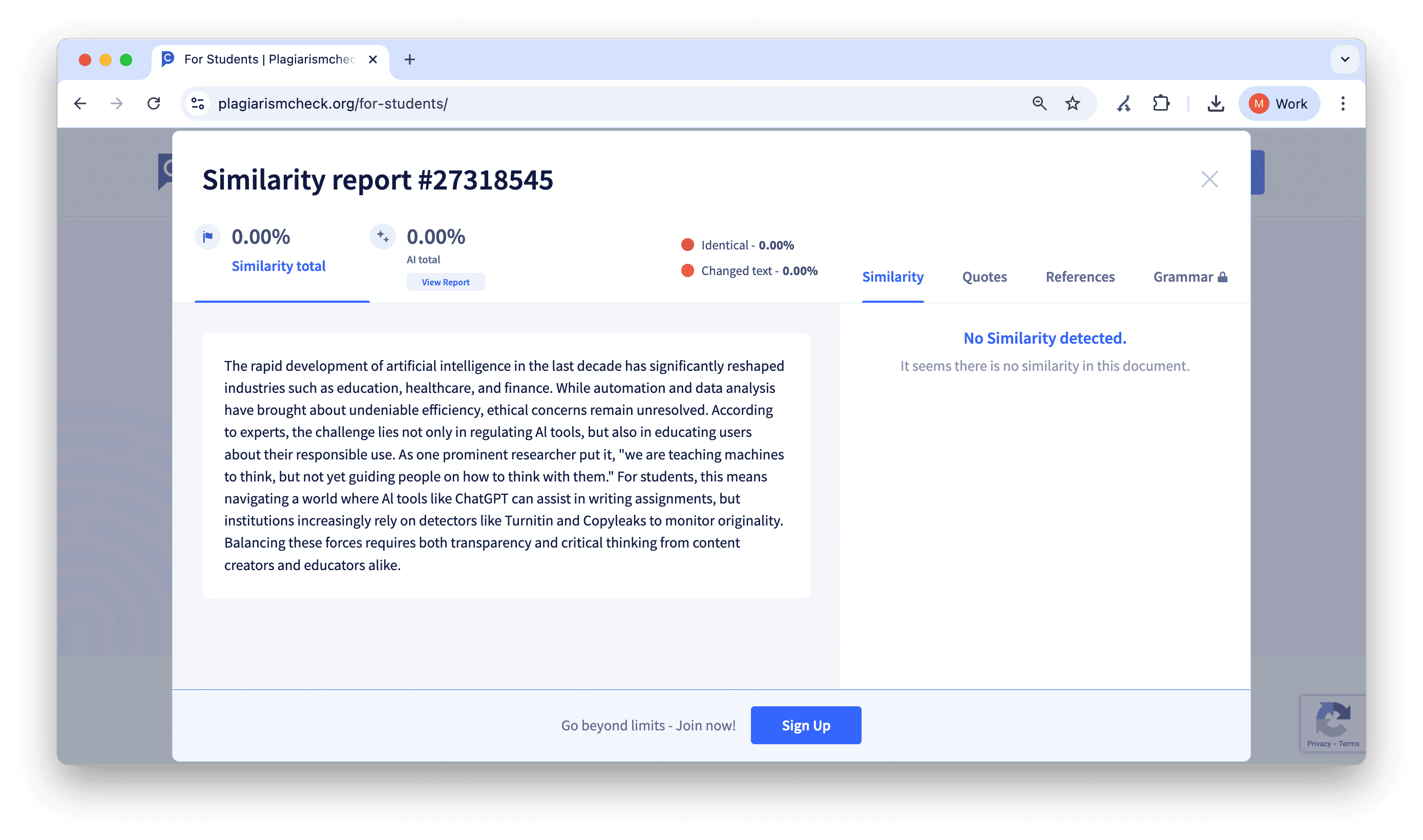
PlagiarismCheck.org is a newer name that is designed for educators. It works well in classroom environments and integrates with LMS platforms like Canvas and Google Classroom.
Pros
- Batch checking for classrooms
- AI detection included
- Educator-friendly features
Cons
- UI feels outdated
- Pricing only via request or via institution
Pricing
Standard individual plan starts from $18.33 per month.
Overall, PlagiarismCheck.org is a practical tool for teachers and course management rather than individual students.
Common Types of Plagiarism These Tools Catch
Not every flagged sentence means someone copied a whole paragraph. A well-built detection engine is designed to catch several distinct patterns, and knowing the difference helps you interpret a report instead of panicking over a percentage.
- Direct copying: text lifted word-for-word from a source without quotation marks or citation. This is what basic web-duplicate scanners catch easily.
- Paraphrasing without citation: ideas or sentence structures borrowed from a source, then reworded, without giving credit. Semantic detection engines are needed to catch this reliably.
- Mosaic plagiarism: phrases and ideas from a source blended into your own sentences, so no single line matches exactly but the structure and wording still trace back to the original. Our guide on mosaic plagiarism breaks down why this type is so easy to miss and so common in AI-assisted drafts.
- Self-plagiarism: reusing your own previously submitted work, in whole or in part, without permission or disclosure. Many students don't realize this counts as an integrity issue at all; our explainer on self-plagiarism covers when it's actually a problem.
- AI-generated text presented as original writing: this is newer territory, and policies vary by institution and publisher. Is AI content considered plagiarism? It depends heavily on disclosure rules, so it's worth checking your school's or client's specific guidelines before you submit anything AI-assisted.
How to Use a Plagiarism Checker Correctly
Many students get flagged not because they "cheated," but because they misunderstood how checkers work. Here's a workflow I recommend following every time you write an essay, report, or assignment.
Step 1: Finish your first full draft (don’t check too early)
Before running any plagiarism scan, write the full draft first. Checking halfway through tends to waste time, because the content will change anyway, and your similarity score will shift with it.
- Write the full paper from introduction to conclusion.
- Make sure your references list is included.
- If you used AI to generate ideas or sections, leave them in place for now; you can refine later.
Step 2: Run your text through a plagiarism checker (copy-paste or upload)
Now run the complete draft through your chosen tool. If your checker offers both options, uploading a document is often better because it preserves formatting and allows more accurate reporting.
- Use the full text, not just a part of it.
- Make sure you’re scanning the same version you plan to submit.
- Don’t run the scan multiple times back-to-back unless you make edits (it will only confuse you).
Step 3: Read the report carefully
This is where most students go wrong: they see "18%" or "25%" and start being scared. Instead, focus on where the similarity is coming from. So, look at highlighted sections and the source links. Understanding how much plagiarism is acceptable for your specific assignment, journal, or publication matters just as much as running the scan itself, since acceptable thresholds vary widely between institutions.
Identify whether the match is from:
- a direct quote
- a paraphrase
- a definition
- your references section
- common phrases (which often trigger matches)
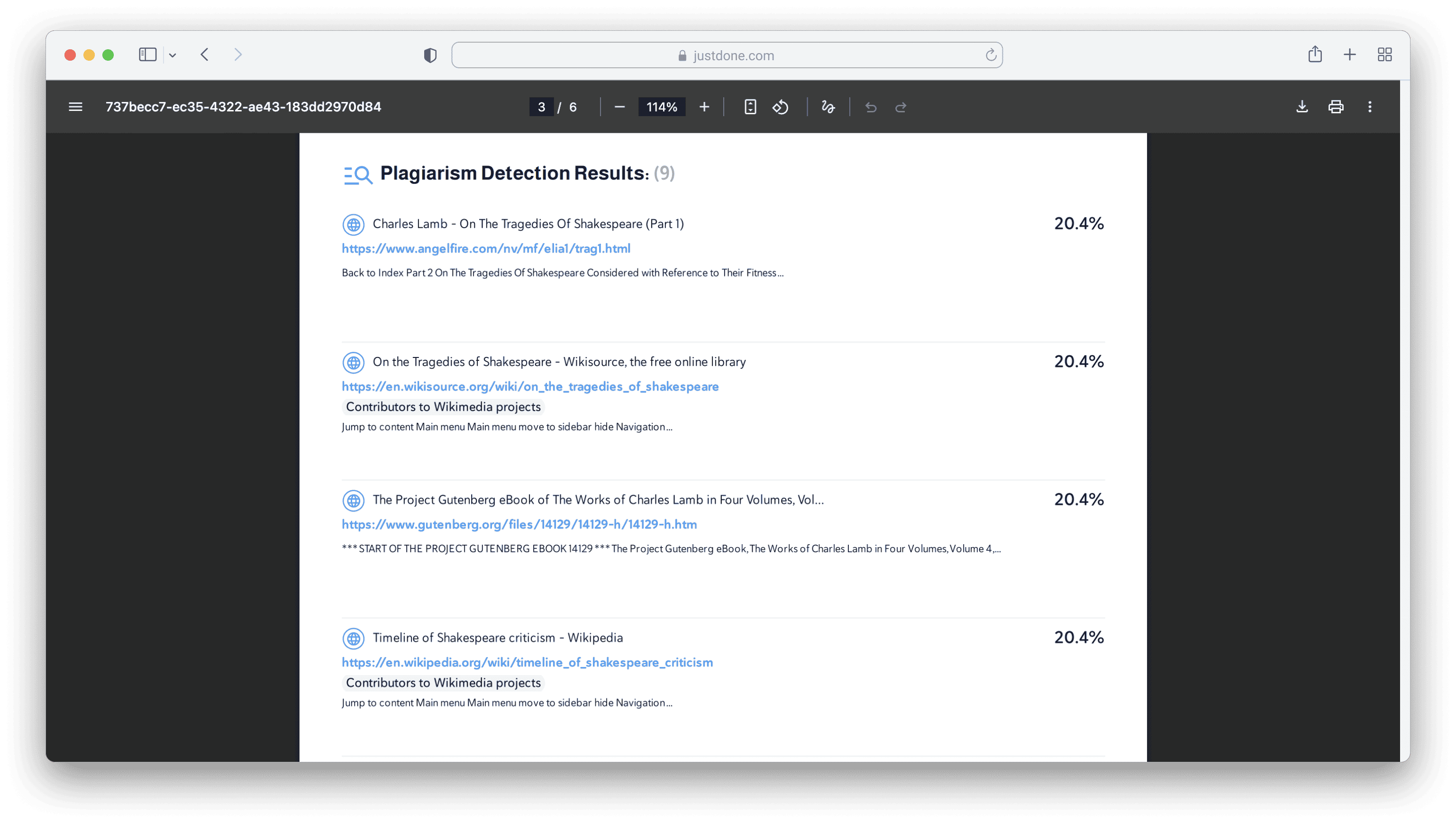
Here's what a detailed report looks like in JustDone Plagiarism checker.
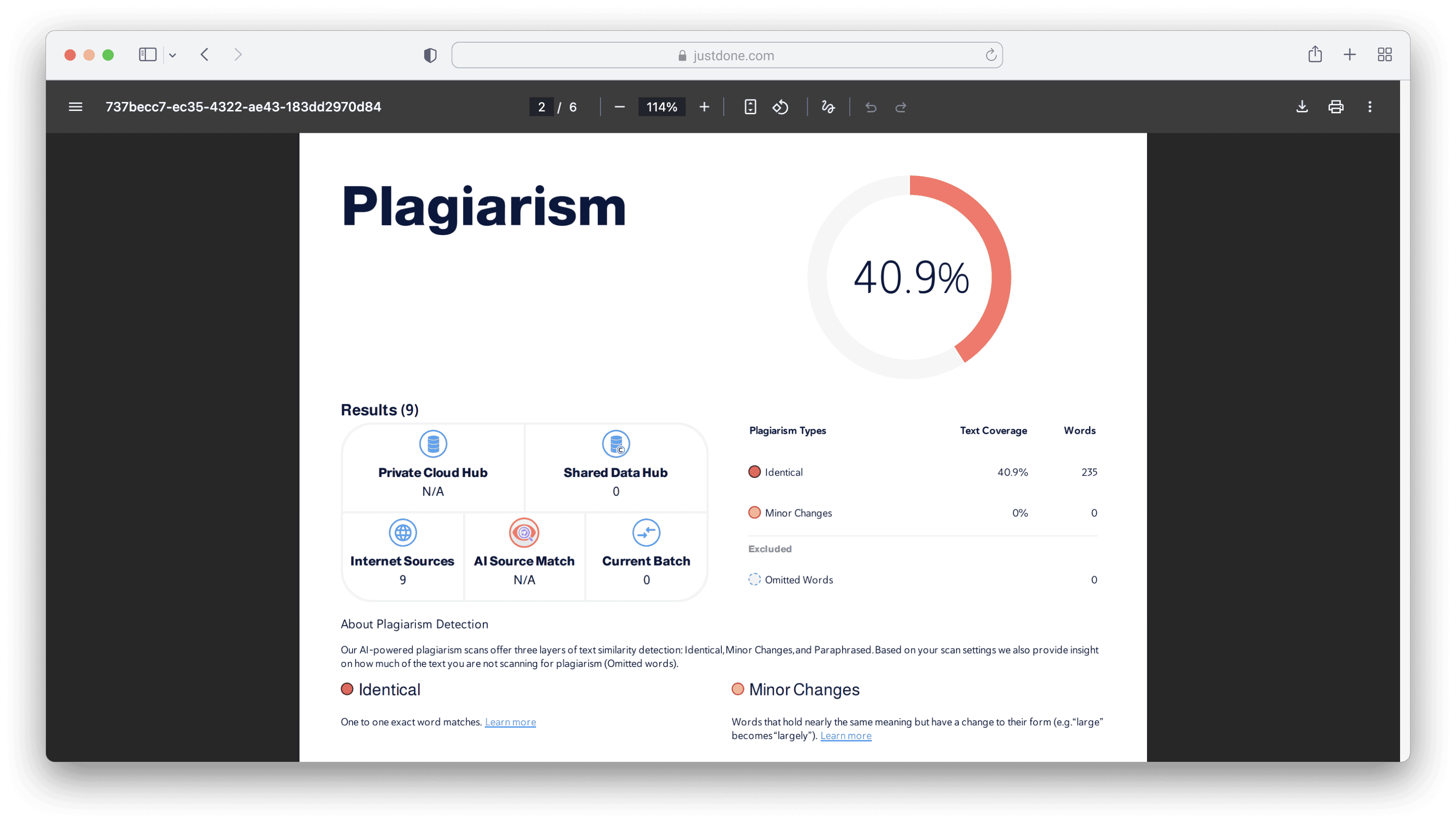
It found similarity with 9 sources with direct links on the web, so it's easy to check and fix plagiarised pieces.
Step 4: Fix problems using the right strategy
Once you know what type of match you’re dealing with, choose the correct fix.
If it’s a direct quote:
- Put it in quotation marks.
- Add the correct citation.
- Keep the quote short unless your instructor allows long quotes.
If it’s a paraphrase:
- Add a citation even if you changed the wording.
- Rewrite using your own structure, not just synonyms.
- Avoid copying the source’s sentence order.
If it’s a definition:
- Either cite the source or use a more original explanation.
- If it’s a standard definition, citing is still safer in academic writing.
- If it’s your references list:
- Ignore it (most tools count references in similarity).
Some checkers allow excluding references – use that feature if available.
Step 6: Run a second scan after edits
After you rewrite and correct citations, scan the text again. Your similarity score should usually decrease. Even if the percentage stays similar, the “risky” matches should be gone.
Confirm that the remaining matches are mostly references and common phrases. This is the scan you should treat as your final confirmation.
What Is the Best Plagiarism Checker?
There isn't one universal answer, because the right pick depends on who's checking, what they're checking, and why. A university student bound by an institutional subscription has a different answer than a freelance blogger protecting web content, or a teacher managing a classroom of submissions. What you can compare fairly across all of them is how each tool handles paraphrased and AI-assisted text, since that's where most modern plagiarism actually hides.
Are Plagiarism Checkers Accurate?
No plagiarism checker is perfect, and that includes the ones ranked at the top of this list. Exact-match detection is generally reliable, since it's just comparing strings of text against a database. Paraphrase and AI detection are harder problems, and results can vary depending on how heavily a passage was reworded and which databases a tool has access to.
For a deeper look at the reliability of plagiarism tools across different content types and how independent researchers have tested their accuracy, see our full breakdown on the topic. Treat any similarity or AI score as a starting point for review, not a final verdict.
Which Is the Best Plagiarism Checker?
Based on testing across student, paraphrased, and AI-assisted writing, here's how the best plagiarism checkers stack up against each other:
- If you want a student-friendly tool that detects paraphrasing and AI influence, choose JustDone
- If your work goes through a university system, Turnitin is often the required standard
- If you need grammar improvements and basic scanning, Grammarly is convenient
- If your goal is to protect blog content or check SEO duplication, Copyscape is best
- If you want strong AI detection plus academic/business detection, Copyleaks is one of the most advanced, and many reviewers consider it the best plagiarism detector for mixed AI and human writing
If you're a teacher managing dozens of submissions at once, batch checking and LMS integration usually matter more than any single accuracy number, which is where PlagiarismCheck.org and Compilatio tend to fit better than a solo, one-document tool. Freelancers and content teams publishing to the web have a different priority again: catching duplicate content before a client or search engine does, which is Copyscape's core strength rather than an afterthought.
Practical Next Step
If you're writing essays, editing AI-generated content, or preparing assignments where originality matters, testing your work through a modern, AI-aware plagiarism checker is no longer optional.
If you want a tool that's fast, intuitive, and accurate with both human and AI-written text, then JustDone AI is the most practical place to start and, for most everyday writing needs, the best plagiarism checker to begin with. You don't need to switch between platforms: you can check plagiarism, fix grammar, detect AI, and refine your writing in one workflow.
Frequently Asked Questions
What is the best plagiarism checker for students without Turnitin access?
JustDone and Copyleaks are among the strongest alternatives because they detect paraphrasing and AI-assisted writing better than basic tools.
Can plagiarism checkers detect AI writing?
Some tools include AI detection, but no AI detector is perfect. Use them as a risk indicator, not as final proof.
Is AI content considered plagiarism?
Not automatically. It becomes an academic integrity issue if you submit AI content without permission or fail to follow your institution’s rules.
Can Turnitin detect paraphrasing?
Turnitin can detect similarity beyond exact copy-paste in many cases, but results depend on the type of paraphrasing and the sources involved.
Does reusing my own old essay count as plagiarism?
Yes, in most academic settings. Submitting the same or substantially similar work twice without permission is generally treated as self-plagiarism, even though you wrote it yourself.
