Key Takeaways:
- Undetectable AI means human-like writing patterns, not a magic tool. It works when your text has real variation, intent, and uneven rhythm, instead of perfect AI smoothness.
- Surface edits don’t fix AI detection. Structure edits do. Changing a few words isn’t enough. You need to break symmetry, remove template phrases, and add a decision/opinion sentence in each paragraph.
- The fastest workflow is: draft – humanize – edit manually.
Use AI for the first version, improve it with a humanizer, then add your own voice (specific details, opinions, natural connectors) to lower the AI score.AI writing tools have taught students and creators to write much faster. However, no one wants to see a high AI score after they submit their work. That’s why so many people search for undetectable AI and ask which AI is undetectable.
But the real point is that “undetectable” doesn’t mean magical text that defeats every system forever. It usually means writing that doesn’t look statistically like AI-generated output, because it has normal human signals: variety, intent, uneven rhythm, and real decision-making inside the text.
In this guide, I’ll explain what undetectable AI content is, how to generate it in a controlled way, and how to humanize AI output so it reads naturally and passes common AI detectors.
What is Undetectable AI Content
Undetectable AI content is writing that doesn’t trigger AI pattern detection.
Most detectors do not “know” who wrote your text. They estimate whether your writing is predictable, based on signals AI tends to repeat.
Undetectable content usually has these traits:
- sentences that don’t follow one consistent rhythm
- paragraphs that include decisions and opinions (not just summaries)
- natural phrasing, including small imperfections and uneven structure
- less template-like transitions (not “Firstly / Secondly / In conclusion”)
- a more realistic mix of long and short sentences
A common misconception is that undetectable AI is just rewriting the same text with synonyms. In reality, that often keeps the same AI structure, so detectors still flag it.
Why AI-Generated Text Gets Flagged Even After Editing
When you say “I rewrote it myself,” but AI detectors still flag the writing, it’s usually because the edits were surface-level. For example, students often do one of these:
- change a few words, keep the same sentence structure
- paraphrase, but keep the same paragraph logic and rhythm
- clean up the writing until it becomes even more uniform
- overuse formal academic phrases (which detectors often love to flag)
If your writing has high consistency from line to line, it often looks like AI, no matter who wrote it. Even when it’s original. So the goal is not to make the text messy. The goal is to make it human-shaped.
How to Generate Undetectable AI Content
If you want AI-assisted writing that passes detectors, the best approach is to go through the following steps:
First, use AI to draft ideas, not final paragraphs. AI is great for generating structure, examples, and explanations. But the first draft should be treated like a skeleton, not a final submission.
A good rule: if you can paste it into a detector and it scores high instantly, it’s not ready. Rewrite your introduction and conclusion manually first
Second, AI detectors heavily react to intros and conclusions because AI tends to produce:
- generic framing
- smooth summary language
- predictable “importance” statements
So, instead of “This topic is important because it affects society,” write something concrete:
“This matters because it changes how students are graded and how teachers evaluate writing.”
This kind of specificity helps reduce AI signals fast.
Thirs, add author intent across the text, which AI writing often lacks. You can add 1 decision sentence per paragraph, like:
- “The strongest point here is not the technology itself, but how people react to it.”
- “At first, this sounded convincing, but the examples don’t fully support it.”
- “I kept seeing the same pattern across sources, which makes the conclusion harder to ignore.”
These lines don’t sound like a neutral AI report. They sound like a real writer thinking.
The fourth step is to break the paragraph symmetry. AI paragraphs often follow the same structure:
Long sentence – long sentence – long sentence – perfect transition – conclusion sentence
Human writing doesn’t feel that even. Fix it by inserting one short sentence (5-8 words). Then start the next sentence differently.
Example pattern:
Long – Short – Contrast opener (“Still,” “However,” “That said,”) – Decision sentence.
That one change often lowers AI scores more than rewriting the whole paragraph.
Here’s a typical AI-style paragraph:
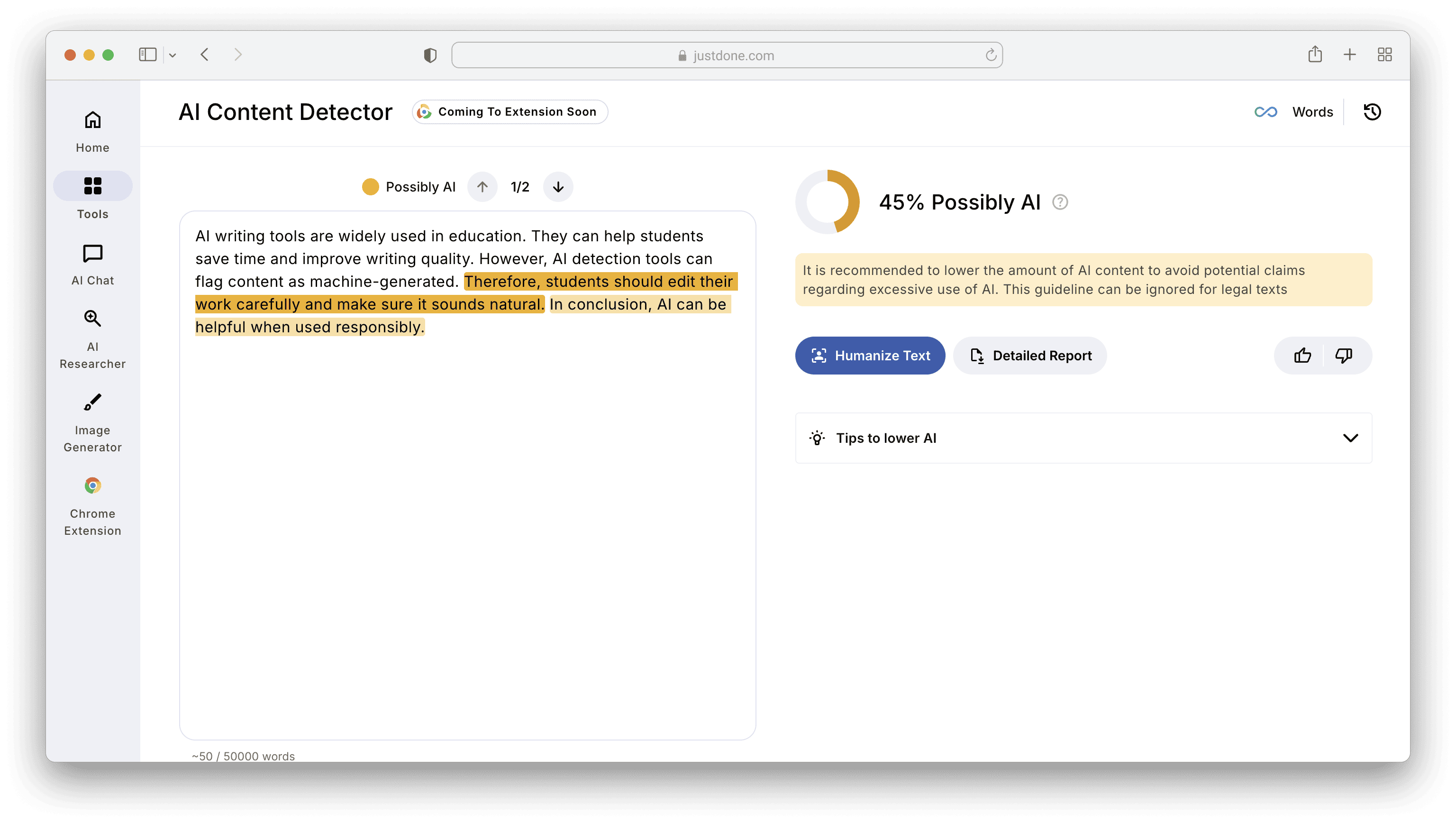
“AI writing tools are widely used in education. They can help students save time and improve writing quality. However, AI detection tools can flag content as machine-generated. Therefore, students should edit their work carefully and make sure it sounds natural. In conclusion, AI can be helpful when used responsibly.”
JustDone AI Detector flagged this short text as 45% Possibly AI-generated.
What I do manually:
- delete “widely used” opening
- break the rhythm
- add opinion + decision
- remove template conclusion
I've got this version:
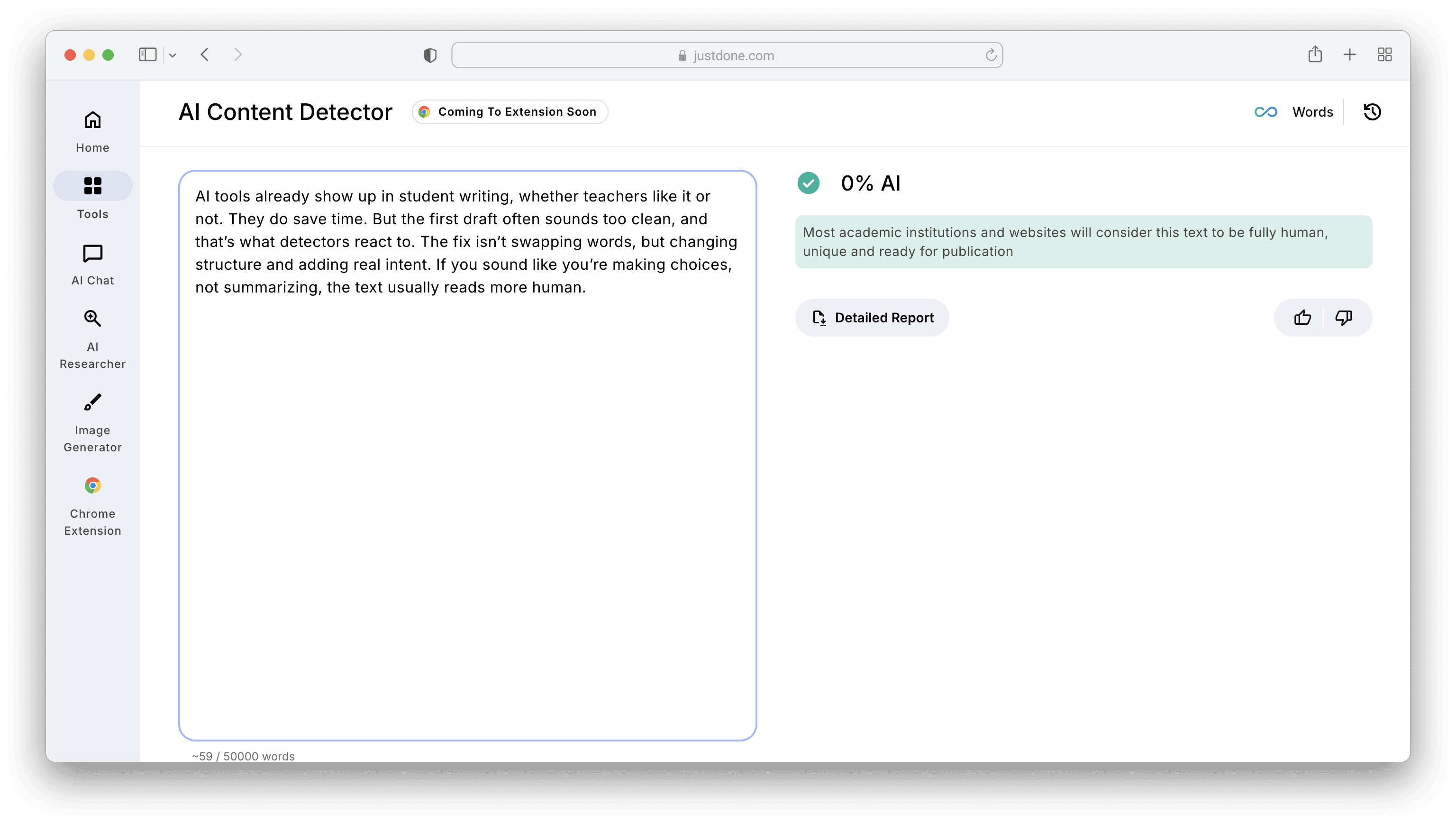
“AI tools already show up in student writing, whether teachers like it or not. They do save time. But the first draft often sounds too clean, and that’s what detectors react to. The fix isn’t swapping words, but changing structure and adding real intent. If you sound like you’re making choices, not summarizing, the text usually reads more human.”
Same meaning. Less AI footprint, as proven by a 0% AI score.
Prompts That Help Generate More Undetectable AI Writing
If you want AI drafts that already look more human, prompt design matters. Here are prompts I recommend because they control structure and tone, not just topic.
Prompt 1: Write with human rhythm
Write a 500-word draft about [topic].
Use natural sentence variety: mix short and long sentences.
Avoid “Firstly/Secondly/In conclusion.”
Add one opinion sentence per paragraph.
Sound like a student explaining clearly, not like a formal report.
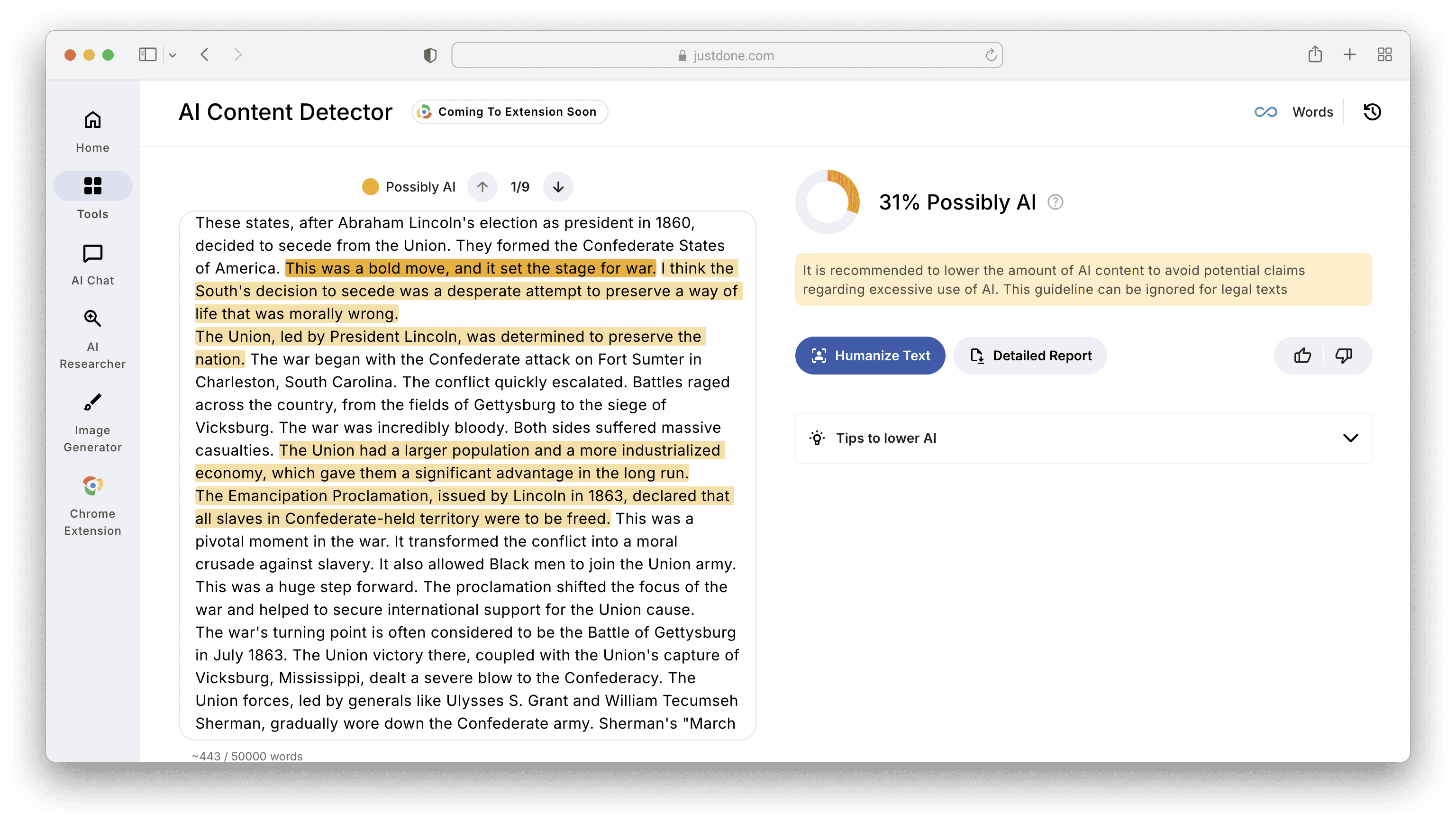
Let's see how this prompt works with JustDone's AI chat. I used Civil War in America as a topic to test the prompt. Here's the output I got:
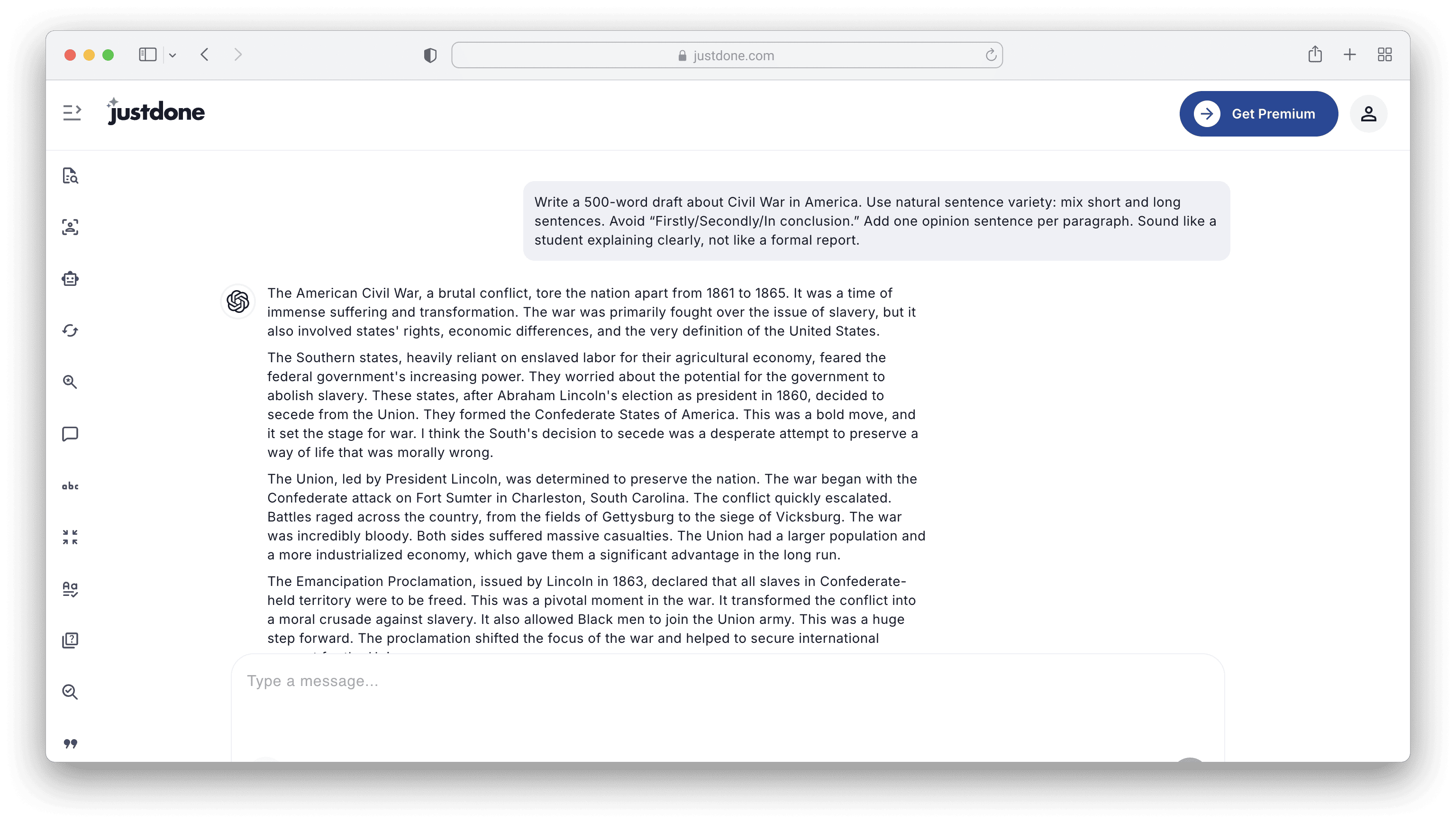
To see how high the AI score would be with this prompt, I ran the output through an AI detector and got 31% “Likely AI.” Not bad for a first attempt with no manual editing.
Prompt 2: Add realistic imperfection without lowering quality
Rewrite this text to sound like natural human writing.
Keep meaning the same.
Make the pacing less uniform.
Use one unexpected connector like “That sounds logical, but…” once.
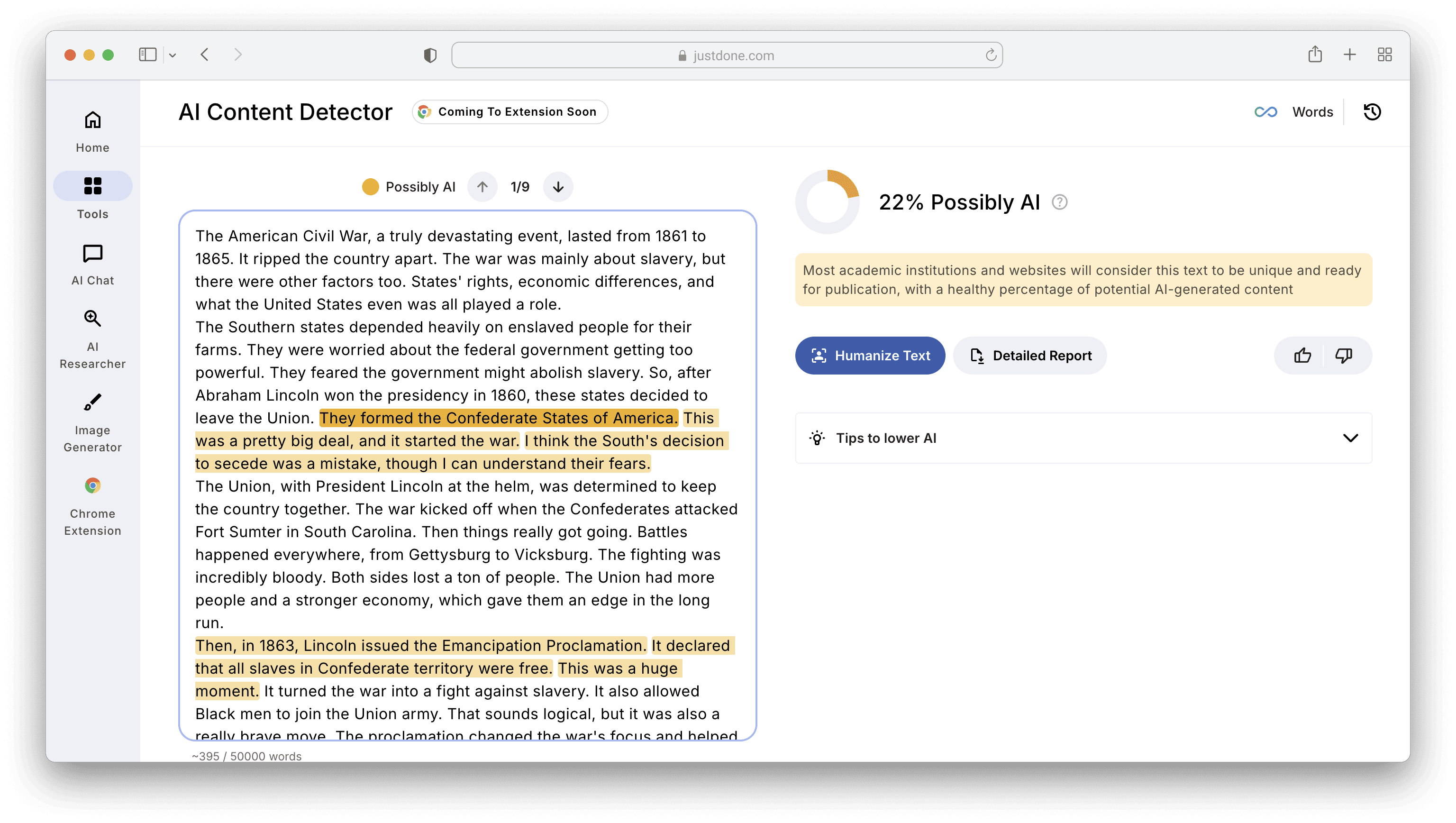
Let's look how this prompt worked on JustDone AI. The AI score lowered to 22% after it.
These prompts are one of the fastest ways to reduce detection but keep the meaning the same.
Final Thoughts About Undetectable AI Humanizers
After all this testing, my advice to students is simple. Don’t choose an undetectable AI writer just to trick the system. Use a tool that helps you revise, personalize, and improve your writing. The goal is to bypass AI detection because you’ve written something authentic, not because you’ve buried your work under layers of robotic editing.
That’s why I usually recommend starting with JustDone AI Humanizer. It blends AI rewriting with tone preservation, encourages manual editing, and helps students learn along the way. The tool also integrates AI detection checks, so you can self-review before your teacher does. It’s not about cheating. It’s about collaborating with AI responsibly.
The best undetectable AI writing tool is the one that lets you sound like you, only better. That’s the real secret, and it’s the reason why my students keep coming back for this advice year after year.
