As AI-generated content becomes harder to distinguish from human writing, publishers and content teams face a growing challenge: how do you verify that the work you're paying for is actually original?
Originality.AI is an AI content detector built specifically for this problem. Released in November 2022 - just before ChatGPT launched - the platform was designed with publishers, marketers, and content agencies in mind. Unlike tools aimed at educators, Originality.AI focuses on professional content workflows where authenticity directly impacts SEO and brand credibility.
The tool combines AI detection with plagiarism checking, fact verification, and readability scoring. It's positioned as a comprehensive content quality suite rather than a simple detector.
But does it live up to the promise? And is the paid version worth it compared to free alternatives? We tested it to find out.
What Originality.AI Offers
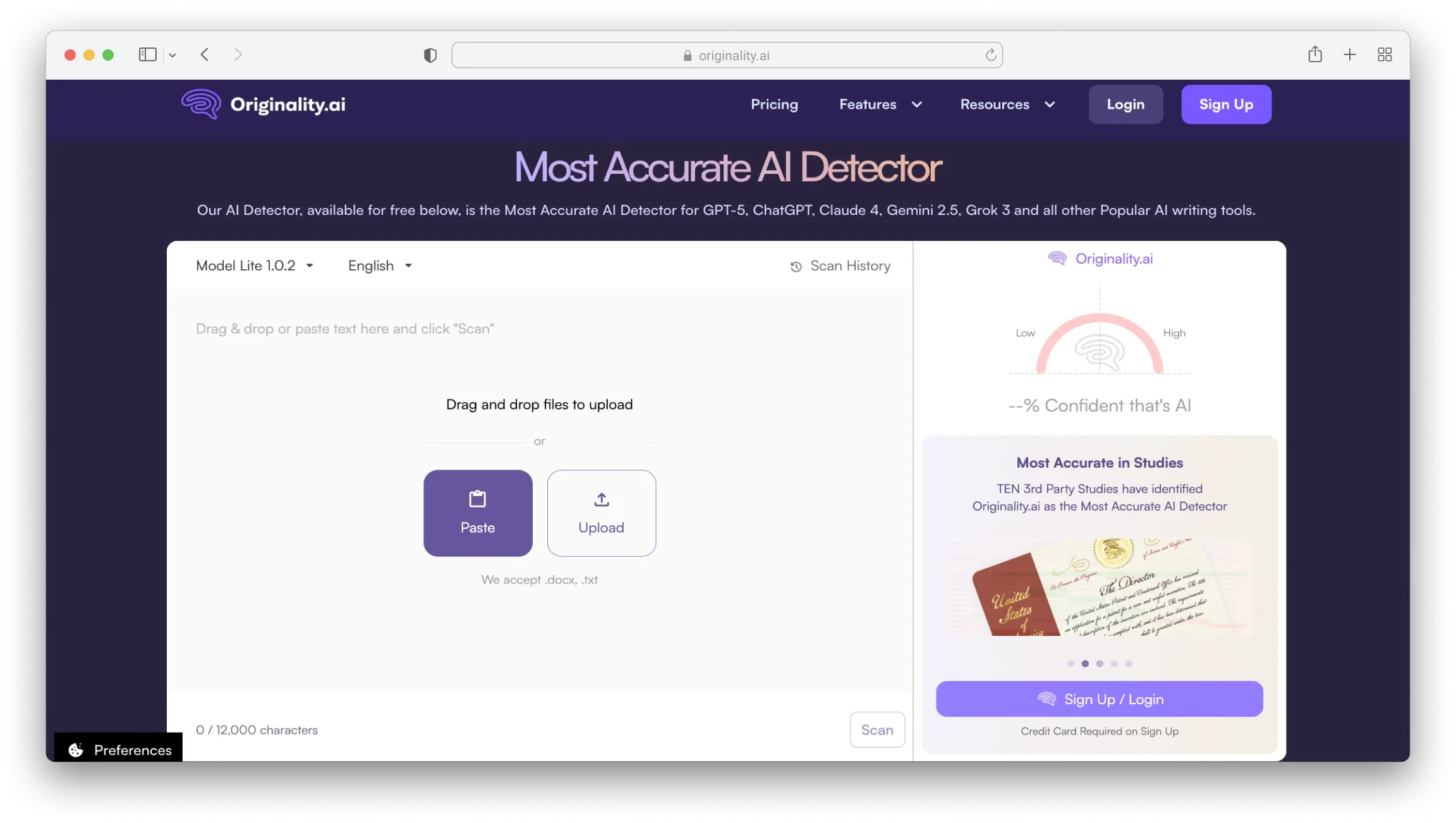
Originality.AI is primarily a paid tool. There's a limited free option — three daily scans with a 300-word limit each — but full access requires sign-up and payment.
The platform includes several features beyond AI detection:
- AI Content Detection — identifies text generated by ChatGPT, GPT-4, Claude, Gemini, LLaMA, and other models
- Plagiarism Checker — scans for duplicate content across the web
- Fact Checker — flags claims that may need verification (one credit scans 10 words)
- Readability Checker — evaluates how easy the content is to read
- Full Site Scan — audits an entire website for AI content at once
- Chrome Extension — scan text directly in Google Docs, Gmail, or any webpage
- Team Management — share access and organize scans across multiple users
You can paste text directly, upload files, or scan URLs. Results show an AI percentage score with color-coded highlights — green for human, red for AI-detected sections.
Important: Originality.AI does not include a humanizer or rewriting tool. It only detects and flags content — it won't help you fix what's flagged.
Pricing
Originality.AI uses a credit-based system:
- Pay As You Go: $30 one-time for 3,000 credits (1 credit = 100 words)
- Monthly Subscription: $14.95/month for 2,000 credits, plus access to all features
- Enterprise: Custom pricing for agencies and large teams
Credits don't roll over on the subscription plan — unused credits expire at the end of each billing cycle.
Pros
- Combines AI detection, plagiarism, and fact-checking in one tool
- Full site scanning for content audits
- Chrome extension for real-time checks
- Team management and shared reports
- Supports 15 languages (best performance in English)
Cons
- High false positive rate — polished human writing often flagged as AI (reported 76% overall accuracy)
- No sentence-level highlighting — shows overall score but doesn't pinpoint which sentences triggered detection
- No humanizer or rewriting tools — detection only, no help fixing flagged content
- Limited free tier — only 3 scans per day, 300 words each
- Credits expire monthly on subscription plans
- Not recommended for academic use — the company advises against using it for student work
Testing Originality.AI's Accuracy
Originality.AI claims high accuracy for detecting unedited AI-generated content. But real-world testing reveals a more complicated picture.
According to independent reviews, Originality.AI has an overall accuracy of around 76% — comparable to competitors, but with a significant caveat: it has a notably high rate of false positives.
The False Positive Problem
This is where Originality.AI struggles most. Multiple reviewers report that the tool incorrectly flags human-written text as AI-generated — sometimes with alarming confidence.
In one test by Scribbr, a human-written blog post introduction was flagged as 94% likely AI-generated. In another test, a passage from The Da Vinci Code (a novel published long before modern AI existed) received a 100% AI classification.
Why does this happen? Originality.AI measures patterns, not origin. Writing that is polished, consistent in rhythm, or structurally predictable can trigger high AI scores — even when it's entirely human-written.
Some reviewers note that "the only way for Originality.AI to accurately identify human-written text is if it contains grammar, spelling, and syntactic errors." That's a significant limitation for professional writers producing clean, publication-ready content.
Originality.AI Results
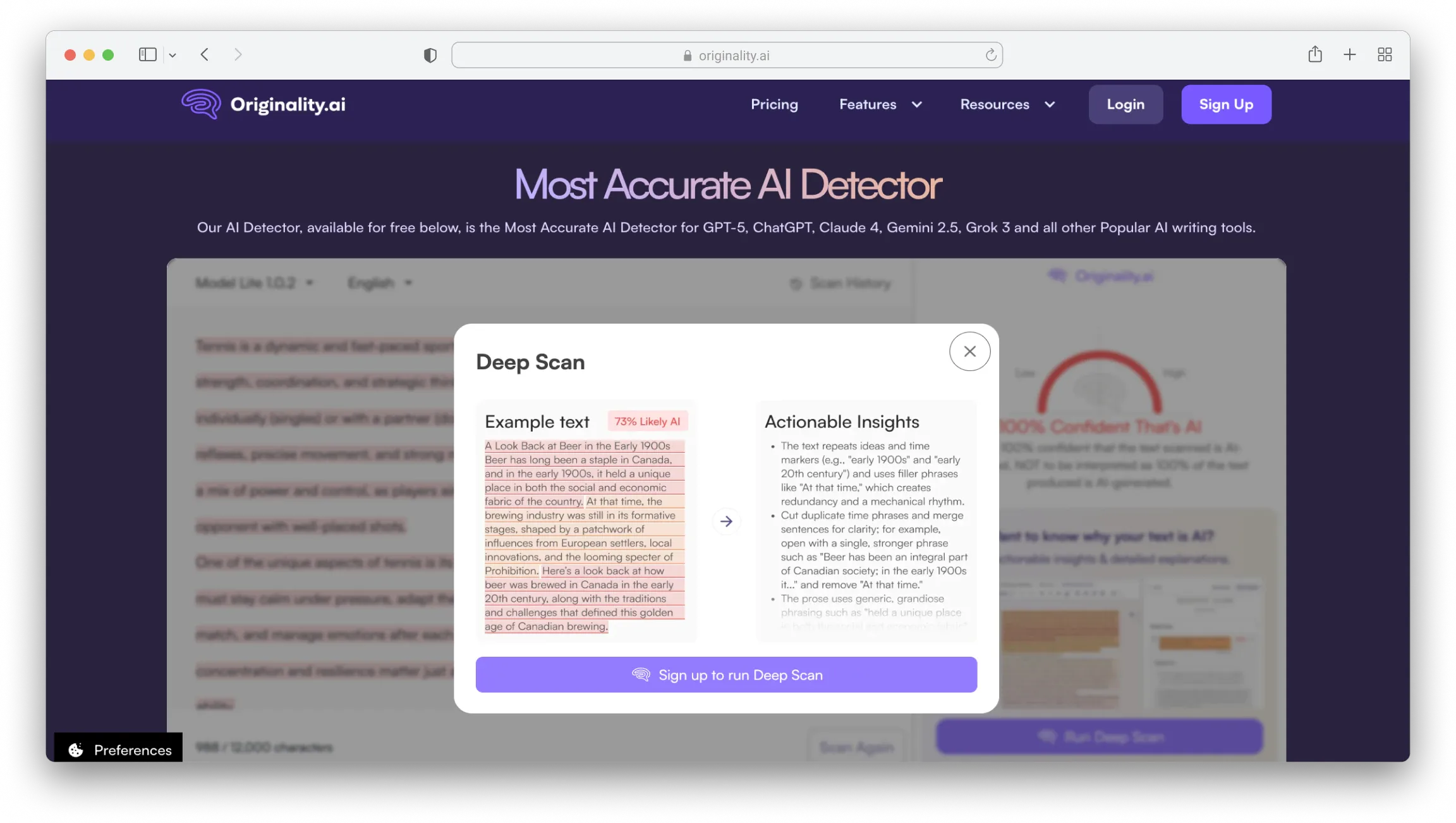
We ran AI-generated text through Originality.AI. It correctly identified the content with high confidence, showing a color-coded bar (mostly red) and an overall AI percentage.
However, the tool doesn't highlight which specific sentences triggered the detection. You get the overall score, but not the granular breakdown. For users who want to understand why something was flagged — or which parts to revise — this is limiting.
JustDone AI Detector Results
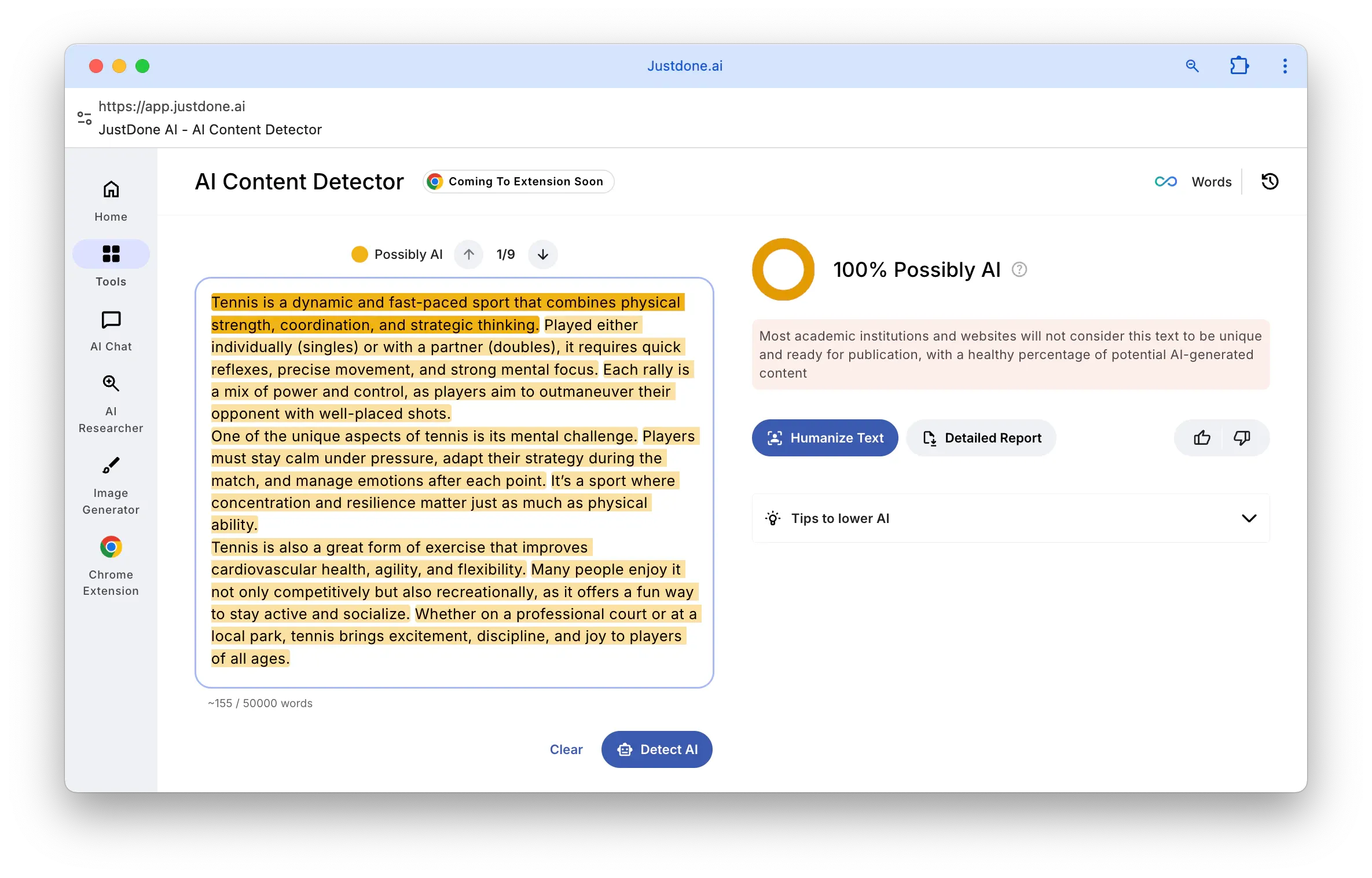
Using the same text, JustDone's online AI detector returned a clear result with a simple explanation of what the score means.
Unlike Originality.AI, JustDone highlights specific sentences flagged as AI and lets you navigate through each one. There's also a prompt to use the Humanizer tool if you want to revise the flagged content — something Originality.AI doesn't offer at all.
No sign-up required — just paste and scan.
The Key Difference
Both tools can detect AI content. But the workflows are fundamentally different:
Originality.AI gives you an overall score plus plagiarism and fact-checking. It's built for publishers screening content at scale. But you don't get sentence-level detail, there's no humanizer, and false positives are a known issue.
JustDone offers high-quality detection, sentence-level highlights, and built-in revision tools. For writers who need to understand why content was flagged and fix it quickly, this workflow is more practical.
A Different Way to Think About AI Detection
AI detection tools aren't just for catching outsourced content or verifying freelancer submissions. They're also useful for writers reviewing their own work.
If you've used AI to help draft something — or even if you haven't — your writing might still trigger detection flags. Maybe your style is naturally uniform. Maybe you edited out all the personality.
JustDone lets you preview how your text might be perceived before you publish. If something gets flagged, you can use the Humanizer to adjust the tone, or check "Tips to lower AI" for specific revision suggestions.
That's not gaming the system — it's understanding how your content reads and making intentional choices about your writing style.
Who Is Originality.AI Best For?
Originality.AI makes the most sense for:
- Content agencies managing multiple freelancers
- Publishers who need to audit existing websites
- SEO teams concerned about AI content penalties
- Editors who want plagiarism + AI detection in one tool
It's less ideal for:
- Individual writers who just need occasional checks (the credit system adds up)
- Students or educators (the company advises against academic use)
- Anyone who needs sentence-level AI detection (not available)
Bottom Line
Originality.AI is a comprehensive tool for publishers who need AI detection, plagiarism checking, and fact verification in one place. The full site scan feature is genuinely useful for auditing existing content at scale.
But it comes with significant trade-offs. The high false positive rate means polished human writing can get flagged — a frustrating experience for professional writers producing clean content. The tool doesn't show which specific sentences triggered detection, and there's no humanizer to help you fix what's flagged. You get the verdict, but not the path forward.
If you're managing a content team and need to screen large volumes of freelancer submissions, Originality.AI can be a useful first filter. But treat results as signals for human review, not definitive judgments.
If you want a high-quality option with sentence-level detection and built-in revision tools, JustDone's AI detector offers a more practical workflow. You can scan instantly without signing up, see exactly which parts triggered flags, and use the Humanizer to address issues — all before deciding whether a paid tool is necessary.
Originality.AI is accurate at catching unedited AI content. But accuracy alone doesn't solve the full problem — especially when your own human writing might get caught in the same net.
