Key Takeaway
Grok is a capable AI assistant for research, writing, coding, and brainstorming—but like any LLM, its output needs a human eye. Pair it with tools like JustDone to smooth out robotic phrasing and make your drafts feel natural before publishing.
If you've been exploring AI tools, you've probably heard of Grok. Built by Elon Musk's xAI, it's positioned as a direct competitor to ChatGPT and Claude—but with a personality twist and real-time access to what's happening on X. This guide covers what Grok actually does, how it works under the hood, where it shines, and where you'll need to step in (or bring in the right tools) to get publish-ready results.
What Is Grok?
Grok is an AI conversational assistant developed by xAI and integrated into the X platform (formerly Twitter). You can access it through X, grok.com, or the standalone Grok app on iOS and Android. It handles a wide range of tasks—writing, summarizing, coding, research, brainstorming—all through natural conversation.
The name comes from Robert Heinlein's 1961 novel “Stranger in a Strange Land,” where "grok" means to understand something so deeply it becomes part of you. That's the ambition behind the tool: not just retrieving information but working through problems with you in a way that feels like talking to a sharp, slightly irreverent colleague.
Where Grok immediately stands out is its tone. Inspired by "The Hitchhiker's Guide to the Galaxy," it leans into wit and casual delivery. This makes it particularly good for brainstorming sessions and iterative work where you want to bounce ideas quickly without the overly polished, corporate-sounding replies you sometimes get from other assistants.
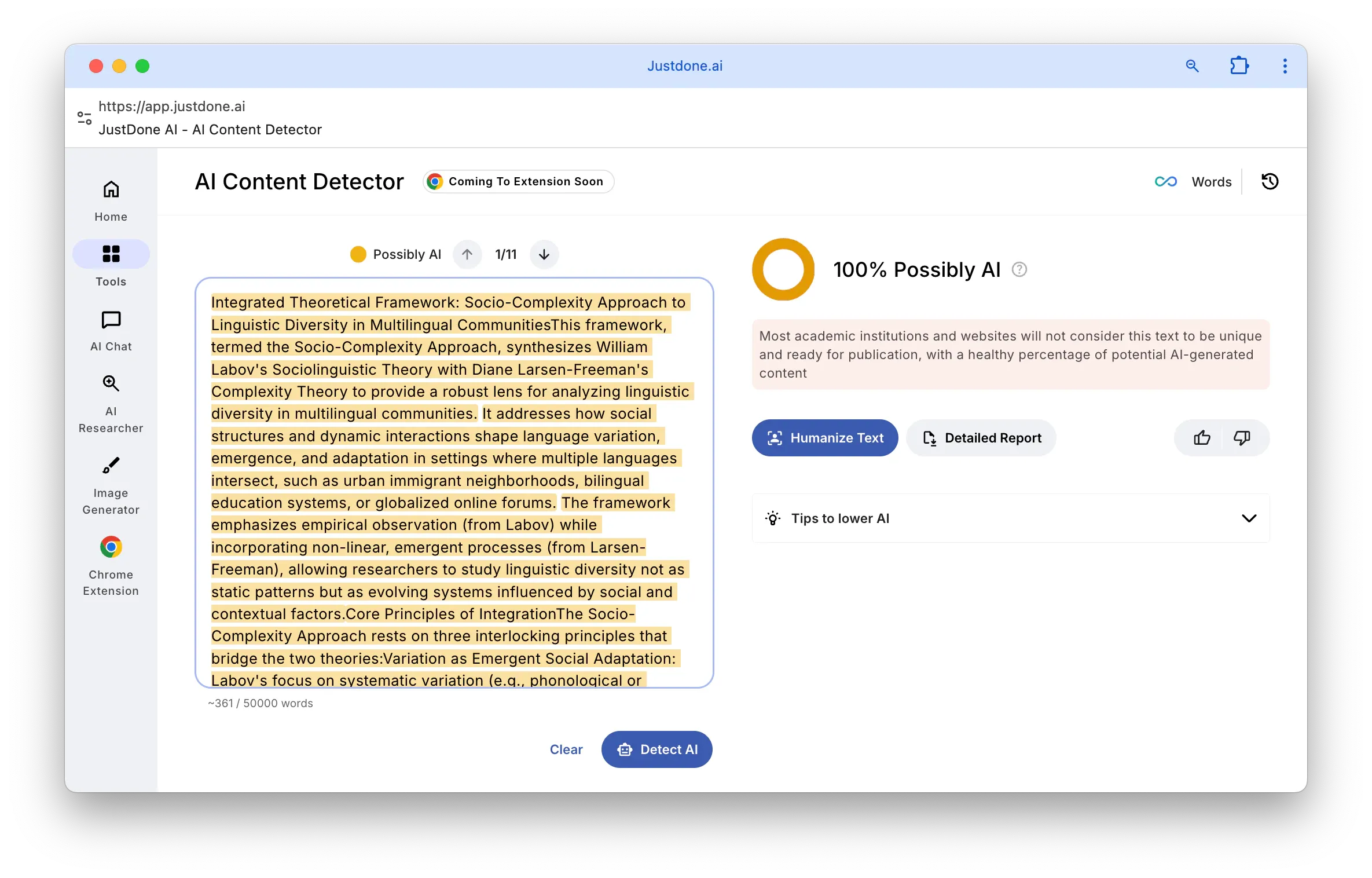
That said, even with its conversational style, Grok's output can still carry the telltale patterns of AI-generated text—repetitive sentence structures, overused transitions, or phrasing that just feels slightly off. Running your drafts through JustDone AI helps catch those leftovers and adjust the tone so the final piece reads like something a person actually wrote.
How Grok Actually Works
Understanding how Grok generates responses helps you use it more effectively—and know where to double-check its work.
Like other large language models, Grok is trained on massive amounts of text data from publicly available sources, combined with data reviewed by human AI tutors. Through this training, it learns language patterns, factual associations, and reasoning structures. When you send a prompt, Grok doesn't "look up" an answer in a database—it predicts the most relevant response based on everything it has learned.
What sets Grok apart technically is the scale of infrastructure behind it. Grok 4, the model powering current interactions since its July 2025 launch, was trained on xAI's Colossus supercomputer—a cluster of 200,000 NVIDIA GPUs with roughly 100x more compute than earlier Grok versions. The model has around 1.7 trillion parameters and was refined through large-scale reinforcement learning, including training Grok to use tools like a code interpreter and web browsing natively. On benchmarks, Grok 4 performs at the frontier: it scored competitively on math reasoning (AIME), PhD-level science problems (GPQA), and achieved a leading score on ARC-AGI-2, a benchmark designed to test reasoning that's easy for humans but hard for AI.
A few technical details that matter in practice:
- Grok 4 has a standard context window of 256,000 tokens—double what Grok 3 offered. The optimized Grok 4 Fast variant extends this to up to 2 million tokens, making it one of the largest context windows available in any commercial model. This means Grok can process lengthy documents, maintain coherent conversations over extended sessions, and handle complex multi-part prompts without losing the thread.
- Grok 4 has multiple reasoning modes. The standard mode gives fast, instant responses—great for quick questions and brainstorming. "Think" mode activates a chain-of-thought process where Grok breaks down complex problems step by step, checks its own reasoning, and corrects errors before delivering a final answer. There's also "DeepSearch" which extends beyond X to search the broader web for real-time information. For the most demanding tasks, Grok 4 Heavy uses a multi-agent architecture—essentially multiple Grok 4 instances working in parallel on different aspects of a problem, then synthesizing their findings into a single response.
- The real-time data access is worth highlighting. Unlike most AI assistants that only know things up to their training cutoff, Grok can pull live information from X posts and web sources. This makes it genuinely useful for tasks involving current events, trending topics, or recent data—though it also means the quality of those answers depends on what's being posted and shared on X at any given moment.
Grok in Action: Real Use Cases
It is useful to know a tool's specs. But knowing when to reach for it is even better. That's where Grok shines in everyday work.
Brainstorm Ideas With Grok
Brainstorming is arguably Grok's strongest use case. Its conversational, slightly edgy personality makes Grok AI a surprisingly effective brainstorming partner—especially when you need ideas that don't sound like they came from a template.
Instead of asking generic questions, try prompts that leverage Grok's personality:
"Give me 10 unconventional marketing angles for a sustainable fashion brand that would actually stop someone from scrolling."
            "I'm writing a blog post about remote work productivity. What are the takes nobody's writing about yet?"
            "Brainstorm 5 email subject lines for a product launch—make them punchy, not corporate."
The key is that Grok tends to go bolder with its suggestions than more cautious assistants. That's valuable during the divergent thinking phase when you want volume and variety. You can always dial it back later.
For iterative brainstorming, Grok works well in multi-turn conversations. Start with a broad idea, then narrow it: ask "why would this approach fail?", then "how could we address that?", and build on the thread. The speed of Grok's replies makes this back-and-forth feel more like a real discussion than waiting for a document to generate.
Grok Research and Fact-Finding Features
Grok's real-time search is a genuine advantage here. If you need to understand what people are saying about a competitor right now, check how a news story is developing, or find recent data points, Grok can pull from live X posts and web sources.
Try something like:
"Search X for what people are saying about [product name] this week and summarize the top complaints and praises." Grok's tool-use capability lets it run keyword and semantic searches across X, filter by date and engagement, and even analyze media in posts. That said, always verify key claims independently—Grok's real-time data is only as reliable as its sources, and X posts aren't peer-reviewed.
Grok for Summarizing and Document work
Feed Grok a long article, report, or document and ask for a summary, key takeaways, or action items.
A good prompt gives you focused output instead of a generic overview. Try this one:
"Summarize this report in 3 paragraphs, focusing on the financial implications" Grok can handle substantial documents without cutting off, though for extremely long inputs, Grok 4 Fast's extended context window gives even more room.
Grok Coding Capabilities
Grok can generate, debug, and explain code across multiple languages. The dedicated Grok 4 Code variant is specifically optimized for developer workflows—it scores competitively on SWE-Bench, a benchmark for real-world software engineering tasks, and integrates into popular IDEs. Think mode is especially useful here: ask Grok to debug a function and it will walk through the logic step by step, identify the issue, and suggest a fix rather than just rewriting the code.
Grok for Decision Support
Ask Grok to lay out pros and cons, compare options, or walk through a decision framework.
Here's an a prompt example that gives you structured analysis rather than a generic list:
"I'm choosing between Webflow and WordPress for a client site. The client needs SEO flexibility and easy content updates. Walk me through the trade-offs" Grok's reasoning modes help ensure it actually weighs trade-offs rather than just restating options.
Image and Video Generation
Grok supports built-in image generation through Aurora (xAI's own model) and Flux integration. With the launch of Grok Imagine in August 2025, it can also generate short video clips—6-second animations with sound, useful for quick social media prototypes or visual brainstorming. These features are available to Premium+ and SuperGrok subscribers.
Can Grok Make AI Text Sound More Human?
This is a question that comes up a lot—and the honest answer is: partially.
Grok's conversational tone already makes its output sound less robotic than some competitors. If you prompt it with specific stylistic instructions—like "write this as if you're explaining to a friend over coffee" or "keep the tone casual and avoid anything that sounds like a corporate memo"—you can get text that feels more natural from the start.
But there's a difference between a conversational tone and truly human-sounding writing. Even with good prompting, Grok still tends to fall into patterns: certain transition phrases it overuses, a tendency to wrap up paragraphs with summary sentences that feel unnecessary, or a rhythm that's just slightly too consistent to read as organic.
This is where running your text through a dedicated tool makes a practical difference. JustDone AI is built specifically to identify and smooth out these AI-generated patterns—adjusting phrasing, varying sentence structure, and removing the subtle markers that readers (and AI detectors) tend to pick up on. Think of it less as "hiding" AI use and more as a quality check: previewing how your writing might be perceived and catching the awkward spots before your audience does.
The most effective workflow is to use Grok for the heavy lifting—generating the draft, structuring the argument, getting the ideas down—and then run it through JustDone to refine the tone and remove those AI leftovers. Then do your own final pass. Three stages, each playing to its strengths.
Can Grok Check Grammar?
Grok doesn't have a dedicated grammar-checking mode, but it can absolutely help with proofreading through prompts. Ask it to "review this text for grammar, spelling, and awkward phrasing" and it will catch many common issues—subject-verb agreement errors, misplaced commas, clunky sentence constructions.
For basic editing—especially during the drafting phase—this works well enough. However, Grok sometimes "corrects" things that were intentional stylistic choices, or misses context-dependent errors that a specialized tool would catch.
For professional-grade proofreading, especially on content you're publishing, it's better to combine Grok's initial review with a tool like JustDone that not only checks grammar but also adjusts readability and tone. This gives you a more thorough edit than either approach alone.
Grok vs. ChatGPT: Choose the Right Tool
Both are capable AI assistants, but they have different strengths that make them better suited for different workflows.
| Feature | Grok | ChatGPT |
|---|---|---|
| Best For | Brainstorming, real-time research, quick iterations | Long-form writing, multi-step projects, broad integrations |
| Style | Witty, conversational, fast iterations | Structured, versatile for long-form |
| Real-time data | Built-in via X and web search | Available via plugins and browsing |
| Context window | 256K standard; up to 2M (Grok 4 Fast) | 128K tokens (GPT-4o) |
| Reasoning modes | Think, DeepSearch, Grok 4 Heavy (multi-agent) | O1/O3 reasoning, Deep Research |
| Multimodal input | Text, images, voice, video, documents | Text, images, voice, documents |
| Image generation | Built-in (Aurora, Flux) | Built-in (DALL-E) |
| Pricing | Free tier on X; Premium ($8/mo), SuperGrok ($30/mo), Heavy ($300/mo) | Free tier; Plus ($20/mo), Pro ($200/mo) |
Grok tends to be faster and more creative in freeform conversations. ChatGPT tends to be more thorough and structured for complex, multi-step work. Many people use both depending on the task.
Regardless of which tool you draft with, the output still benefits from a polish pass. AI phrasing patterns show up in text from any model, and a quick run through JustDone AI catches those recurring tells—the same transition words, the generic concluding sentences, the slightly too-perfect paragraph structure—before they reach your audience.
Tips for Getting Better Results From Grok
The quality of what you get from Grok depends heavily on how you prompt it. A few strategies that make a noticeable difference:
Be specific about audience, tone, and format
Instead of "write me a blog post about productivity," try: "Write a 600-word blog post about productivity for freelance designers. Keep the tone conversational—like you're giving advice to a friend who's overwhelmed, not writing a LinkedIn thought leadership piece." The more context Grok has, the less you'll need to edit later.
Leverage its personality for creative work
Grok's witty, slightly irreverent style is an asset for brainstorming, marketing copy, and social media content. Lean into it: ask for "unconventional takes," "ideas nobody else is suggesting," or "the honest version, not the PR version." You'll get more interesting raw material to work with.
Use reasoning modes for complex tasks
If you're debugging code, analyzing a business decision, or working through a technical problem, switch to Think mode. You'll see Grok's step-by-step reasoning process, which often catches errors the fast mode would miss.
Iterate in rounds
Start broad—get a first draft or outline. Then refine: ask Grok to expand specific sections, change the tone, add examples, or cut unnecessary parts. Treat it as a conversation, not a one-shot generator.
Ask "why" and “what's the weakness”
One of the most underused prompting techniques is asking Grok to critique its own output. After it gives you a suggestion, ask "What's the strongest counterargument to this?" or "Where would this approach fail?" This forces more nuanced thinking and often surfaces better ideas.
Where Grok Falls Short
No AI assistant is perfect, and being clear about limitations saves you time and frustration.
Hallucinations are real
Grok can and does invent facts, cite sources that don't exist, or present plausible-sounding information that's simply wrong. This is a fundamental limitation of how LLMs work—they predict likely text, not verified truth. Always fact-check important claims, especially statistics, dates, and quotes.
Real-time search has blind spots
Grok's access to X data is a genuine advantage, but X isn't the entire internet. For topics that aren't trending on social media, or for breaking news that hasn't been widely posted yet, the real-time search can miss important context. Cross-reference with other sources.
Free tier is limited
Free users get limited prompts every two hours.
For regular use, you'll need X Premium ($8/month) or Premium+ ($16/month) for higher limits. SuperGrok ($30/month) unlocks Grok 4 with full reasoning capabilities, while SuperGrok Heavy ($300/month) gives access to the multi-agent Grok 4 Heavy model for the most demanding tasks.
Output still needs polishing
Even with Grok's more natural conversational style, AI-generated text tends to have patterns that careful readers notice. Repetitive structures, predictable transitions, and a certain "smoothness" that lacks the natural imperfection of human writing. Using a tool to preview how your writing might be perceived isn't cheating—it's more like defensive editing to make sure your message lands the way you intend it to.
Political bias concerns
It's worth noting that Grok has faced criticism regarding political bias in its responses. Independent analyses have noted shifts in the model's default responses across different versions, and the topic of political neutrality in AI remains an active discussion in the broader industry. For research or content creation on politically sensitive topics, it's good practice to cross-reference Grok's output with other sources—as you would with any AI tool.
Making Grok Work for You
The most effective approach isn't relying on any single tool—it's building a workflow where each one plays to its strengths.
Use Grok for the work it does best: fast brainstorming, real-time research, iterative drafting, and reasoning through complex problems. Its speed and conversational style make it ideal for the messy, creative early stages of any project.
Then run your drafts through JustDone AI to catch the AI-generated patterns, adjust the tone, and make sure the text reads naturally. This isn't about disguising AI use—it's about quality control. The same way a professional writer would self-edit, you're using a tool to check how your writing comes across before it reaches your audience.
Finally, add your own review. No AI tool—whether for generating or refining—replaces your judgment about what your specific audience needs to hear and how they need to hear it.
This three-step combination—draft with Grok, refine with JustDone, review yourself—delivers content that's accurate, readable, and genuinely useful for the people you're writing for.
