As AI writing tools became mainstream, questions around authorship and academic integrity became a real concern in classrooms. Educators suddenly faced a new challenge: how do you tell whether an essay was written by a student or generated by AI?
GPTZero is an AI content detection tool created in response to that problem. Built by Princeton University student Edward Tian, it was designed specifically for educators who needed a fast way to evaluate whether a text might be AI-generated.
Rather than scanning for plagiarism, GPTZero focuses on writing patterns — how predictable the language is and how sentences are structured.
At its core, GPTZero analyzes text using two metrics: perplexity and burstiness. Perplexity measures how predictable a text is to a language model. Writing that is more varied and less predictable tends to look more human. Burstiness looks at sentence structure: humans naturally mix short, punchy sentences with longer ones, while AI-generated text often appears more uniform. Together, these signals help GPTZero assess whether a piece of text was likely written by a person or a machine.
The app was launched in 2023 and has since grown to over 4 million users. The team continues to improve accuracy based on real student work. That's worth keeping in mind as we take a closer look at how GPTZero actually performs.
What GPTZero Offers
GPTZero allows you to analyze text by pasting it directly, uploading files, or connecting Google Drive. Results are presented as confidence scores rather than simple pass/fail labels.
The free tier includes a limited number of scans per month, with a credit-based system for additional usage. Recent updates also highlight specific sentences that appear AI-generated, making it easier to see where flags occur.
GPTZero requires an account to run scans, even at the basic level. After signing up, users gain access to several tools beyond AI detection. These include plagiarism checking (paid only), AI hallucination detection, grammar and clarity feedback, and an AP English essay evaluator aimed at students.
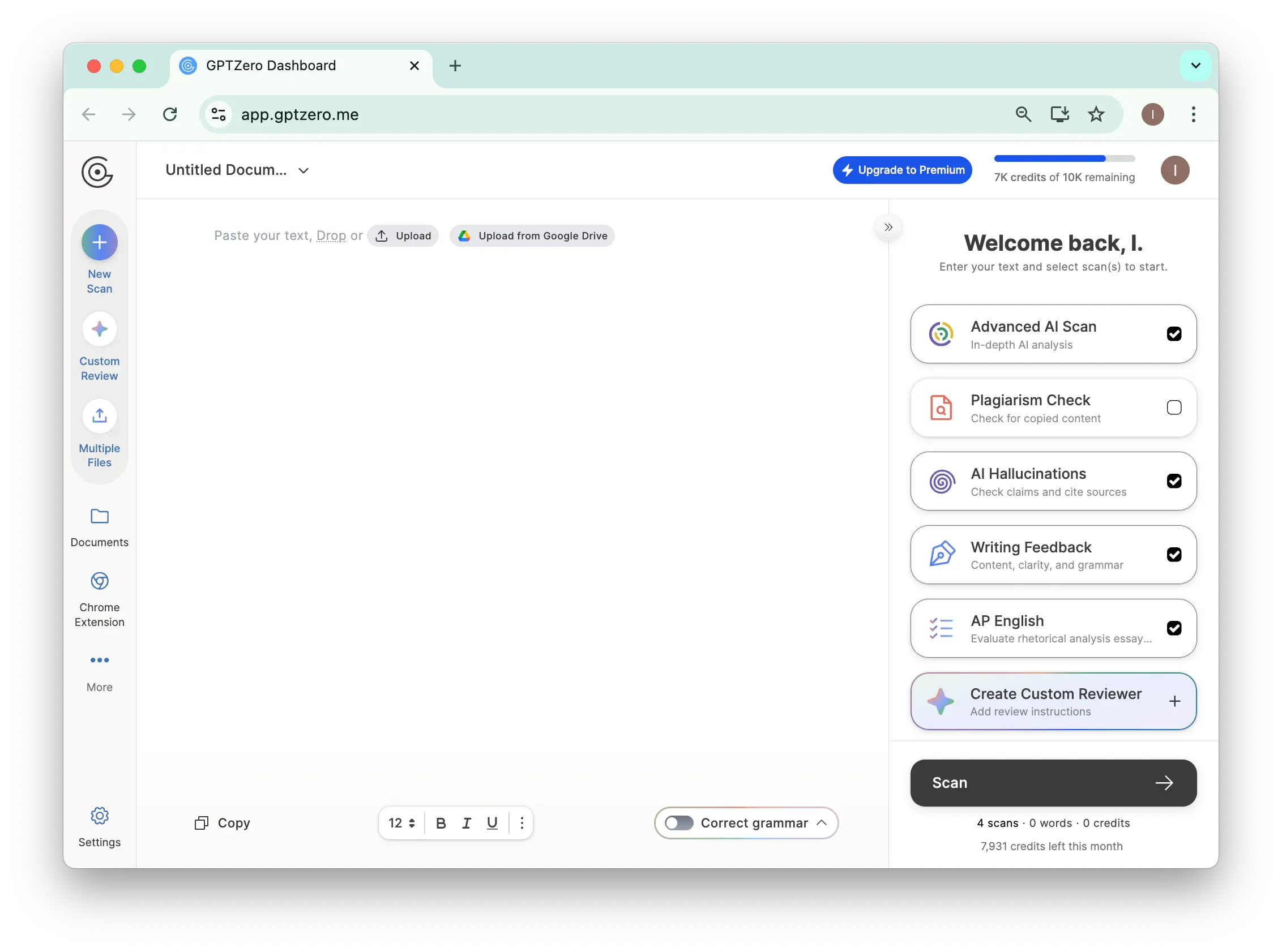
One thing to note: GPTZero frequently encourages users to upgrade. During testing, prompts such as “Get 7 days free of GPTZero Premium” ($155.88/year after trial) appeared regularly throughout the interface.
Pros
- Multiple scan types: AI detection, plagiarism, hallucinations, writing feedback
- Highlights specific AI-generated sentences and AI-related wording
- Supports file uploads and Google Drive integration
- 7-day trial available
Cons
- Sign-up required, even for basic scans
- Free tier is limited
- Frequent upsell popups interrupt the experience
- Advanced features in the trial show partial or gated results
- Advanced Scan surfaces contradictory signals
- "AI Vocab" analysis often returns empty results
- Reported to be less accurate in AI detection accuracy studies and independent evaluations
Testing GPTZero's Accuracy
To see how GPTZero holds up, we tested multiple AI-generated text samples created with Claude through both GPTZero and JustDone. The samples varied in tone, length, and writing style.
We first compared the free versions, then tested the Advanced Scan experience. The results were... interesting.
Both tools reached similar conclusions — but they presented results very differently.
GPTZero Basic Scan
GPTZero requires an account to use. Once signed in, you can paste text and choose your scan type.
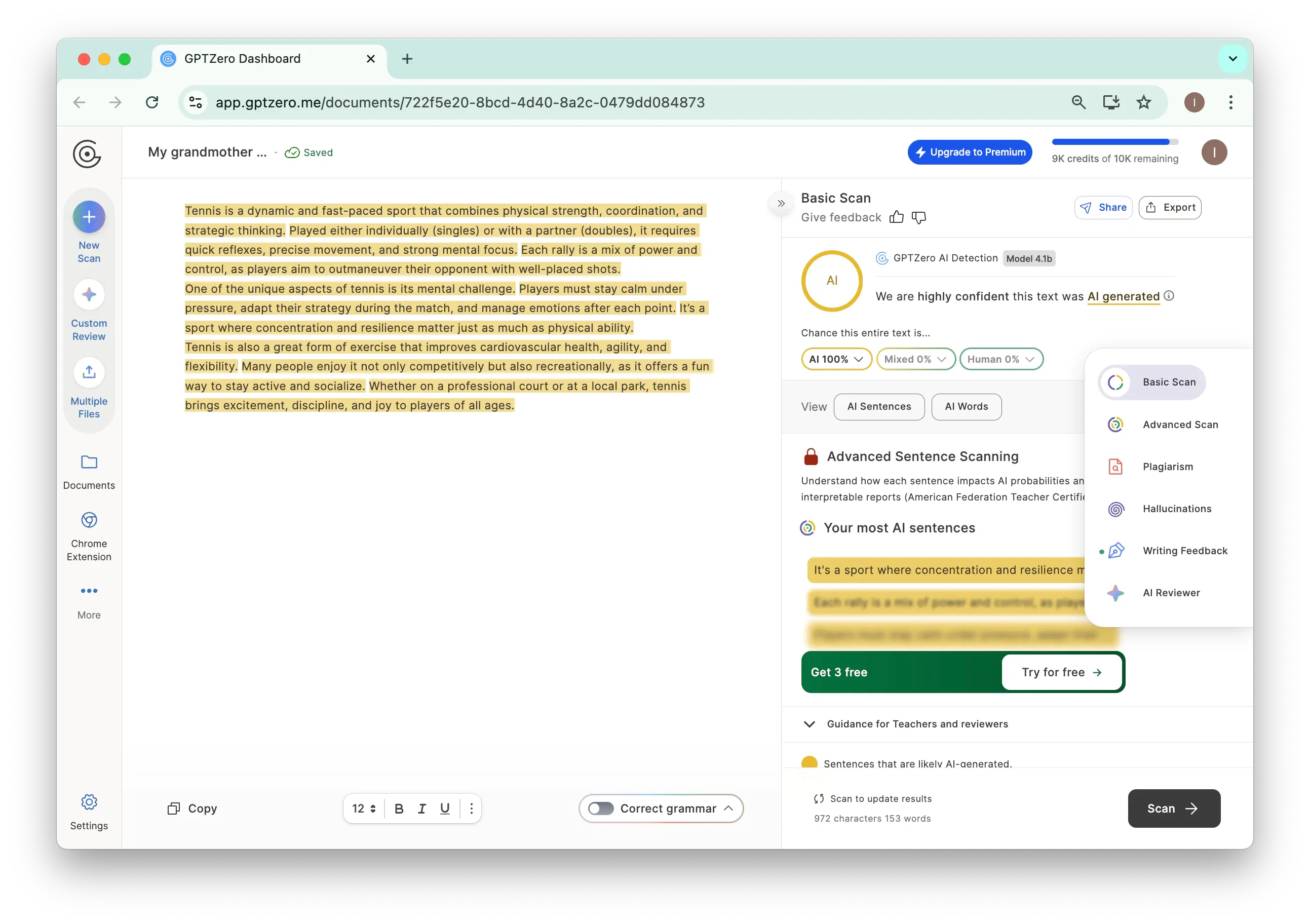
The Basic Scan flagged our sample as "AI 100%" with high confidence: "We are highly confident this text was AI generated."
It highlights sentences in yellow and lists "Your most AI sentences" below. There's also a "Guidance for Teachers and reviewers" section — but expect upgrade prompts along the way.
Using the same text, JustDone's online AI detector shows a similarly confident result: "≈ 100% Likely AI-Generated," with a simple explanation of what the score means.
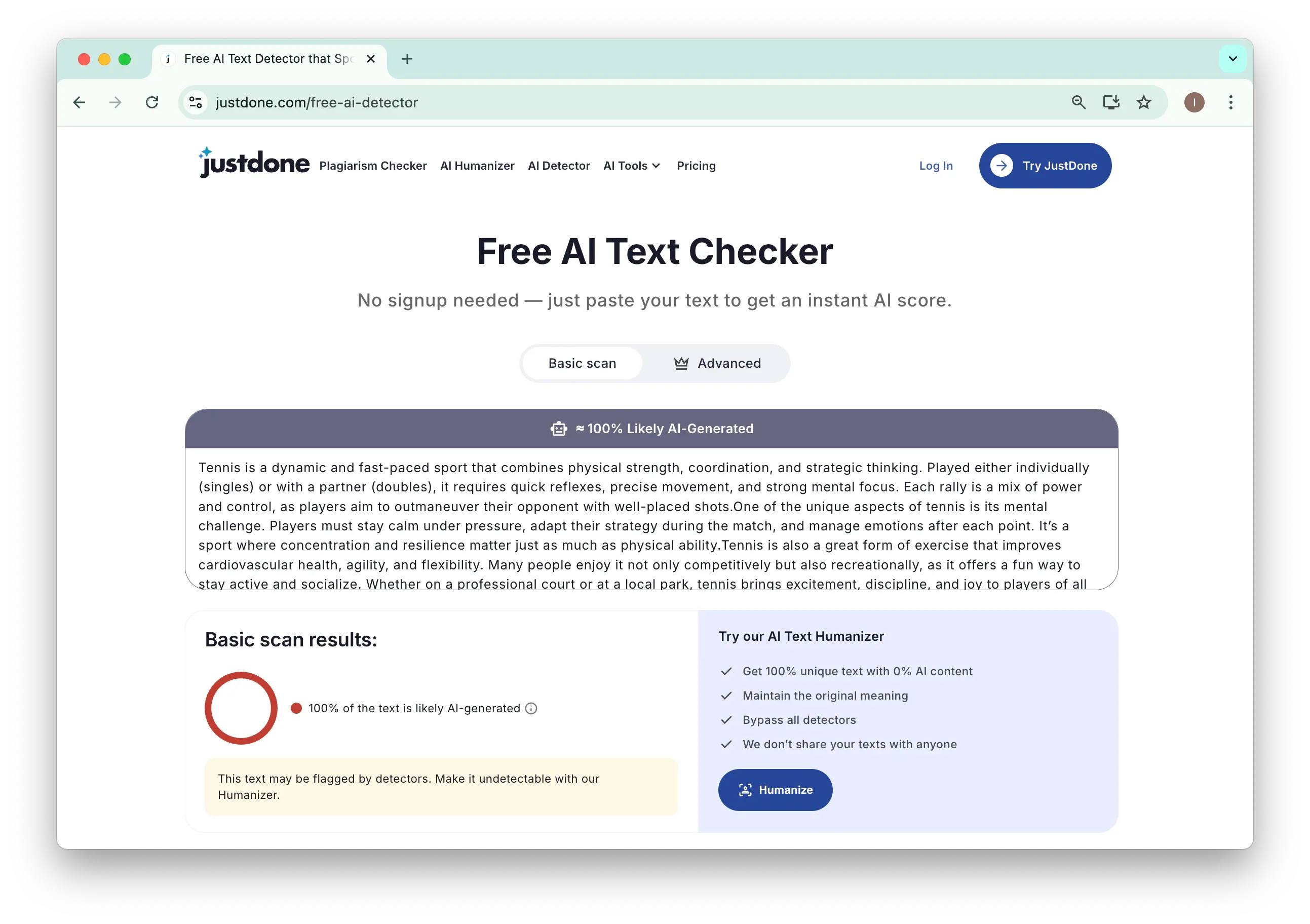
Unlike GPTZero, the scan runs instantly without requiring sign-up. Users can immediately see the result and decide how to proceed.
Both tools successfully detected AI-generated content. The key difference lies in accessibility and clarity: GPTZero requires sign-up and regularly promotes premium upgrades, while JustDone lets you scan immediately without an account.
GPTZero Advanced Scan
The experience diverges further with GPTZero's Advanced Scan.
At first glance, the interface appears more comprehensive. It displays the same "AI 100%" result, along with tabs for AI Sentences, AI Vocab, and an Advanced Sentence Scanning visualization that shows how individual sentences lean AI or human.
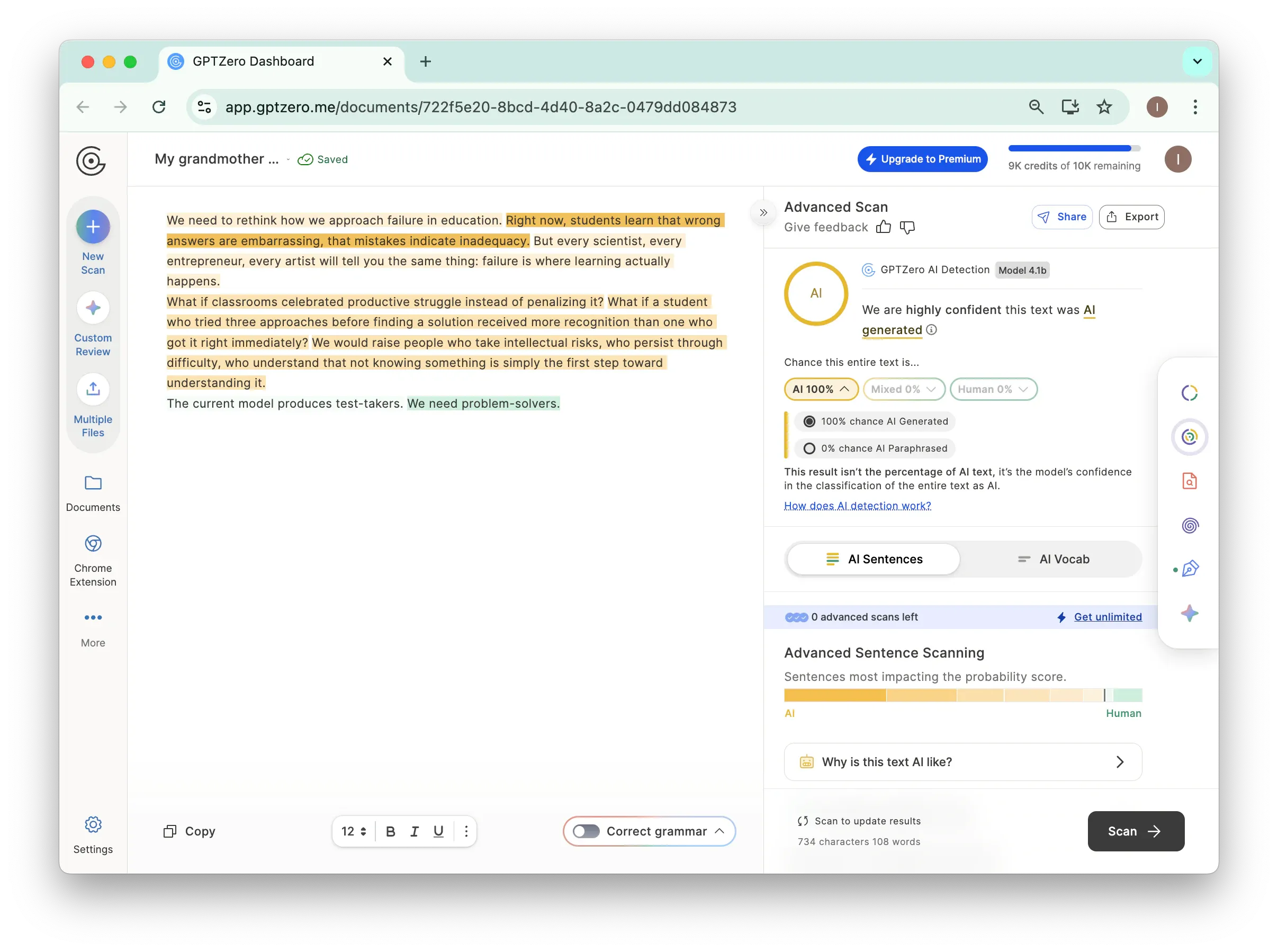
However, the insights can feel inconsistent. Despite a 100% AI classification, the visualization marked one sentence as leaning "Human." The AI Vocab tab returned no results, stating: "We did not find any common AI vocabulary in your text."
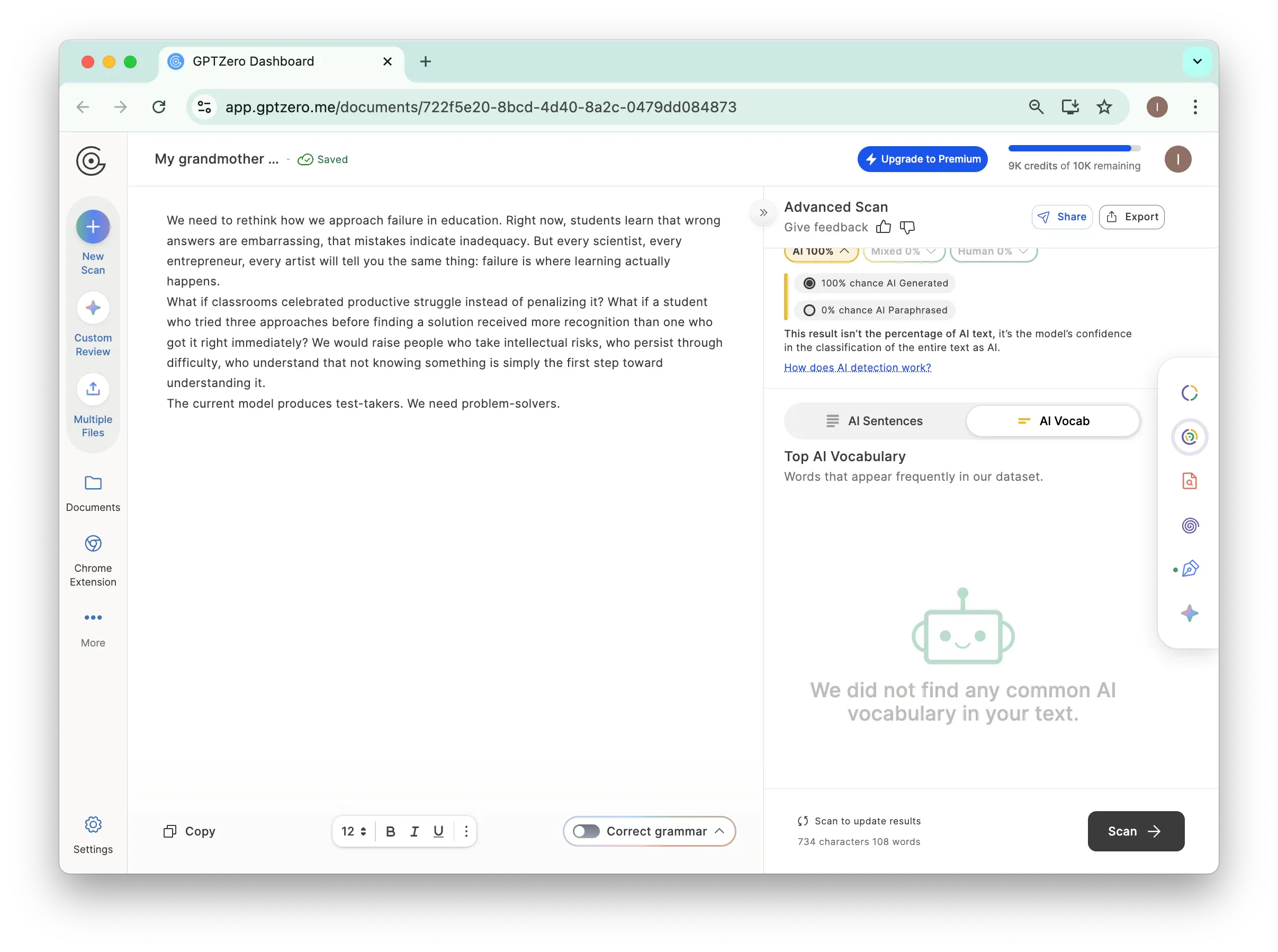
Several advanced features were also locked behind usage limits, prompting messages like "0 advanced scans left" and "Get unlimited."
The result? GPTZero Advanced looks comprehensive at first glance, but the actual insights are limited unless you pay. The interface promises depth but delivers mostly upsells.
By comparison, JustDone focuses more on post-detection guidance, offering a detailed report and optional revision-oriented tools that help users understand results and make adjustments.
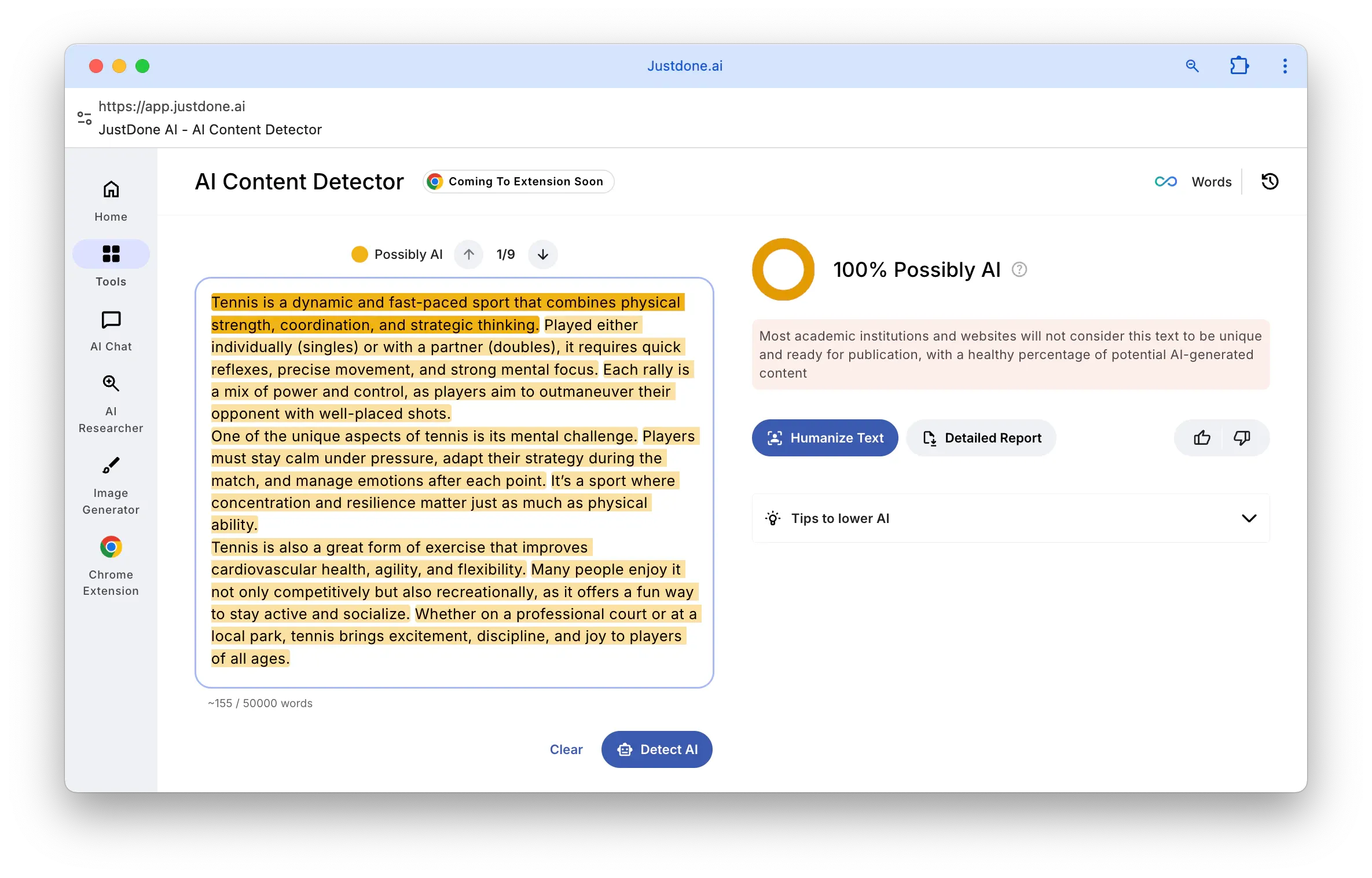
The context is clear: "Most academic institutions and websites will not consider this text to be unique and ready for publication."
Detection and next steps — all in one place.
What's the Real Difference?
Both tools detect AI-generated content. Both provide confidence scores and highlight suspicious sentences.
The difference lies in what happens after detection.
GPTZero emphasizes analysis and evaluation, particularly for academic review. However, much of that depth is gated behind paid plans, and some signals may feel contradictory to non-technical users.
JustDone prioritizes clarity and next steps, pairing detection with guidance for revising flagged content. For writers who need to respond quickly to AI flags, this workflow can be more practical.
A Different Way to Think About AI Detection
So far, we've looked at AI detection mainly through an educator's lens. But detection tools are also useful for writers reviewing their own work.
Think about it. If you've used AI to help draft something, or even if you haven't, your writing might still trigger detection flags. Maybe your style is naturally uniform. Maybe you edited out all the personality.
Even human-written text can trigger AI flags — especially if it's highly polished or stylistically uniform. Detection tools can help identify where writing feels "too smooth" and why.
JustDone allows users to preview how their text might be perceived and offers revision-focused tools to address flagged sections. This makes AI detection less about enforcement and more about self-editing.
Where GPTZero Is Headed
GPTZero has evolved significantly since its early beta days, but some limitations remain. Edward Tian built the tool with academics in mind, not marketers or bloggers, and that focus shows.
As GPTZero continues testing on real student work, accuracy should improve. For now, educators should treat it as one part of a broader evaluation process. The app itself notes that AI detection is only "one piece of a holistic assessment of student work."
Bottom Line
GPTZero is a solid option for basic AI detection, particularly in educational settings. Its sentence-level highlights and academic framing make it useful for review and evaluation.
That said, the Advanced tier often feels more like a preview than a complete solution, with key insights gated behind paywalls and occasional contradictory signals.
If your goal is not just to flag AI content but to improve it, JustDone's combination of detection and revision tools may offer more practical value. GPTZero shows promise — but clarity and usability still leave room for improvement.
