Key takeaways:
- If an AI detector says your writing is AI, it usually means your draft is too smooth, evenly structured, and full of generic phrases.
- Start fixing the parts detectors flag most often. Rewrite the first paragraph to be more specific, remove report-style lines (“This essay will discuss…”), and add one short “my stance” sentence per paragraph to break the neutral AI rhythm.
- Use a repeatable workflow. Run the draft through an AI detector, humanize only the most robotic paragraphs, do a quick manual pass to add concrete examples, and make the final version sound like you.
Sometimes the content is genuinely AI-written. But often it’s the opposite: you wrote everything yourself, and the tool still says “the text is likely AI.” Or you might see messages like “We are confident this writing is AI,” “Is this AI written?”, “Your text looks machine-generated.”
This guide explains why AI detectors flag real writing, what patterns usually trigger false positives, and how to fix a draft so it reads naturally without making it messy or over-edited. I’ll also show how JustDone tools help you review and improve text in a faster, more controlled workflow.
Why AI Detector Says My Writing Is AI
There are several common reasons human writing gets flagged. Your writing is too polished and smooth in the same way AI is polished and smooth. AI writing tends to be evenly formal, evenly clean, evenly structured. If your draft has no short sentences, no natural emphasis, no “decision” statements, no personal phrasing, it can read like the output of a model even if you typed every word yourself. This is especially common in academic or professional writing, where people try to sound formal and safe.
You edited with AI tools without noticing how much they rewrote. A lot of writers think they used minor edits, but the tool actually rewrote phrasing at a deeper level. For example, you might accept rewriting suggestions, auto-rephrase for tone, or ask an assistant to make it academic. Even if the ideas are yours, the phrasing may now sound like AI, which detectors associate with machine output.
Your paragraphs follow a predictable structure like this:
- Topic sentence
- Explanation
- Example
- Short summary
- Transition to next paragraph
In fact, this is not bad writing. It’s just a structure that AI also produces easily. Detectors often flag drafts that look like a clean template with no variation. If your paragraph structure looks the same throughout the paper, you will be flagged.
You rely on generic framing lines. Detectors react strongly to sentences like:
- “This topic is important because it affects society.”
- “In today’s world, technology plays a major role.”
- “This issue has many advantages and disadvantages.”
These lines are common in student writing. They’re also extremely common in AI writing. So they trigger scores.
What AI Detectors Don’t Measure
Most AI detectors don’t really know who wrote your draft. They don’t check your browser history or mind-read your intent. Instead, they look for language patterns that are statistically common in AI outputs, such as too clean grammar, predictable sentence rhythm, generic phrasing with no personal arguments, and template-like transitions.
So when a detector asks if this text is AI-written, the real question behind it is: Does this writing look predictable enough to match machine-generated patterns?
That’s why false positives happen. A well-edited human draft can look “too consistent,” and consistency is exactly what detectors often react to.
What to Change First When You Get Flagged
When a draft gets flagged, the worst response is rewriting the whole document from scratch. That wastes time and usually makes your tone inconsistent. A better approach is targeted editing: fix the few patterns detectors react to most.
Let's see how manual editing can improve this text flagged as 100% AI-written.
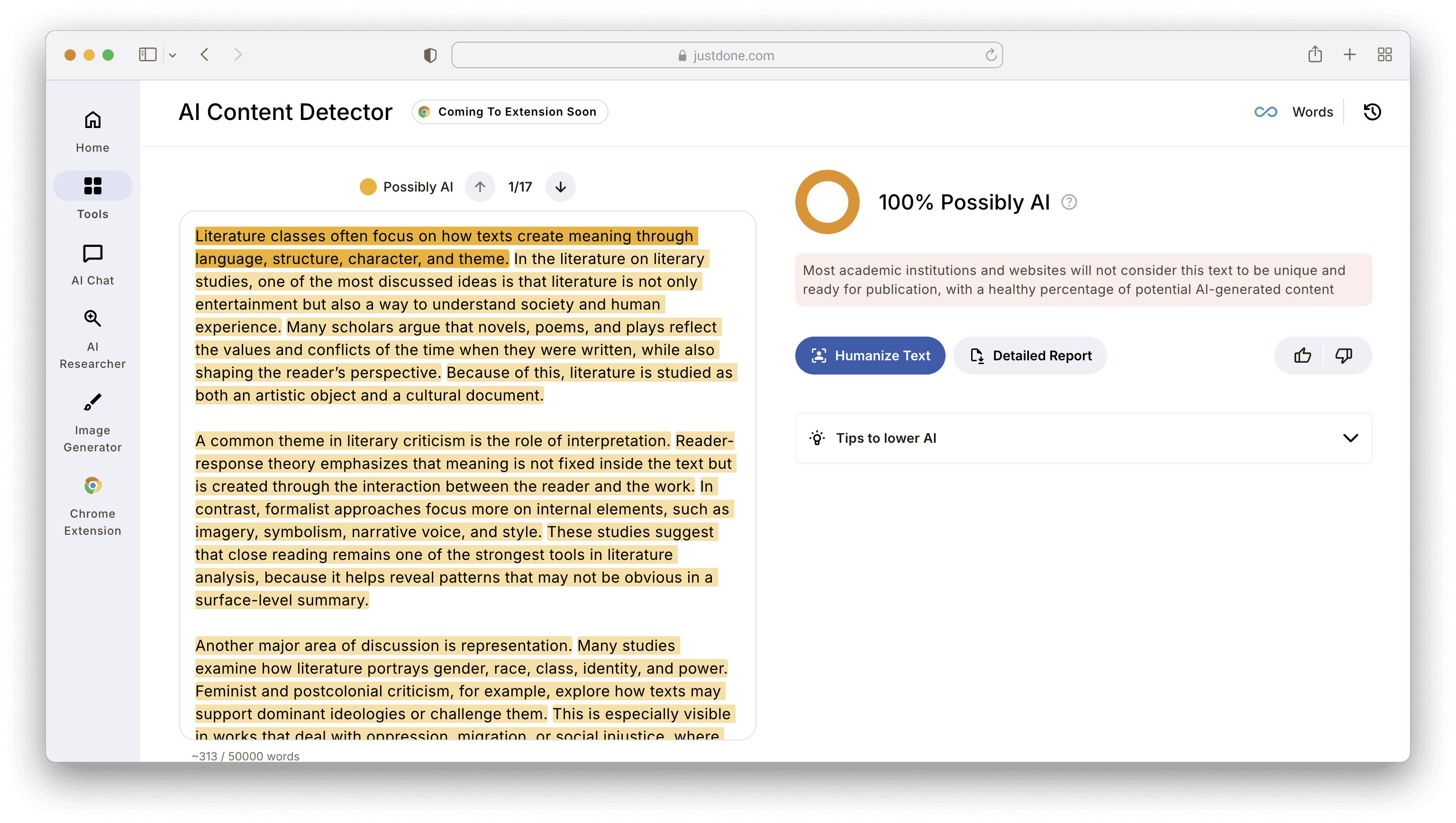
Step 1: Rewrite the first paragraph
Intros often get flagged because they contain broad claims, smooth framing, or generic importance statements. Write something concrete: “This matters because it changes how assignments are evaluated and how students write under deadlines.” Always try to be as less generic as possible.
Step 2: Add one sentence with your personal decision per paragraph
A decision sentence shows intent. It looks like thinking, not summarizing. AI can generate some arguments, but it rarely does by default. And detectors often respond well to this type of line because it breaks the neutral report voice.
Step 3: Break the rhythm
If every sentence is about the same length, fix that. Add one short sentence (5-8 words), one sentence starting differently (not “The” / “This” / “It” every time), one contrast opener: “Still,” “That said,” “In practice,” etc. This doesn’t make the writing worse. It makes it look more natural.
Step 4: Remove report voice phrases
Detectors often associate formal templates with machine writing. Replace lines like: “The following section will discuss,” “This paper will explore,” “This essay aims to analyze”, and so on. Try something direct: “The key factors aren’t equal, and some matter more than others,” “The main issue is how the argument is framed.” It reads more human and more confident.
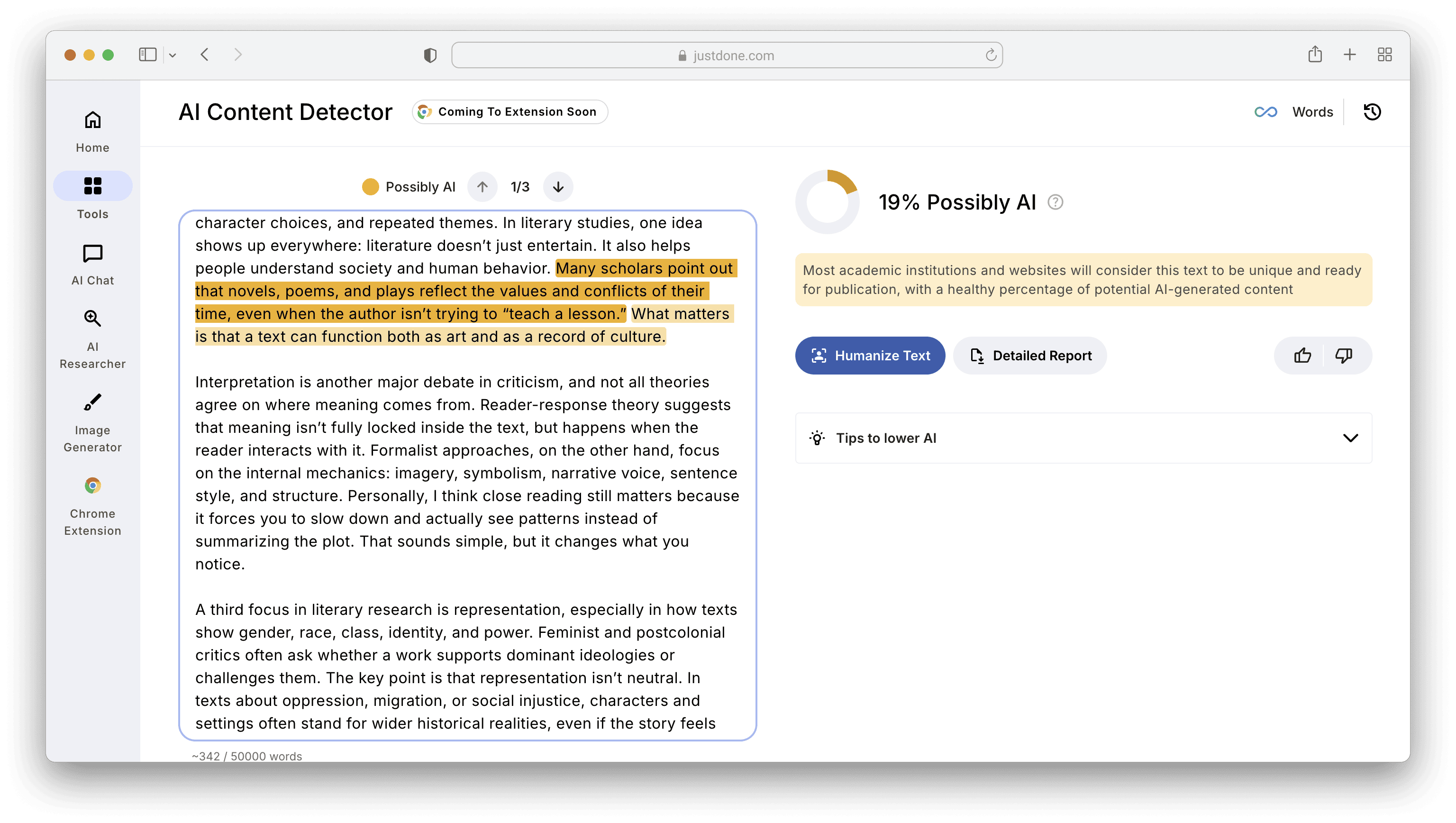
I implemented everything step by step, and here's the result I got with JustDone AI Detector.
When Manual Editing Isn’t Enough
Sometimes you make the right edits, and the detector still flags the draft. This doesn’t always mean your writing is AI. It may still happen if the draft was heavily rewritten earlier by an AI assistant. Besides, if your writing has too many academic filler phrases remain or the detector is overly sensitive to formal tone, the text may be flagged.
In that case, you need a faster workflow than manual editing line by line. AI tools like JustDone AI Humanizer can be helpful here. It is not a magic bypass, but a controlled way to analyze and rewrite only what’s needed.
How I Use JustDone to Fix AI Flags
JustDone works best when you treat it like a review and rewrite workspace.
The first thing I do is check the draft with JustDone AI Detector to see what’s getting flagged. Don’t focus on the number alone. Look for patterns that repeat. This gives you direction instead of guessing.
Second, I humanize only the robotic paragraphs. The mistake many people make is humanizing the entire essay at once. That often changes too much. Instead, I take only the most AI-sounding paragraphs and run them through JustDone AI Humanizer. Then, I review the output and merge the best parts back into my draft and run it through the AI detector once again. This keeps my voice stable across the paper.
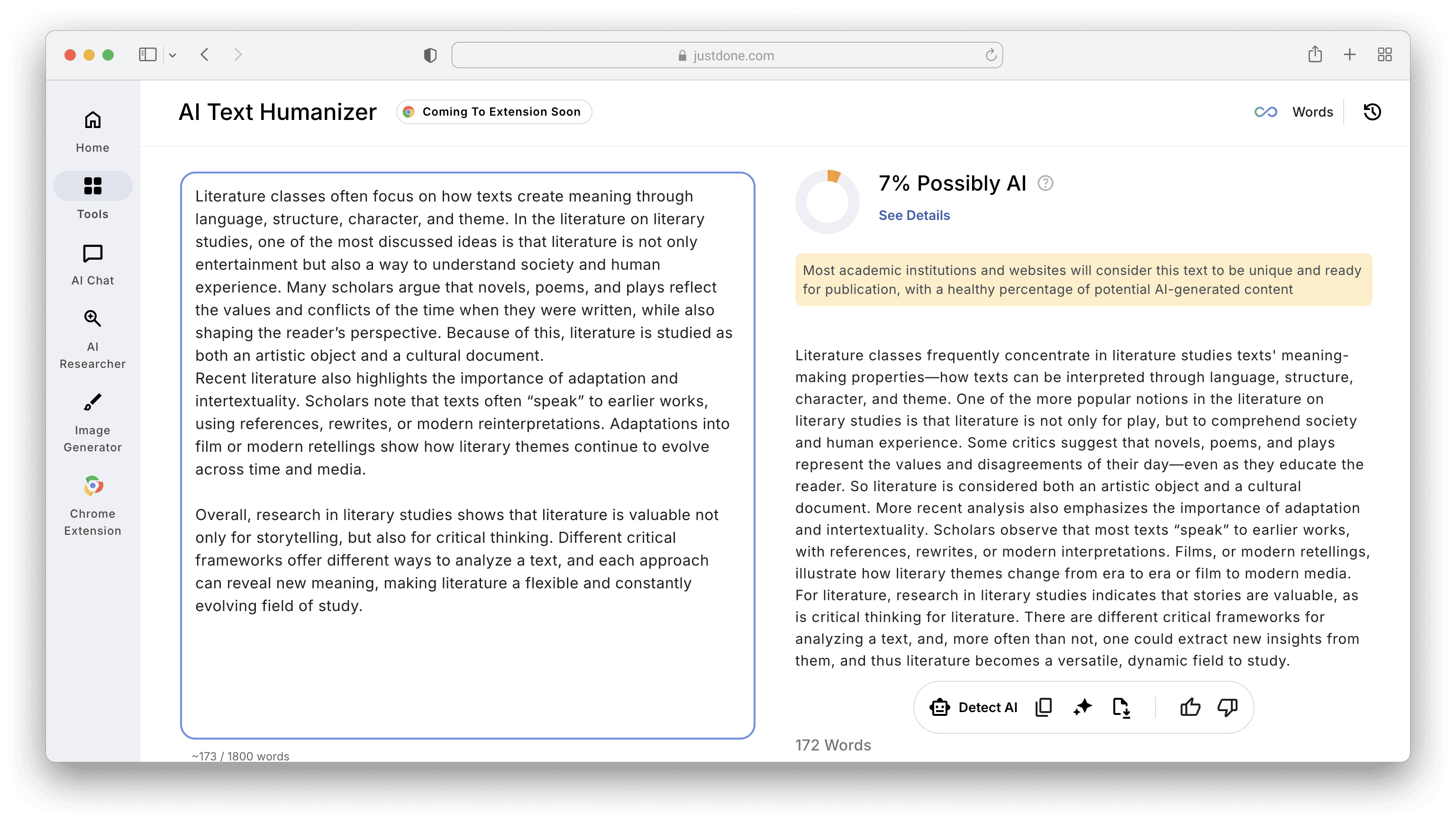
Here's the result after I humanized Intro and Conclusion of the literature review I edited manually above.
Importantly, even good humanizer output still needs review. I typically do three small edits:
- add one sentence of intent (“What matters here is…”)
- swap one generic line for a concrete example
- remove something that doesn’t sound like I’d write it myself
That’s usually enough to get a good result and a low AI score.
Common Mistakes That Keep Getting You Flagged
If you’re still thinking, “why is my writing being detected as AI?”, it’s often because of one of the following mistakes.
First, you are only replacing words (synonym rewriting). Synonyms don’t change structure. Detectors flag structure more than vocabulary.
Second, you’re over-cleaning the draft. When every sentence becomes perfectly correct, the draft loses natural variation.
Third, you’re keeping template transitions everywhere. “Additionally” is not the problem. Using it 12 times is.
Fourth, you’re rewriting the whole paper with one tool. That often creates one consistent tone, which is exactly what detectors look for.
A Practical Workflow That Works Across Most Detectors
If you want one repeatable process, I recommend this as the most stable one:
- Write your draft normally, even if it’s rough
- Run it through JustDone AI Detector
- Fix the intro and conclusion manually, because they are the parts flagged most often
- Humanize only the most robotic sections with JustDone AI Humanizer
- Add your own decision sentences and specific examples
- Re-check and edit only what stays flagged
If you do all these steps, you will get a readable output with a low AI score.
Final Notes
If a detector flags your writing, it doesn’t automatically prove anything about authorship. Most tools don’t verify who wrote a draft. They estimate pattern predictability. If your writing looks too smooth and too uniform, you can fix it usually with a few controlled changes. Try to rewrite generic framing, add intent and stance, break the rhythm, or reduce template transitions.
And if you want a faster way to do that without rewriting everything manually, the combination of JustDone AI Detector and JustDone AI Humanizer works well as a practical workflow: detect what’s risky, rewrite only what matters, then polish it with your own voice.
