Key takeaways:
- QuillBot's free plan caps you at 125 words per rewrite and unlocks only 2 of 9 modes, which is why so many people start looking for something else.
- Paraphrasing and AI humanizing solve different problems: one reworks text you already wrote, the other rebuilds AI text so it reads naturally and holds up against detectors.
- All-in-one suites like JustDone bundle rewriting, grammar, plagiarism, and citation tools into one subscription, which often costs less than stacking separate apps for each job.
Anyone who has hit a paywall mid-paragraph has already gone looking for QuillBot alternatives. QuillBot built its name on quick paraphrasing, but its free plan caps you at 125 words per run and unlocks only 2 of its 9 rewriting modes, which is a hard limit for anyone working on essays, articles, or client copy. That's why so many students, marketers, and researchers are testing other tools that rewrite, humanize, and check writing without those restrictions.
This guide breaks down why people switch, what actually matters when comparing tools, and which platforms are worth your time in 2026. We'll look at all-in-one suites like JustDone alongside specialized options such as Grammarly, Wordtune, and dedicated AI humanizers, so you can pick the right fit for your workflow instead of guessing.
Why Writers Look for a QuillBot Alternative
QuillBot is a solid entry point, but plenty of regular users eventually outgrow it. The free tier's 125-word paraphrasing cap means a 2,000-word essay has to be chopped into 16 separate passes, which gets tedious fast. Premium removes the cap, but the price (commonly listed between $8 and $20 a month depending on the billing cycle) is steep for something people only use occasionally.
There's also a quality gap. Paraphrasing tools swap words and restructure sentences, but they don't always fix the deeper issue: AI-generated or overly mechanical text still reads like it was generated by a machine, even after a rewrite. That's a different problem than paraphrasing solves, and it's pushed many users toward tools built specifically to sound natural rather than just reworded.
A few of the most common reasons people search for an alternative:
- Word limits. The free plan blocks anything over 125 words per paraphrase.
- Locked modes. Only Standard and Fluency are available without upgrading.
- No bundled plagiarism check on the free tier.
- Robotic output on longer or technical passages.
- Price versus usage — paying monthly for a tool used twice a week rarely feels worth it.
If word limits are your main frustration, a paraphraser with no per-run cap solves that instantly, letting you paste a full document instead of working in chunks.
Paraphrasing Tools vs. AI Humanizers
One distinction trips up a lot of people comparing QuillBot alternatives: paraphrasing and humanizing are not the same job. A paraphraser rewords text you already wrote, usually to avoid repetition or improve flow. An AI humanizer takes AI-generated text and rewrites it so it reads naturally and holds up against detection tools. If you've paraphrased AI content with QuillBot and it still gets flagged, that's the reason — you used the wrong tool for the job. Knowing which one you actually need saves time and money before you even start comparing platforms.
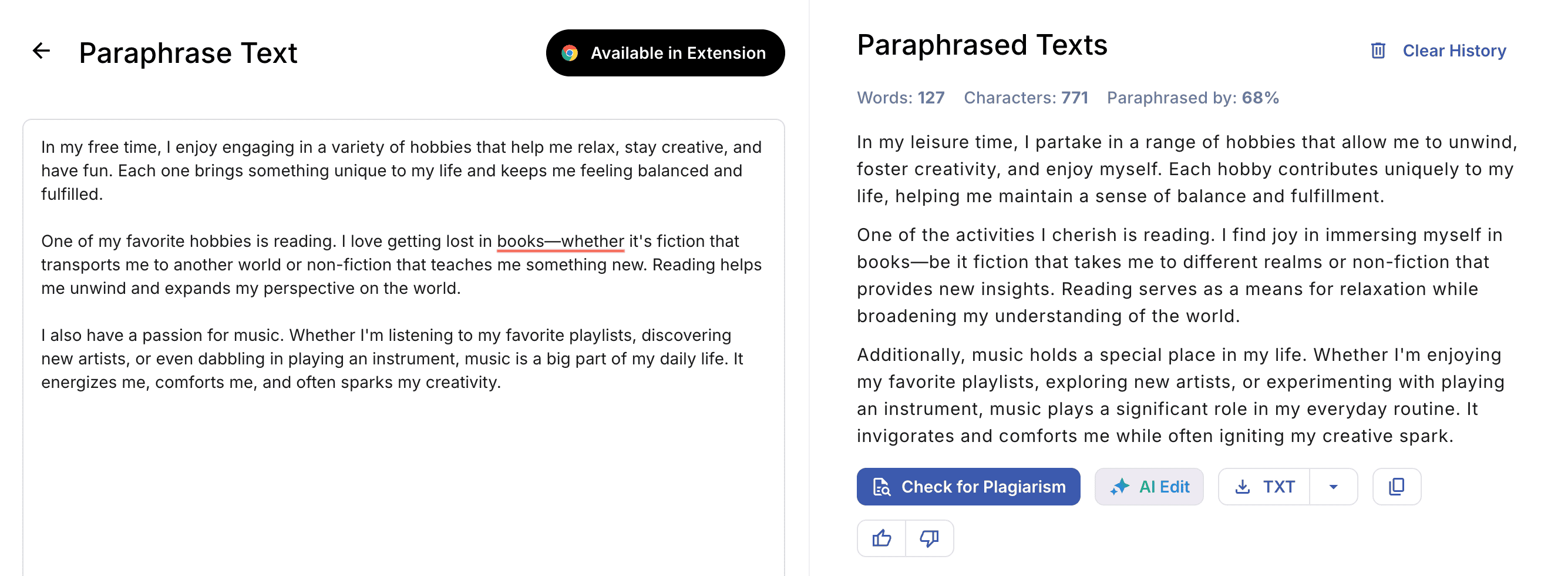
Let's compare both tools on practice. Here's the output from JustDone Paraphrasing tool:
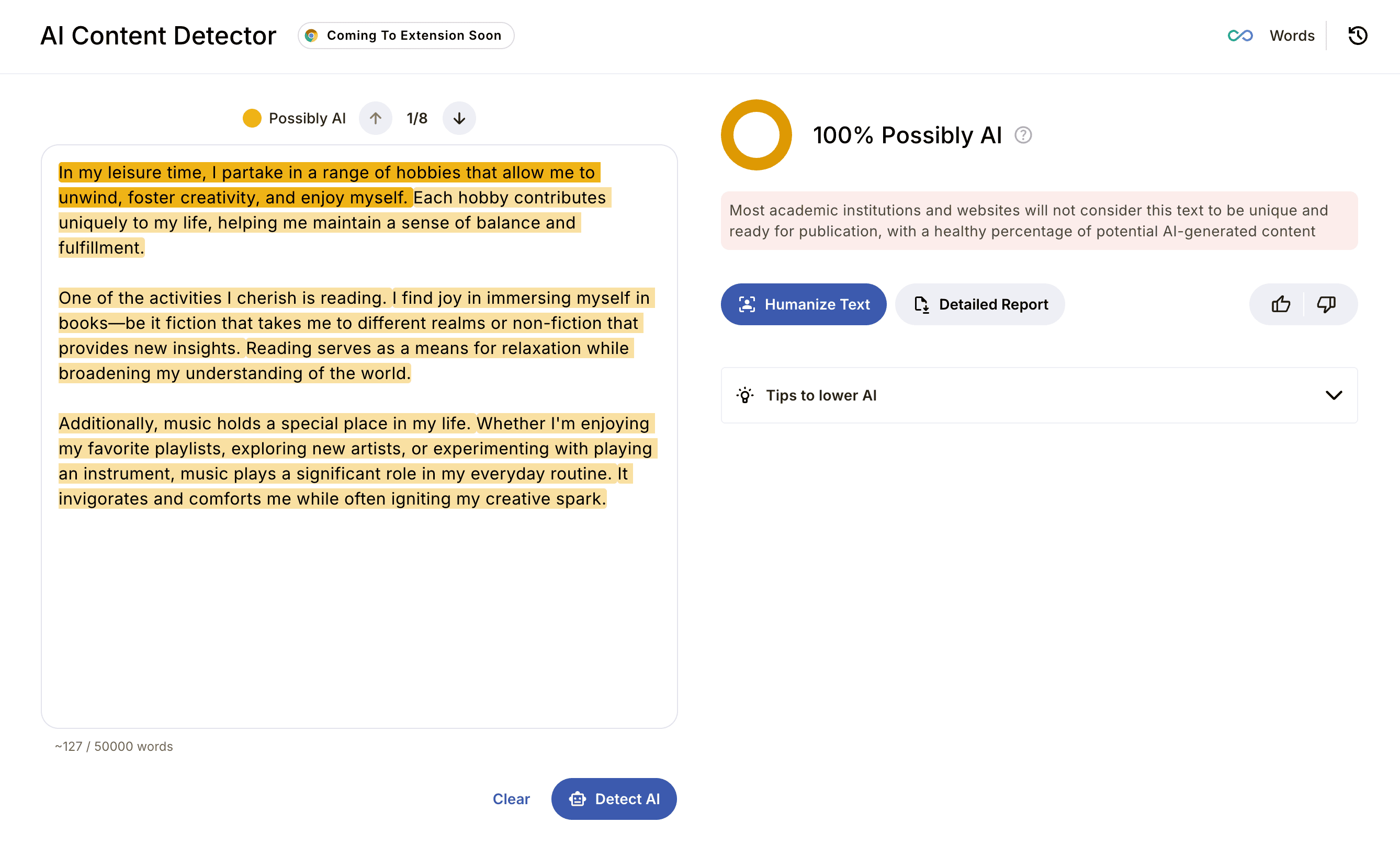
Checking this result through AI detector, I got 100% AI score.
 If I run the original text through AI humanizer, my AI score is 0%.
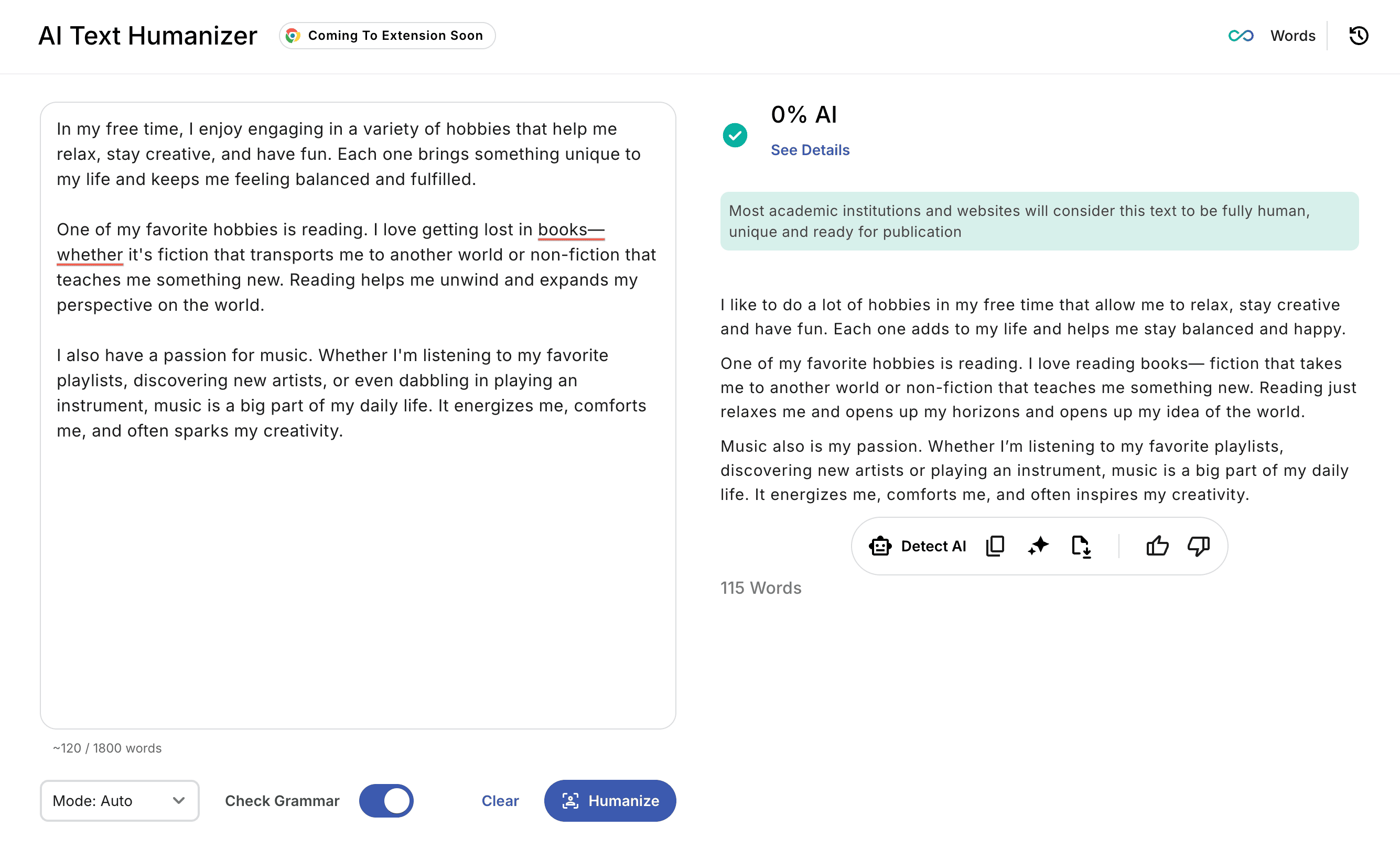
Obviously, both results present different versions of the same text, but only Humanizer's output passes AI detection.
What to Look for in the Best Quillbot Alternatives
Not every tool solves the same problem, so figure out what you're actually trying to fix before you sign up for another subscription. Price matters, but so does whether the tool fits your routine: browser extension, Google Docs add-on, or a plain web app.
Run through this short list before you pick a new platform:
- Word limit per session — does it force you to split up longer documents?
- Number of tones or rewrite modes — formal, academic, casual, creative, and so on.
- Extras built in — grammar checking, plagiarism detection, citation help, summarizing.
- Detection resistance — does the rewritten text actually pass common AI detectors?
- Pricing — monthly versus annual cost, and what's locked behind a paywall.
A grammar checker built into the same platform is worth extra credit here. It means you're not paying for three separate subscriptions just to clean up one document. The tools that score well on all five points tend to be the ones worth switching to.
Alternatives to Quillbot Worth Trying in 2026
Here are the platforms that come up again and again when writers, students, and content teams compare notes on where to go after QuillBot. Each one handles a slightly different job, so match the tool to the task instead of picking whatever name you've heard the most.
JustDone — An All-in-One Alternative of Quillbot
JustDone puts paraphrasing, humanizing, grammar checking, and detection into one dashboard instead of spreading those jobs across separate apps. For anyone comparing tools by what they actually cover, that's the main draw: one login instead of four.
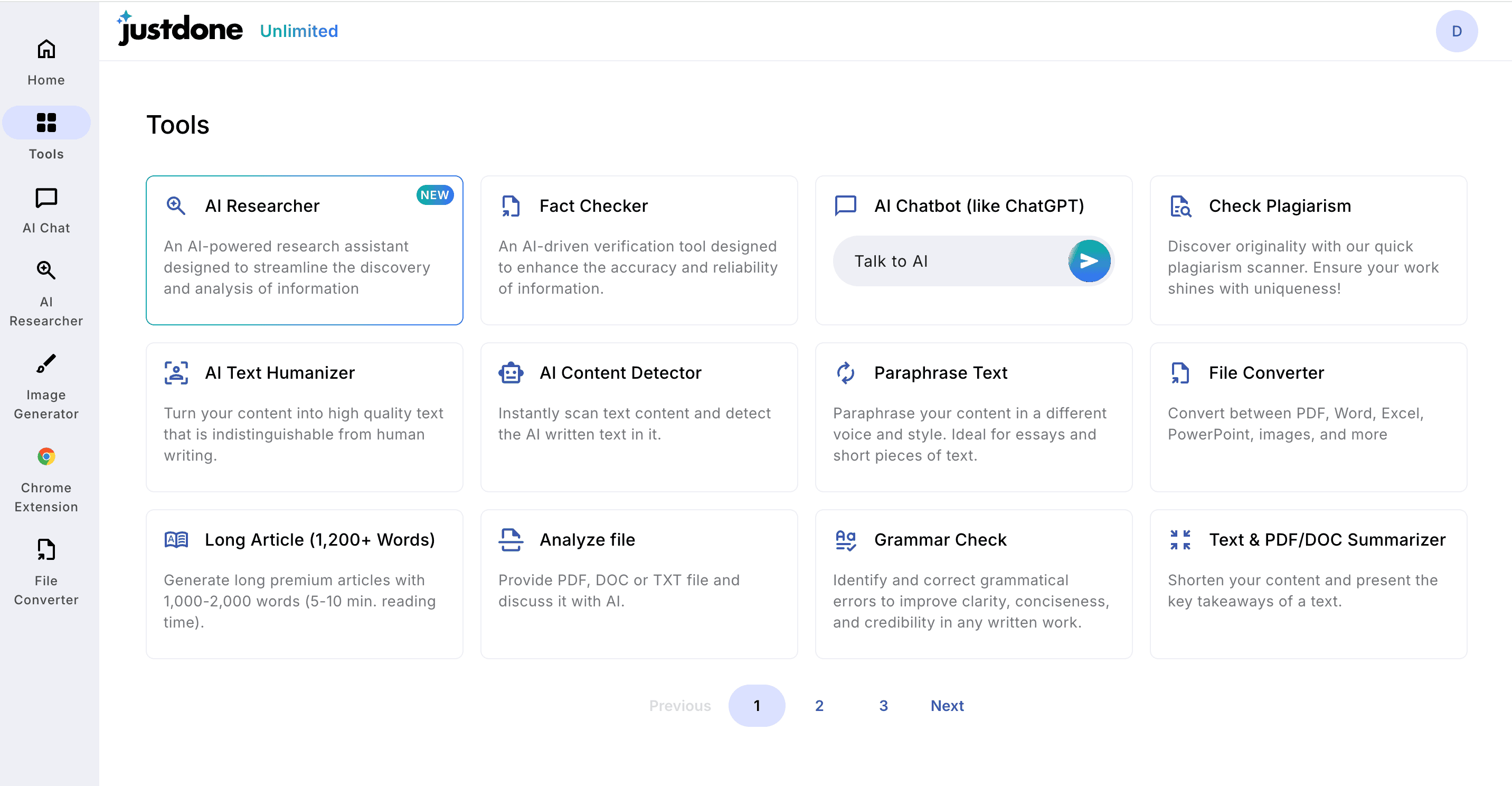
The paraphrasing side works like a standard paragraph rewriter. Paste in full sections and pick a tone, no small word count standing in your way. Pair it with the AI rewording tool for sentence-level variety without changing the meaning, and the AI humanizer when the goal is making AI-assisted drafts read naturally rather than just swapping synonyms.
For academic or research work, JustDone also bundles a plagiarism checker and an automatic citation generator, so checking originality and formatting references happen right next to the writing itself. If you're summarizing long sources before you rewrite them, the AI summarizing tool trims a full paper down to the main points first.
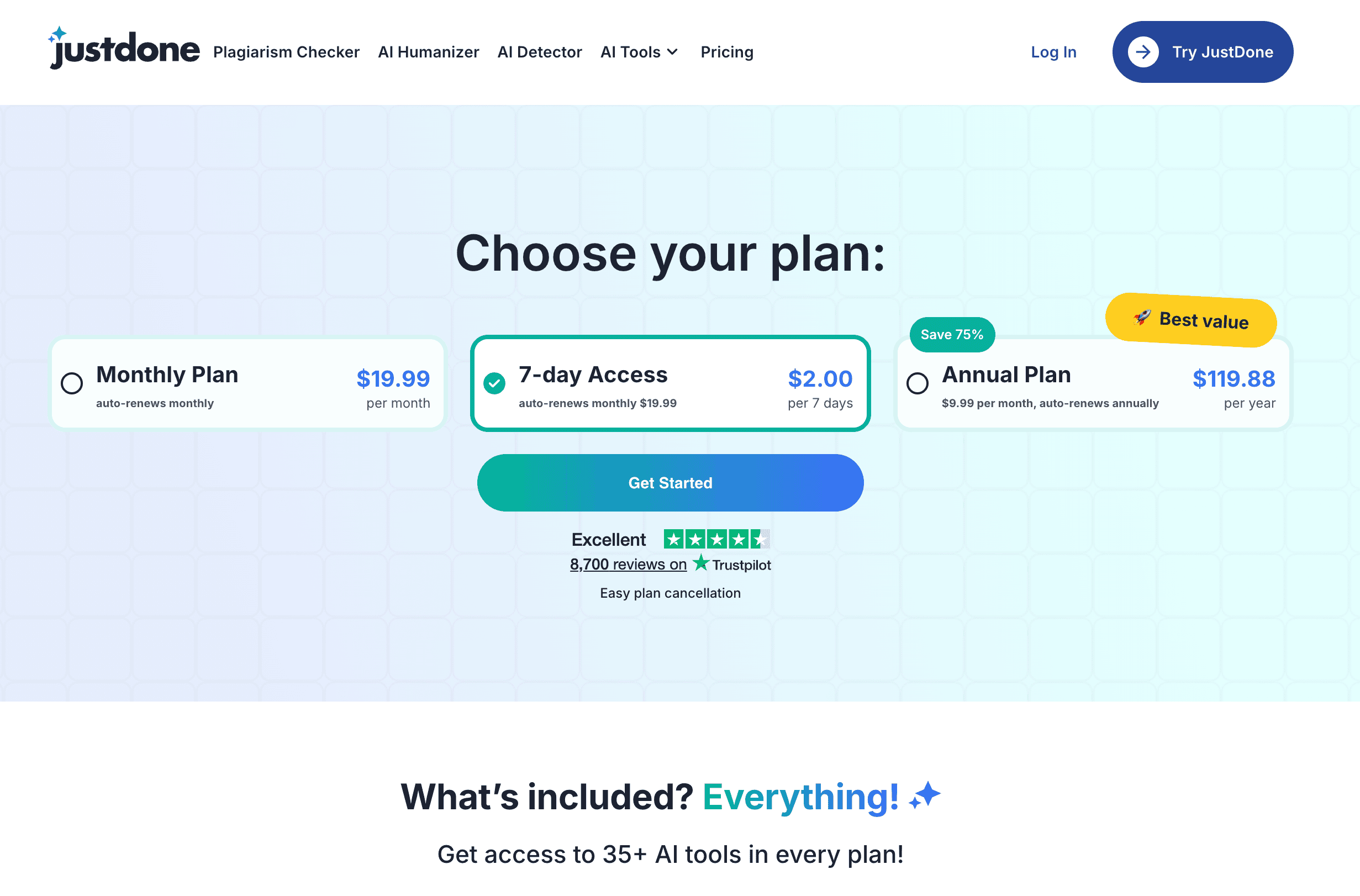
Pricing (2026)
- 7-day access plan: around $2 for 7 days, auto-renews near $19.99/month if not canceled.
- Unlimited Monthly: about $19.99/month.
- Unlimited Annual: about $24.99/month equivalent (billed yearly at $199.88).
All plans give access to 25+ AI tools; there is no traditional "always free" tier, but short-term low-cost access is available.
Features
- Paraphraser and paragraph rewriter without small per-run word caps (you can paste full sections).
- AI humanizer and AI detector for working with AI-generated text and checking detection resistance.
- Grammar checker, spelling, style checks, plagiarism checker, citation generator, summarizer, AI researcher, topic explainer, AI chatbot, note organizer, study planner, and more (25+ tools).
- Chrome extension and productivity-focused tools (organizer, planner, quiz generator, fact checker).
Best for
- Students, researchers, and content teams who want one subscription that covers paraphrasing, humanizing, grammar, plagiarism, citations, and detection.
- Workflows where avoiding multiple subscriptions (detector + paraphraser + plagiarism checker) matters more than having the most advanced single-feature tool.
Pros:
- One subscription covers rewriting, grammar, plagiarism, citations, and detection
- No small per-run word cap on the paraphraser
- Useful for both academic and everyday writing tasks
Cons:
- So many tools in one place can feel like a lot at first
- Some features work best once you know which one fits your task
Grammarly
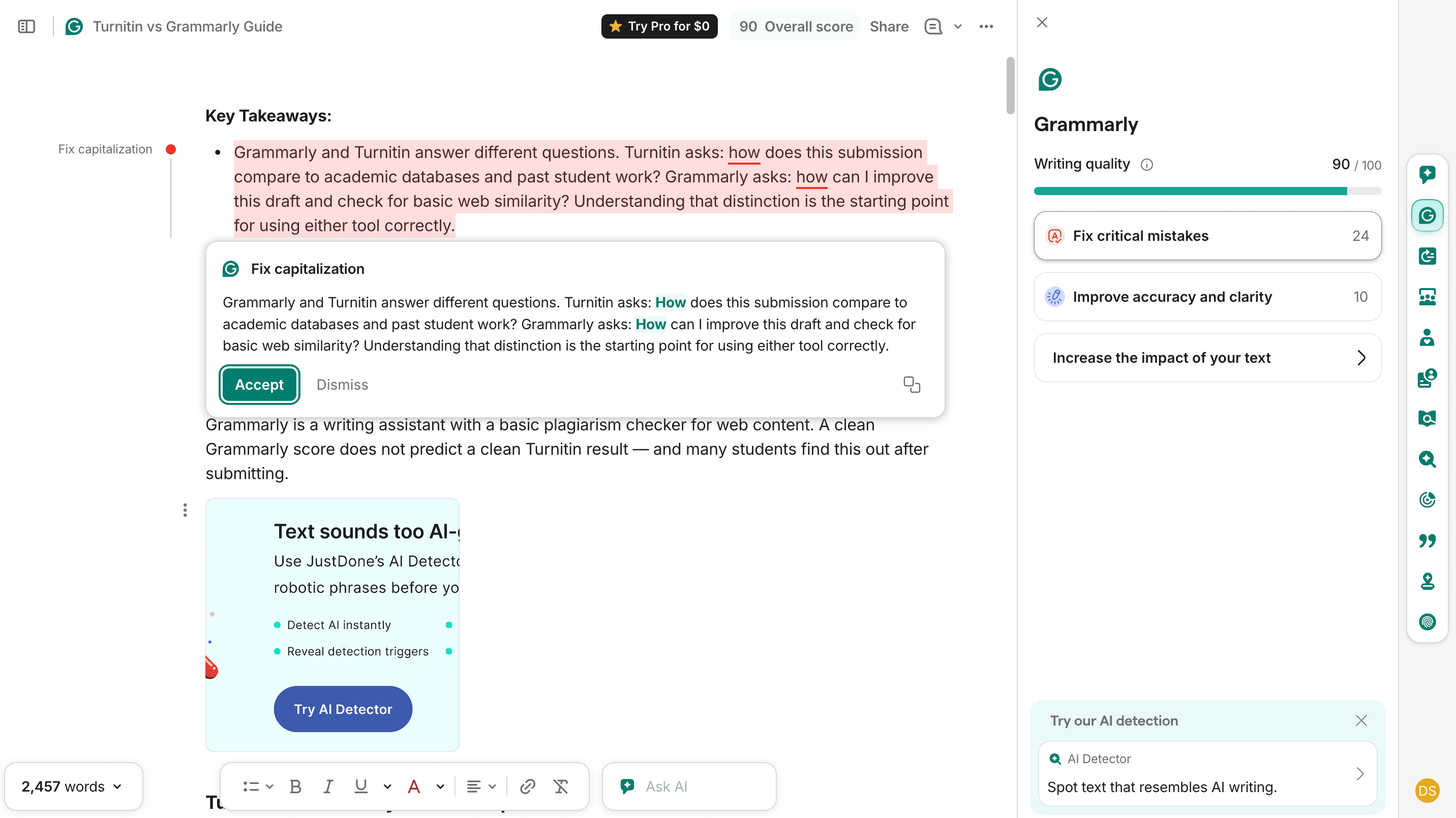
Grammarly started as a grammar checker and grew into rewriting and tone suggestions across browsers, desktop apps, and phone keyboards. It's strong for everyday professional writing, when you need to work with emails, docs, or social posts. However, it's built around fixing text you already have rather than heavy rewriting, so it fits polishing better than bulk paraphrasing of long documents.
Pricing (2026)
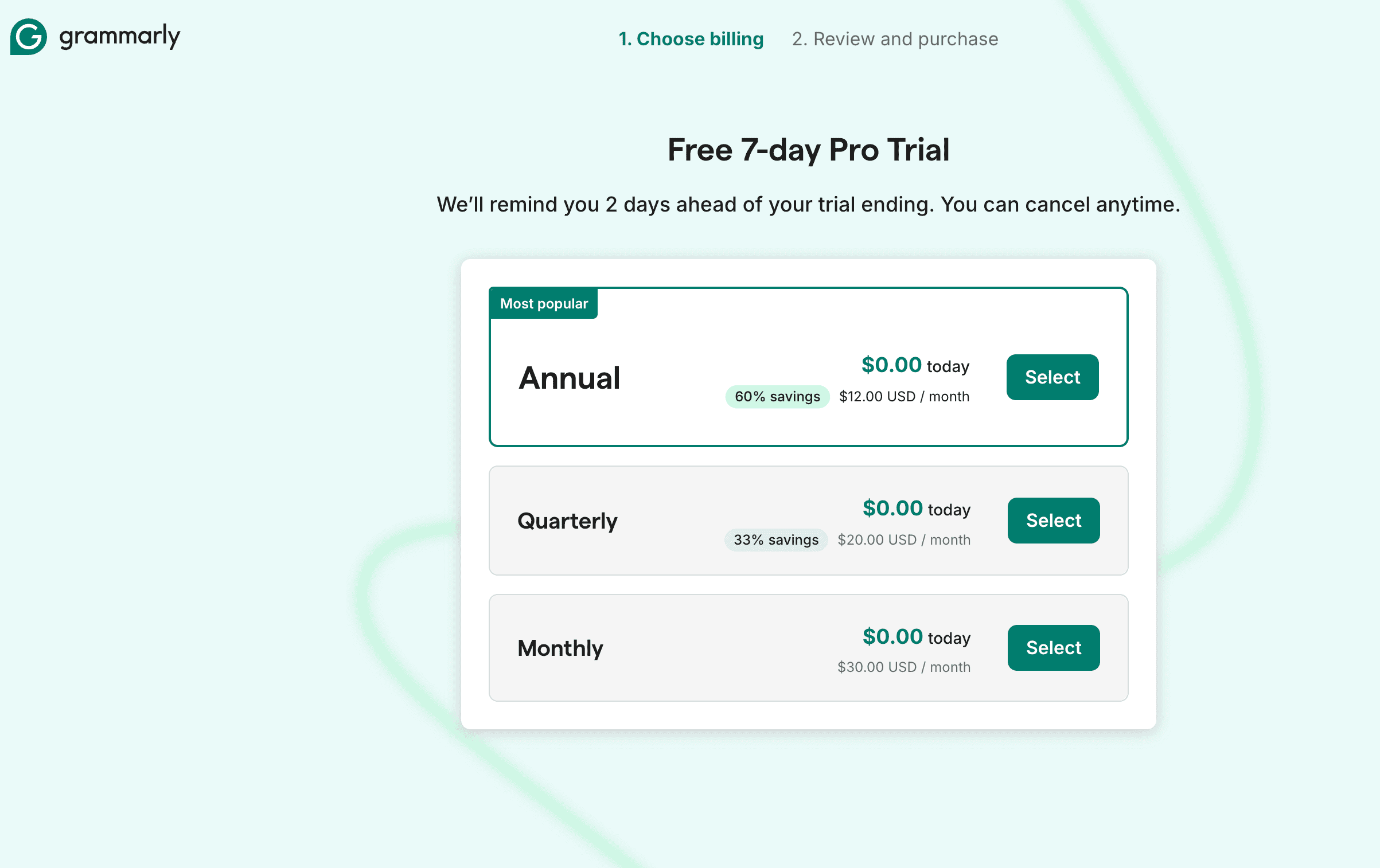
- Free: $0/month, unlimited basic spelling/grammar checks, tone detection, ~100 AI prompts/month.
- Pro: starting around $12/month per user on annual billing (month-to-month closer to $30/month).
- Enterprise: custom pricing for organizations.
Features
- Real-time grammar, spelling, and clarity suggestions across browsers, desktop apps, and mobile keyboards.
- Sentence rewrites, tone adjustment, fluency suggestions, and AI assistance (Pro plan).
- Plagiarism detection and AI text detection on paid tiers.
- Wide integrations: Google Docs, Word, Gmail, Outlook, Slack, Salesforce, etc.
Best for
- Everyday professional writing: emails, reports, documents, social posts.
- Users who care more about polish (grammar, tone, clarity) than about document-length paraphrasing or AI humanization.
Pros:
- Works everywhere you type, not just one app
- Real-time grammar and tone suggestions
- Good for daily professional writing
Cons:
- Free version gives limited paraphrasing help
- Premium price adds up if you only need occasional rewrites
- Not built for heavy, document-length paraphrasing
Wordtune
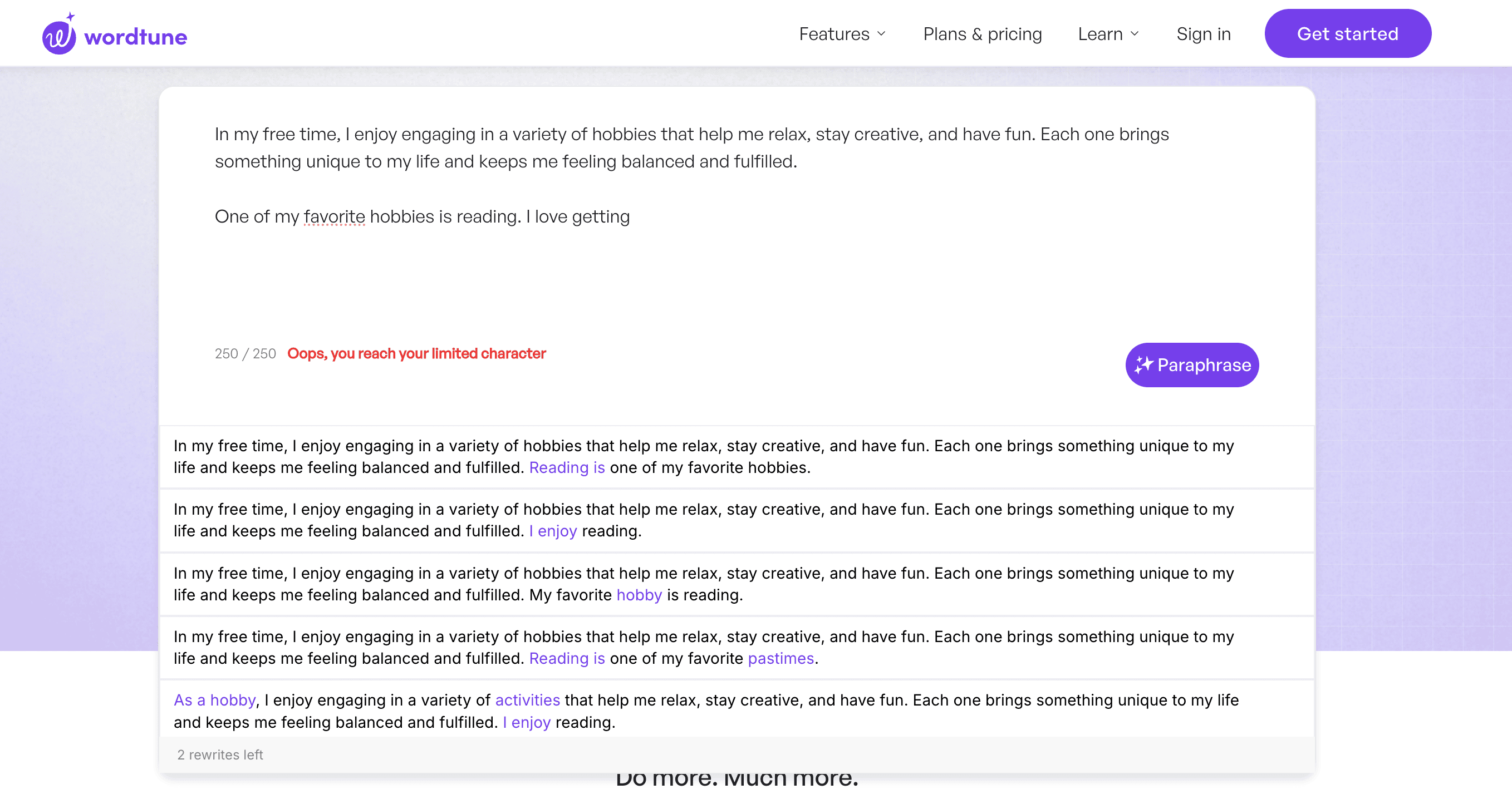
Wordtune reads the paragraph around your sentence, not just the one you picked. That makes its rewrites fit better with the rest of the page. It offers Casual and Formal modes plus Expand and Shorten, close to QuillBot's own modes but with more context awareness. The free plan caps you at a set number of rewrites a day, fine for light use but tight if you're rewriting whole articles.
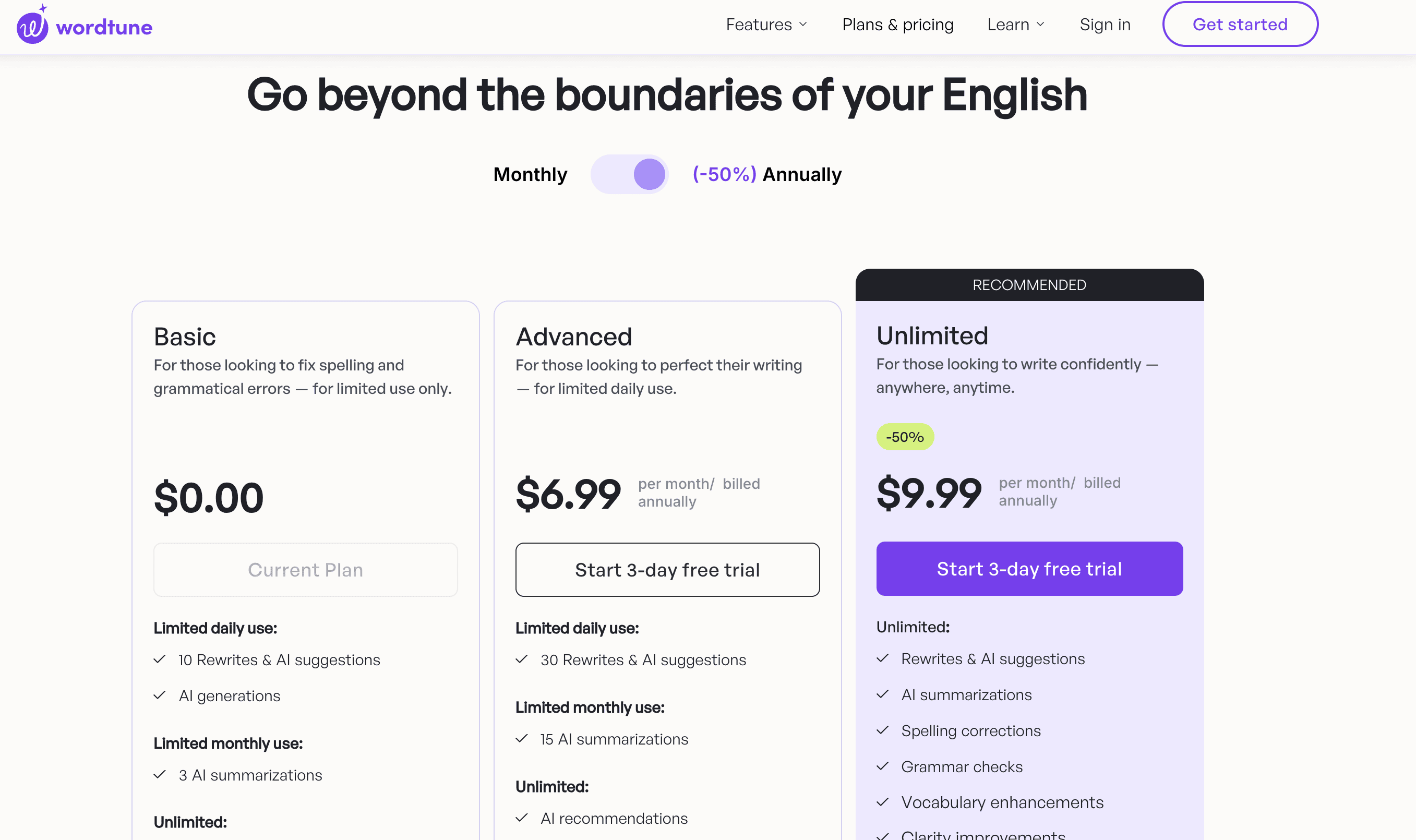
Pricing (2026)
- Free: $0/month, typically around 10–30 rewrites/day and a few summaries per month (exact caps vary by source).aiproductivity+1
- Advanced: about $13.99/month, but twice cheaper if charged yearly
- Unlimited: about $19.99/month or $9.99 charged yearly for unlimited rewrites and AI suggestions.
- Teams/Business: around $15.99/month per user for team features.
Features
- Sentence- and paragraph-level rewrites that consider surrounding context, so edits match the rest of the text.
- Tone modes (Casual, Formal), and options like Expand and Shorten for quick edits (similar to QuillBot’s modes).
- AI summaries, grammar checks, vocabulary and clarity enhancements; Chrome extension and app integrations.
Best for
- Writers who want sentence-level improvements that fit the surrounding paragraph (blog posts, articles, landing pages).
- Light-to-medium rewriting rather than full-document paraphrasing, especially where tone and brevity matter.
Pros:
- Rewrites match the surrounding text, not just the picked sentence
- Simple tone controls (Casual, Formal)
- Expand and Shorten options for quick edits
Cons:
- Daily rewrite cap on the free plan
- Less useful for long, full-document rewrites
- No built-in plagiarism or citation tools
ProWritingAid
ProWritingAid digs into style — sentence length, overused words, pacing — on top of standard grammar checks. Fiction writers and long-form bloggers like it because it gives feedback on structure, not just a quick reword. It's less built for fast, one-click paraphrasing than QuillBot or JustDone.
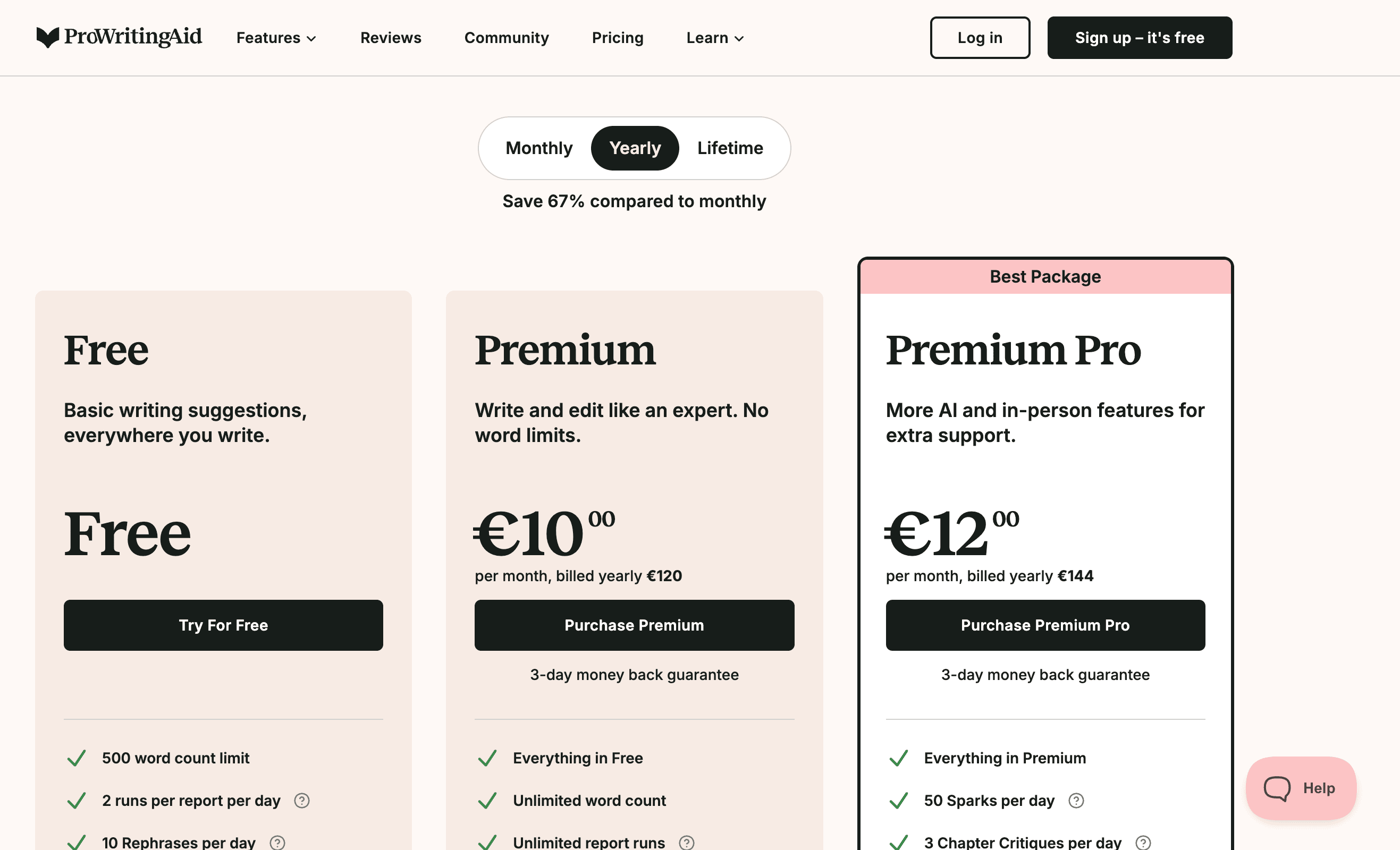
Pricing (2026)
- Free: $0/month, 500-word limit per check, 2 report runs/day, 10 rephrases/day.
- Premium Monthly: about $30/month.
- Premium Annual: about $120/year (~$10/month effective).
- Premium Lifetime: one-time ~$399 for lifetime access.
Features
- Grammar, spelling, and punctuation checking across multiple apps and editors.
- 25+ style and structure reports: sentence length, pacing, overused words, readability, repetition, and fiction-focused tools like Virtual Beta Reader and Chapter Critique.
- Rephrase tool, Sparks AI prompts, custom style guides, snippets, and broad integrations (Word, Google Docs, Scrivener, browsers, etc.).
Best for
- Long-form writers: novelists, essayists, bloggers, and editors who need manuscript-level feedback beyond basic grammar.
- Users willing to trade speed and simplicity for detailed diagnostics on style, pacing, and readability.
Pros:
- Deep style reports beyond basic grammar
- Good fit for long-form writers and editors
- Helps spot repetitive patterns across a whole manuscript
Cons:
- Slower to use for quick, one-off rewrites
- Learning curve for all the report types
- Paraphrasing isn't the main strength
Paperpal
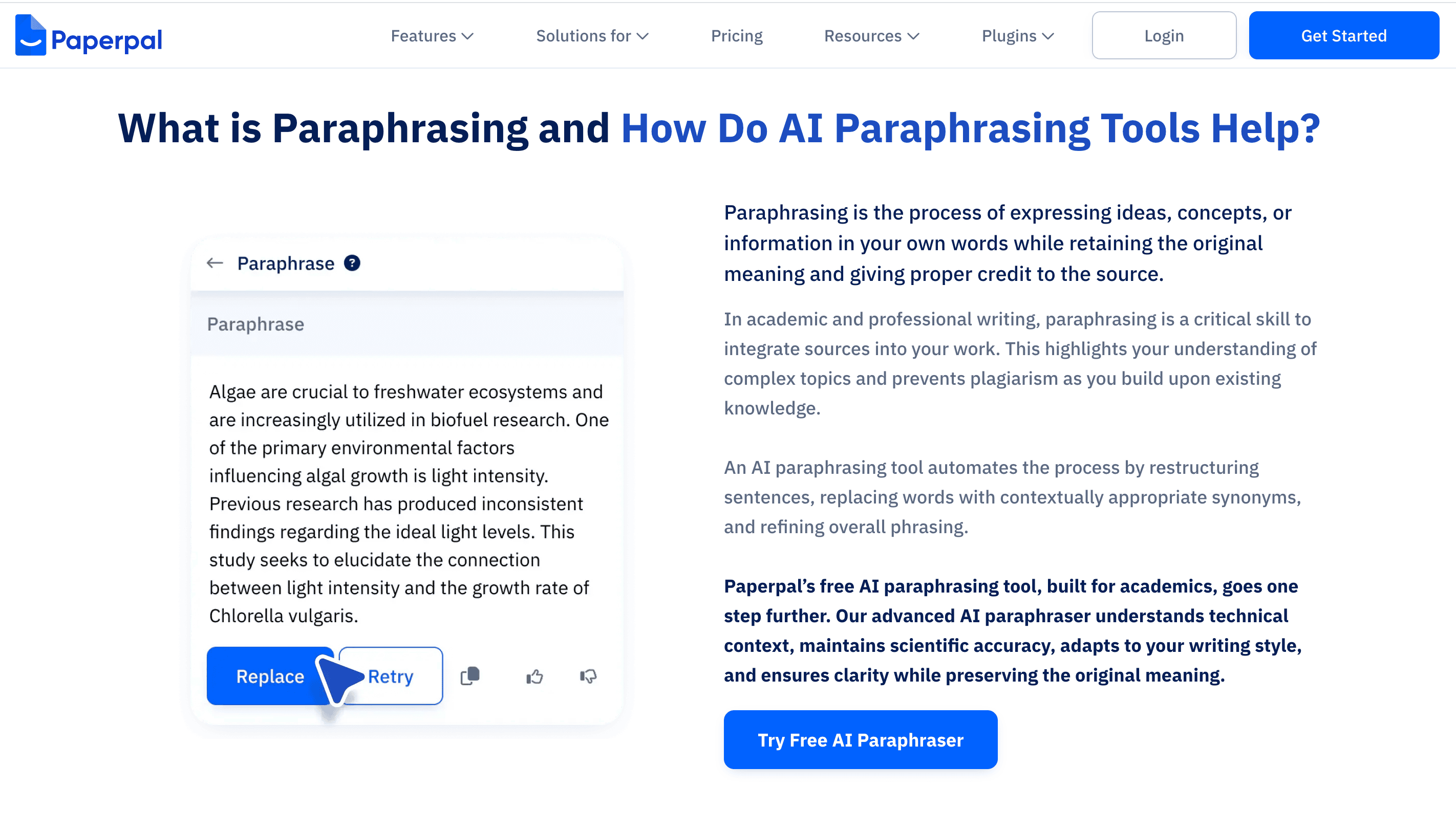
Paperpal is built for academic and technical writing, where keeping the exact meaning matters more than varying the wording. Researchers submitting to journals tend to pick it since it's tuned for scientific phrasing rather than general blog or marketing copy.
Pricing (2026)
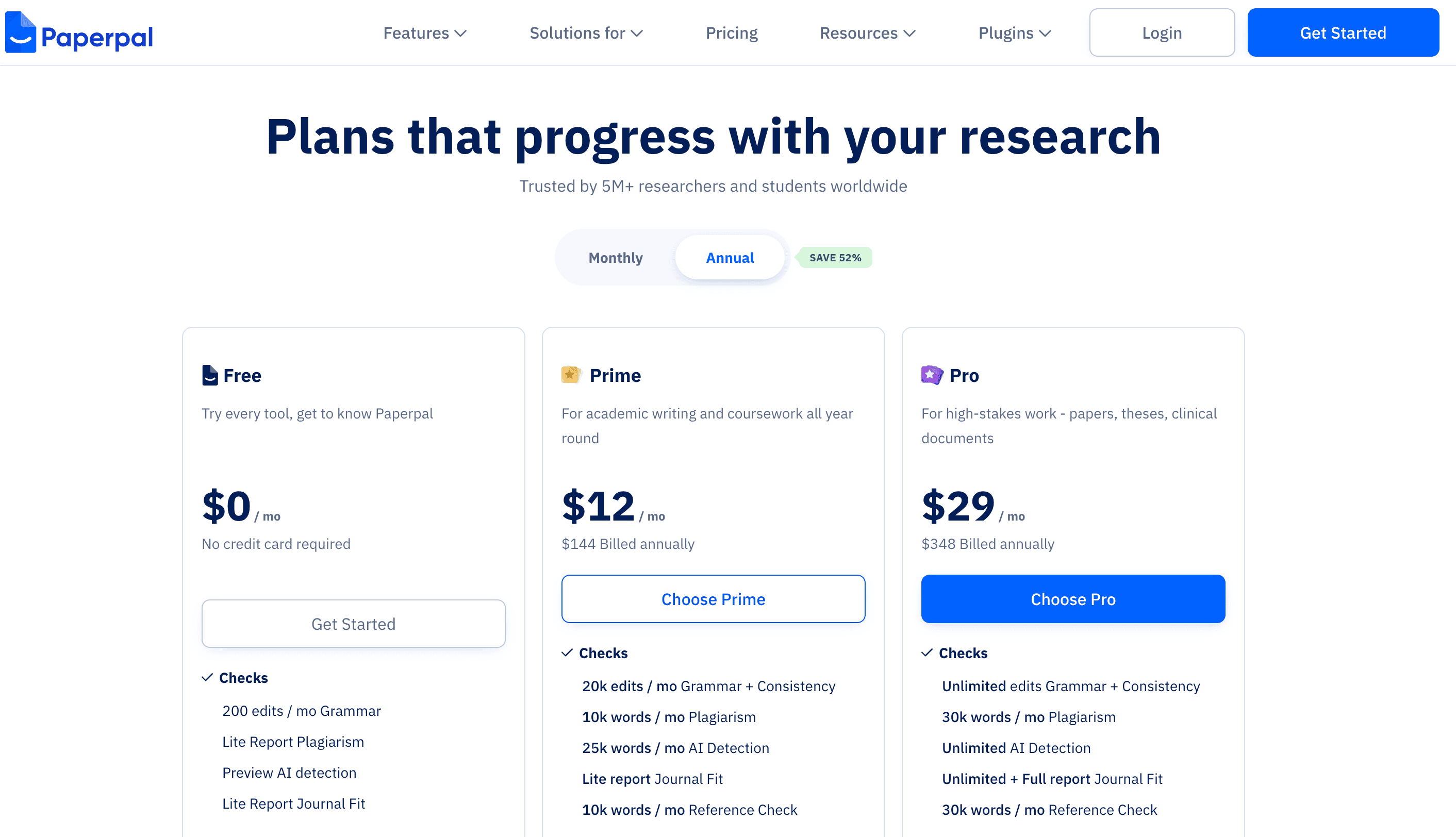
- Free tier: limited number of checks or word count per month (exact caps vary by journal integration, but there is a free option).
- Paid plans: Prime and Pro starting from $12 per month to $29 per month charged yearly.
Features
- Advanced language edits for academic and scientific manuscripts: clarity, grammar, and style tuned to journal expectations.
- Context-aware rewriting that aims to keep technical meaning intact (important for research papers, theses, and grant proposals).
- Integrations with submission platforms and support for common academic formats.
Best for
- Researchers and students preparing journal submissions, conference papers, theses, or technical reports.
- Work where preserving precise scientific or technical meaning is more important than aggressive paraphrasing or creative tone.
Pros:
- Built with academic and scientific writing in mind
- Keeps technical meaning intact during edits
- Useful for journal submission prep
Cons:
- Not much use outside academic writing
- Fewer tone or style options than general tools
- Pricier if you only need occasional paraphrasing
Dedicated AI Humanizers
Tools built purely as humanizers, not as paraphrasers with a humanizer feature added on, tend to hold up better against AI detectors. Their whole setup is built around rewriting the patterns detectors actually score, not just swapping words. If getting past detection is your top priority, running a sample paragraph through a reliable AI detector before and after a rewrite is the fastest way to see if a tool works for your case, rather than trusting marketing claims alone.
Pros:
- Built specifically to pass AI detectors, not just reword text
- Often faster than general paraphrasers for this one job
- Good fit for anyone editing AI-drafted content regularly
Cons:
- Usually a single-purpose tool, no grammar or citation help
- Results can vary by detector, so testing still matters
- Adds another subscription if you already pay for a writing suite
Quillbot Alternative Comparison Table
Here's a quick side-by-side to make the differences easier to scan:
Tool | Best for | Pricing | Key features, short list |
| JustDone | All-in-one writing and detection suite | 7-day ~$2; Unlimited from ~$19.99/mo | 25+ tools: detector, paraphraser, humanizer, grammar, plagiarism, citations, etc. |
| Grammarly | Everyday professional writing and polish | Free with limited functionality; Pro from ~$12/mo (annual) | Grammar, tone, sentence rewrites, plagiarism & AI detection, broad integrations |
| Wordtune | Sentence-level rewrites with tone control | Free; Unlimited from ~$19.99/mo | Context-aware rewrites, tone modes, expand/shorten, summaries |
| ProWritingAid | Long-form style editing and manuscripts | Free; Premium from ~$10/mo annually | Deep style reports, rephrases, fiction tools, wide integrations |
| Paperpal | Academic and research writing | Free tier; paid plans via platform/journals | Academic and technical language edits, meaning-preserving rewrites |
| QuillBot | Quick casual paraphrasing; short passages | Free; Premium from ~$8.33/mo annually | Paraphraser modes, grammar, summarizer, plagiarism check, AI detector |
| Dedicated humanizers | Passing AI detectors with AI-assisted drafts | Varies, often $10-$30/mo | Passing AI detectors with AI-assisted drafts |
No single tool wins every category. That's exactly why the right pick depends on the task in front of you, not on whichever name is most popular.
How to Pick the Right Tool for Your Workflow
Start by naming the actual problem you're trying to fix. Someone rewriting a college essay needs something different from a marketer producing ten articles a week, and the right pick usually falls out of that on its own.
- If you need to avoid word limits — pick a tool with no hard cap per session, so you can paste a full draft instead of working paragraph by paragraph.
- If you're submitting academic work — put a plagiarism checker and citation support ahead of flashy rewrite modes.
- If your text needs to pass AI detectors — test a dedicated humanizer on a sample paragraph before you pay for a subscription.
- If you're publishing a lot of content — an all-in-one suite saves you the cost and hassle of stacking four separate tools.
It also helps to get the basics of good paraphrasing down before you lean on any software, since even the best tool works better on a solid first draft. A quick guide on how to paraphrase effectively covers the core techniques worth knowing, and a wider roundup of the best paraphrasing tools is a good next stop if you want to compare more options side by side.
JustDone vs. QuillBot: A Quick Look
QuillBot works fine for casual, occasional rewrites. Where it tends to fall short is volume and follow-through. Once you need to check originality, format citations, or make sure AI-assisted writing passes a detector, you're often adding a second or third tool on top of it. JustDone folds those extra steps into one workspace, which matters most for students and content teams juggling several deadlines at once.
If academic honesty is part of your workflow, it's worth knowing how detection tools differ from plagiarism checkers before you submit anything. A Quillbot vs Turnitin comparison walks through that difference in more depth, since the two serve different purposes even though people often mention them together.
Frequently Asked Questions
Is there something better than QuillBot?
For heavy or daily use, yes. Tools like JustDone remove the 125-word cap and add grammar checking, plagiarism detection, and humanizing in one place. Whether it's "better" depends on the job: QuillBot still works fine for a quick, occasional sentence fix.
Can QuillBot detect ChatGPT?
QuillBot bundles its own AI detector alongside the paraphraser, and it can flag text that looks AI-generated, including output from ChatGPT. Like any AI detector, though, it isn't foolproof. Heavily edited or humanized AI text can slip past it, and original human writing occasionally gets flagged by mistake, so treat the result as a signal, not a verdict.
Is there a free QuillBot alternative that removes the word limit?
Yes. Several tools let you paste in longer passages without breaking them into 125-word chunks, the most common complaint about QuillBot's free plan. JustDone doesn’t have free trial, but it allow you test it for nearly $2/week.
Which tool works best for academic writing?
Paperpal and JustDone both do well here, mostly since they pair rewriting with citation support and plagiarism checks, which matter more for coursework and research than for casual writing.
