Key takeaways:
- ChatGPT's built-in AI humanizer is just three rewriting prompts, not a specialized tool — it didn't lower AI detection scores in our test, and every text still came back flagged as AI-generated.
- It works fine for quick, low-stakes edits like social captions or emails, but it's risky for graded work since it never checks its own result before you submit.
- For academic writing, pair any humanizing step with an actual AI detector check — a tool that does both, like JustDone, closes that gap in one place.
In this ChatGPT AI humanizer review, I test the built-in tool at chatgpt.com/writing/ai-humanizer against real AI detectors. I wanted a simple answer: does it work, or is it just three prompts with a nice name?
ChatGPT's AI humanizer can soften the tone of a text, but it wasn't built to beat detectors. It uses generic rewriting prompts, not a system trained to remove AI patterns. For light editing, it's fine. For a paper you need to pass through Turnitin or GPTZero, it's not enough on its own.
What Is ChatGPT's AI Humanizer?
Before testing anything, it helps to know what this feature actually is and where it lives inside ChatGPT. Here's the short version, then the details.
Where to Find It on chatgpt.com
OpenAI added a page called "AI Humanizer" under chatgpt.com/writing. It's part of a small hub of ready-made writing prompts, not a separate app or a new model. You open it, paste your text, and pick one of three options.
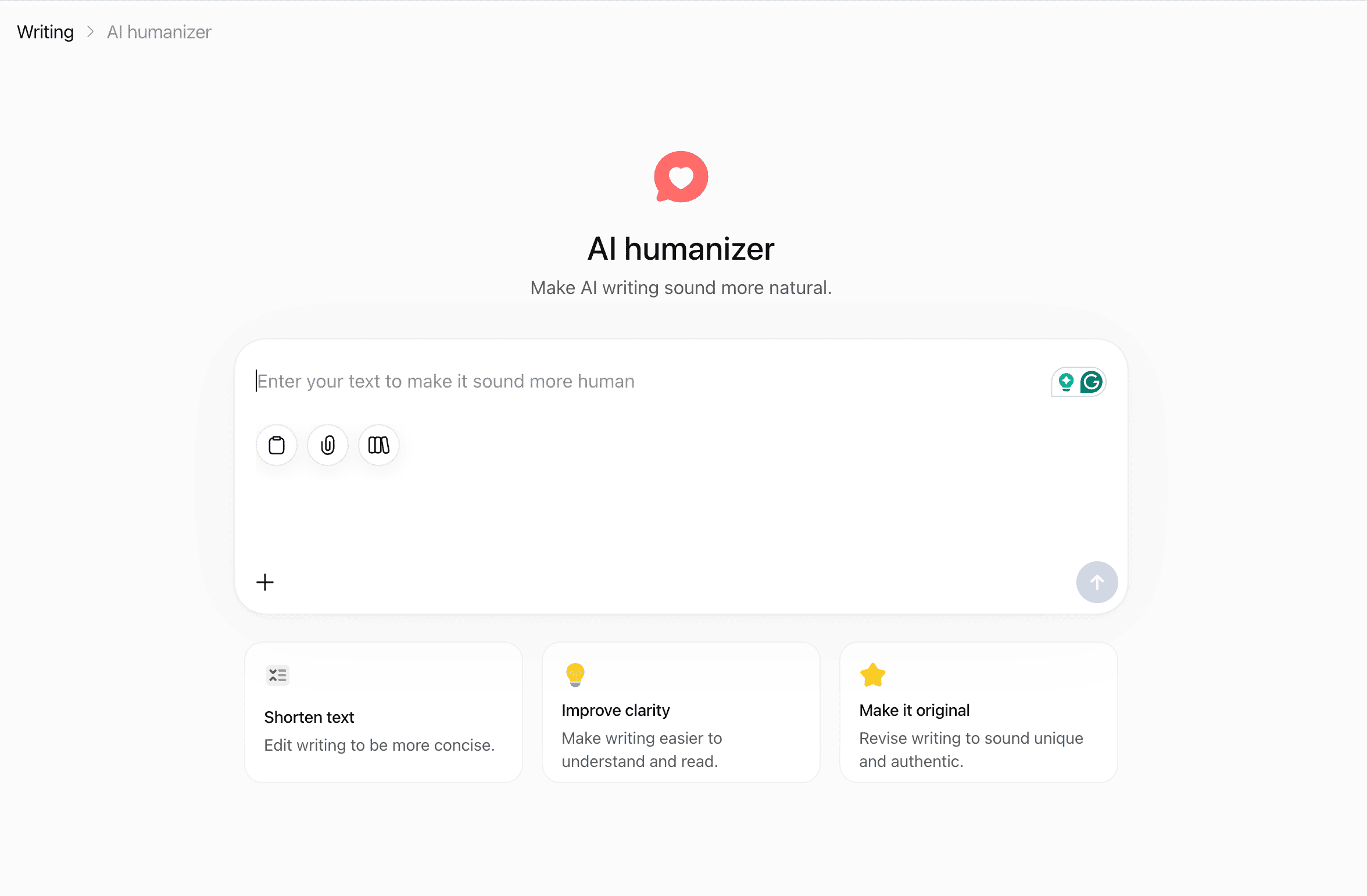
What the Three Prompts Actually Do
The three options are Shorten text, Improve clarity, and Make it original. Each one runs your text through a normal ChatGPT prompt behind the scenes. There's no special training for sounding human and no detector check built in. It's the same chat you already know, just with a shortcut.
Is It a Separate Tool or Just a Prompt?
It's a prompt. That's the most important thing to understand before you use it. A dedicated humanizer tool is usually trained on what AI detectors flag — repeated sentence rhythm, predictable word choices, overly even structure. ChatGPT's version doesn't target any of that directly. It just rewrites the text the way you'd ask any writer to rewrite it.
Tip for students: if a tool is "just a prompt" with no detector attached, treat its result as a first pass, not a final answer. Run it past a real check before you submit anything graded.
How I Tested ChatGPT's AI Humanizer
To keep this fair, I used the same detectors and the same texts for both ChatGPT's humanizer and JustDone's. Here's exactly what I did.
Detectors I Used
I ran the output through JustDone AI checker, GPTZero, and Originality.ai. These three are common in schools and universities, so they're a fair test for anyone reading this as a student or a teacher.
Test Texts and Method
I wrote three AI-generated texts with ChatGPT: a short social post “Why Students Should Learn to Use AI Responsibly” (about 150 words), a blog paragraph “How AI Tools Are Changing the Way Students Study” (about 400 words), and an essay-style piece “The Role of Artificial Intelligence in Modern Education" (about 400 words). Each one went through all three humanizer prompts, alone and combined. I ran the same original texts through JustDone's humanizer too, so the comparison uses the same starting point for both tools.
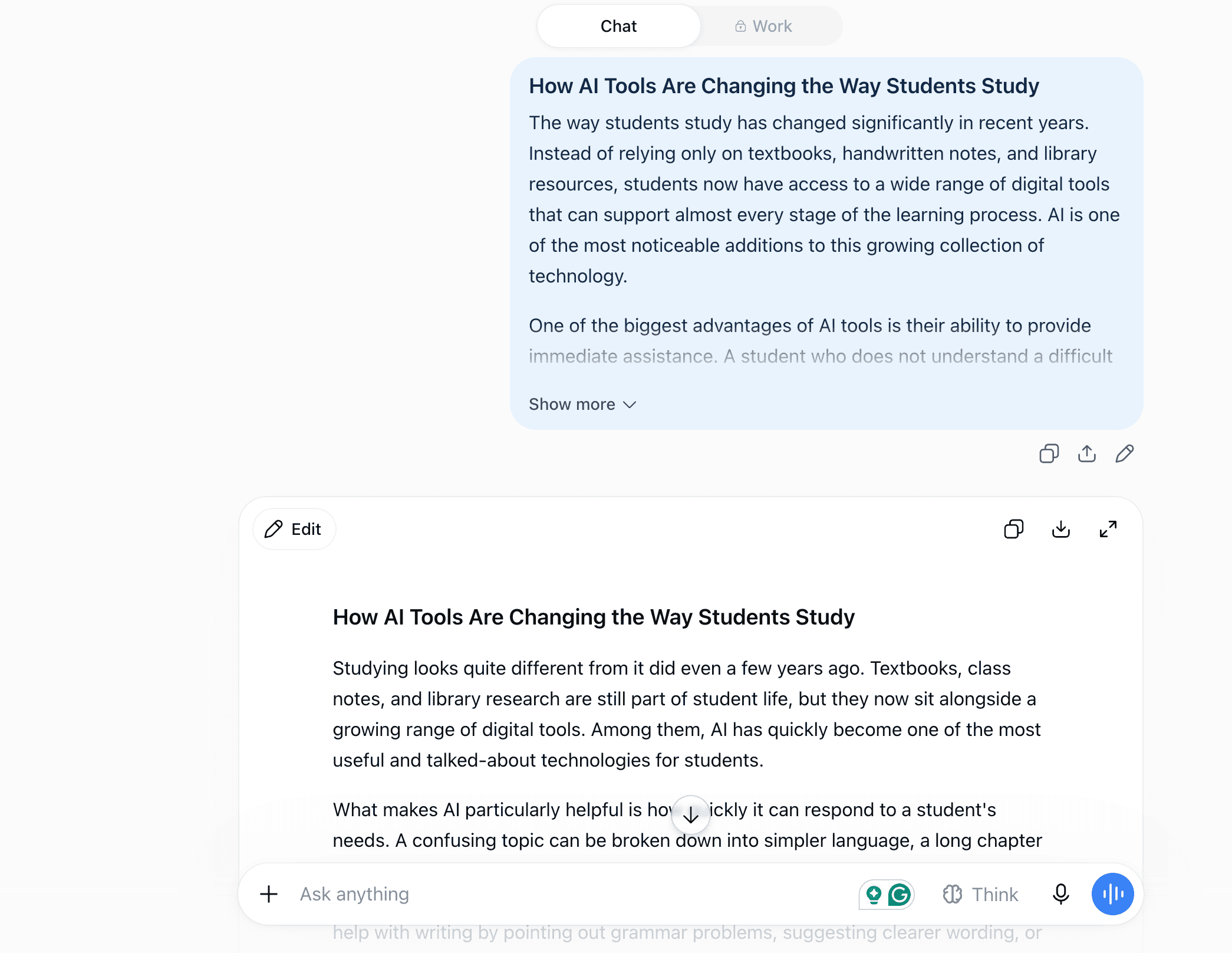
For instance, here's how the “Make it original” prompt worked for one of the test texts:
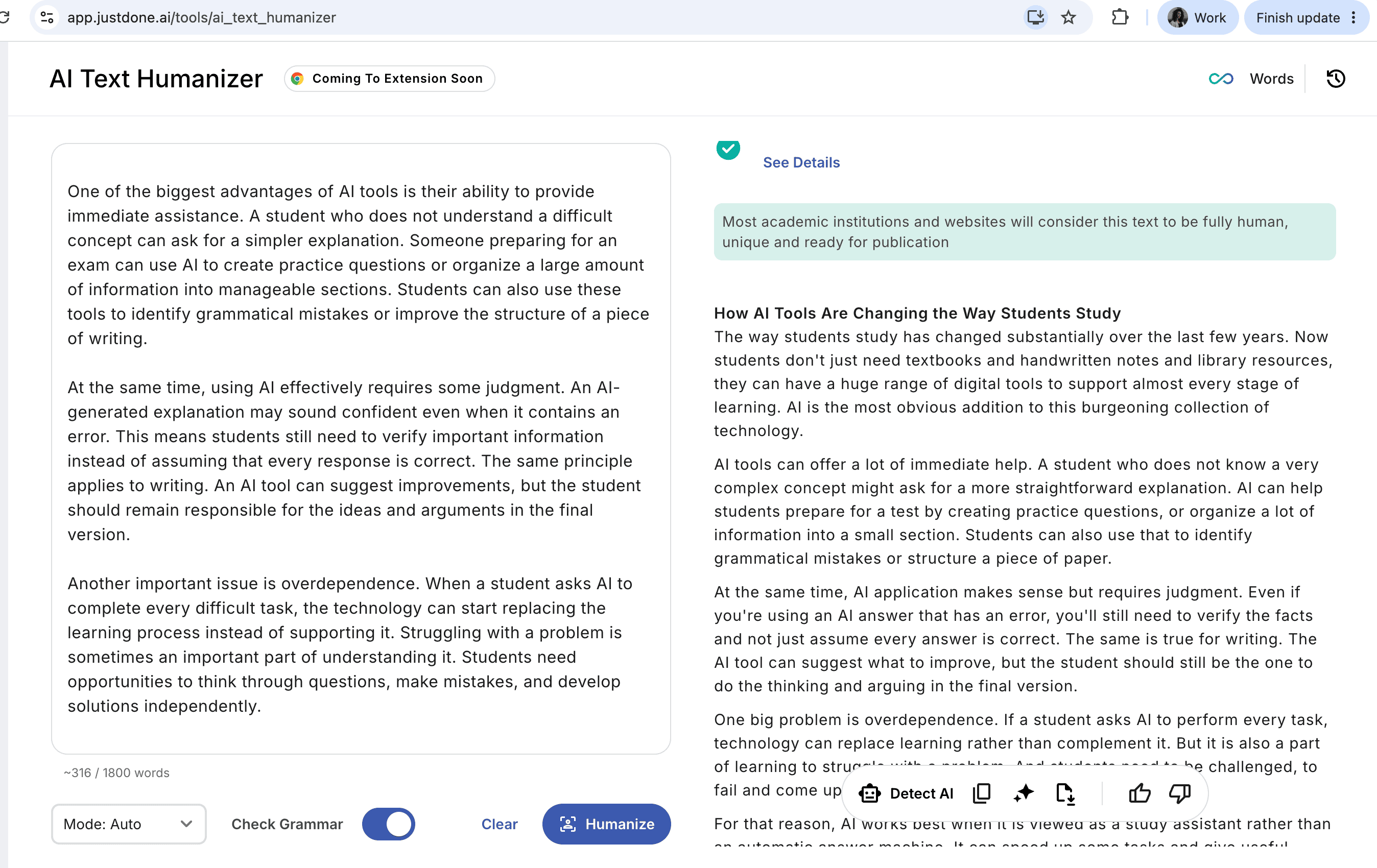
For a fair comparison, I ran the same text through JustDone AI humanizer. Here's the output I got with 0% AI score detected by the built-in JustDone AI checker:
Tips for educators:
- If you want to see how this works for yourself, use the same method. Generate a short sample with any AI tool, run it through a humanizer, then check it. Seeing the before-and-after numbers is more convincing to students than a rule on a syllabus.
- Instead of a blanket "no AI" rule, try asking students to submit their prompt history along with their work. It shifts the conversation from "did you use AI" to "how did you use it," which is usually the more useful question.
Test Results: AI Detection Scores Before and After
Now for the actual numbers. Here's what happened when we ran humanized text through three different detectors.
Before any humanizing, all three texts scored high for AI on every detector, as expected from raw ChatGPT output.
JustDone AI Detectors Results
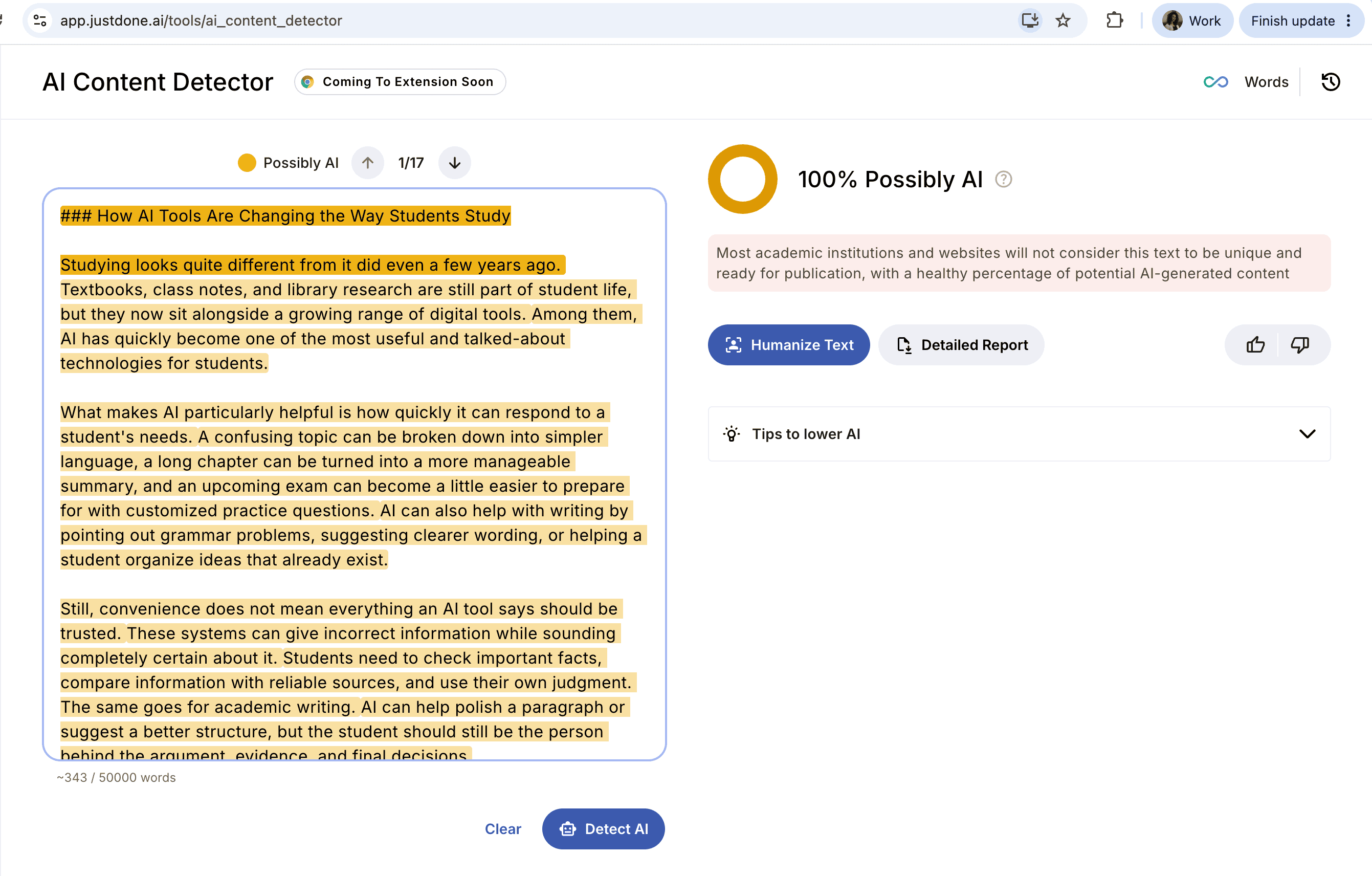
After running the texts through ChatGPT's humanizer prompts, the JustDone AI detector score did not drop at all. The "Make it original" prompt did more than "Improve clarity," but neither one got the score lower than 100%.
Let's see on the screens how JustDone detected ChatGPT AI humanizer outputs.
For a social post:
For blog post:
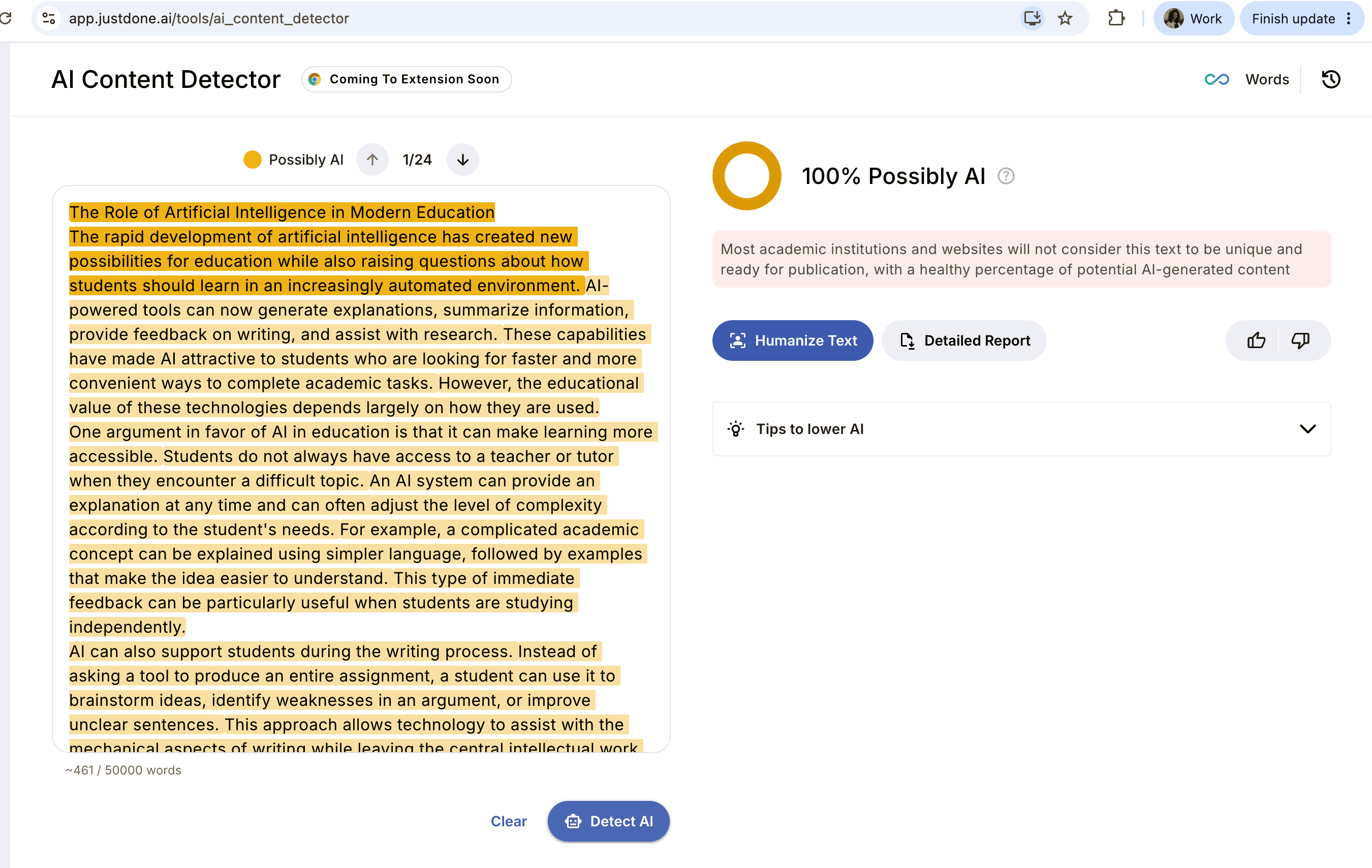
For an essay:
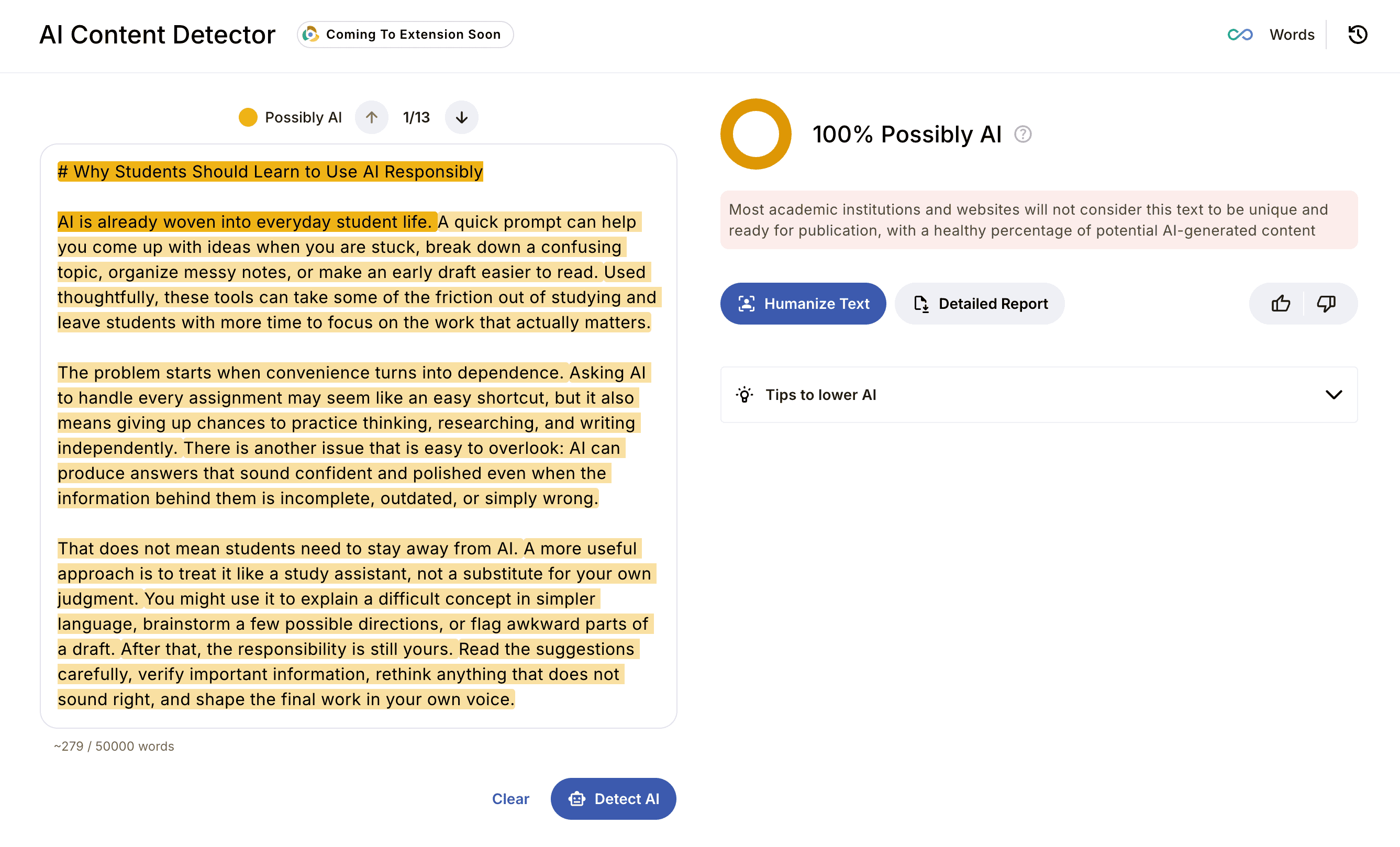
As you can see, each of the text pieces humanized with the prompt “Make it original” (a post, a blog passage, and an essay) was detected as AI-generated.
GPTZero Results
GPTZero AI detector showed the same AI score as JustDone.
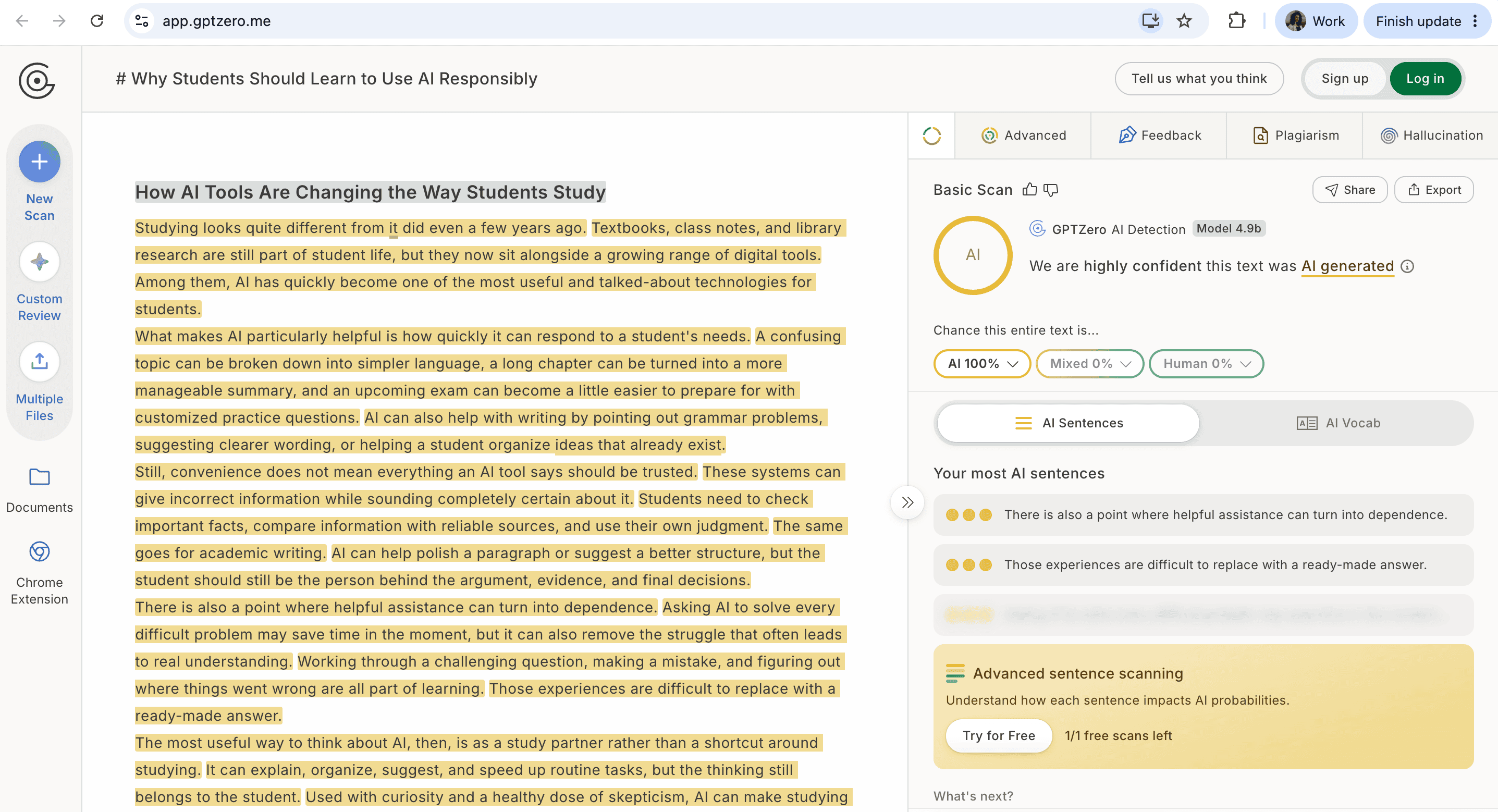
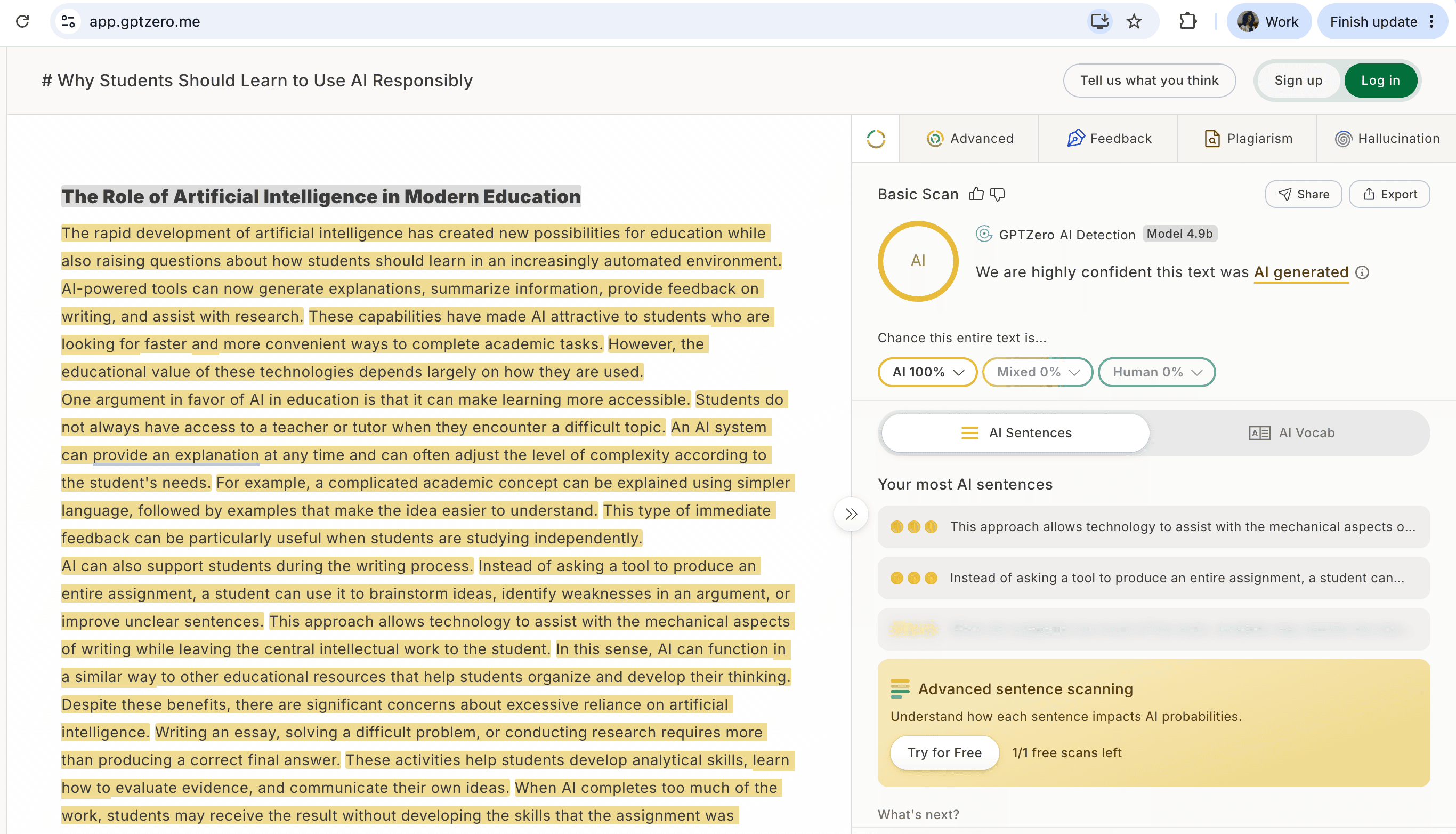
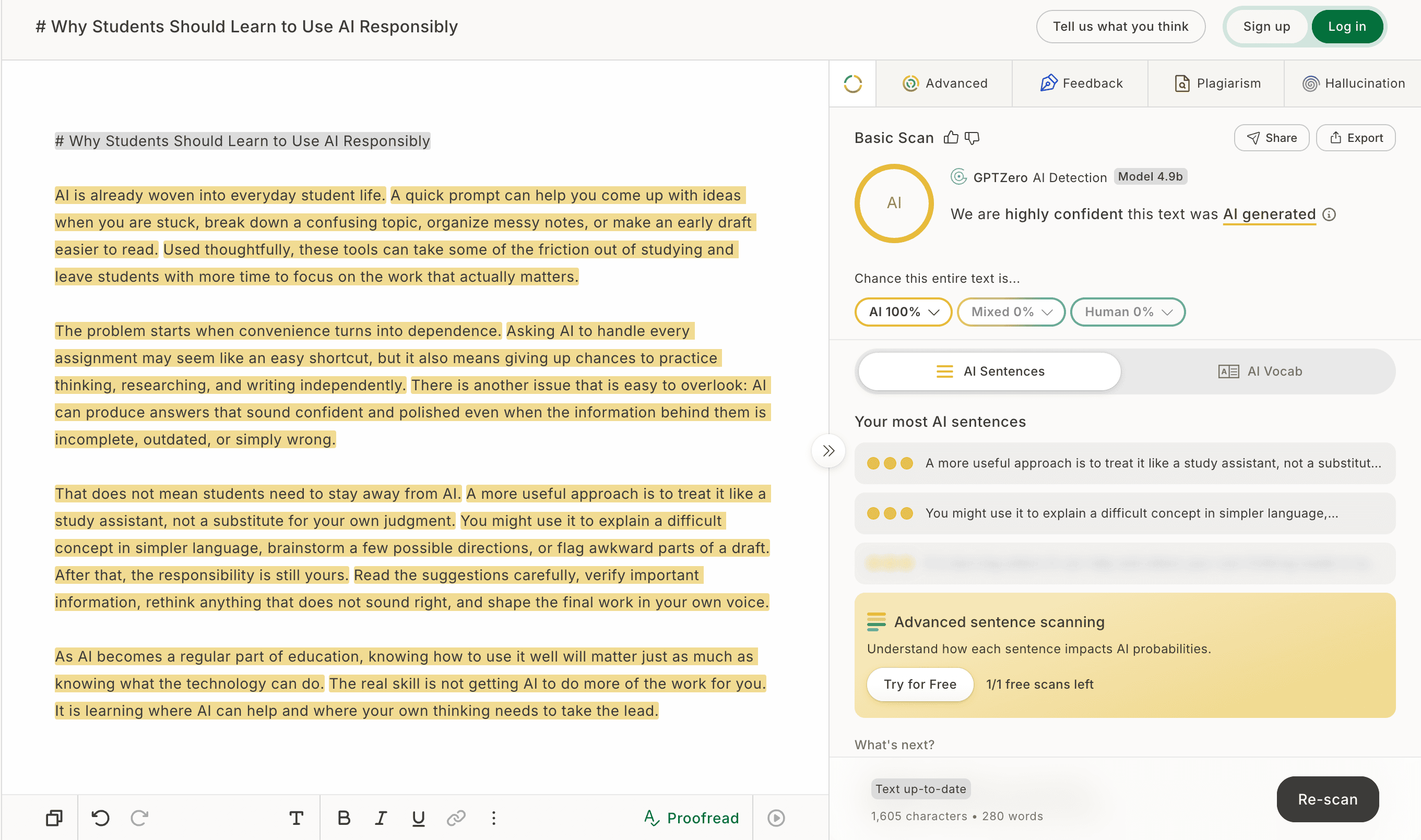
Every scan showed a 100% AI score, which means neither of ChatGPT AI humanizer's prompts worked well enough.
Originality.ai Results
Originality.ai showed a similar pattern. Scores did not go down, and all pieces kept the highest AI score after humanizing. Short, casual text improved the most. Longer, structured writing was harder for the tool to disguise. However, all texts were flagged as AI-generated.
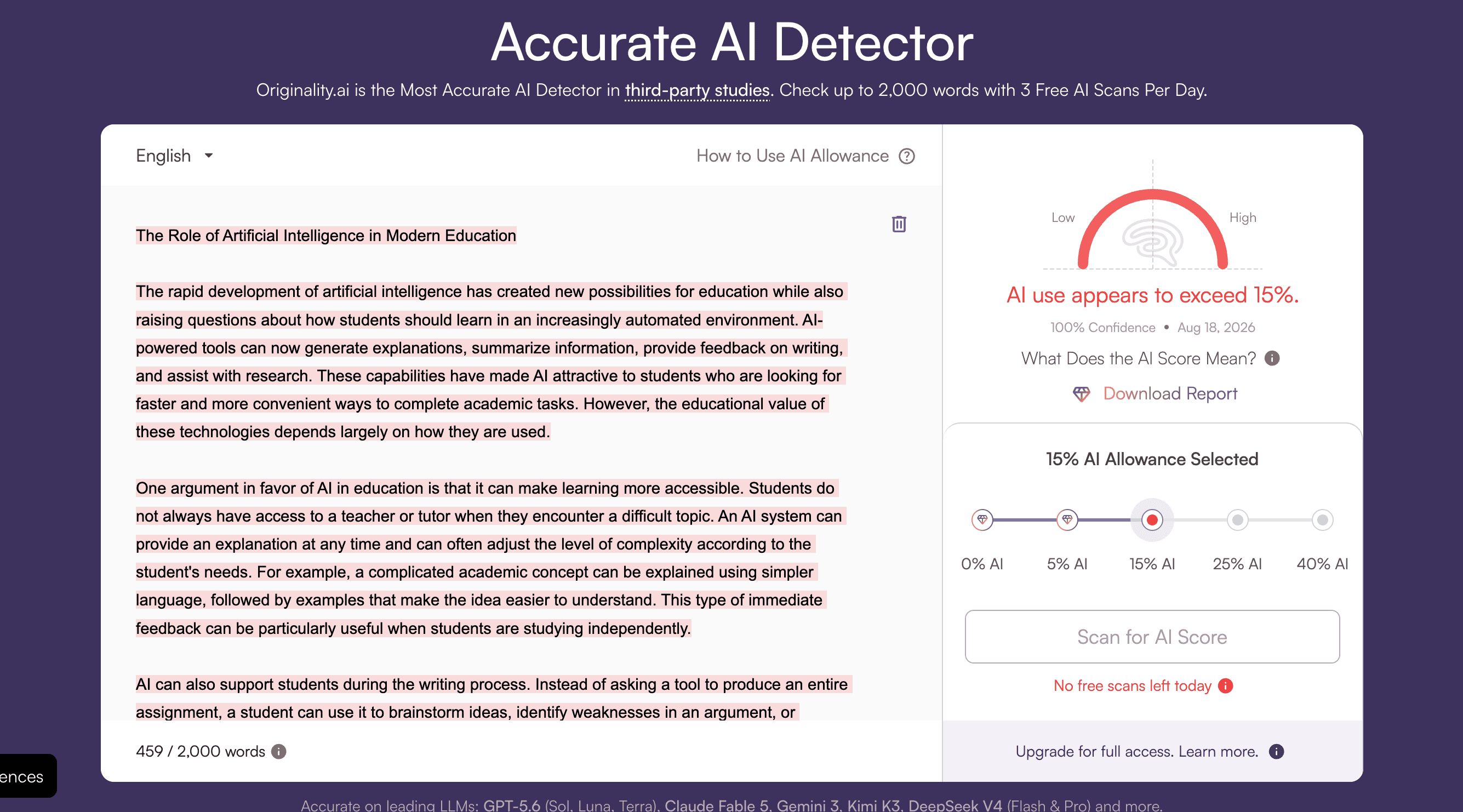
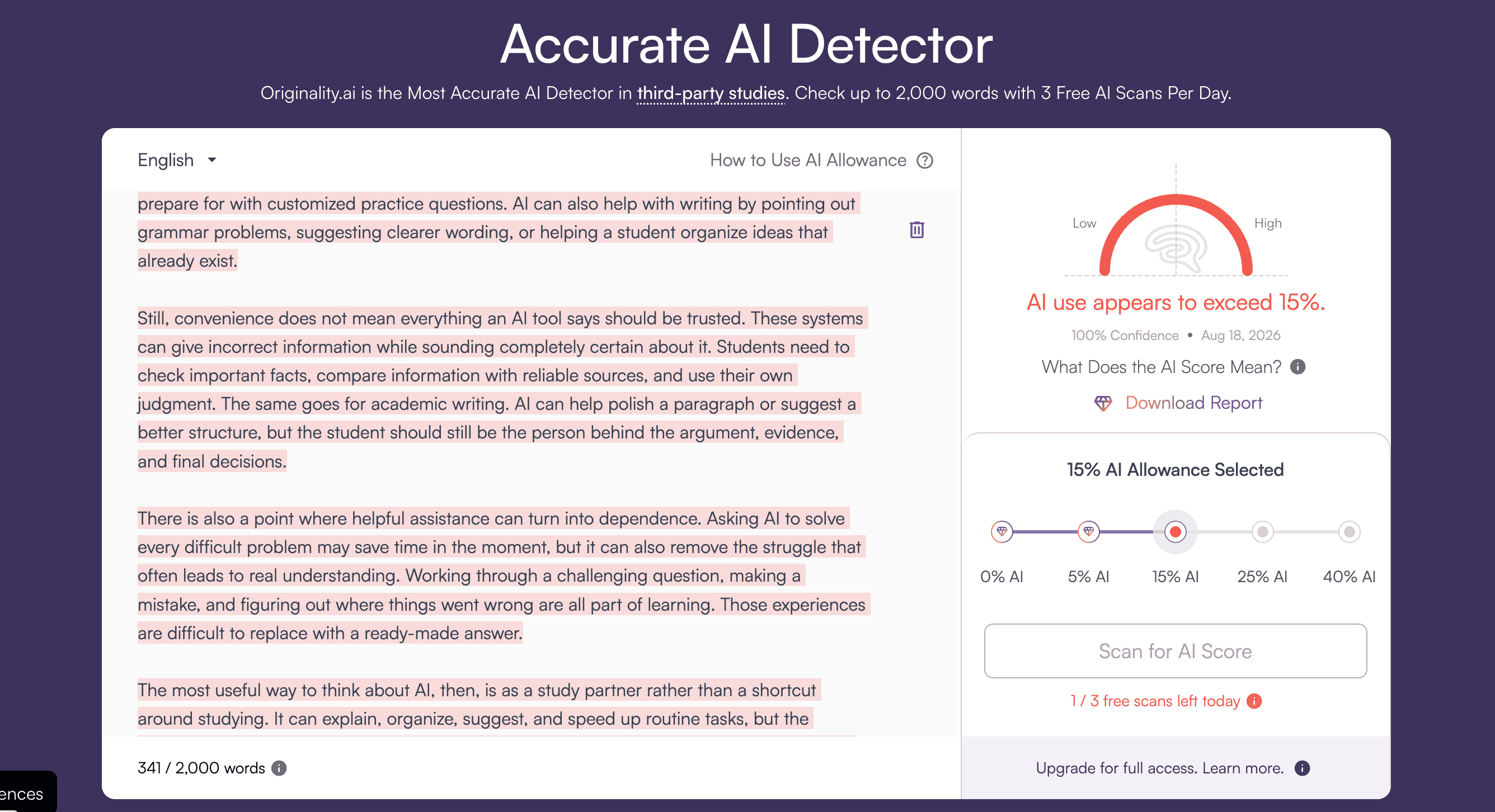
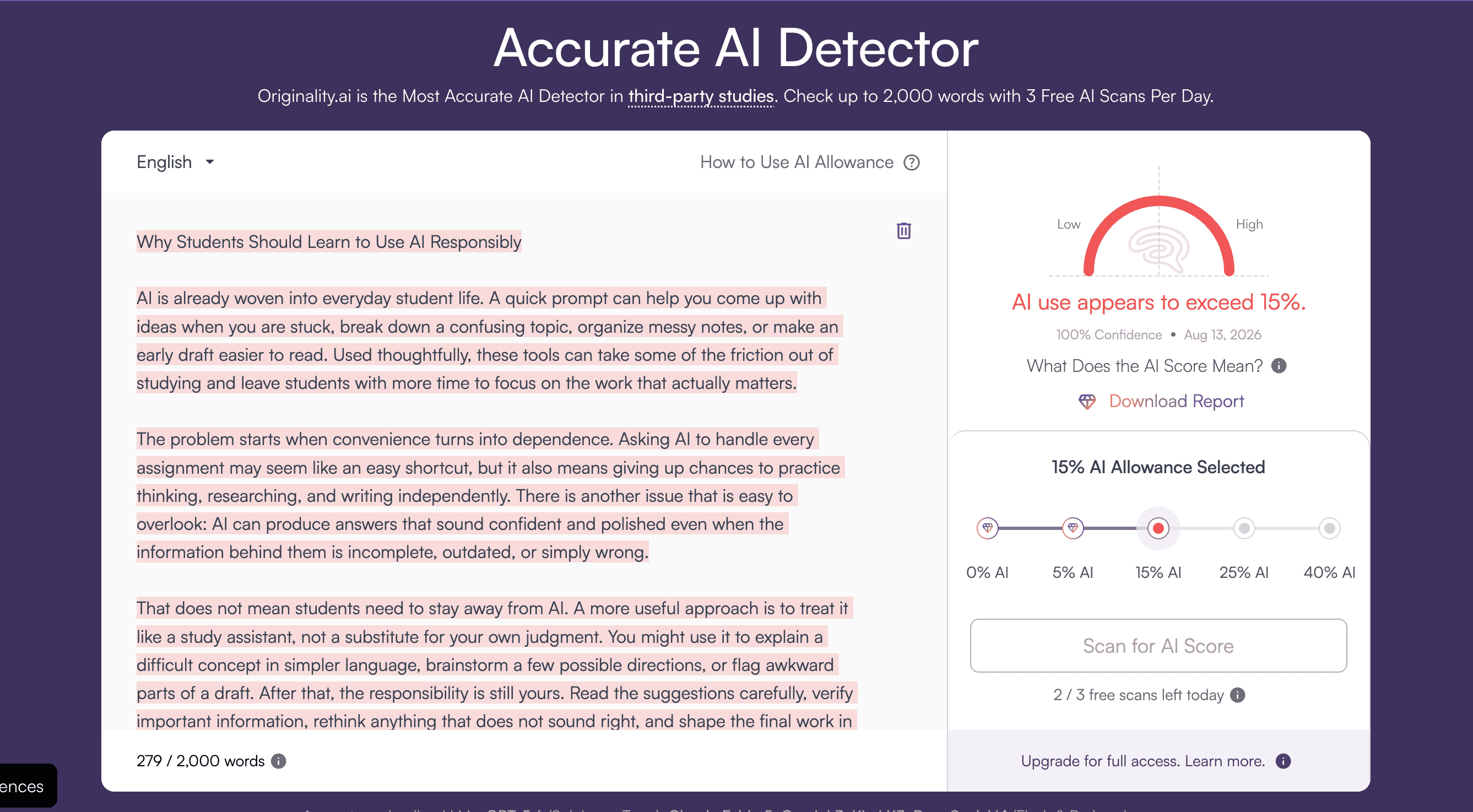
What this tells us: ChatGPT's humanizer changes wording, but it doesn't change the underlying rhythm that detectors actually look for. It can help a little. It doesn't solve the problem.
What Works in ChatGPT's AI Humanizer
Not everything about this tool is a problem. Here's where it actually earns its place.
It's free if you already use ChatGPT. It's fast. It's simple to find and simple to use — no learning curve, no settings to figure out. You paste your text, pick a prompt, and get a result in seconds.
The "Improve clarity" prompt is genuinely useful for cleaning up awkward phrasing, even outside the AI-detection question. "Shorten text" does what it says without cutting anything important, at least in our tests. For a quick tone adjustment on something low-stakes, like a social caption or an email, this tool does the job, and you don't need to install anything or learn a new interface.
Here's a good tip for students: use "Improve clarity" on your own writing, not just AI-generated text. It's a decent quick editor for a paragraph you already wrote yourself and just want to tighten up.
What Doesn't Work in ChatGPT's AI Humanizer
Now the other side. These are the gaps that matter most if you're using this for anything graded.
It doesn't check its own output. You get a rewritten text and no way to know if it actually passed anything. You have to copy the result into a separate detector yourself, which most students won't think to do until after they've already submitted.
There's no word limit shown, but there's also no guidance on how much text works best in one pass. I noticed longer texts (over 500 words) lost some structure after the "Make it original" prompt — paragraphs merged, and a few transitions felt abrupt.
Because it's just a prompt, the result can vary a lot between runs. Ask twice, get two different levels of change. That's fine for casual writing. It's a problem if you're relying on consistent results for something graded.
For anyone submitting academic work, this matters. A tool that doesn't tell you the result isn't safe to trust blindly before a deadline. You're left guessing whether your paper reads as human, right up until a professor runs it through Turnitin. If you want a fuller walkthrough beyond this one built-in feature, our guide on how to humanize chatgpt text covers manual techniques and other tools worth trying.
ChatGPT's AI Humanizer vs. JustDone
Here's how the two options actually compare, side by side, on the things that matter most: cost, audience, and day-to-day usability.
Pricing
ChatGPT's humanizer has no separate cost. It's part of whatever you already pay for ChatGPT — free with limits, or included in Plus at $20 a month. JustDone works differently: a trial, then a monthly or annual subscription that covers the humanizer along with an AI detector, a plagiarism checker, and a paraphrasing tool.
If you already pay for ChatGPT Plus for other reasons, the humanizer costs you nothing extra. If you'd buy Plus just for this one feature, a subscription built around the full check-and-fix process is usually the better deal for that specific task.
Who Each Tool Is Built For
ChatGPT's humanizer isn't built for any one group. The three prompts work the same way no matter who's using them or why. JustDone is built with students and researchers in mind. Its humanizer sits next to a plagiarism checker, detector, paraphraser, a citation generator and more tools in the same account, which matters if your real problem is passing a university check, not just improving your writing style.
In my opinion, this isn't really a fair comparison. ChatGPT isn't trying to be an academic tool. JustDone is. That's a difference in purpose, not a difference in who tried harder.
How Each Tool Handles Your Text
ChatGPT processes your whole text in one prompt. There's no way to work on just one paragraph. JustDone also processes the whole text at once — it doesn't support editing smaller sections yet — and it caps you at 1,800 words per run. Because it doesn't break text into sections, formatting can shift a little on longer documents.
JustDone offers three humanizing modes: Sound human, Auto, and Bypass detectors. The switch between them is easy to miss in the interface, so many users probably never notice it. After humanizing, JustDone suggests you run the result through its AI detector, but it doesn't do this step for you. You have to remember to do it yourself.
To be fair to both tools: JustDone's advantage is real — a detector and a humanizer in one place beats a detector and a humanizer in two different apps. But the humanizer itself still has rough edges. The word limit and the manual detector check aren't small details. They're the kind of thing that trips people up right before a deadline.
Comparison Table
| Features | ChatGPT's Humanizer | JustDone Humanizer |
| Extra cost | None (part of ChatGPT) | Trial, then subscription |
| Built for | Anyone | Students and researchers |
| Word limit | Set by ChatGPT's plan | 1,800 words |
| Edits smaller sections | No | Not yet |
| Humanizing modes | None | 3 (Sound human, Auto, Bypass detectors) |
| Detector check after editing | None | Suggested, not automatic |
| Comes with plagiarism/citation tools | No | Yes |
If you're a student on a budget and you're only checking a paper once in a while, the free ChatGPT option plus a free-tier detector check might cover you. But if you're checking drafts regularly through the semester, a dedicated subscription usually works out cheaper per check.
Who Should Use ChatGPT's AI Humanizer
The right answer depends heavily on what you're writing and who's going to read it. Here's the split.
For Social Media and Casual Writing
If you're polishing a caption, an email, or a casual blog post, ChatGPT's humanizer is enough. Nobody is running your Instagram caption through GPTZero. Speed and simplicity matter more here than detector scores.
For Academic Papers and Research
If you're a student or you're grading student work, the calculation changes. An essay or a research paper carries real consequences if it gets flagged. ChatGPT's humanizer wasn't built with that risk in mind, and our test results back that up — the academic-style text kept the highest AI score of the three, even after editing. A tool that pairs humanizing with an actual detector check gives you a way to know where you stand before you submit, instead of guessing.
Tip for students: as a rule of thumb, the higher the stakes of the assignment, the less you should rely on a tool that can't check its own work.
The Best Alternative to ChatGPT's AI Humanizer
If none of the above feels like enough on its own, here's what a more complete workflow looks like.
If none of the above feels like enough on its own, here's what a more complete workflow looks like.
If you need more than a quick rewrite, JustDone gives you the humanizer plus a detector plus a plagiarism checker in one place. You can humanize a draft and immediately see whether it still reads as AI-written, instead of submitting and hoping. For a broader look at how to humanize AI content beyond just this one built-in ChatGPT feature, our full guide walks through manual editing techniques alongside tool options.
A Few Practical Notes for Students and Educators
To close things out, here are some straightforward habits worth building, whichever side of the classroom you're on.
If you're a student, don't treat any humanizer as a final step. Treat it as one pass in a longer process. Write your own draft first, use AI tools to polish it, then run the result through a detector before you submit. Skipping that last check is how people get caught off guard.
If you're a teacher, it helps to know that "AI humanizer" tools are now built into ChatGPT itself, not just sold as separate apps. A student doesn't need to find or pay for anything extra to try this. That's worth keeping in mind when you set policies around AI use — a simple ban on "using AI detection bypass tools" won't cover a built-in ChatGPT feature that most students will find by accident.
Neither side of this needs to feel like an arms race. A detector score isn't proof of cheating, and a low score isn't proof of honesty either. It's one signal among several, and it works best as a conversation starter, not a verdict.
Quick checklist for students before submitting:
- Write your own first draft
- Use AI tools to polish, not to originate
- Run the final version through a detector
- Keep your own notes or outline in case anyone asks about your process
Quick checklist for educators setting AI policy:
- Assume students have access to built-in tools like this one, not just paid apps
- Ask for process (drafts, prompt history) rather than relying on a single detector score
- Treat a flagged score as a conversation starter, not automatic proof
Frequently Asked Questions
Does ChatGPT have an AI humanizer?
Yes. It's a page on chatgpt.com with three rewriting prompts. It's not a separate app and not a specialized model.
Is text from ChatGPT's humanizer still detectable as AI?
Often, yes, especially for longer or more formal writing. Our test showed a drop in detection scores, not a disappearance of them.
Can you use ChatGPT's AI humanizer for free?
Yes, within ChatGPT's free-tier limits. You don't need Plus just for this feature.
Is ChatGPT's humanizer safe for academic writing?
Not on its own. It doesn't check whether the result actually passes a detector, so you're submitting without knowing your real risk. Pairing it with a dedicated detector check is a safer approach for any graded work.
