Try JustDone

AI Text Expander

Make your text longer and clearer in just seconds.

Try JustDone
  • Rocket

    Meaningful expansion — no filler, no repetition.

  • Rocket

    Unlimited expansions with full control over tone.

  • Rocket

    Works in 30+ languages

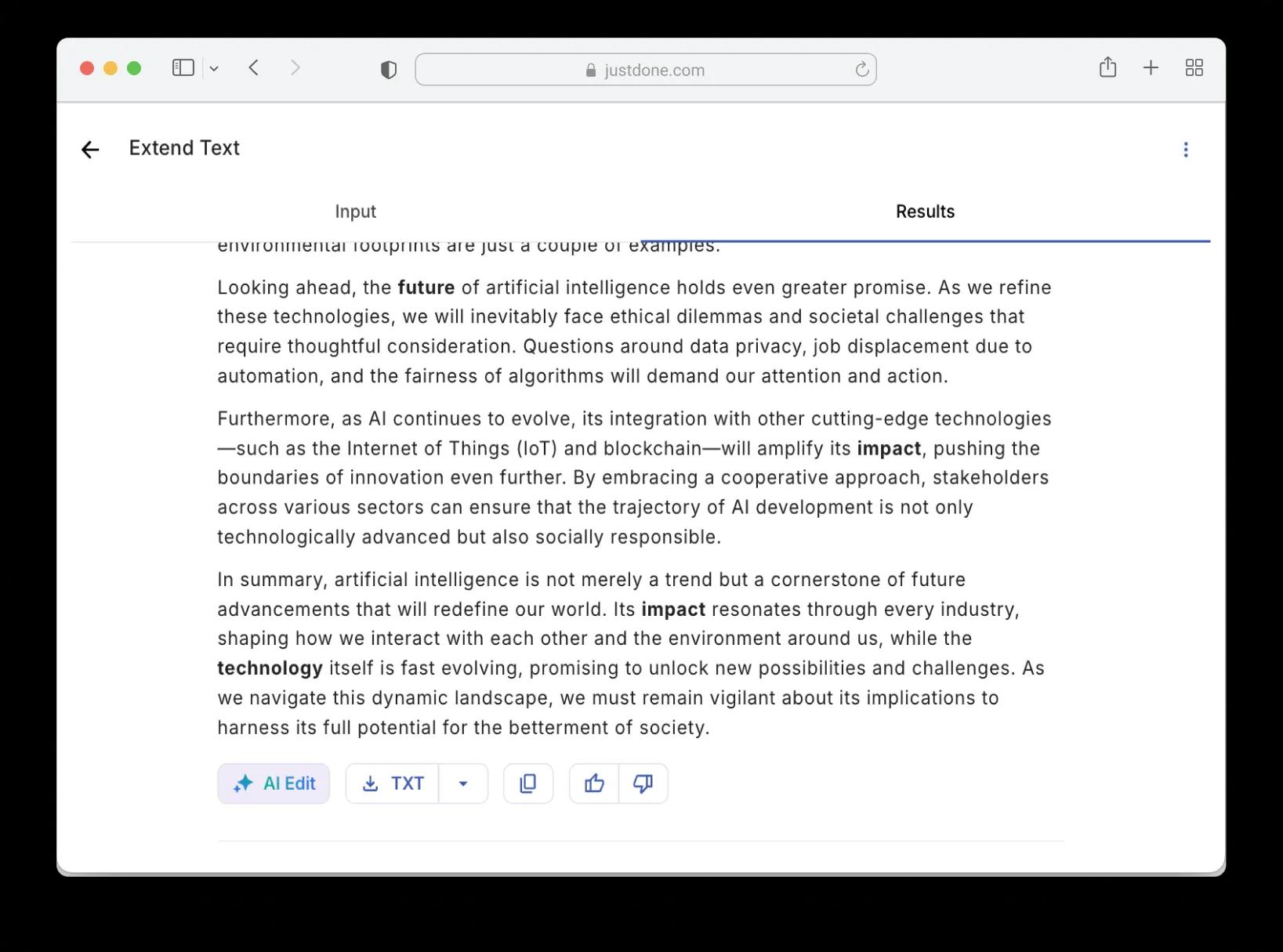
AI text expander result showing expanded paragraph with added details and examples

Make Text Longer — Without Filler or Rewriting from Scratch

Most text expanders just add words. JustDone adds meaning — new details, examples, and logical connections. Every sentence earns its place.

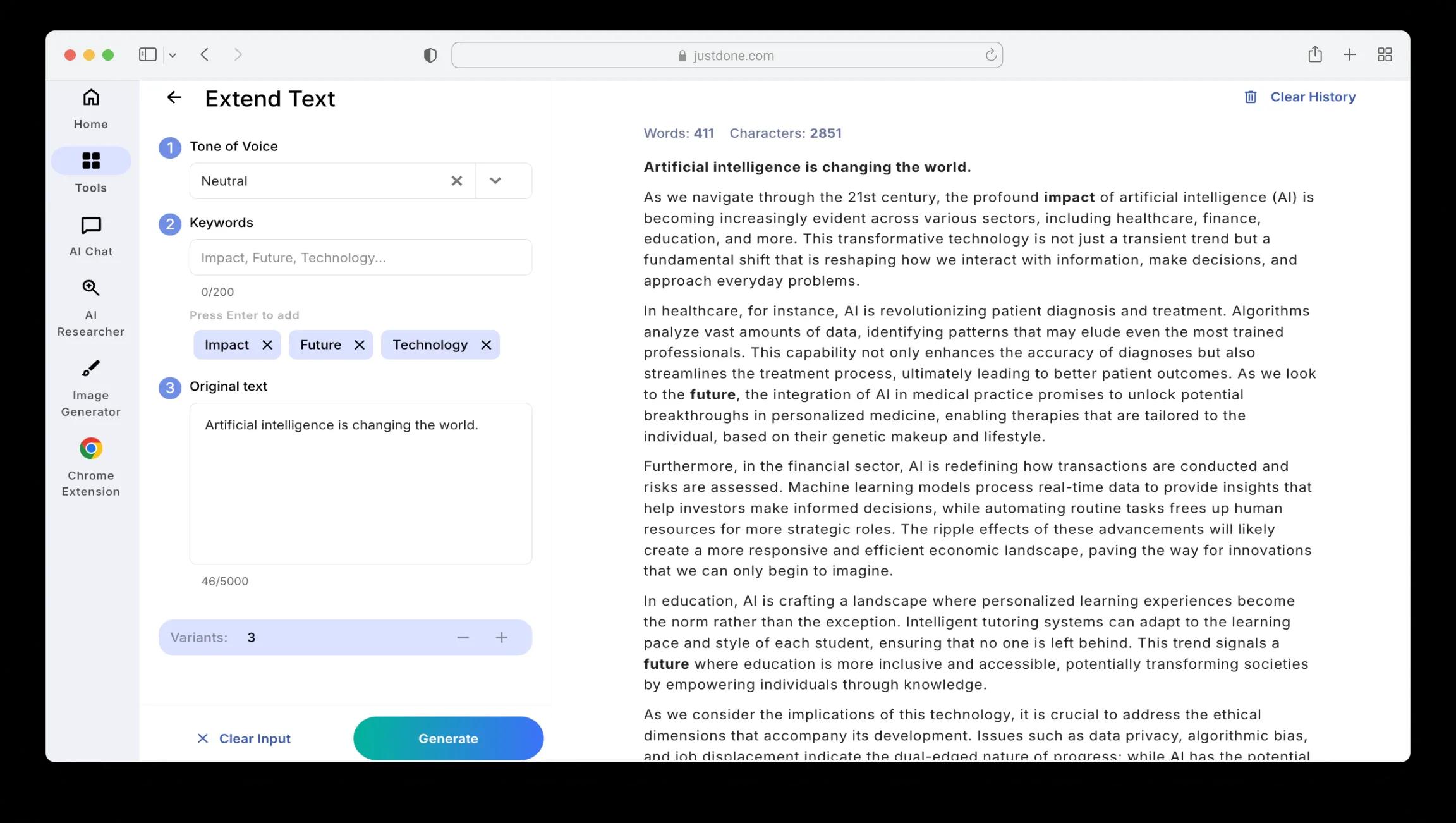
AI text expander result showing expanded paragraph with added details and examples

Text Expansion Without Filler

This is the core problem. Most free expanders add words, but the expanded version often says the same thing twice in slightly different phrasing. 

JustDone works differently — it identifies what's missing from your original. If you state a claim, the AI text expander adds evidence. If you describe a process, it fills in the steps you skipped. If you make a comparison, it develops both sides. The expanded version moves your ideas forward instead of circling back to where you started.

Keyword-Guided Expansion

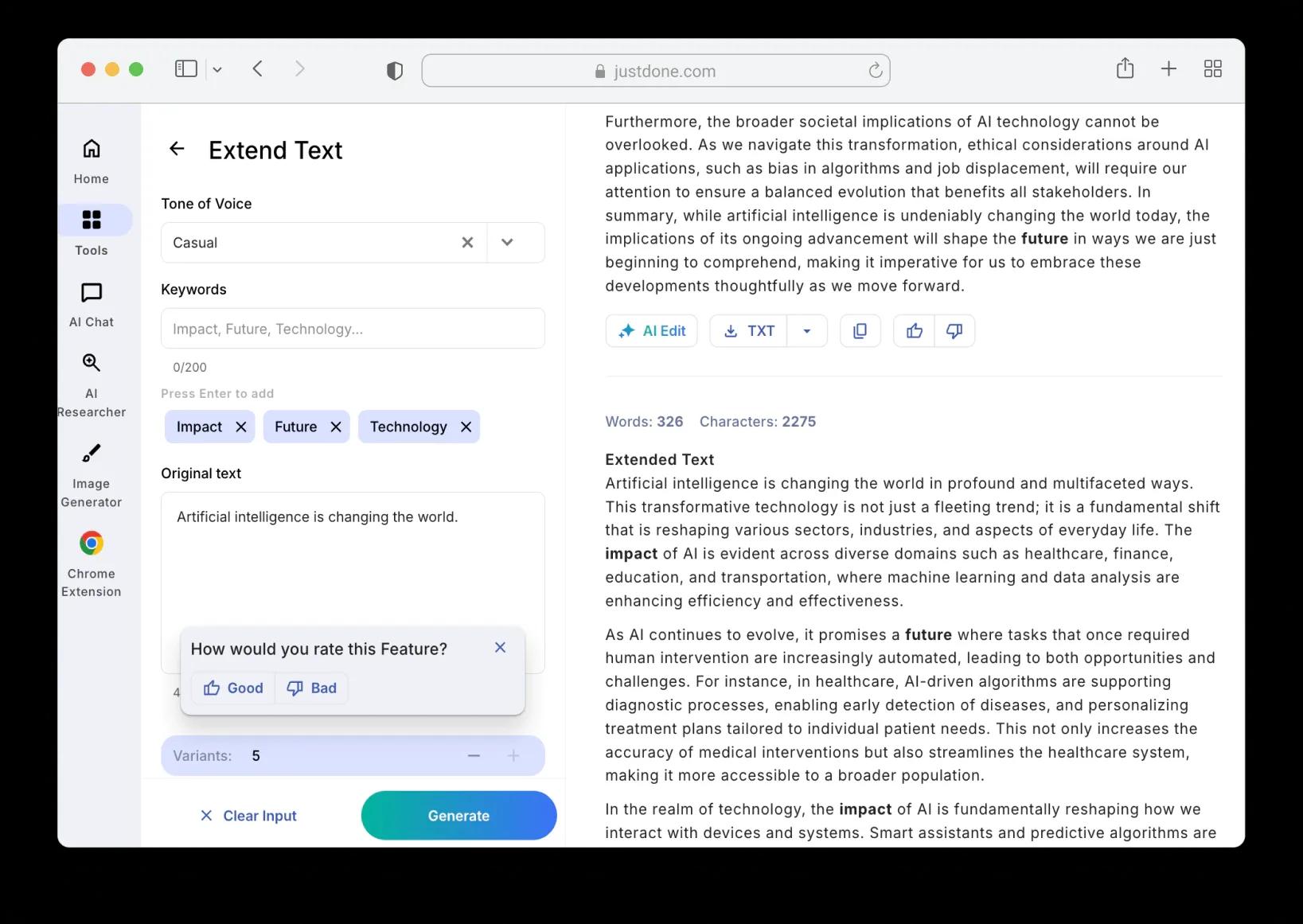
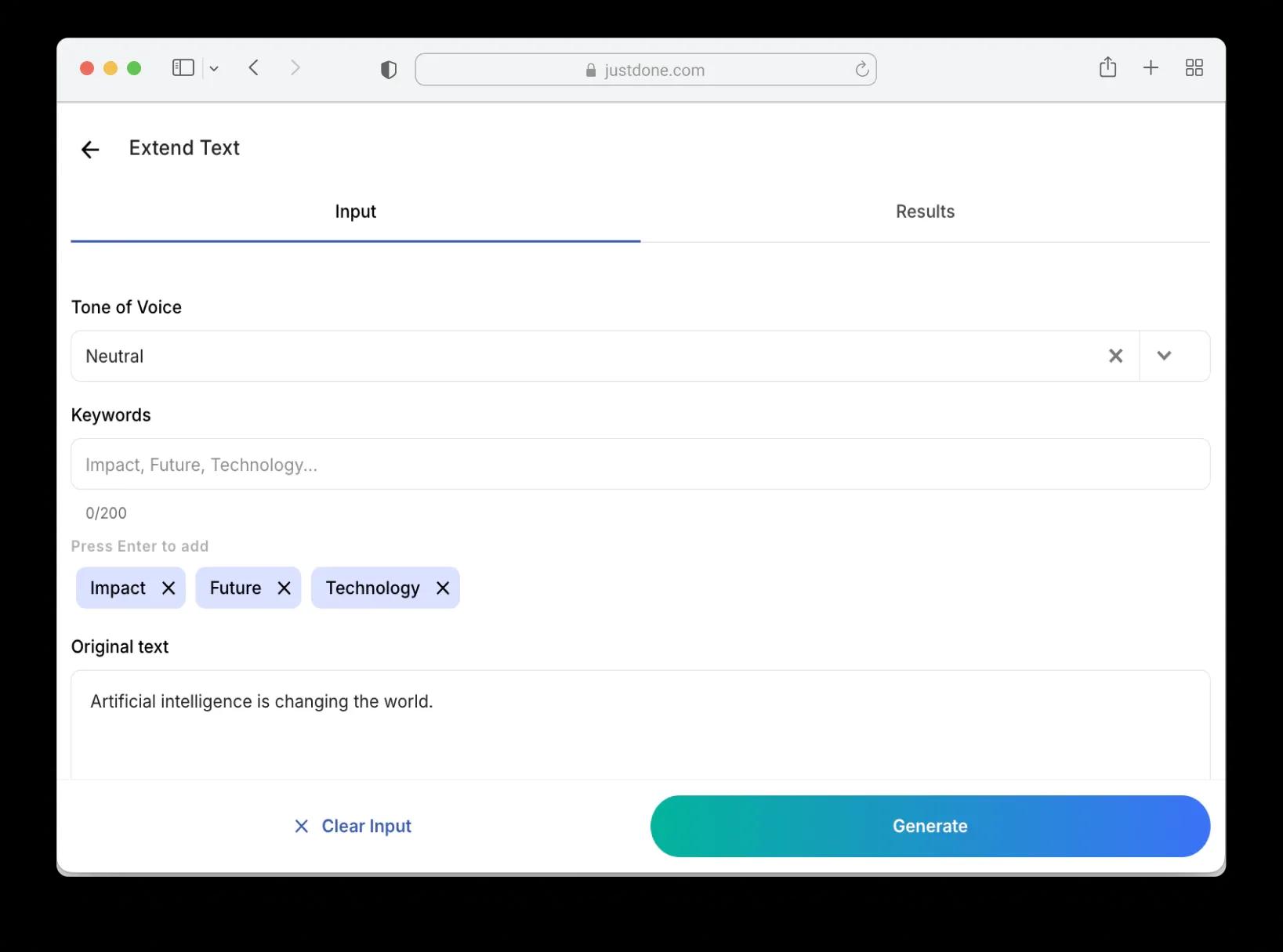
Most text expanders just make your text longer in whatever direction the AI decides. JustDone lets you add keywords to steer the expansion — so if you need your paragraph to emphasize specific topics, the AI expands your text around those ideas.
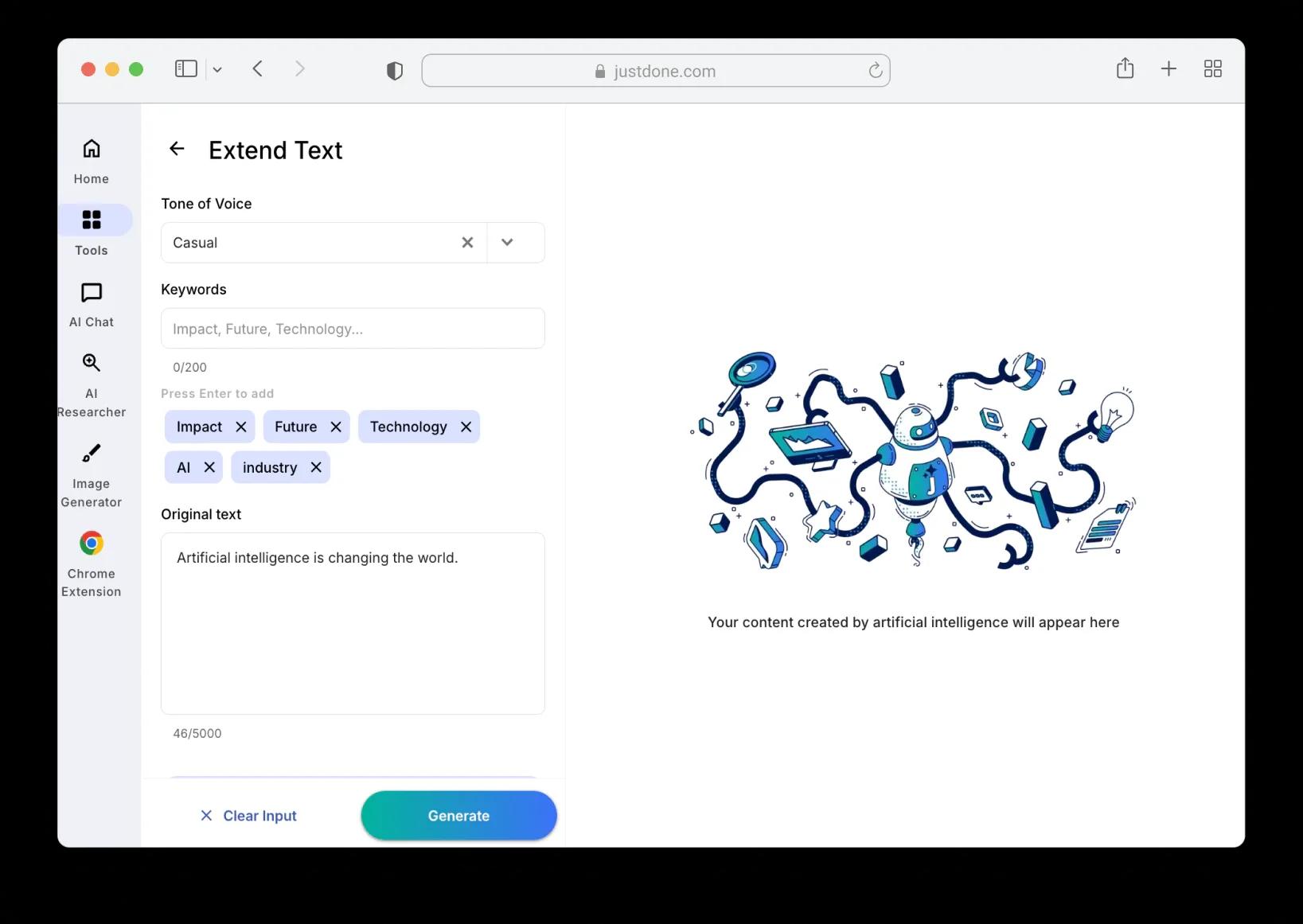
Add keywords to guide AI text expansion
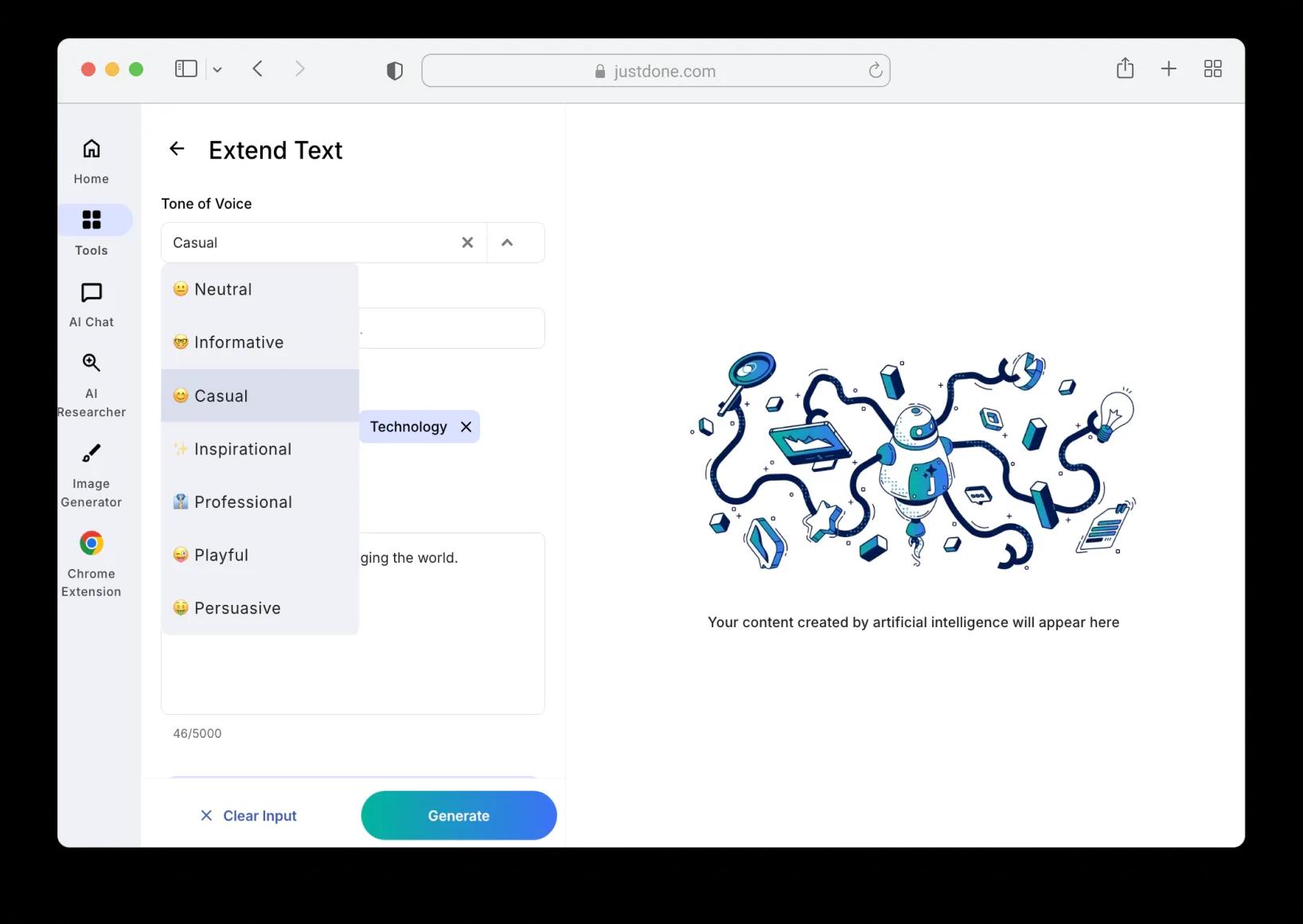
Select tone of voice for text expansion

Tone Options

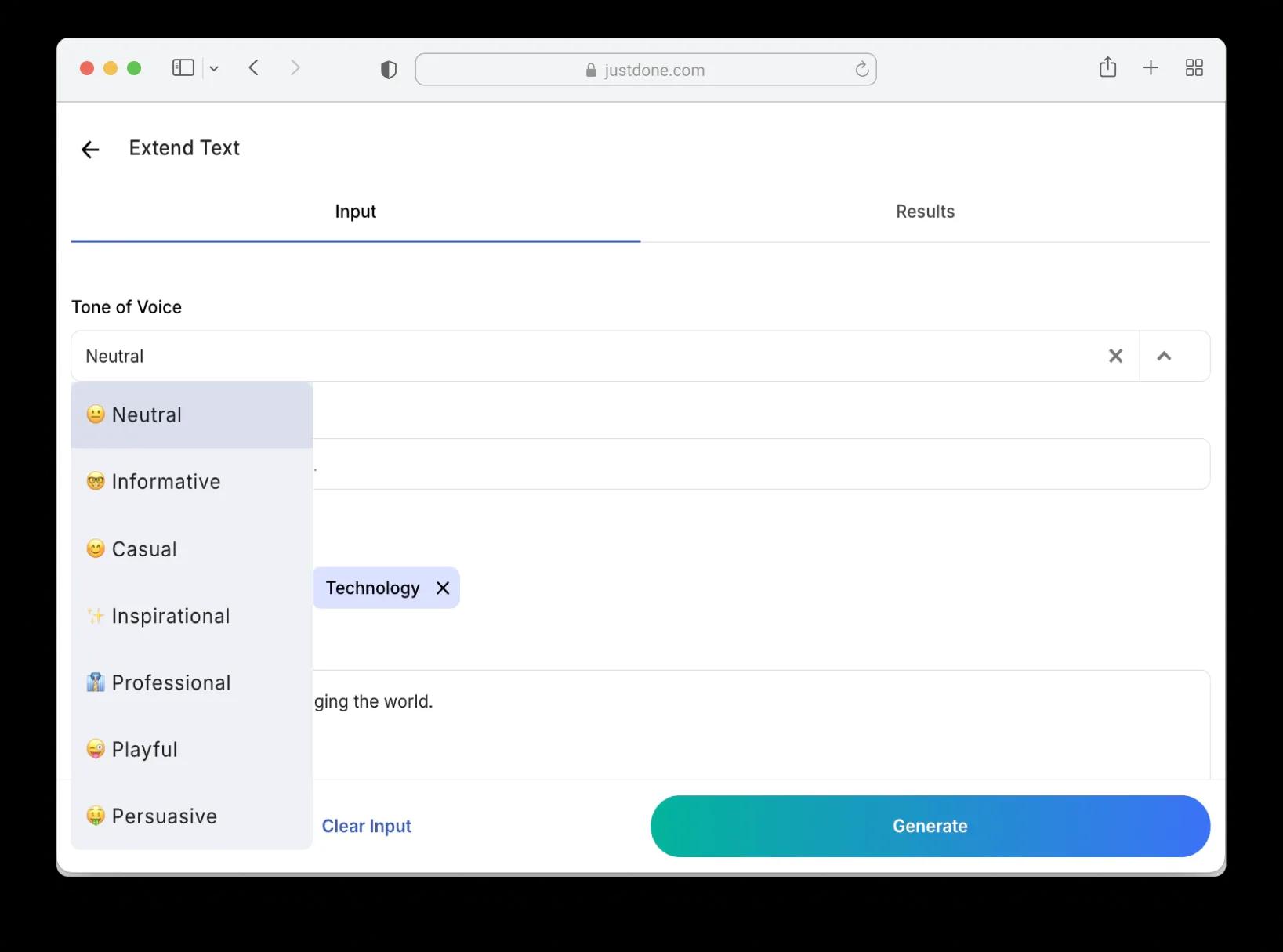
Professional, neutral, persuasive — pick the tone that fits before expanding. This means less editing afterward because the expanded text already matches your context.

Export in Any Format

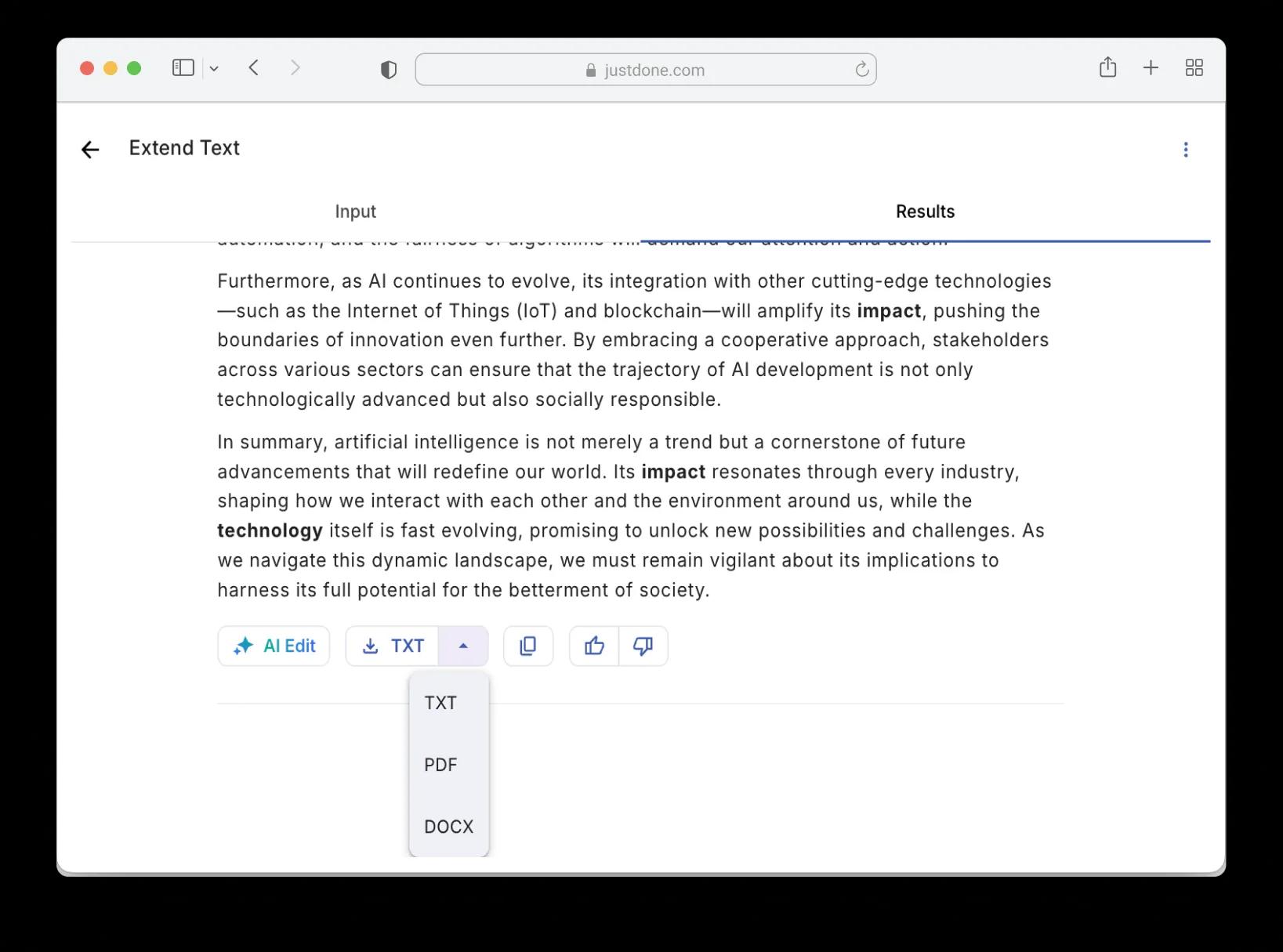
Once your text is expanded, JustDone lets you download results as TXT, PDF, or DOCX directly — or copy to clipboard with one click.
Export expanded text as TXT, PDF, or DOCX in JustDone
Unlimited text expansions with no daily caps in JustDone AI text expander

Unlimited Use

With JustDone, there's no per-use limit. Expand a sentence, then a paragraph, then a full document — as many times as you need.
Expand Text Effectively and Get Better Results

Clear ideas, the right tone, and focused keywords help the AI expand your text naturally.

Enter specific text input to make text longer without filler

Give It Concrete Input to Make Text Longer

Start with a clear idea, not a vague one. The more concrete your input, the more useful the content expansion. You can start from polished paragraphs or expand from rough notes — either way, specific ideas produce stronger results than vague ones.

Set tone and keywords to enhance structure and vocabulary before expanding

Set the Tone and Keywords to Enhance Structure and Vocabulary

Choose your tone before expanding. Academic writing needs different expansion than a blog post or a sales email. Pick your keywords carefully too. They steer where the AI takes your ideas, so choose the terms you actually want emphasized. For longer pieces, expand section by section rather than all at once. This helps streamline the writing process and gives you more control over where the depth goes.

Review and edit AI-expanded text to personalize the output

Review the Output and Make Text Yours

AI-expanded text is a strong draft, not a final product. Read through it, adjust anything that doesn't sound like you, and add details only you would know. The tool can generate ideas and make text longer online in seconds — but the final voice should be yours. And your content stays private: JustDone will never use your text to train algorithms.

Extend Text with AI

    Expand Sentences

    Turn a short, flat note into a meaningful idea.
    Make sentences longer by adding context, reasoning, and outcomes.

    Perfect for introductions, conclusions, and key arguments.

    Expand Paragraphs

    Have a paragraph that covers the basics but feels thin?
    The AI text expander lengthens text naturally, adding supporting details, smoother transitions, and concrete examples. 

    Ideal for essays, blog posts, and academic writing.

    Expand Full Articles

    Working on something longer that doesn't hit the word count?
    Instead of padding sections manually, the AI text expander pinpoints weak or underdeveloped parts and expands them in context. The result feels balanced, coherent, and human-written — not artificially inflated.

    Best for long-form content, reports, and research papers.

Try JustDone

How AI Text Expander Works

1

Choose a tone

Pick the tone — academic, professional, conversational, or any of options that match your context.

2

Add keywords

Add keywords (optional) — tell the AI which ideas to emphasize. If you're expanding a paragraph about AI and want it to focus on impact and future applications, add those as keywords. The expansion will develop your text around them instead of going in a random direction.

3

Paste your text

Describe your idea or paste a text — a single sentence, a paragraph, or a full draft up to 5,000 characters that needs more depth.

4

Hit Generate

JustDone analyzes your content, identifies where it can add meaningful detail, and generates an expanded version that reads naturally.

5

Review the result

Read through, use AI Edit to adjust the result directly in the tool, and expand again if you want even more depth. 

6

Export or copy

Download as TXT, PDF, or DOCX, or copy to clipboard and paste wherever you need it.

Each pass adds another layer of detail, so you control exactly how much longer the final version gets. The AI adds relevant examples, clarifying phrases, and logical transitions — not the same idea rephrased three different ways.

Use AI Text Expander With Other JustDone Tools

Frequently Asked Questions

It analyzes your existing text to understand context, key points, and writing style. Then it adds relevant details, supporting examples, transitions, and clarifying phrases. Unlike simple paraphrasing tools that reword what you wrote, the expander generates new content that develops your original ideas further.

A paraphraser rewrites your text in different words at roughly the same length. A text expander adds new content — more detail, more examples, more context — to make your text longer and more developed. 

Different problems, different tools.

JustDone matches the tone and style of your original writing. For extra assurance, you can run expanded text through the AI Humanizer to remove any AI patterns. The goal is text that sounds like you wrote it — just with more depth.

Yes. You can expand incrementally — run a section through once for moderate expansion, or multiple times for significantly more length. This gives you precise control over the final word count instead of getting a random amount of expanded text.

Yes. The AI generates original content based on your input. It doesn't pull from existing sources or databases. Every expansion is unique to your text.

No. Unlike tools that limit you to a handful of free expansions per day, JustDone offers unlimited use. Expand as many sentences, paragraphs, or documents as you need.

30+ languages. The AI adapts to each language's grammar and natural phrasing conventions, so expansions read naturally — not like translated English.

Free tools typically add generic filler — rephrasing the same idea or inserting vague qualifiers. 

JustDone AI text expander adds substantive content: concrete details, relevant examples, logical transitions. The expanded version says more, not just takes up more space. Plus, there are no daily limits, and you get tone, style, and vocabulary control that most free tools don't offer.

some-alt