Try JustDone

Rewrite Articles with AI

Need a fresh version of your article — fast? JustDone's AI Article Rewriter transforms any text into unique, well-structured content in seconds. Paste your draft, choose a tone, and get a rewritten version ready to publish.

Complete AI Article Rewriter Features

Paste your text, choose how it should sound, and get a polished rewrite — all in one place.

Rewrite Any Article

Getting a rewrite that actually says what you meant is the hard part. JustDone's AI reads your full text — not just individual sentences — so the rewritten version keeps logical flow, key arguments, and factual accuracy.

Paragraphs connect naturally, examples stay relevant, and the article still sounds like it was written by someone who understood the topic. Paste your draft, hit Paraphrase, and compare the result side by side with your original.

Switch Between Tones in One Click

The same article can land very differently depending on tone. A product description written in a casual voice won't work for a whitepaper, and an academic piece sounds off on a blog.

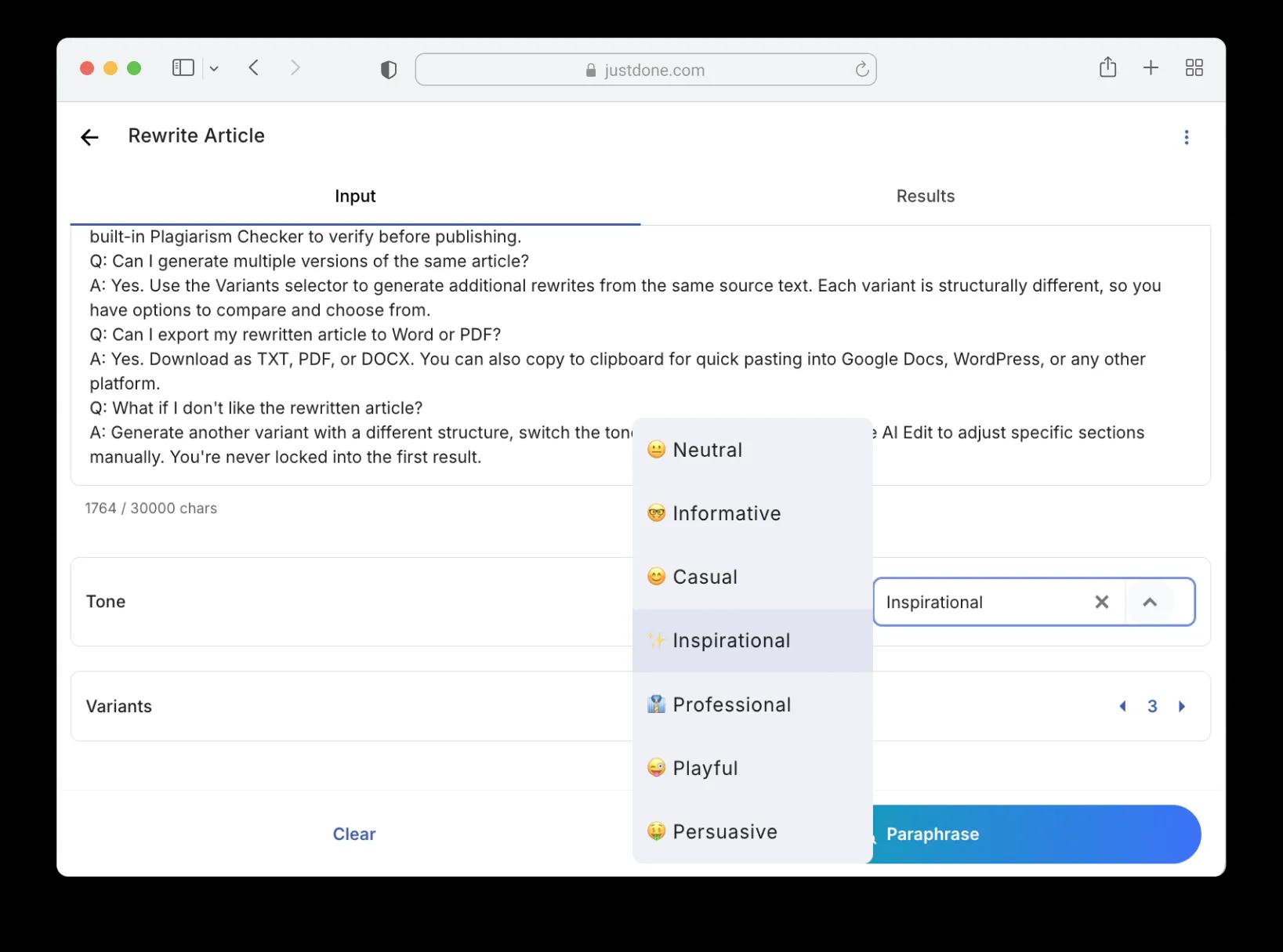
JustDone gives you seven tone presets — from Neutral and Informative to Playful and Persuasive. Rewrite the same text with different tones and see how the audience perception shifts. It's a fast way to repurpose content across channels without starting from scratch.
Export in Any Format You Need

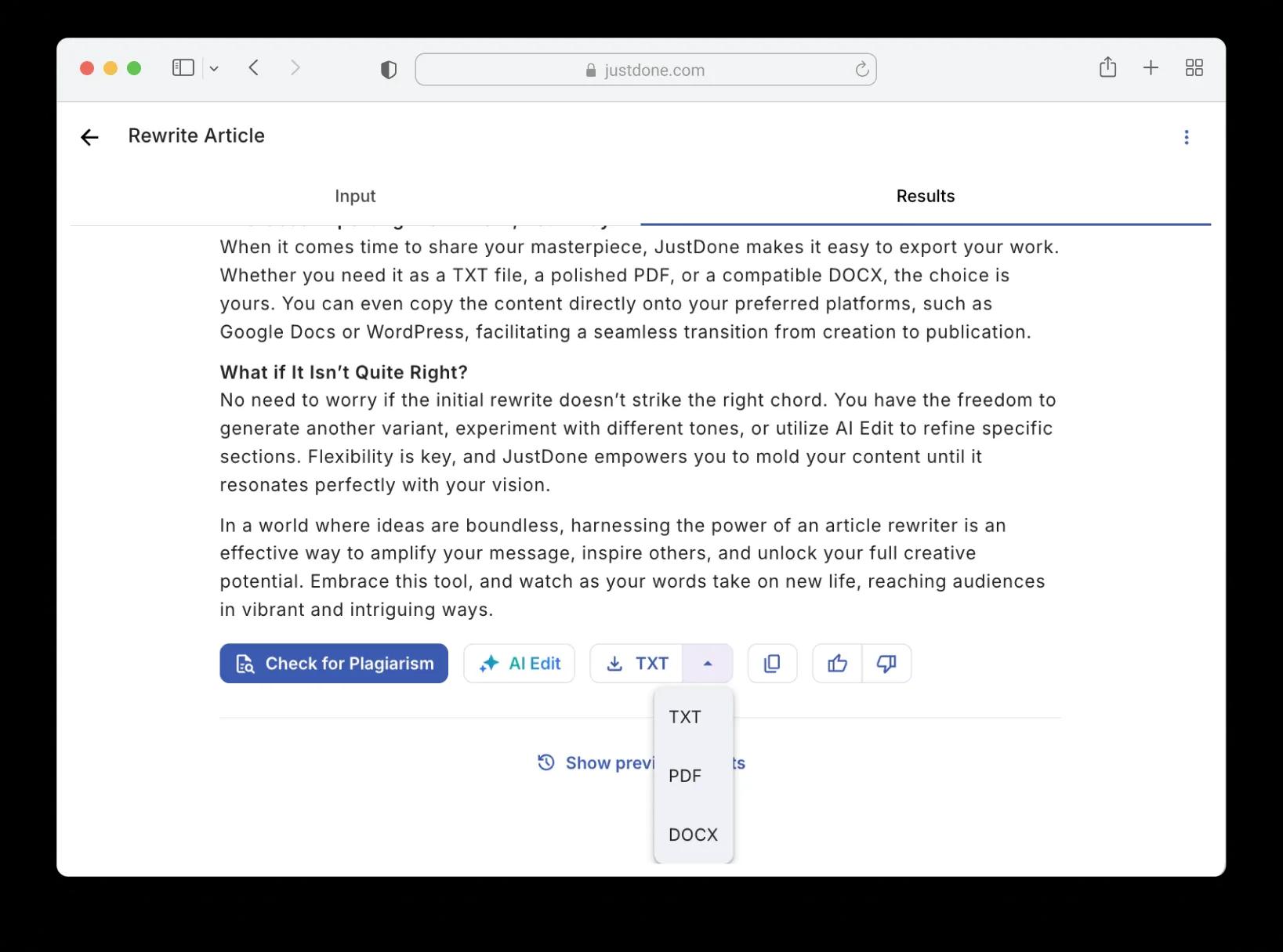
Download your rewritten article as TXT, PDF, or DOCX — or copy it straight to your clipboard. Built-in stats show word count, character count, and a "rewritten by" percentage so you know exactly how much changed.

Run a quick plagiarism check before publishing, use AI Edit to fine-tune specific sections, or generate another variant if you want a different angle. Everything happens in the same screen — no switching between tools.

Who Should Use an AI Article Rewriter

From content teams to solo creators — anyone who needs fresh versions of existing text, fast.

Students and Researchers

Rewrite summaries, literature reviews, or study notes in your own words. Use the tone selector to shift between academic and casual styles depending on the assignment.

Content Teams and Marketers

Repurpose blog posts, email campaigns, and landing page copy across channels without rewriting manually. Change the tone for different audiences and get multiple variants from a single source article.

Bloggers and Freelance Writers

Turn a single draft into several unique versions for different clients or platforms. Avoid self-plagiarism, meet deadlines faster, and keep your content pipeline moving without burning out.

Key Benefits of Using an AI Article Rewriter

    Save Hours of Rewriting Time

    Get a fully rewritten article in seconds instead of spending an hour rephrasing paragraph by paragraph. The AI handles sentence restructuring and vocabulary changes — you focus on reviewing the final result.

    Get Unique Content Every Time

    JustDone doesn't just swap synonyms. It restructures sentences, changes phrasing, and reorganizes ideas so the output reads as genuinely new content. Run the built-in plagiarism checker to confirm.

    Work in Any Language

    Rewrite articles in English, Spanish, French, German, or any other language. The AI adapts to your input language and maintains natural tone and grammar throughout the rewritten version.

Try JustDone

How to Rewrite Articles with AI

1

Paste, Upload, or Insert a URL

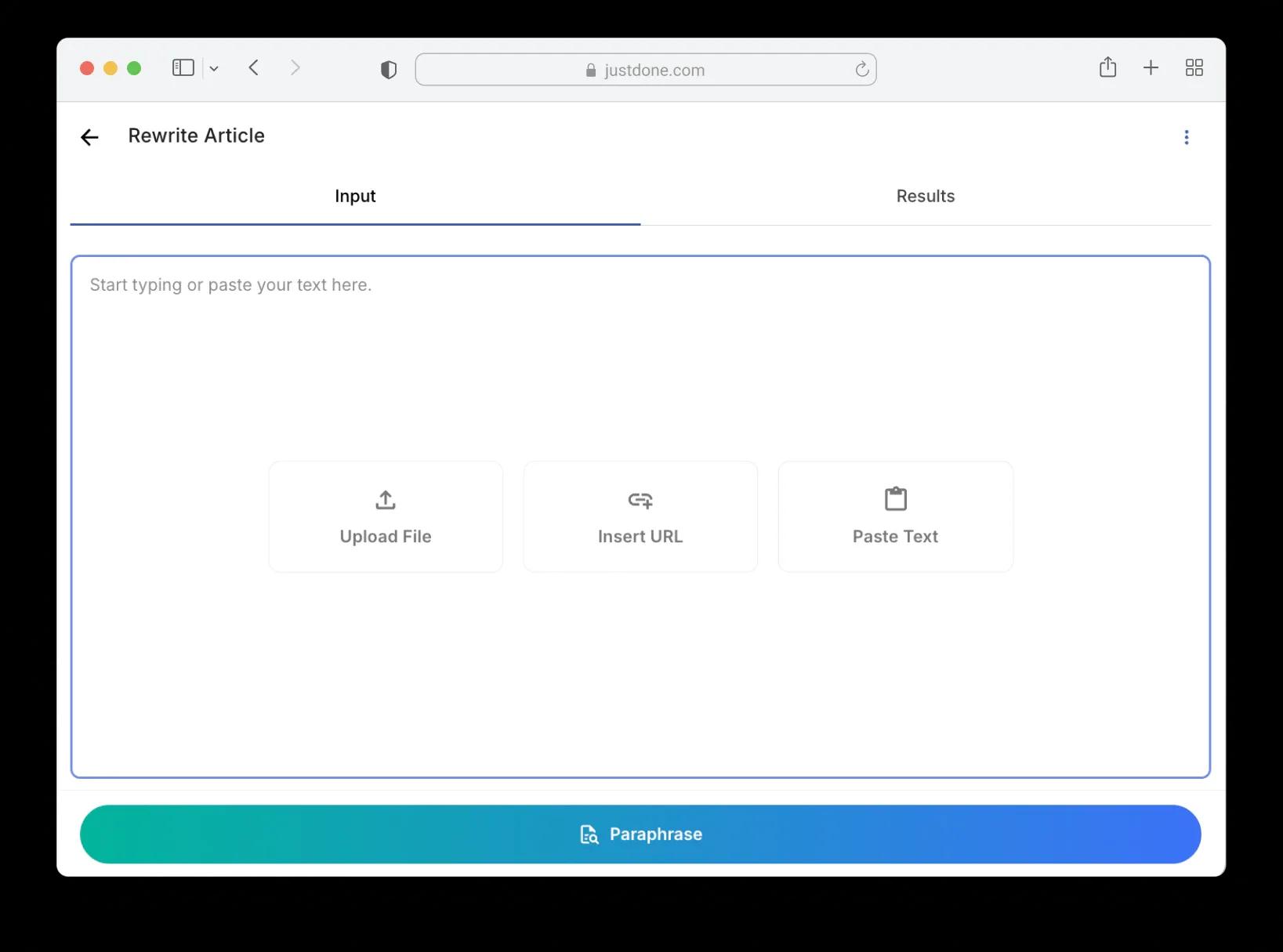
Start by pasting your text directly into the editor, uploading a file, or inserting a URL. JustDone accepts up to 30,000 characters per session, so even long-form articles fit without cutting anything.

No special formatting needed — the tool handles raw text. If you're working from a published article, the URL option pulls the content automatically.

2

Choose a Tone and Paraphrase

Pick one of seven tones: Neutral, Informative, Casual, Inspirational, Professional, Playful, or Persuasive. The tone shapes how the AI restructures sentences and selects vocabulary.

Click the Paraphrase button. In a few seconds the rewritten version appears on the right, complete with word count, character count, and a percentage showing how much changed from the original.


3

Review and Generate More Variants

Read through the result and check that the meaning stayed intact. If you want a different angle, increase the variant count and rerun — each variant restructures the text differently.

You can also switch the tone and paraphrase again for a completely different style. Compare variants side by side and pick the one that works best.

4

Check for Plagiarism

Run your rewritten article through the built-in plagiarism checker — it's one click right from the results screen. You'll see exactly which parts are original and whether anything needs another pass.

This is especially useful when you're rewriting content that was already published elsewhere. A clean plagiarism report means you're safe to publish without worrying about duplicate content penalties.

5

Export and Publish

Download your final version as TXT, PDF, or DOCX — or copy to clipboard for quick pasting into your file, Google Docs, or CMS. The export dropdown is right next to the result.

Need a small tweak before exporting? Use AI Edit to adjust specific sections without rewriting the whole article. Your rewritten content is ready to go.

Use Article Rewriter With Other JustDone Tools

Frequently Asked Questions

An article rewriter takes your existing text and generates a new version with different wording, sentence structure, and phrasing — while keeping the original meaning. JustDone's rewriter does this in seconds, so you skip the manual rephrasing.

Paste your text (or upload a file / insert a URL), select a tone, and click Paraphrase. The AI reads the full article for context, then rewrites it with fresh vocabulary and restructured sentences. You see the result on the right side of the screen with word count and a percentage showing how much changed.

Seven options: Neutral, Informative, Casual, Inspirational, Professional, Playful, and Persuasive. Each tone changes how the AI approaches sentence structure, word choice, and overall style.


Yes. JustDone restructures sentences and replaces vocabulary rather than just swapping synonyms. You can run the result through the built-in Plagiarism Checker to verify before publishing.

Yes. Use the Variants selector to generate additional rewrites from the same source text. Each variant is structurally different, so you have options to compare and choose from.

Yes. Download rewritten article as TXT, PDF, or DOCX. You can also copy to clipboard for quick pasting into Google Docs, WordPress, or any other platform.

Generate another variant with a different structure, switch the tone and paraphrase again, or use AI Edit to adjust specific sections manually. You're never locked into the first result.

some-alt