Key takeaways:
- AI plagiarism is not the same as traditional plagiarism. It’s about detectable machine patterns, not copied text.
- The safest way to remove AI plagiarism is rewriting with understanding, not using bypass tools.
- Before submitting academic work, always pre-check it with an AI detector (I recommend JustDone's) to avoid surprises.
You can remove AI plagiarism from your writing, but you shouldn’t try to bypass detectors. You should revise your text so it reflects your voice, your reasoning, and your understanding. After that, re-check your work with AI detector and run the text through AI humanizer if AI score is still high. AI plagiarism happens when content generated or heavily edited by AI tools gets flagged as machine-written or too similar to existing sources. The solution isn’t tricks, but needs thoughtful refinement. In this guide, you’ll learn:
- What AI plagiarism really means
- Why AI content gets flagged
- How to remove AI plagiarism ethically
- Which methods actually work in academic writing
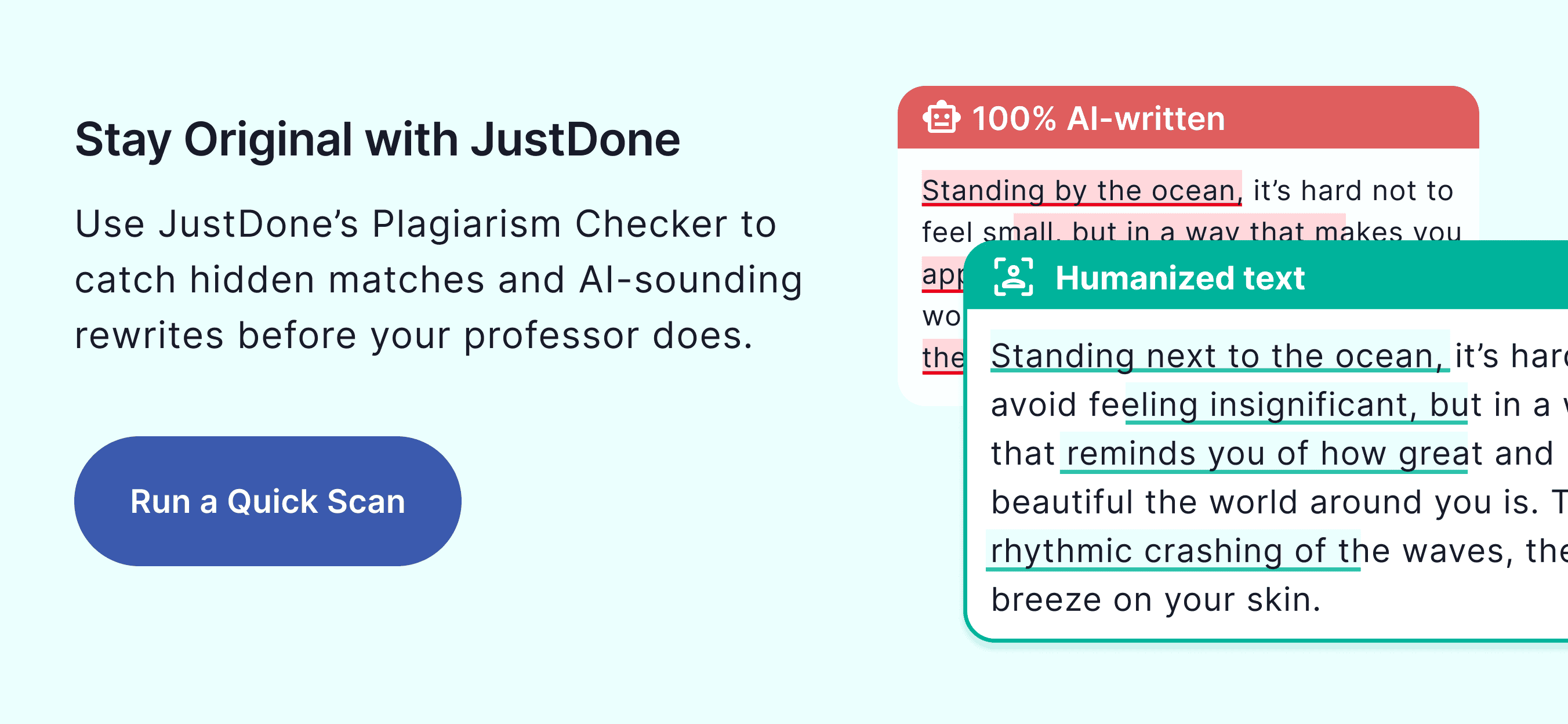
What is AI Plagiarism
AI plagiarism does not mean copying someone else's work word-for-word. Instead, AI plagiarism refers to the following options:
- Text generated fully by AI tools (ChatGPT, Gemini, Claude, etc.)
- Heavily AI-rewritten content that still follows machine patterns
- Paraphrased text that remains structurally predictable
- Generic AI phrasing that lacks personal reasoning
AI detectors don’t just look for copied content. They analyze sentence rhythm, predictability
structural repetition, uniform paragraph formatting, statistical burstiness, and tone consistency.
Even if your ideas are original, your writing may still be flagged if it resembles machine-generated structure. That’s why simply changing a few words rarely works. You need to redo the content deeply.
Why AI Content Gets Flagged
Understanding how AI detection works makes it easier to fix your writing. Most AI detectors look at patterns, not just words. They usually check for:
- Repetitive structure
AI writing often has paragraphs that are similar in length and sentences that follow the same balanced format. When everything looks evenly structured, it can raise suspicion. - Overused transitions and phrases like: “In conclusion,” “It is important to note,” “Furthermore,” “Overall.” Using these repeatedly can make the text feel formulaic, which increases the chance of being flagged.
- Too much consistency
Human writing naturally varies. People mix short and long sentences, change rhythm, and sometimes phrase ideas imperfectly. AI text often feels too smooth and uniform. - Flat tone
Academic writing should be formal, but AI-generated text can sound overly neutral or emotionless. When the tone feels mechanical rather than thoughtful, detectors may mark it as AI-like. To remove AI from writing, focus on rewriting, restructuring, and understanding, not copying. You can also explore more on how to humanize AI content if you're not sure where to start.
How to Remove AI Plagiarism The Right Way
From my experience, there are not too many methods that can help remove AI plagiarism the right way. Let’s talk about the three most reliable ones.
Method 1: Use an AI Detector and targeted rewriting
Before you fix anything, you need to know what’s being flagged. Run your draft through a reliable AI detector and review:
- Overall probability score
- Sentence-level flags
- Structural warnings
If you want to check whether your writing triggers AI patterns, try detect AI with JustDone’s AI Detector.
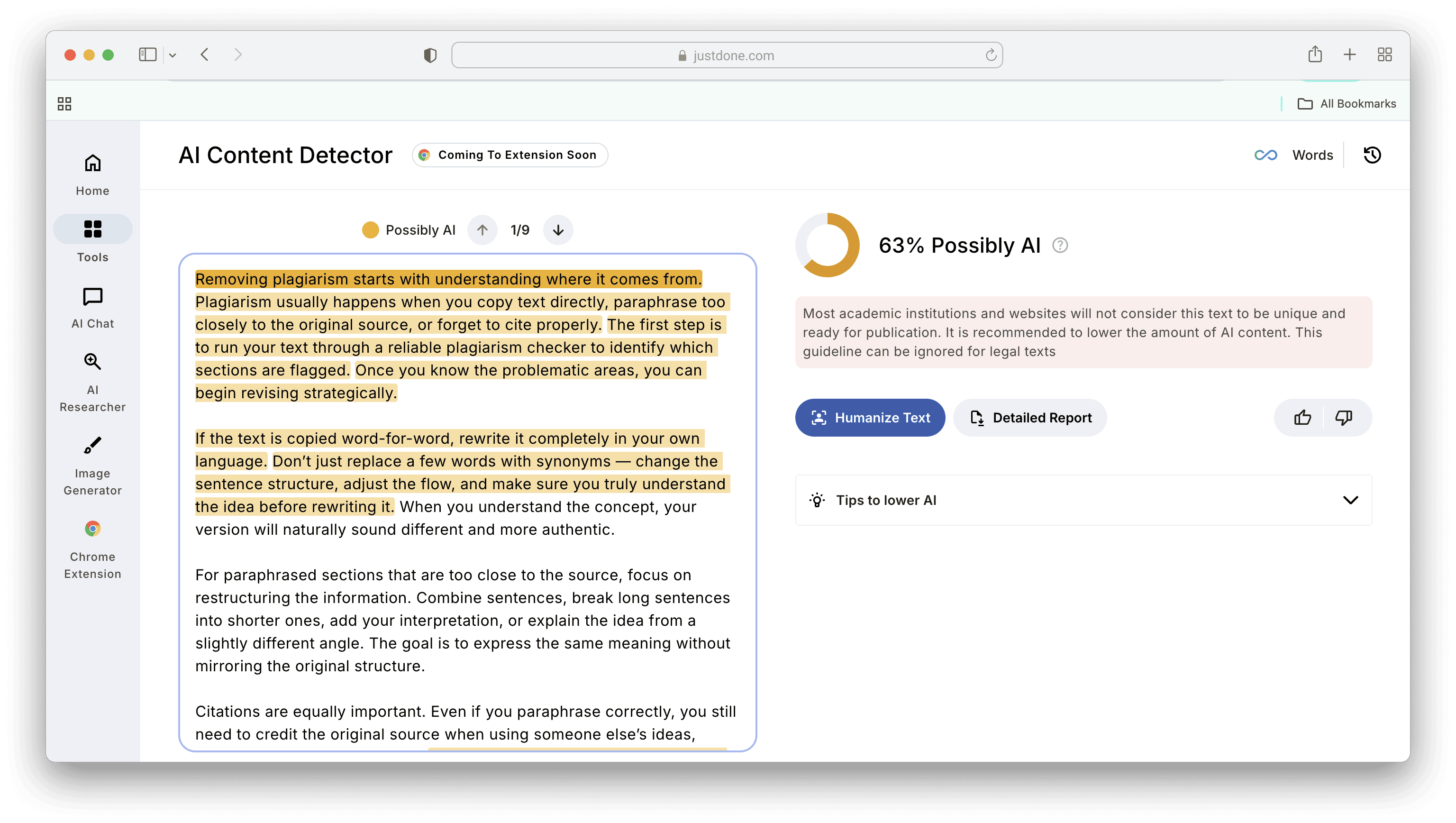
It analyzes sentence rhythm and structural predictability so you can see potential issues before submission.
Once you identify flagged sections, do the following steps:
- Rewrite those paragraphs manually
- Add clarification
- Insert reasoning
- Adjust sentence length variation
- Replace generic transitions
Do not rewrite the whole paper blindly, but fix strategically instead.
Method 2: Manual rewriting with understanding
This is the most reliable approach. Read each flagged section and ask:
- Can I explain this argument verbally?
- Does this sound like how I normally write?
- Did I just accept AI phrasing without thinking?
Then rewrite by breaking long AI-style sentences into varied lengths. Try to combine shorter robotic sentences. Also, add some personal interpretation and reorder your ideas. It is also very helpful to include field-specific language if you need any.
For example, let's rewrite the first two parapgraphs of the text I detected above. The original text is:
“Removing plagiarism starts with understanding where it comes from. Plagiarism usually happens when you copy text directly, paraphrase too closely to the original source, or forget to cite properly. The first step is to run your text through a reliable plagiarism checker to identify which sections are flagged. Once you know the problematic areas, you can begin revising strategically.” How to remove AI plagiarism manually in this passage? First, revise the structure, make it less predictable, and change the length of the sentences. Here's my result:
“Before you can fix plagiarism, you need to understand what caused it. Most cases come down to the same three things: copying text directly, paraphrasing without enough distance from the original, or failing to cite your sources. Use a plagiarism checker to pinpoint the flagged sections, then you know exactly where to focus instead of rewriting blindly.” The result of this rewriting is 5% AI score, which is far less than after the first scan.
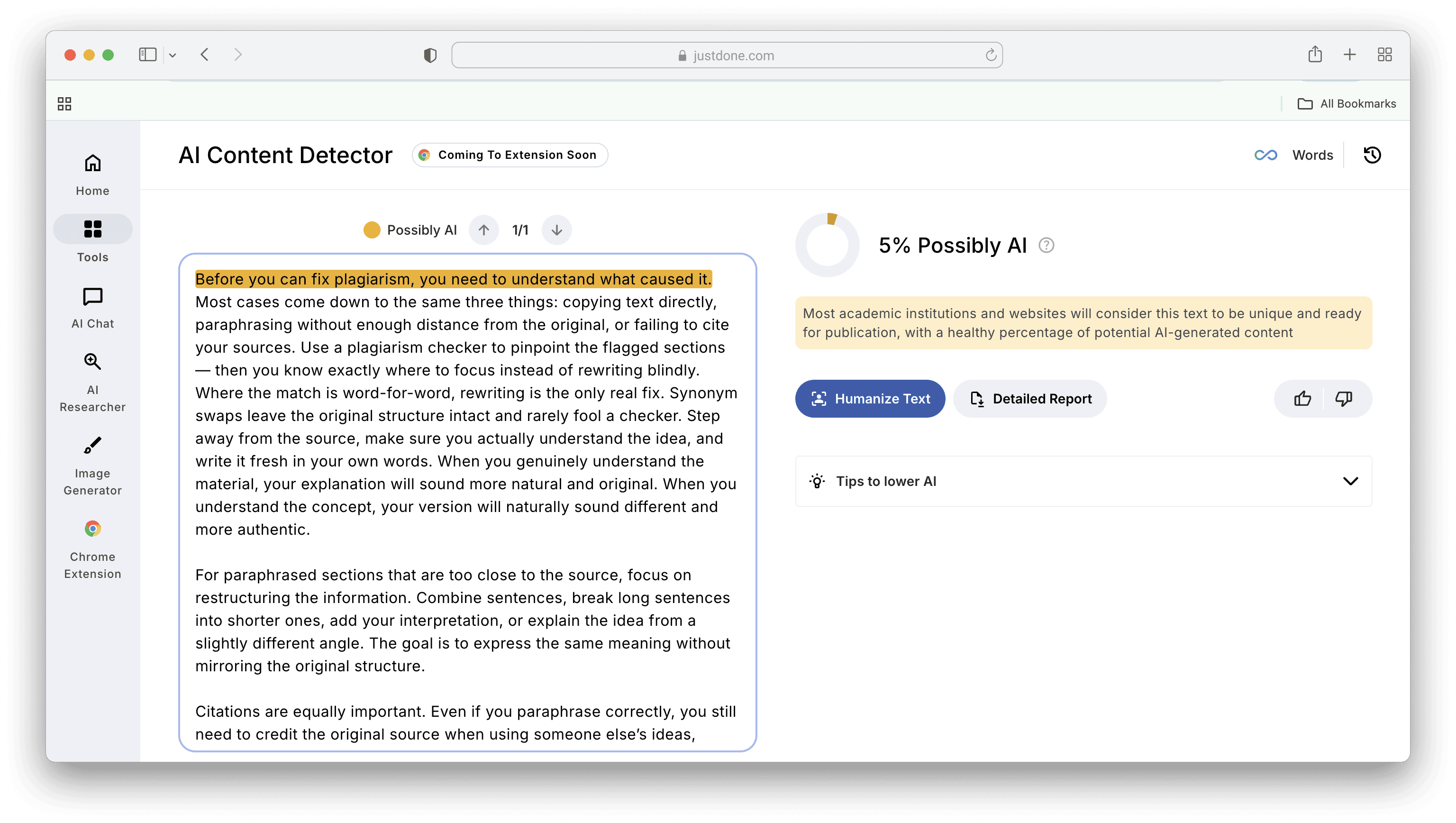
Rewritten version should sound with the same idea, but gives more human variation.
Method 3: Humanization and structural revision
Sometimes, full manual rewriting isn’t realistic under a deadline. In that case, use a structured tool approach:
- Detect AI patterns through AI checker
- Humanize flagged sections with AI humanizer
- Rerun detection
- Adjust manually
If you want a faster workflow, you can combine detection and rewriting tools in one place. For example, JustDone’s AI humanizing tool helps adjust tone and flow while preserving meaning. It's useful when time is limited, but quality still matters.
Important to remember that humanization should support your thinking, not replace it.
What Not to Do While Removing AI Plagiarism
When you’re trying to reduce AI detection risk, some methods actually make things worse.
Avoid copying AI output directly into your assignment. Even if it sounds good, unedited AI text often contains patterns that detectors recognize quickly.
Avoid using low-quality “bypass” or “undetectable” tools that promise instant results. Many of these simply swap words with synonyms or slightly rearrange sentences. This can make your writing sound unnatural and may increase the AI probability score instead of lowering it.
Avoid aggressively replacing words with complex synonyms. When too many words are swapped for advanced alternatives, the text can become awkward or inconsistent in tone. That mismatch is something both teachers and AI detectors notice.
Avoid trying to “trick” detection systems. AI detectors are constantly updated. Strategies designed to game them usually stop working quickly and can create even more obvious red flags.
And finally, never ignore citation rules. Even if AI helped you find an idea or summarize a source, you are still responsible for proper attribution. Detection tools check patterns, but professors check logic and sources.
Shortcuts often create more problems than they solve.
How to Use AI Without Getting Flagged
AI tools are not banned everywhere. In many cases, they are allowed for support. The key difference is how you use them.
It is generally safe to use AI for brainstorming ideas when you feel stuck. You can also use it to help structure an outline before writing. If a sentence feels unclear, AI can suggest alternative wording. It can even provide examples that help you understand a concept better. Where problems start is when AI replaces your thinking.
Using AI to generate a full draft and submitting it with minimal editing is risky. Letting AI create analysis or arguments that you do not fully understand is also risky. If you cannot explain your own reasoning, that becomes obvious in conversation with a professor.
A safer process looks like this:
- Start with your own ideas.
- Use AI only to support clarity or structure.
- Rewrite everything in your own voice.
- Add your interpretation and examples.
- Double-check facts and cite properly.
If you understand every sentence you submit and can explain it confidently, you are in a much stronger position than someone who copied and pasted.
How Much AI Probability Is Acceptable?
There is no universal threshold that applies to every school.
- Some institutions consider 0-20% AI probability low risk.
- Scores between 20-50% are often reviewed manually.
- Anything above 50% may trigger further investigation.
But these are general patterns, not official rules. Every university has its own academic integrity policy. Some allow limited AI use with disclosure. Others restrict it heavily. Some courses have stricter requirements than others.
It’s important to remember that AI detection scores are probability estimates. They are not proof of misconduct. Professors look at context, writing history, and your ability to explain your work.
Before submitting, check:
- Your university’s academic integrity guidelines
- Any AI usage policy listed in your syllabus
- Whether disclosure is required
Understanding the rules reduces anxiety. And knowing how detection works helps you write more confidently, not more cautiously.
Final Thoughts on How to Remove Plagiarism
AI can be a powerful tool, but only if used responsibly. When polishing a research paper, writing your thesis, or submitting classwork, it’s essential to make sure your content is original, clear, and ethically sound. In fact, not to be flagged, you don’t need to do a lot of manual work.
With the right tools and practices, you can remove AI plagiarism online without stress. I recommend using quick-fix platforms like JustDone’s AI Plagiarism Remover, doing manual rewriting with a humanizer, and applying some paraphrasing techniques. Don’t forget that your goal should always be to communicate in your own voice, but meet academic standards at the same time.
F.A.Q.
What is the best way to remove AI plagiarism?
The best way to remove AI plagiarism is to combine smart editing with proper tools. First, review and rewrite the text in your own voice, adding your interpretation and restructuring sentences. Then run it through a reliable AI detector and plagiarism checker like JustDone to identify flagged sections and refine them before submission.
What is AI plagiarism?
AI plagiarism refers to writing that is flagged as machine-generated or structurally AI-like, even if it is not copied from another source, because it contains patterns, phrasing, or structural uniformity commonly associated with AI models.
Can AI detectors be bypassed?
Temporarily, sometimes. But reliably and ethically, no. Trying to trick detection systems often leads to unnatural text, while thoughtful rewriting and personalization are far more effective and sustainable.
Is AI plagiarism the same as traditional plagiarism?
No. Traditional plagiarism involves copying someone else’s work without proper attribution, while AI plagiarism refers to text that appears machine-generated due to detectable writing patterns, even if the ideas are original.
Which method works best for removing AI plagiarism?
It depends on your needs. For quick revisions, an AI plagiarism remover like JustDone can help identify and adjust risky sections, but for stronger results, combining manual rewriting with humanization tools ensures the text truly reflects your own voice.
