Key takeaways:
- Don’t swap synonyms; rewrite the structure. AI detectors react more to predictable sentence patterns than vocabulary, so change sentence order, openings, and rhythm.
- Make your writing less uniform on purpose. Mix short and long sentences, vary paragraph length, and stop using the same transitions in every section.
- Use an AI humanizer after manual edits as a second pass. It can help break AI patterns faster, but it works best when you humanize only the most robotic paragraphs, then review the output and add your own intent/examples
If you’ve ever run a draft through an AI detector and got a high AI score, the issue is rarely the topic. It’s usually the writing pattern. AI tools tend to produce text that looks clean, consistent, and easy to predict. That’s exactly what detectors are trained to notice.
Manual humanization is not about making your writing messy or less academic. It’s about making it less uniform.
Below are the most effective edits I use when I want AI-generated or AI-edited text to look more natural and less statistically predictable.
Humanize AI Content Fast and Safe
Here are my best-working tips on how to rewrite AI-edited or AI-generated text to make it sound human and bypass AI detection.
Tip 1. Stop writing in one perfect rhythm
One of the most common signals of AI text is how evenly it “flows.” Every sentence is similar in length, similar in structure, and starts in a similar way. It reads fine, but it feels mechanically balanced.
Human writing doesn’t do that. People naturally mix long sentences with shorter ones. They pause. They emphasize something quickly. They sometimes interrupt a smooth explanation with a short line that sounds like a real person making a point.
So when you edit, your main goal is simple: to break the uniform rhythm.
Tip 2. Choose the correct sentence length
The length of the sentences matters more than most people think. AI-generated paragraphs often contain sentences of almost the same length. This makes the text easy for detectors to predict, especially when the entire paragraph follows one steady “pace.”
What usually works better is a controlled mix:
- one longer explanatory sentence
- followed by one short sentence
- a sentence that restarts differently
- a sentence with a slightly different structure
This is a small change, but it often lowers AI scores more than replacing vocabulary.
Tip 3. Stop repeating the same sentence starters
A lot of AI-written drafts begin multiple sentences the same way. The most common pattern is to start with “This” or “The.” Even if the content is correct, the repetition makes it feel machine-generated.
When I edit, I make sure sentence openings don’t stack in the same shape. I’ll rewrite one so it starts with a connector, another with a specific example, and another with a direct statement. It’s still academic writing, but it just doesn’t look like a template.
From my experience, repetition is the “invisible” reason text gets flagged. Detectors often react not because one sentence is AI-like, but because the draft repeats the same phrasing again and again. A lot of AI outputs reuse the same academic verbs, transition words, “framing” phrases, and the same sentence logic (“X is important because,” etc.)
This is why a draft can look natural at first glance, but still gets flagged. It’s structurally predictable. When you edit, it helps to look for repeated phrasing and either remove it or rewrite it more directly.
Tip 4. Remove clichés and filler framing that adds no meaning
AI tends to fill space with lines that sound academic but don’t add information. For instance, such phrases as “In today’s world,” “It is important to note that,” “Before diving into,” or “This topic plays a major role.”
These are not always wrong. They’re just low-value and very common in AI writing. A practical fix is to delete them and replace them with the real point. If the sentence doesn’t change the meaning of the paragraph, it can usually be removed.
Tip 5. Watch for old-fashioned or overly formal wording
AI writing often uses vocabulary that feels too polished or slightly outdated. Not incorrect, just unnatural for real student writing. I mean phrases like “Before delving into,” “It is essential to grasp,” or “Woven into the fabric of.” Who actually talks like this? These lines make the text sound like a formal template, or even like something written for a brochure.
The fix isn’t to simplify everything. It’s to rewrite those parts using modern, direct phrasing that people actually use in normal academic writing.
Tip 6. Don’t make every paragraph the same size
One detail people miss: you can often spot AI writing by the shape of the document. AI tends to create paragraphs that are evenly sized, evenly structured, and evenly concluded. It looks neat, but also suspiciously perfect.
In real writing, some paragraphs are naturally shorter, especially when the author emphasizes one key idea. Others are longer because they explain evidence or context.
Even a small variation in paragraph length helps reduce that “machine-balanced” look: 7th, 7pm, etc.
Tip 7. Avoid the “three-item habit” (AI loves triplets)
AI often lists things in threes. It’s a common pattern that makes writing feel structured: “First, second, third;” “Clear, effective, and reliable.” Triplets are not banned, but AI uses them constantly. When you combine triplets with a predictable sentence rhythm, detectors react faster.
If your draft has a lot of “three things” lists, break a few of them. Combine ideas into one sentence or expand one point with a specific detail.
Tip 8. Be more concise: AI overexplains everything
Another pattern that shows up in AI drafts is redundancy. AI tends to explain an idea, rephrase it, summarize it again, and then end with a mini conclusion. This makes writing longer without making it better.
Manual editing works best when you cut unnecessary lines. Human writing is usually tighter because people don’t repeat the same point three times in one paragraph.
If you want one practical test: read the paragraph and delete 1-2 sentences that only restate the idea. The draft often becomes clearer, and the AI score usually drops.
Tip 9. Use more varied logic, not just varied words
Many people try to “humanize” by swapping synonyms. That rarely helps because detectors don’t only look at vocabulary, they look at patterns. One of the strongest things you can do is change the sentence logic.
For example, “Many scholars believe” can become “According to several scholars.” Or you can write “One common view is that.” In fact, these have the same meaning, but with a different structure, which is less predictable. This is especially useful when multiple sentences use the same academic framing.
Tip 10. Small subjectivity helps (without becoming emotional)
Academic writing doesn’t need emotion, but it can include judgment. AI usually avoids that by default.
A small opinion marker makes writing look more human. Use something like this:
- “This is a concern because”
- “What stands out here is”
- “This argument sounds strong, but”
These lines communicate that a real person is making decisions, not just producing neutral summaries.
How AI Humanizing Tools Help
Sometimes, even if you go through all 10 tips, detectors can still demonstrate a high AI score. This may happen for several reasons:
- Your text is too formal
- Your tone is too polished or outdated
- Your paragraph structure is the same throughout the whole paper
If I’m short on time and can’t revise my writing from the very beginning, I use AI Humanizer by JustDone. This tool helps me rewrite the text so it sounds different and more human. For example, let’s test AI Humanizer on a piece of social class essay I rewrote, but it still has a high AI score.
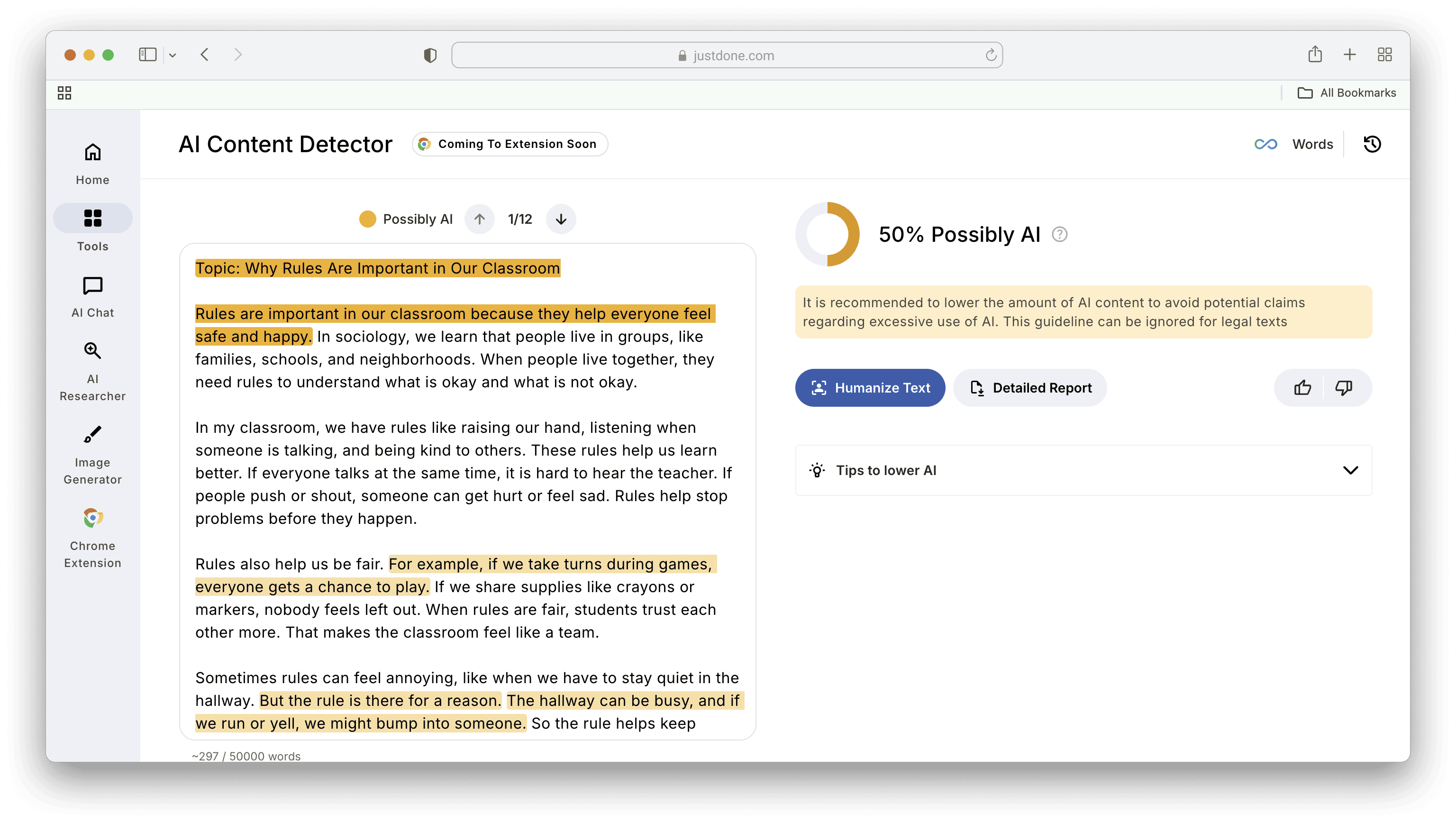
I selected Sound Human mode (actually, my favorite) and got 3% AI as a result. The only thing I need to do is to double-check the structure and make minor grammar fixes.
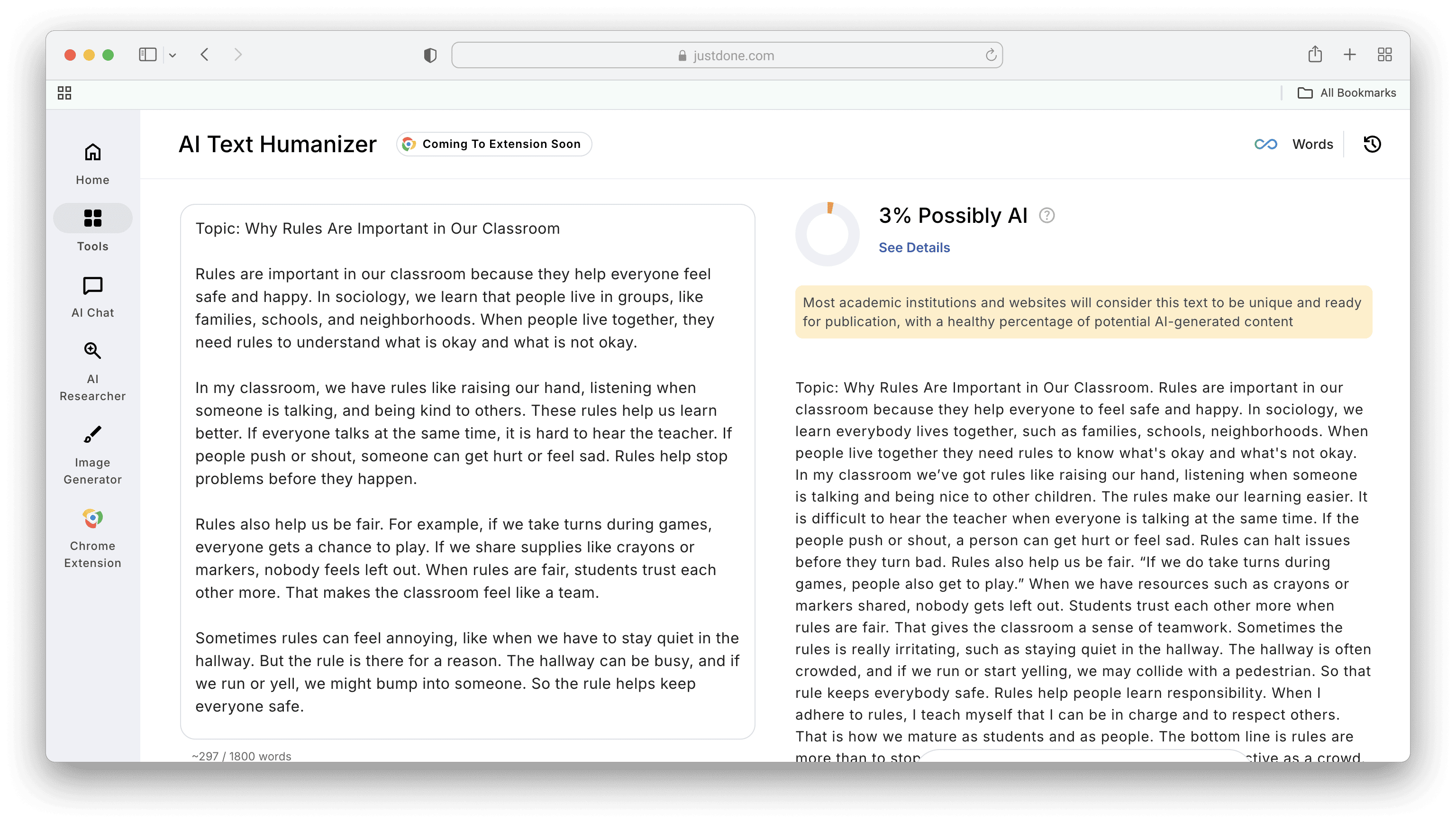
AI Humanizer by JustDone can be the eleventh tip that helps humanize AI content. However, the best approach is to use both manual editing and a tool to get the most reliable result.
What to remember if you only remember one thing
You don’t need 25 or more rules memorized. The core idea is simple: AI writing gets flagged because it’s too uniform and too predictable. Manual humanization works when you make the draft less uniform while keeping it clear. Mix sentence length, reduce repeated phrasing, remove filler lines, and make the structure feel more natural. That’s usually enough to lower AI signals without hurting the quality of the writing. If manual editing does not help, try AI Humanizer to save time, boost productivity, and make your writing feel genuinely human.
