Key takeaways:
- AI removes study friction by simplifying hard topics, cleaning messy notes, and turning long chapters into clear, exam-ready summaries.
- Interactive prompts and AI humanizers like JustDone make learning more effective, helping students generate practice questions, refine answers, and understand material on multiple levels.
- Used correctly, AI becomes a study companion—a tutor, editor, and organizer that saves time and boosts confidence during exam prep.
To be frank, I relied heavily on AI throughout my degree. Now, I can confidently say this: most students still use AI wrong. They still underestimate how much easier exam preparation becomes when you use AI correctly. AI removes chaos and friction a lot. The unreadable textbook lines, chaotic notes, lack of practice questions, and overwhelming PDFs can all be handled faster using AI tools.
Below are the exact exam-prep use cases that helped me as a student. I’ve added real prompts, copy-ready examples, and how to use JustDone’s tools so students can apply everything instantly.
How to Use AI for Exams
I've gathered several tips I personally use to make my exam preparation faster and more efficient. These recommendations can be used with any LLM you like; however, for me, the most relevant AI I use while studying is the JustDone toolkit. It includes AI detector, Plagiarism checker, AI humanizer, summarizing tool, AI paraphraser, and four other tools designed specifically for the academic space.
Tip 1. Understand Hard Topics Faster Using AI Explanations
Textbooks often assume you already know half the material. With AI, you can ask for explanations at multiple levels until it finally makes sense.
Try this inside JustDone AI chat with the following prompt:
“Explain the Krebs cycle in three levels:
- like I’m 12,
- like I’m a first-year bio student,
- in full exam detail with terminology.”
Output you might get:
- Level 1: “Your cells use the Krebs cycle like a tiny engine…”
- Level 2: Detailed but readable.
- Level 3: Full academic explanation for exam writing.
 Paste the output into JustDone AI Humanizer if the academic version still feels “too AI-like,” and it will keep the terminology but adjust tone to be more natural.
Tip 2. Ask AI to Simulate Your Teacher’s Writing Style
Teachers have recognizable patterns in how they phrase questions. Feed AI a few example questions:
“Learn the question style from these examples and generate 10 new questions similar to how my professor writes [add notes].”
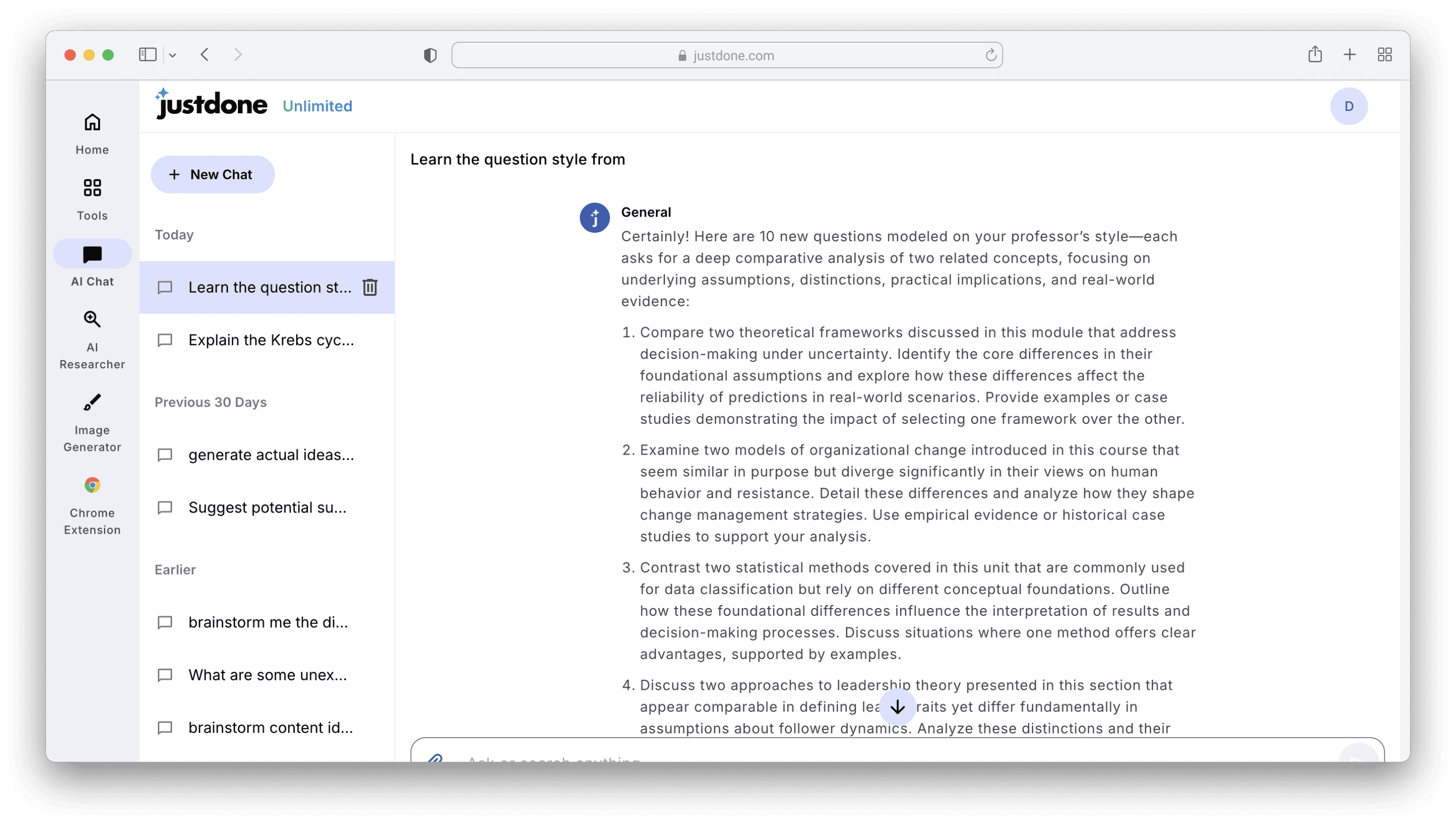
This gives you exam-relevant practice instead of generic questions.
Tip 3. Turn Messy Notes Into Clean Study Guides
Most exam stress comes from disorganized notes. AI cleans them without changing meaning.
Example messy notes:
Econ lecture—supply/demand shifts?
Market equilibrium changes when external factors??
Elasticity = responsiveness?
Price ↑, demand ???
Paste into AI chat with the prompt: “Rewrite this into a clean, structured study guide with definitions, bullet points, and examples without changing meaning.”
Clean output may look like:
- Supply shifts when production conditions change
- Demand shifts due to income, preferences, substitute prices
- Elasticity = responsiveness of demand to price changes
- When the price rises, demand usually decreases unless inelastic
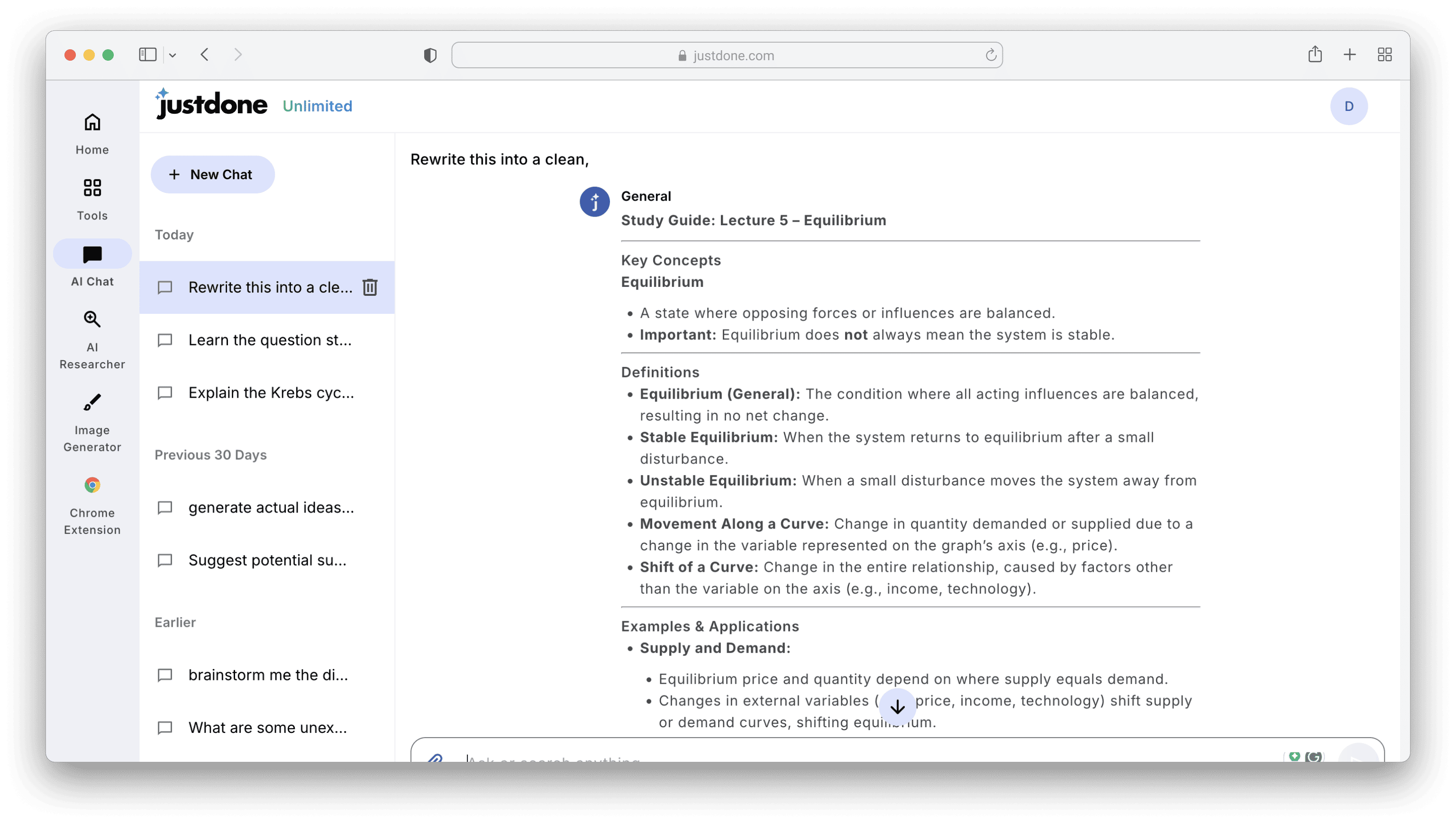
It’s a perfect tip for building exam revision sheets.
Tip 4. Use AI Quizzes to Find Your Knowledge Gaps
Instead of rereading, let AI diagnose what you don’t understand.
Prompt:
“Quiz me on Chapter 3. Increase difficulty when I answer correctly. Stop only when you find gaps in my understanding.”
Tip 5. Summarize Huge PDFs with AI Summarizer
When reviewing PDFs, copy a section into the JustDone AI summarizer and select text compression level from auto to high. For example, from a long 2,000-word chemistry chapter, JustDone made a 247-word extract with clear structure and easy-to-remember text.
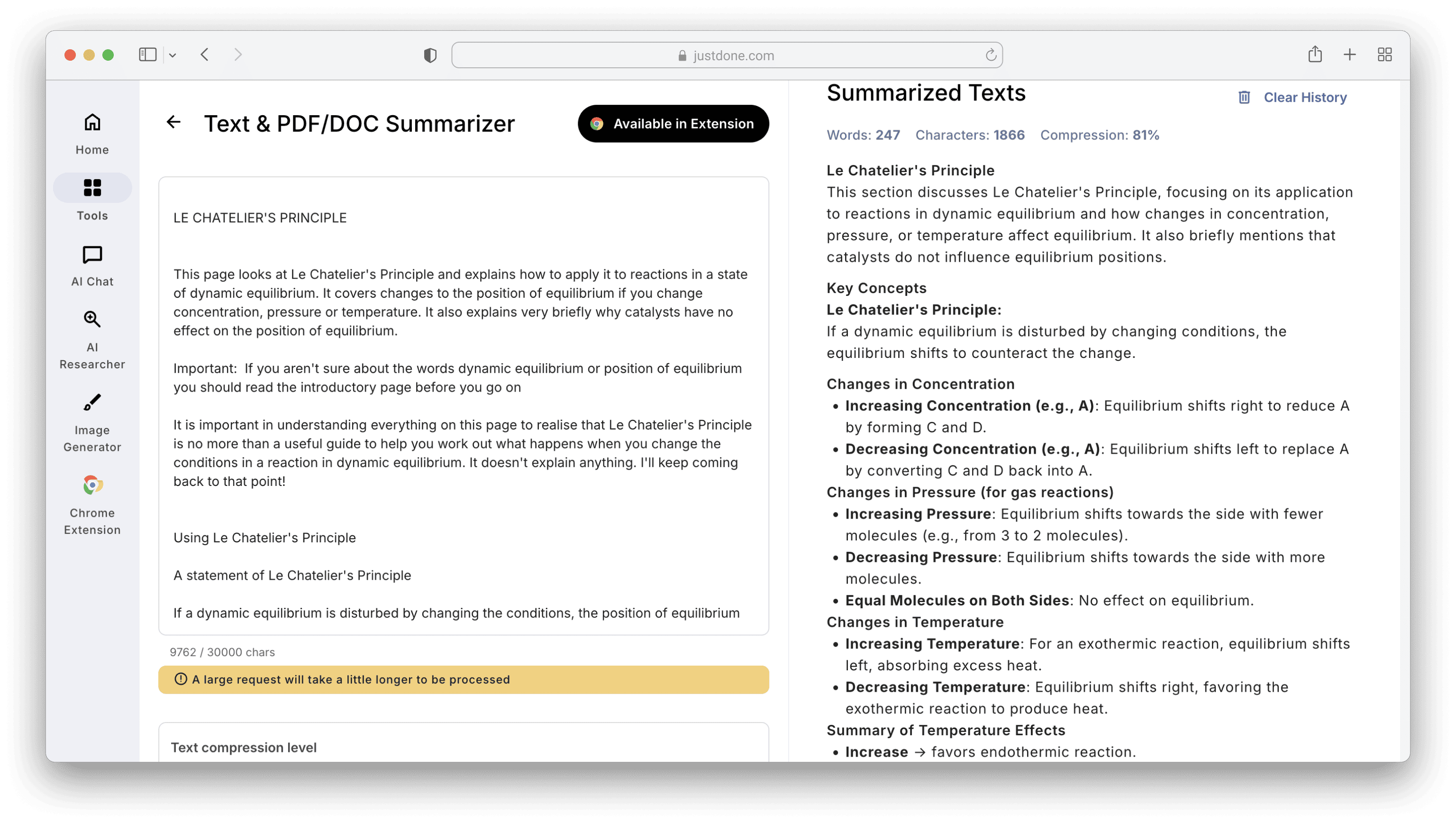
This gives students a direct, exam-aligned version.
Tip 6. Rewrite Definitions in Your Own Words to Improve Memory
Original overly formal definition:
“Photosynthesis is the biochemical process in which autotrophic organisms convert light energy into chemical energy stored in glucose molecules.”
Paste into JustDone Humanizer and choose Sound human mode. You will get a more human-like output:
“Photosynthesis is the way plants use sunlight to make their own food by turning light energy into sugars they can store.”
This technique boosts conceptual understanding and avoids memorizing rigid textbook language.
Tip 7. Build One-Page “Cheat Sheets” for Last-Minute Revision
AI can compress a huge topic into a single high-impact page. It’s something similar to summarizing; however, it is not limited to an article/book/source.
Prompt for AI chat can be like the following:
“Turn this entire chapter into a one-page cheat sheet with headings, key terms, examples, and mnemonic devices.”
This works extremely well for:
- biology pathways
- historical timelines
- economic models
- psychological theories
Tip 8. Fix Robotic, Over-Formal Exam Responses Before Submission
Many students write answers themselves but still end up with stiff phrasing. JustDone Humanizer smooths this while preserving structure, formula notation, academic terminology, and citations.
Example student-written answer:
“The industrial revolution was very impactful and important because it created many societal changes that were transformative. It marked a significant turning point in the ways people worked, lived, and interacted with one another, leading to developments that shaped the foundations of the modern world. As new technologies emerged and production processes became increasingly efficient, societies experienced dramatic shifts not only in economic structures but also in cultural norms and everyday life. Many historians consider this era one of the most influential periods in human history, as its effects extended far beyond the factories and workshops where these changes first began.”
Paste into AI Humanizer, select the mode (Auto, Sound human, Bypass detectors), and get the improved version:
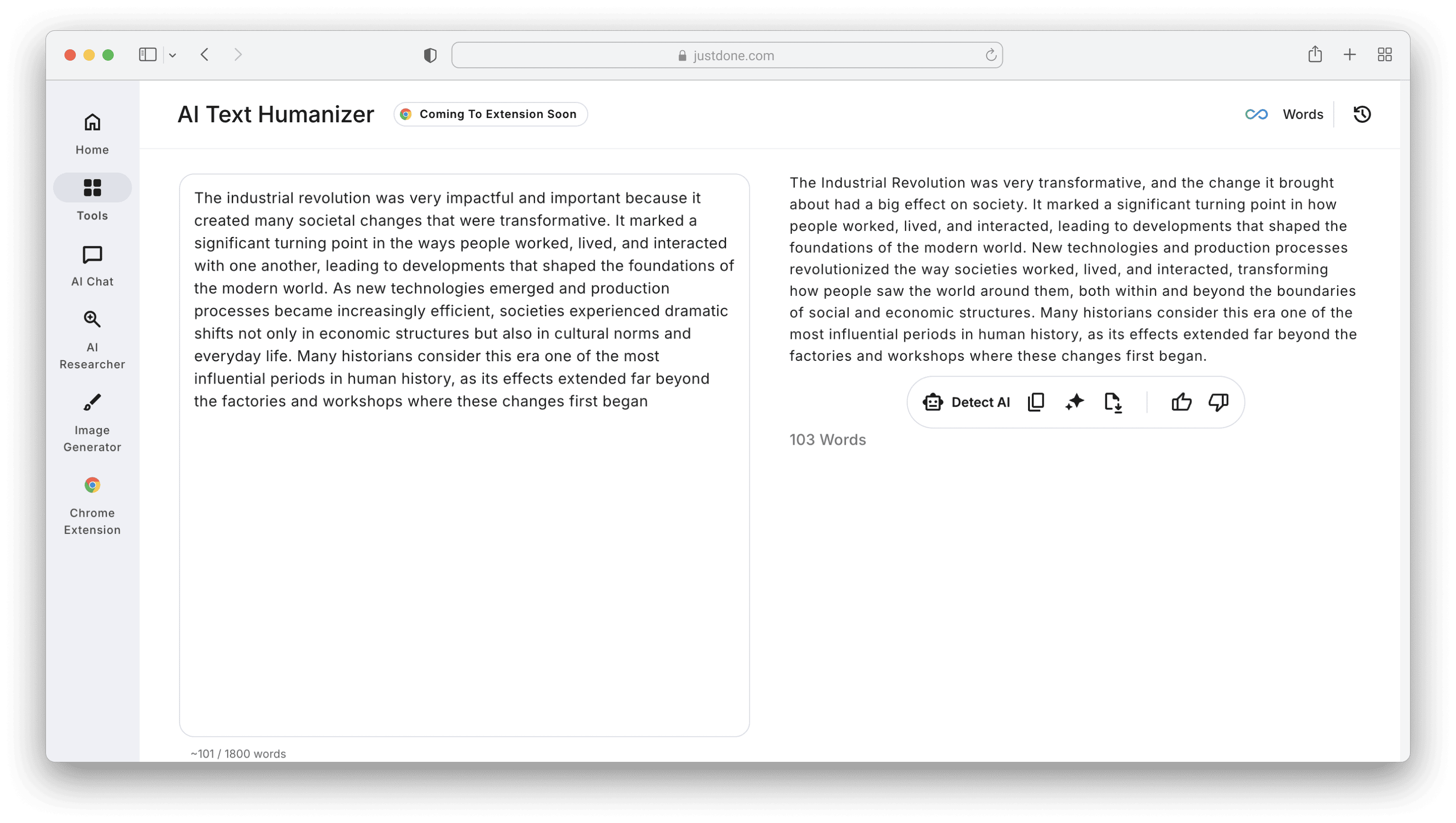
Cleaner, more concise, and more human.
Tip 9. Turn Dense Material Into Flashcards, Mnemonics & Analogies
You can use AI flashcard generator to transform some topic into memorable visuals. Prompt for flashcards could be as following:
“Turn this chapter into 40 spaced-repetition flashcards.”
Prompt for mnemonic:
“Create a mnemonic to remember the steps of oxidative phosphorylation.”
Prompt for analogy:
“Explain this economic model using a simple real-life analogy.”
Students can copy the outputs directly into study apps like Anki or Notion.
Tip 10. Fact-Check Academic Claims Before Exams
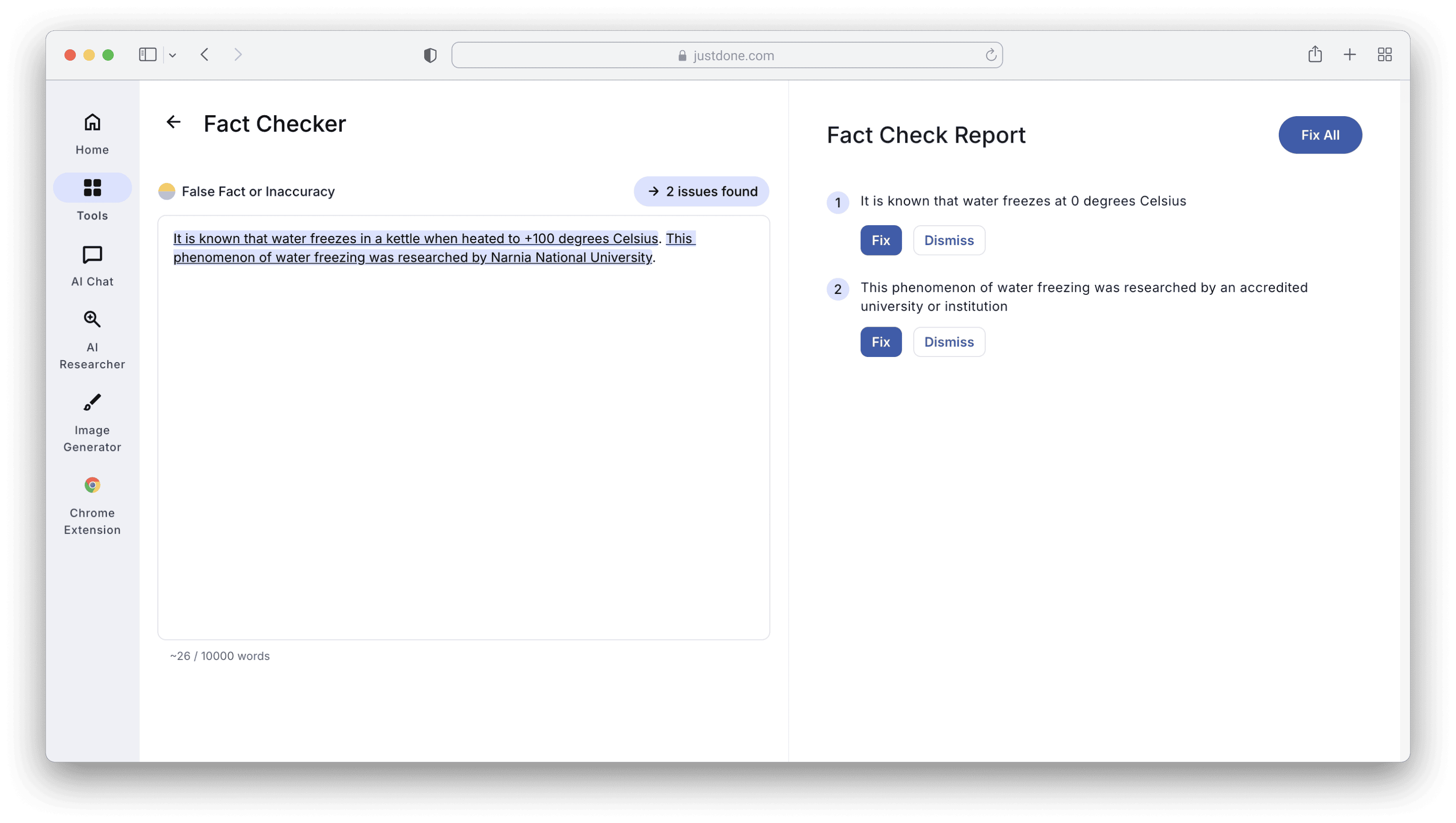
AI can verify or refute statements you are unsure about. JustDone’s Fact Checker is handy for this. Just upload or paste the text you need to check, click “Check Facts”, and get a reliable answer if this is true. This helps avoid memorizing wrong information (a common exam disaster).
Make Exam Prep Easier with AI
AI isn’t a substitute for learning, but it’s a good tool that removes barriers when preparing for exams:
- confusion
- disorganization
- lack of practice questions
- overly formal academic text
- huge PDF overload
Used correctly, AI becomes your explainer, tutor, editor, and study organizer. Tools like JustDone’s Humanizer, Summarizer, AI chat, and others help refine your work into clear and accurate output. Besides, they save time and boost productivity, which is best when the deadlines are tight.
