Try JustDone

Analyze Documents with AI

Upload PDF, DOC, or TXT file and let AI summarize, explain, or break down its content. Get instant answers, summaries, and key insights from your documents in seconds.

Try JustDone
  • Rocket

    Chat with PDFs, Word docs, and text files

  • Rocket

    Ask unlimited questions about your document

  • Rocket

    Get summaries, key points, or simplified versions

AI-Powered Document Analysis Features

Upload once, analyze endlessly. AI reads your document and answers any question instantly.

Upload and Chat With Any Document

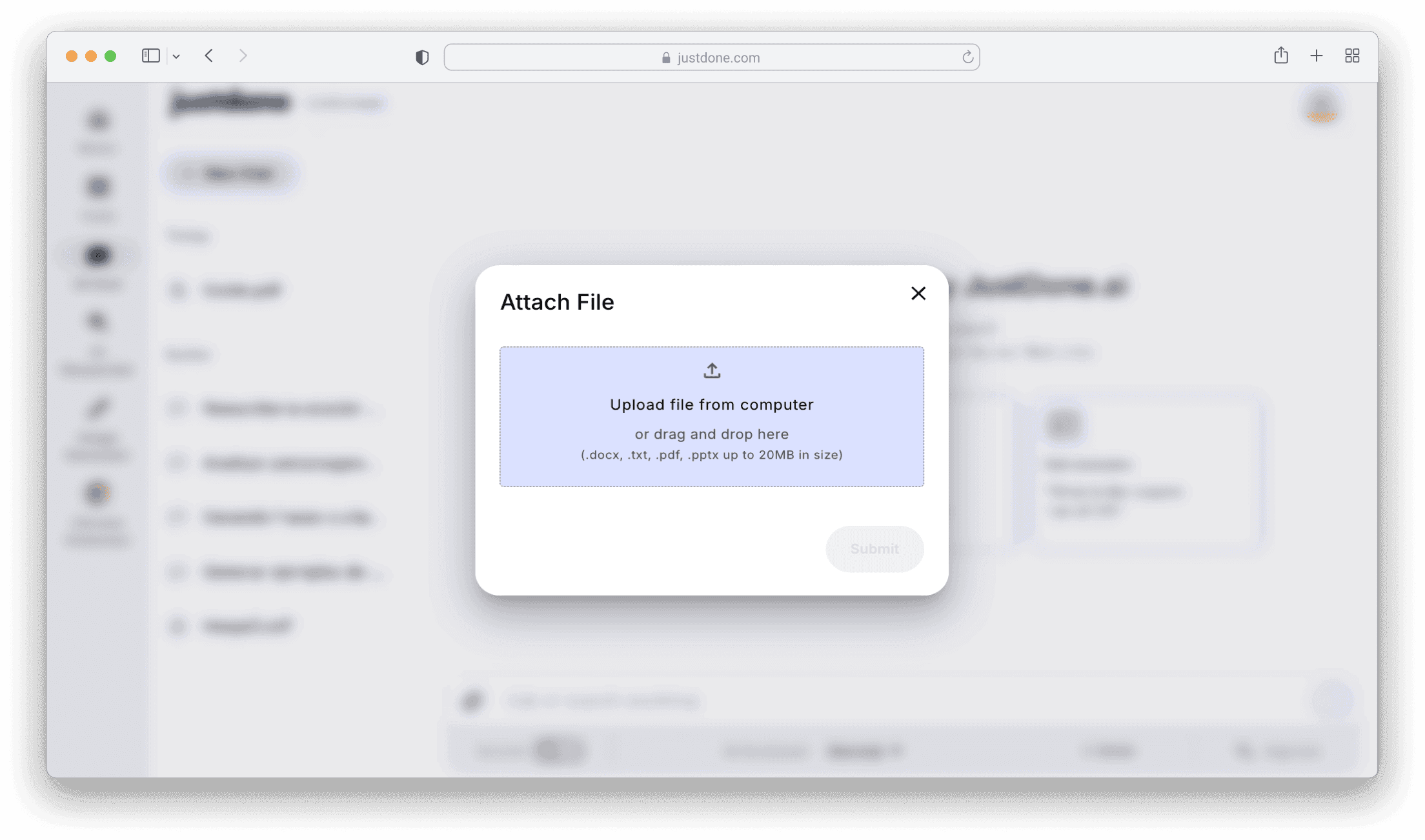
Drag and drop your PDF, DOCX, PPTX, or TXT file—up to 20MB. JustDone processes your document in seconds, creating a context memory that understands every section, paragraph, and detail.

Once uploaded, start asking questions. AI scans the entire document, finds relevant information, and explains it clearly—no need to read through pages manually.

Get Instant Summaries and Key Points

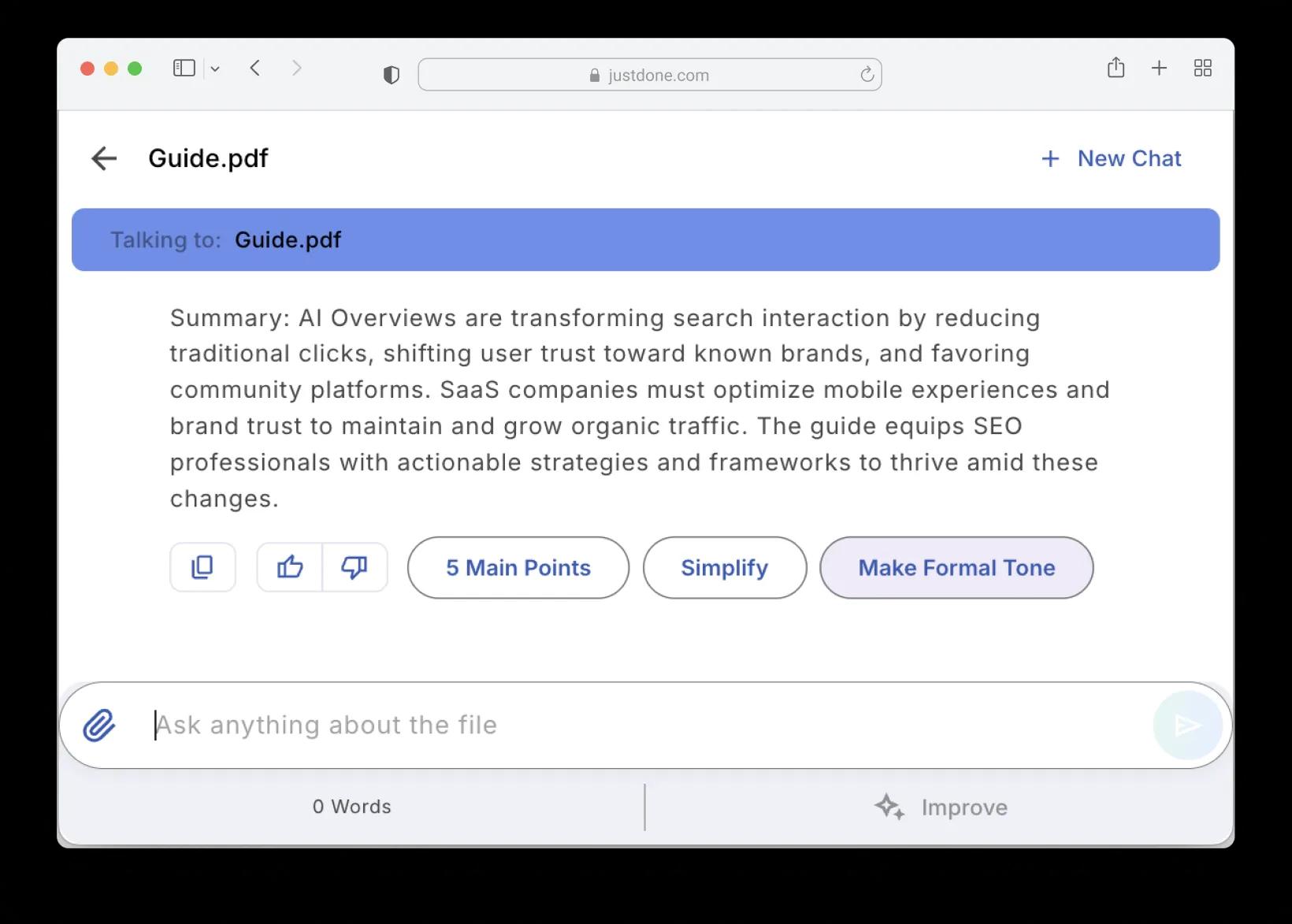
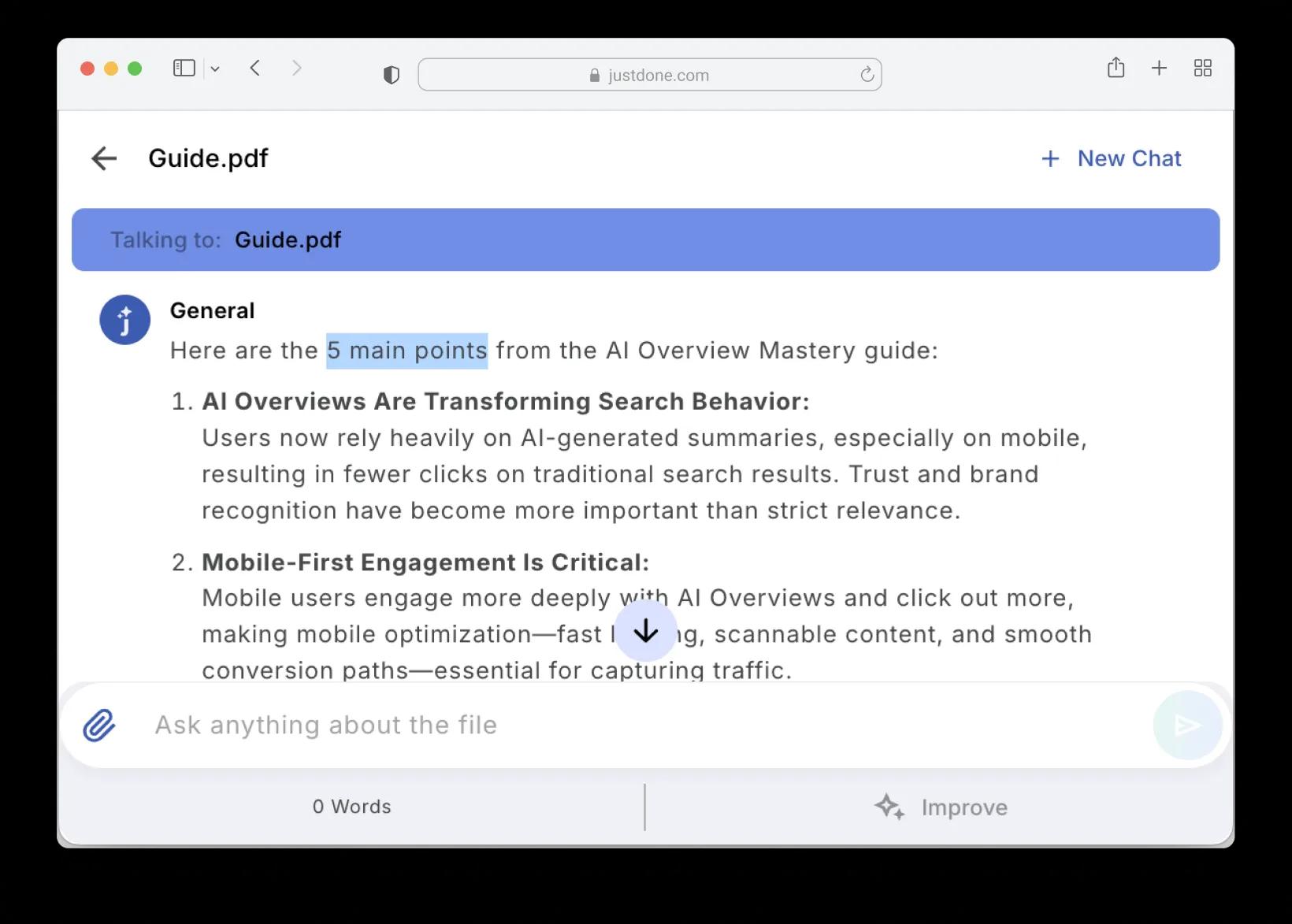
Need a quick overview? Click "5 Main Points" to extract the most important information from your document. Or ask AI to "Simplify" complex sections into easy-to-understand language.

No more wading through dense text. AI identifies what matters, summarizes key findings, and presents information clearly—perfect for reports, contracts, or research papers.
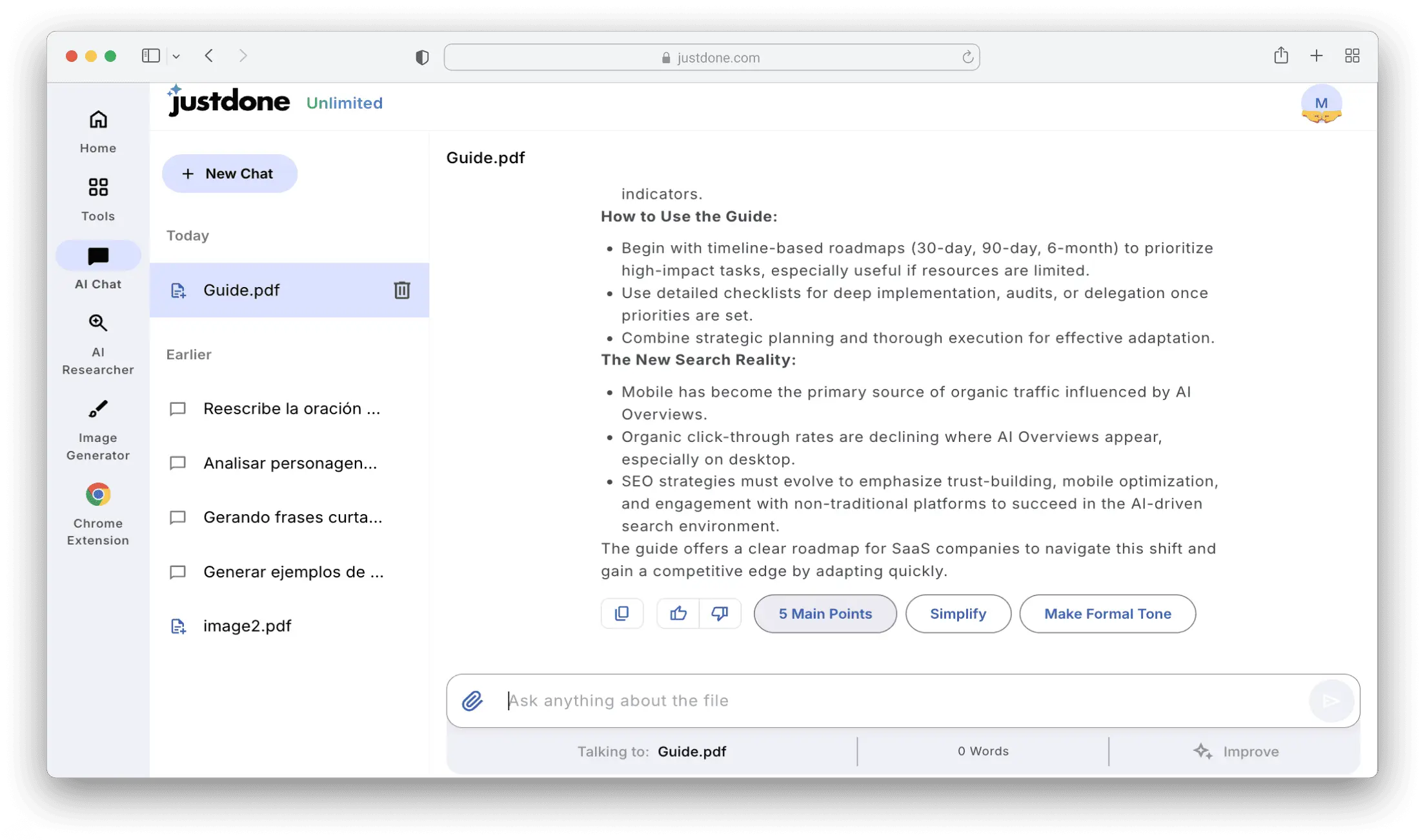
Ask Questions in Natural Language

Talk to your documents like you'd talk to a colleague. Ask "What are the main findings?", "List all deadlines", or "Explain section 3 in simple terms"—and get instant, accurate answers.

AI understands context, finds relevant sections, and pulls exact information. Need clarification? Ask follow-up questions. AI remembers the conversation and builds on previous answers.
Smart Quick Actions for Instant Insights

Get summaries, simplified versions, or formatted text without typing a question.

5 Main Points

Extract the five most important takeaways from your document in seconds. Perfect for quick reviews, executive summaries, or preparing for meetings.</p>

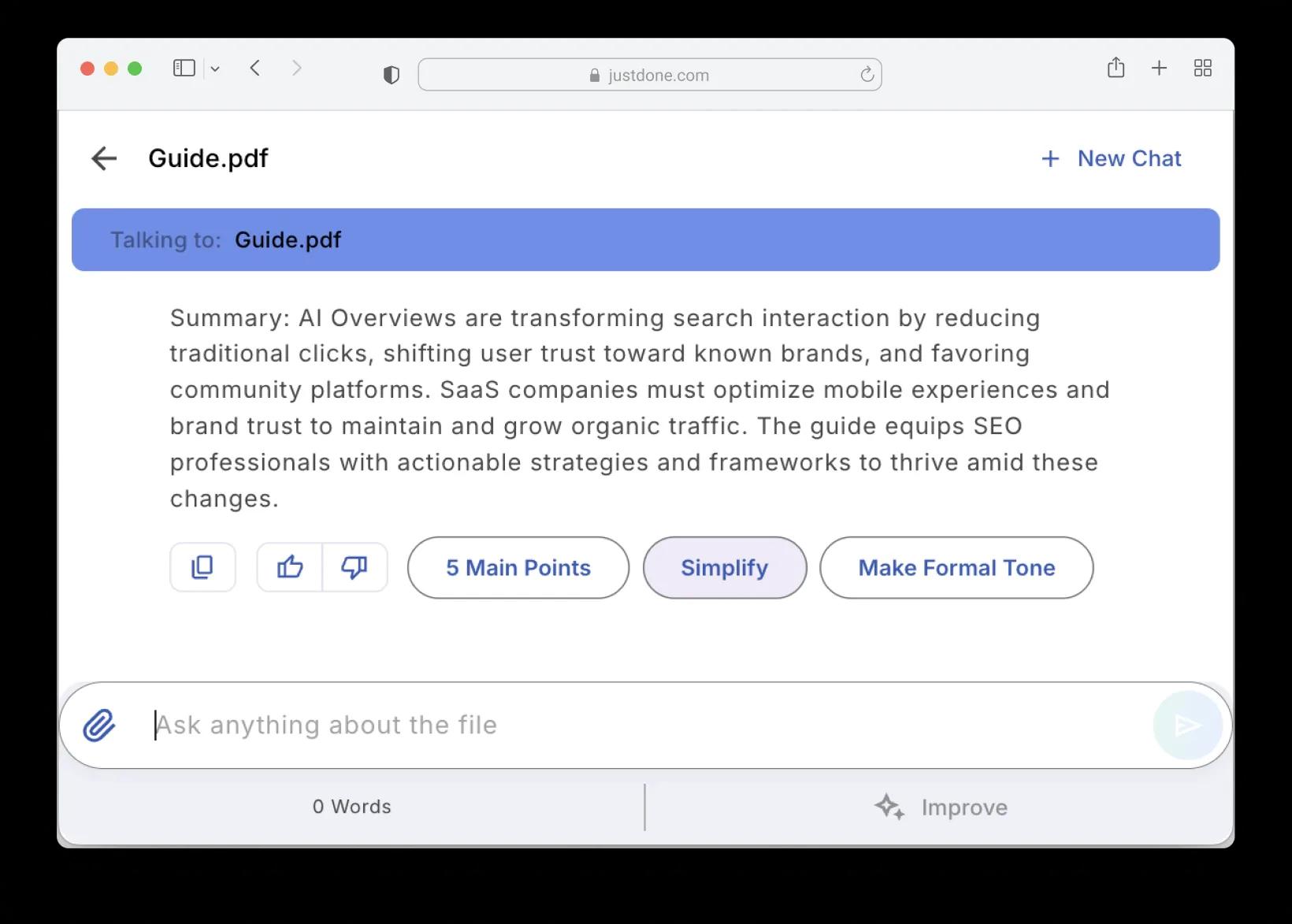
Simplify

Turn complex, jargon-heavy text into clear, easy-to-understand language. Ideal for contracts, technical reports, or academic papers with dense terminology.

Make Formal Tone

Rewrite sections in a professional, formal tone. Great for business documents, client presentations, or when you need polished, corporate-ready phrasing.

Why You Need a File Analyzer

    Save Hours of Reading Time

    No more skimming through 50-page documents. Upload, click "5 Main Points", and get a summary in seconds. Or ask specific questions and get answers instantly—AI reads the entire document for you.

    Get Multiple Perspectives

    Click "Simplify" to understand complex sections, or "Make Formal Tone" to see professional phrasing. Switch between detailed analysis and high-level summaries without rereading the document.

    Work With Multiple File Formats

    Supports PDF, DOCX, TXT, and PPTX files up to 20MB. Whether it's a contract, presentation, research paper, or meeting notes—AI handles them all seamlessly.

Try JustDone

How to Analyze Documents with AI

1

Upload Your Document

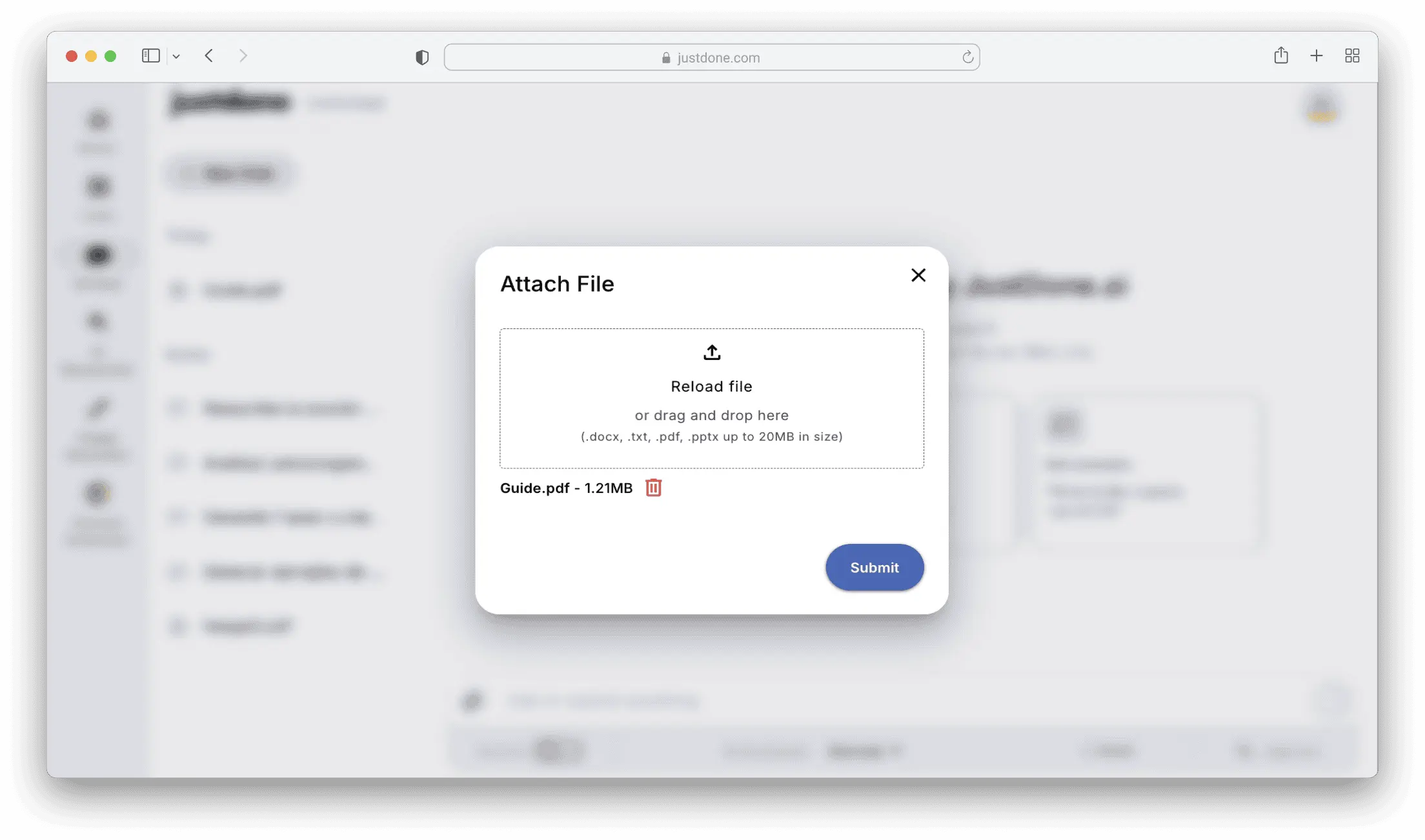
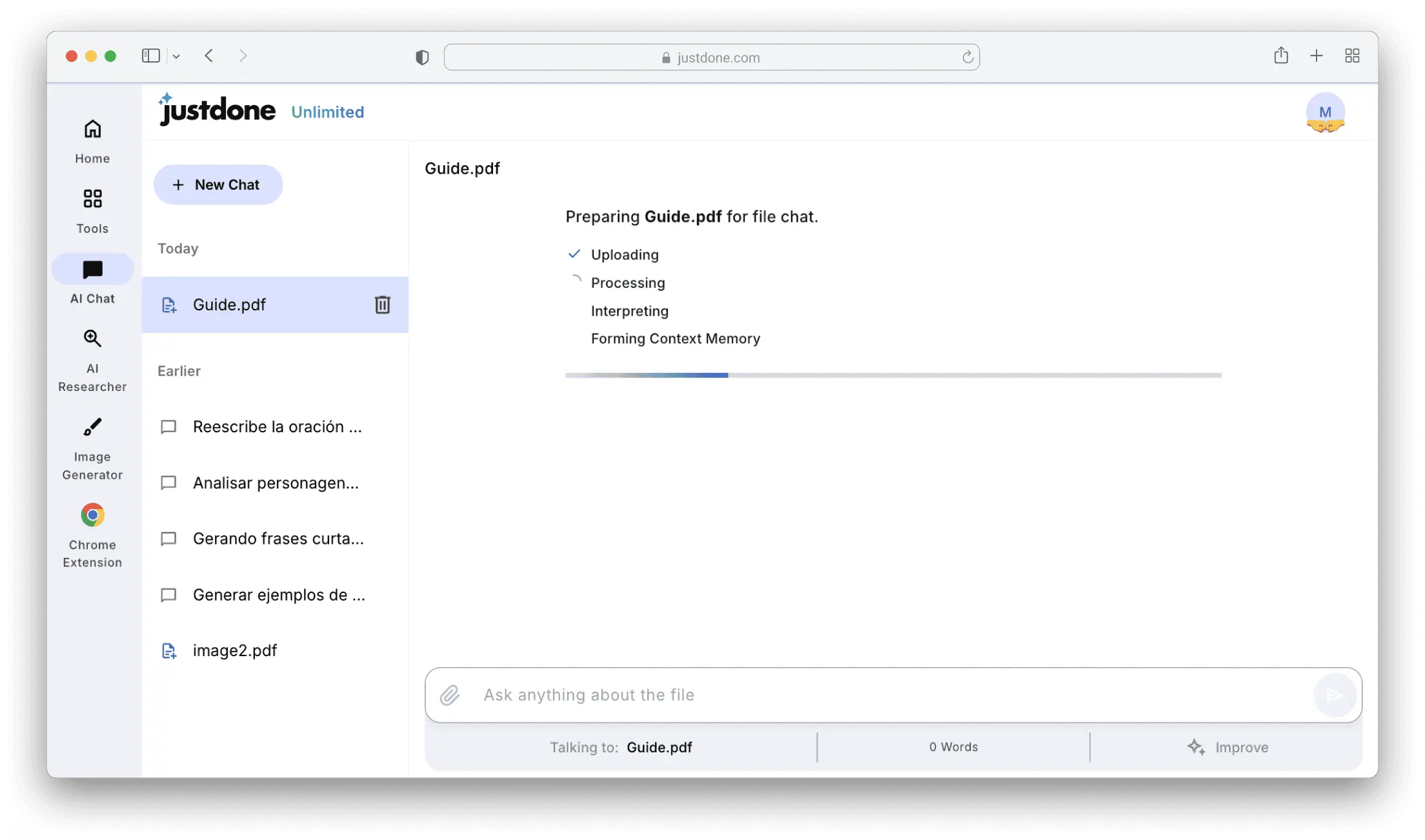
Click "Attach File" in AI Chat or drag and drop your PDF, DOCX, TXT, or PPTX file (up to 20MB). JustDone processes it immediately—uploading, interpreting, and forming context memory.

You'll see progress in real-time: Uploading-Processing-Interpreting-Forming Context Memory. Takes just a few seconds, then you're ready to start analyzing.

2

Get Instant Summaries or Key Points

Once your document loads, use Quick Actions: click "5 Main Points" to extract the most important information, "Simplify" to make complex sections easier to understand, or "Make Formal Tone" to see professional phrasing.

These buttons give you instant insights without typing a single question—perfect for quick overviews before diving deeper.

3

Ask Specific Questions

Type your question in the chat input: "What are the main findings?", "List all deadlines", or "Explain section 3 in simple terms." AI scans the document, finds relevant information, and responds with precise, context-aware answers.

Need clarification? Ask follow-up questions. AI remembers the conversation and builds on previous answers for deeper insights.

4

Copy, Share, or Continue Analyzing

Copy AI responses directly to your notes, or keep the conversation going with more questions. Your document stays in context for as long as you need—ask unlimited questions without reuploading.

Use thumbs up/down buttons to help AI learn your preferences. Rate responses to improve future answers and save time on repetitive tasks.

Frequently Asked Questions

JustDone supports PDF, DOCX, TXT, and PPTX files up to 20MB in size. Simply drag and drop or upload through the "Attach File" button in AI Chat.

Quick Actions are instant shortcuts that appear after uploading a document. Click "5 Main Points" to extract key takeaways, "Simplify" to make text easier to understand, or "Make Formal Tone" to see professional phrasing—all without typing a question.

After you upload a file, JustDone processes it by reading, interpreting, and forming a "context memory." This means AI understands the full content and can answer questions based on any part of the document.

Yes! Once uploaded, you can ask unlimited questions. AI remembers the conversation and builds on previous answers for deeper insights. Your document stays in context for the entire session.

Yes. JustDone processes your documents securely and doesn't share your data with third parties. Your files are used only to answer your questions within the chat session.

Yes. Ask specific questions like "What deadlines are mentioned?" or "List all names in this document." AI scans the file and extracts the exact information you need.

JustDone analyzes documents in multiple languages, including English, Spanish, French, German, and more. Ask questions in the same language as your document for best results.

Processing takes just a few seconds. You'll see progress steps: 

  1. Uploading
  2. Processing
  3. Interpreting
  4. Forming Context Memory. 

Once done, you can start asking questions or using Quick Actions immediately.

some-alt